





How To Choose The Best Xbox Steering Wheel For Your Setup
|
|
If you've been playing Forza Motorsport, Forza Horizon or F1 with a standard controller, you'll know the feeling. The game is fun, but something is missing.
A proper Xbox steering wheel changes that instantly. You get more precise steering input, more control under braking, stronger immersion through force feedback and a setup that feels closer to real driving. The right wheel can make racing games feel smoother, more consistent and far more enjoyable.
The hard part is choosing the right Xbox steering wheel for your space, budget and games. Some wheels are made for casual lounge-room racing. Others are better suited to a fixed cockpit, load cell pedals and long racing sessions.
At Gamer Gear Direct, our team works with racing simulator gear every day. We've tested Xbox-compatible wheel setups at our Dandenong South showroom across desk mounts, wheel stands and full cockpits.
This guide breaks down what actually matters when choosing an Xbox steering wheel, including compatibility, force feedback, pedals, mounting, game support, upgrade options and local buying considerations.
When we assess an Xbox steering wheel, we look at how it performs in a real racing setup. A wheel might look good on paper, but the real test is how it feels once it's mounted, connected and used across different racing games.
Our showroom testing focuses on:
How quickly the wheel connects to Xbox Series X|S and Xbox One
How secure the wheel feels on a desk, wheel stand or cockpit
How much detail comes through the force feedback
How the pedals feel under throttle and braking
How easy the wheel is to configure in popular racing titles
How comfortable the rim feels during longer sessions
How practical the setup is for Australian homes
How simple it is to upgrade pedals, shifters or cockpit hardware later
That last point matters. A beginner buying their first Xbox steering wheel usually doesn't need the most powerful system available. They need something stable, easy to use and good enough to build confidence.
A more experienced sim racer may care more about stronger feedback, pedal upgrades and long-term cockpit compatibility.
The best Xbox steering wheel isn't always the most expensive one. From our hands-on experience, the biggest difference comes from matching the wheel to the way you'll actually use it.
If you're just starting out, focus on simple Xbox compatibility, reliable mounting and enough force feedback to feel the car. If you're racing every week, prioritise pedal quality, wheelbase strength, cockpit stability and upgrade options. If you're building a permanent sim racing setup, think beyond the wheel and plan the whole system from the start.
Most buyers should look at five things first:
Xbox compatibility
Force feedback quality
Pedal feel
Mounting stability
Upgrade path
You can browse our Xbox-compatible racing wheels, compare them against sim racing pedals, and build around a stable racing simulator cockpit if you're planning a more serious setup.
Before you drop your hard-earned cash on any racing wheel, you need to understand how Xbox licensing works. Microsoft requires manufacturers to obtain official licensing for Xbox compatibility, which means not every PC steering wheel will work with your console.
This proprietary system exists for good reason - it ensures quality and compatibility - but it does limit your options compared to PC racing. When you're shopping for an Xbox steering wheel, you'll notice specific branding indicating Xbox Series X|S and Xbox One compatibility.
The licensing requirement means you're looking at specific brands that have partnered with Microsoft. These manufacturers include Thrustmaster, Logitech, and newer players like Turtle Beach entering the market with innovative designs.
Here's what sets Xbox-compatible wheels apart:
Authentication chip built into the hardware
Guaranteed compatibility with current and future Xbox racing titles
Plug-and-play functionality without complex workarounds
Official support from both Microsoft and the manufacturer
The trade-off? You'll typically pay a premium compared to PC-only alternatives. But that investment buys you peace of mind and seamless integration with your Xbox ecosystem.
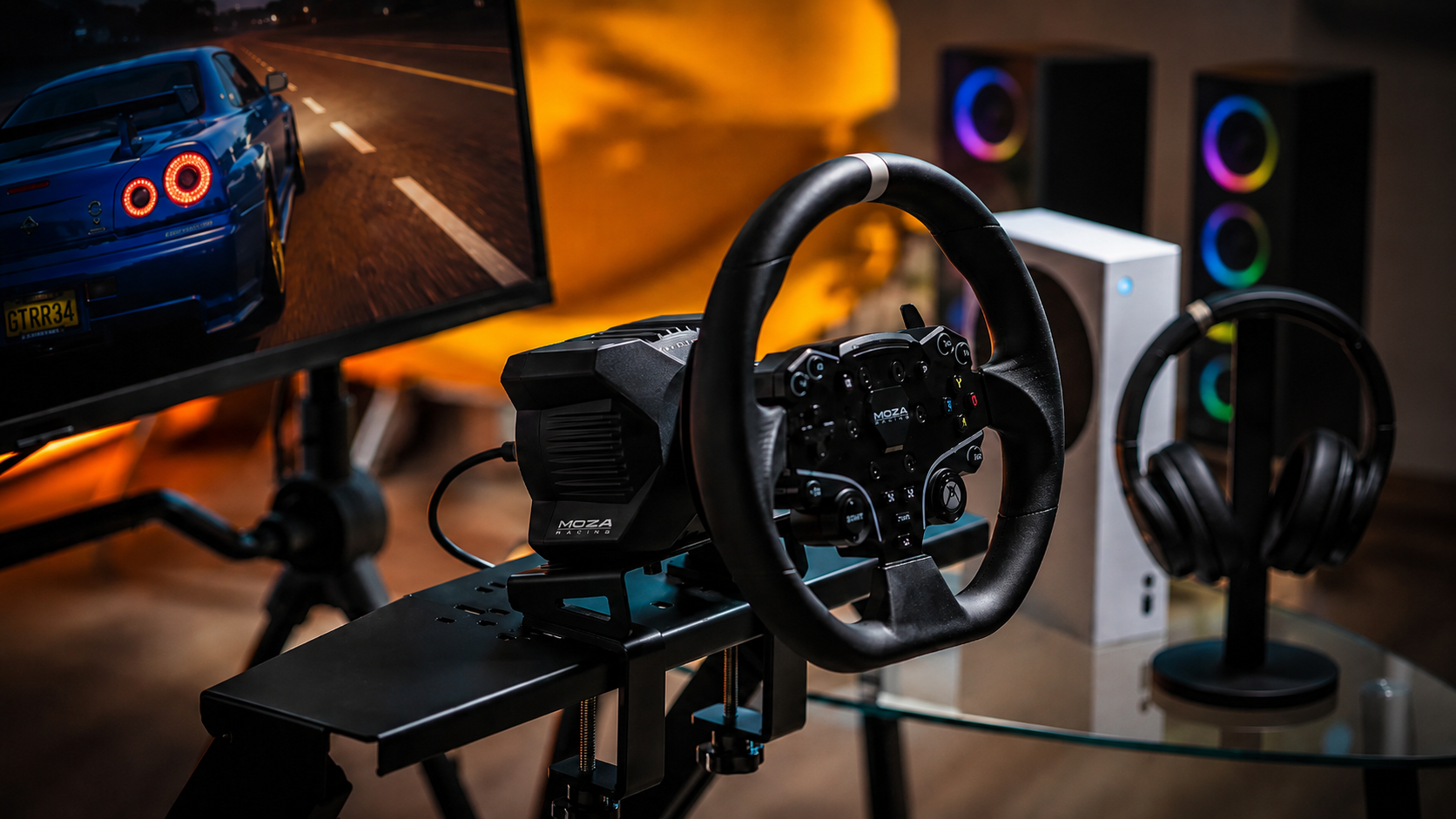
Not everyone needs a $1,500 direct drive setup to enjoy sim racing. If you're just dipping your toes into the world of racing simulation, entry-level wheels offer surprising value without breaking the bank.
When evaluating affordable options, understanding what you're getting (and what you're sacrificing) helps set realistic expectations. Entry-level wheels typically use gear-driven or hybrid force feedback systems rather than belt-driven mechanisms found in premium models.
Feature |
Entry-Level |
Mid-Range |
Premium |
|---|---|---|---|
Force Feedback Strength |
2-4 Nm |
5-8 Nm |
10-25 Nm |
Build Quality |
Plastic heavy |
Mixed materials |
Metal construction |
Pedal Feel |
Basic resistance |
Progressive springs |
Load cell/hydraulic |
Price Range |
$200-$400 |
$500-$900 |
$1,000+ |
For Aussie gamers considering their first setup, starting modestly makes sense. You can always upgrade individual components later, especially pedals, which often make the biggest difference to your lap times.
This is where things get interesting. Mid-range Xbox steering wheel options deliver genuine performance improvements that you'll feel immediately on track. The jump from entry-level to mid-tier represents the sweet spot for most enthusiasts who want serious immersion without mortgaging their house.
The Turtle Beach VelocityOne Race KD3 showcases both the promise and pitfalls of this category. Its hardware impresses, but software compatibility issues remind us that even established manufacturers face challenges in this space.
Wireless technology has improved dramatically, and modern wheels demonstrate how manufacturers are embracing cable-free setups.
But is wireless worth it for sim racing?
Wireless Advantages:
Clean aesthetic without cable management
Easier to reposition your setup
Works seamlessly across multiple devices
No cable wear concerns
Wireless Drawbacks:
Battery management adds complexity
Potential latency (though minimal)
Higher price point
Charging downtime during marathon sessions
Most serious sim racers still prefer wired connections for their Xbox steering wheel setups, prioritising reliability over convenience. When you're chasing those final tenths of a second, eliminating any potential latency matters.
Force feedback is the main reason to buy an Xbox steering wheel instead of using a controller. It lets you feel resistance through the wheel as the car loads up through corners, loses grip or drives over bumps and kerbs.
There are three common types of force feedback:
Gear-driven force feedback
Belt-driven force feedback
Direct drive force feedback
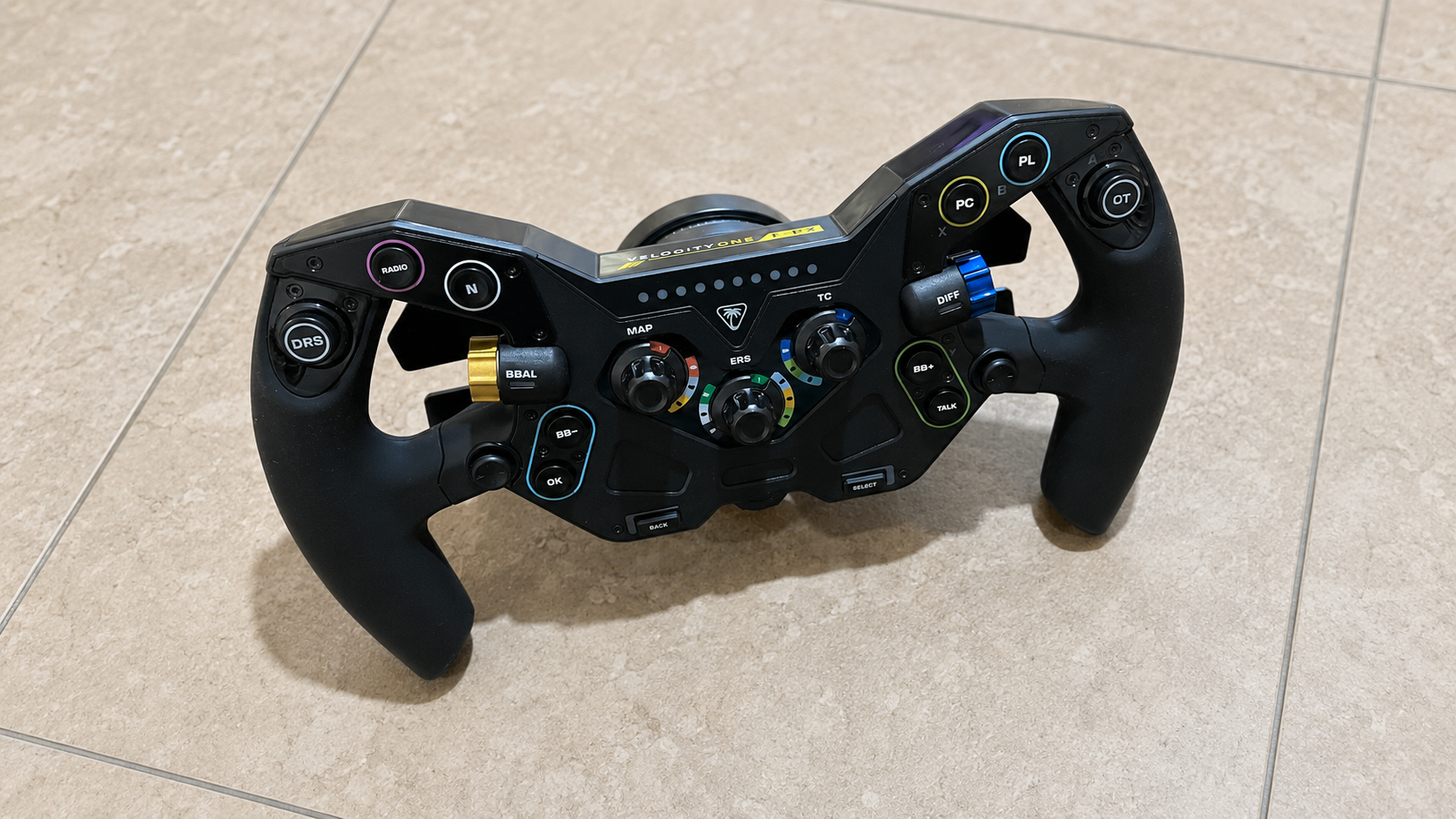
Gear-driven wheels are usually more affordable. They can provide a real sense of steering resistance, but they may feel less smooth.
Belt-driven wheels usually feel smoother and quieter. They can be a great middle ground for drivers who want stronger immersion without going into a premium direct drive setup.
Direct drive wheels connect the rim directly to the motor. This can deliver faster response, cleaner detail and stronger feedback, but it also places more demand on your mounting solution.
When testing an Xbox steering wheel, we don't just look at peak strength. We care about detail.
Can you feel the front tyres losing grip? Does the wheel load up naturally through corners? Does the feedback help you drive better, or does it just feel heavy?
For most people, useful feedback matters more than maximum force.
Pedals matter more than most beginners realise. The pedal set included with entry and mid-range wheels often represents the weakest link. Upgrading to standalone pedals, particularly those with load cell brakes, delivers immediate lap time improvements.
Mounting solutions range dramatically:
Desktop clamps (included with most wheels)
Wheel stands (portable, affordable)
Full racing cockpits (maximum stability)
DIY solutions (budget-friendly customisation)
Seating position affects everything. Racing in an office chair doesn't cut it for serious sessions. Your body position influences control precision and endurance during longer races. Many Aussie sim racers find that investing in their racing rig setup transforms their entire experience.
Don't overlook shifters and handbrakes either. While paddle shifters work for modern GT cars and formula racing, manual H-pattern shifters add authenticity to classic car experiences. Sequential shifters suit rally driving perfectly.
Your shiny new Xbox steering wheel needs games that support it properly. Thankfully, we see excellent support across major racing titles, but compatibility isn't universal.
All current sim racing titles recognise Xbox-licensed wheels automatically. Games like Forza Horizon 5, Forza Motorsport, F1 2026, and Gran Turismo (via cloud gaming) offer comprehensive wheel support with customizable settings.
Out-of-the-box settings rarely deliver optimal performance. Spending time with calibration and game-specific tuning makes an enormous difference. Each Xbox steering wheel manufacturer provides companion apps or software for fine-tuning:
Force feedback strength adjustment
Rotation angle settings (270° to 1080°)
Pedal sensitivity curves
Dead zone elimination
Button mapping customization
Different games require different approaches. Formula cars need higher rotation speeds with aggressive force feedback. Rally cars benefit from maximum rotation with detailed surface feedback. Arcade racers work better with dampened, simplified settings.
Understanding your simulator wheel setup options helps you extract maximum performance from your investment. The difference between default settings and properly tuned configurations can be several seconds per lap.
Shopping for an Xbox steering wheel in Australia presents unique considerations. Import costs, local availability, and warranty support all factor into your decision.
Buying from Australian retailers ensures local warranty coverage and eliminates import headaches. When your wheel develops issues (and electronics occasionally do), dealing with overseas returns becomes expensive and frustrating.
Australian pricing typically runs 10-20% higher than US pricing due to import costs, GST, and distribution. However, local retailers often run promotions that narrow this gap significantly.
Current market landscape shows:
Entry wheels: $250-$450
Mid-range setups: $550-$1,100
Premium systems: $1,200-$2,500
Professional direct drive: $2,500+
Stock availability has improved dramatically since the pandemic-era shortages. Most popular Xbox steering wheel models remain readily available through specialised retailers who understand the sim racing community's needs.
Already own an Xbox steering wheel but feeling limited?
Upgrading individual components often delivers better value than replacing your entire setup.
Pedals represent the most impactful upgrade path. Moving from standard potentiometer-based pedals to load cell brakes revolutionises your braking precision. The consistency this provides translates directly into faster, more confident lap times.
Pedals - Immediate performance improvement
Wheel rim - Enhanced immersion and control (if compatible)
Shifter - Adds engagement for appropriate cars
Mounting solution - Stability affects everything
Seat upgrade - Comfort enables longer, better sessions
Many manufacturers design their ecosystems with expandability in mind. Thrustmaster's T-series particularly shines here, allowing you to start with an affordable wheel base and add premium components as budget permits.
For those comparing different upgrade paths, resources like our MOZA R3 vs R5 comparison help inform decision-making even if you're currently in the Xbox ecosystem. Understanding how PC sim racers approach upgrades provides valuable perspective.
How much rotation do I actually need?
Modern F1 cars use around 270-360 degrees lock to lock, while road cars typically need 900 degrees. Most quality wheels offer adjustable rotation to match your chosen vehicle.
Will my wheel work with next-gen Xbox consoles?
Microsoft maintains backwards compatibility, so officially licensed wheels continue working with future Xbox systems. This investment protection matters when you're spending serious money.
Can I use my Xbox steering wheel on PC?
Most Xbox-compatible wheels also support PC gaming, though you may need additional drivers. This dual compatibility extends your investment's value significantly.
Do I need a racing cockpit?
Not initially. Desk mounting or a wheel stand works perfectly fine for most seters. Cockpits enhance immersion and stability but aren't mandatory for enjoying your wheel.
How important is force feedback strength?
More isn't always better. Excessive force feedback strength causes fatigue without improving performance. Quality of feedback detail matters far more than raw power.
The best Xbox steering wheel is the one that fits your console, games, space and long-term plans.
If you're new to racing wheels, don't overcomplicate it. Choose an Xbox-compatible wheel with real force feedback, secure mounting and pedals that feel comfortable. If you're already racing regularly, spend more attention on pedal quality, cockpit stability and upgrade options.
From our experience helping sim racers, the strongest setups are balanced. The wheel, pedals and mounting solution all need to work together. Get that right, and your racing games will feel more precise, more immersive and far more rewarding.
If you're ready to build your setup, start with Xbox-compatible racing wheels, then add the right racing simulator cockpit, wheel stand, sim racing pedals and racing simulator accessories around your space and budget.
At Gamer Gear Direct, we understand the Australian sim racing community's needs and stock quality steering wheels and accessories backed by expert guidance and local support.
We're here to help you build the perfect setup.


