





PlayStation Steering Wheel Guide: Everything You Need to Know
|
|
You've loaded up your favourite PlayStation racing game, controller in hand, and the car still doesn't feel as sharp as it should. The thumbsticks make smooth steering difficult, braking feels vague, and catching oversteer can turn into guesswork fast.
That's usually the time a PlayStation steering wheel starts to make sense.
A good PlayStation steering wheel gives you more control over steering, braking and car placement. Instead of tapping a trigger or nudging a thumbstick, you're making real inputs through a wheel and pedal set.
At Gamer Gear Direct, we've tested PlayStation-compatible racing wheels across entry-level, mid-range and direct drive setups at our Dandenong showroom.
We've mounted wheels to desks, folding stands and full racing simulator cockpits, then compared how they feel in real racing games.
This guide shares what we've learned, so you can choose a PlayStation steering wheel that suits your budget, space and driving style.
Before recommending any PlayStation steering wheel, our team looks at more than the product box. We test how the wheel feels once it's connected, mounted and pushed through actual racing conditions.
At our Dandenong showroom, we focus on:
PlayStation compatibility and console recognition
First-time setup and firmware requirements
Force feedback strength, detail and smoothness
Wheel mounting stability under aggressive steering
Pedal feel, brake control and pedal movement
Button layout and in-game mapping
Comfort during longer racing sessions
Upgrade options for pedals, shifters, handbrakes and cockpits
This matters because a PlayStation steering wheel can feel completely different depending on how it's mounted. A wheel clamped to a light desk won't give the same experience as one bolted to a rigid cockpit. The same goes for pedals. If they slide every time you brake, your lap times and comfort will suffer.
That's why our advice is based on the whole setup, not just the wheel base.
When you're shopping for a PlayStation steering wheel, the first thing you need to understand is compatibility. Not every wheel works with every PlayStation console, and this can be a massive headache if you don't do your homework first.
PlayStation 4 and PlayStation 5 have different licensing requirements, though many modern wheels now support both systems. Official PS5 certification is crucial for ensuring full functionality and avoiding compatibility issues down the track.
Here's what you need to check before buying:
Official PlayStation licensing – Look for the official PlayStation logo on the product
Console generation support – PS4, PS5, or both
Firmware updates – Some wheels require updates to maintain compatibility
Platform flexibility – Whether it works on PC or Xbox as well
The licensing situation can get a bit tricky. Some brands offer PlayStation compatibility when their wheels are connected to a PlayStation-licensed base, which opens up more options if you're willing to invest in a complete ecosystem.
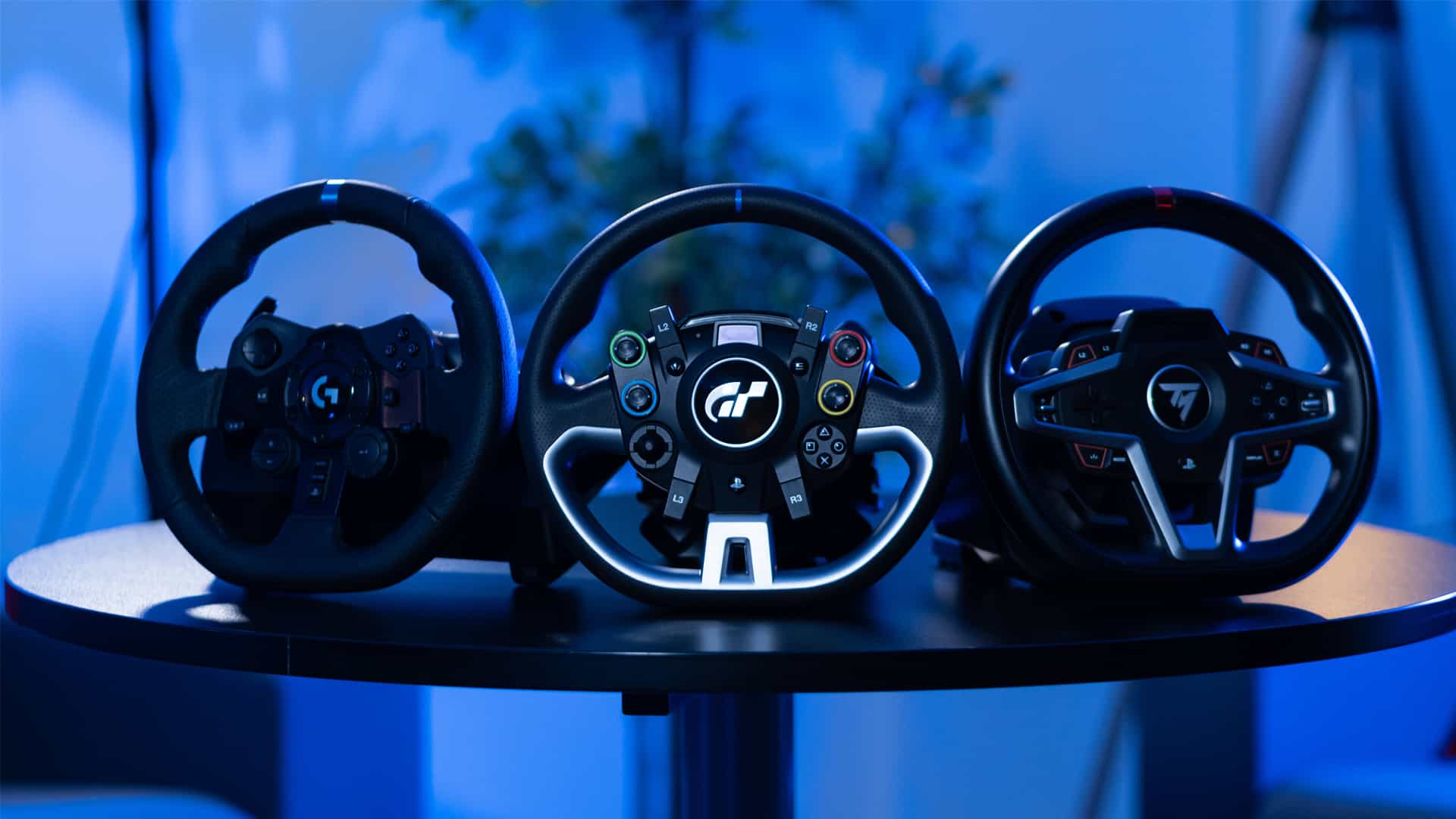
When a customer asks us which PlayStation steering wheel to buy, we don't start with price. We start with how they plan to use it.
We look at their:
Available space
Mounting option they plan to use
Experience level
Upgrade plans
Budget
And comfort needs
A casual Gran Turismo player in a small apartment doesn't need the same setup as someone building a permanent cockpit for league racing. A direct drive system may be brilliant in the right setup, but it can be frustrating if the mounting point flexes or the pedals aren't secure.
This is why a PlayStation steering wheel should be chosen as part of a complete racing setup. The wheel, pedals, seat position and mounting all work together.
Let's be honest – not everyone wants to drop thousands of dollars on their first PlayStation steering wheel. If you're just dipping your toes into sim racing, there are some solid entry-level options that won't break the bank.
For those starting their sim racing journey, consider checking out our ultimate guide for beginners which covers everything you need to know about getting started with racing simulators.
Pros of budget wheels:
Lower initial investment
Perfect for testing if sim racing is right for you
Usually lighter and easier to mount temporarily
Simpler setup process
Cons to consider:
Limited force feedback or none at all
Plastic construction feels less premium
Smaller rotation angles (typically 270 degrees)
May lack advanced features like customisable buttons
Feature |
Budget Wheels |
Mid-Range Wheels |
Premium Wheels |
|---|---|---|---|
Price Range |
$100-$250 |
$300-$700 |
$800+ |
Force Feedback |
None or basic |
Gear-driven |
Direct drive |
Build Quality |
Plastic |
Mixed materials |
Metal/Premium |
Rotation |
270°-900° |
900°-1080° |
1080°+ |
Once you've caught the sim racing bug, you'll probably start eyeing the mid-range options. This is where things get really interesting because you're getting proper force feedback without completely emptying your wallet.
Mid-range wheels typically use gear-driven or belt-driven force feedback systems. They're not quite as smooth as direct drive, but they'll give you that essential road feel that makes sim racing so immersive. You'll feel the rumble strips, sense when your tyres are losing grip, and get genuine feedback through the wheel rim.
When you step up to a mid-range PlayStation steering wheel, you're not just getting better force feedback. You're getting:
Improved build quality with metal components where it matters
Greater rotation angles for more realistic steering input
Customisable force feedback settings to match your preferences
Better pedal sets often included or available as upgrades
Ecosystem compatibility allowing you to upgrade components over time
The sweet spot for many sim racers sits right in this category. You're getting 80% of the premium experience at 40% of the cost, which makes it easier to justify to your partner when you're explaining why there's suddenly a racing rig in the living room.
If you're serious about your setup, pairing your wheel with a proper racing simulator cockpit transforms the entire experience from good to absolutely brilliant.
Now we're talking serious business. Premium direct drive PlayStation steering wheel setups represent the pinnacle of sim racing technology. These systems use powerful motors directly connected to the wheel, eliminating the gears and belts that create friction and delay in cheaper systems.
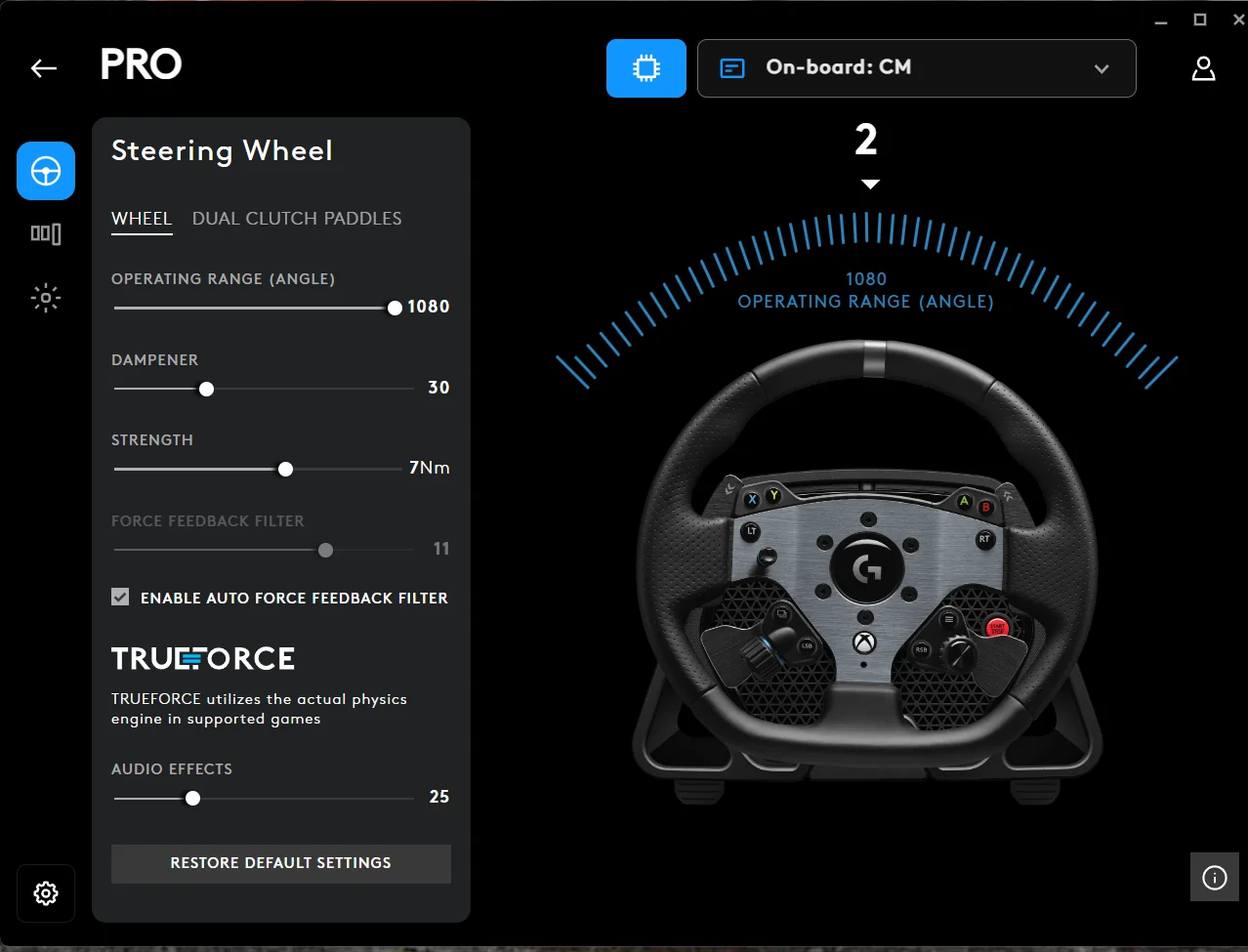
The Logitech G Pro Racing Wheel delivers 11Nm of force feedback through its direct drive system, offering compatibility across PlayStation, Xbox, and PC.
Direct drive wheels aren't just about raw power, though. They're about precision and detail. Every tiny bump in the road surface, every slight loss of traction, every change in weight distribution – you feel it all through the wheel in real-time.
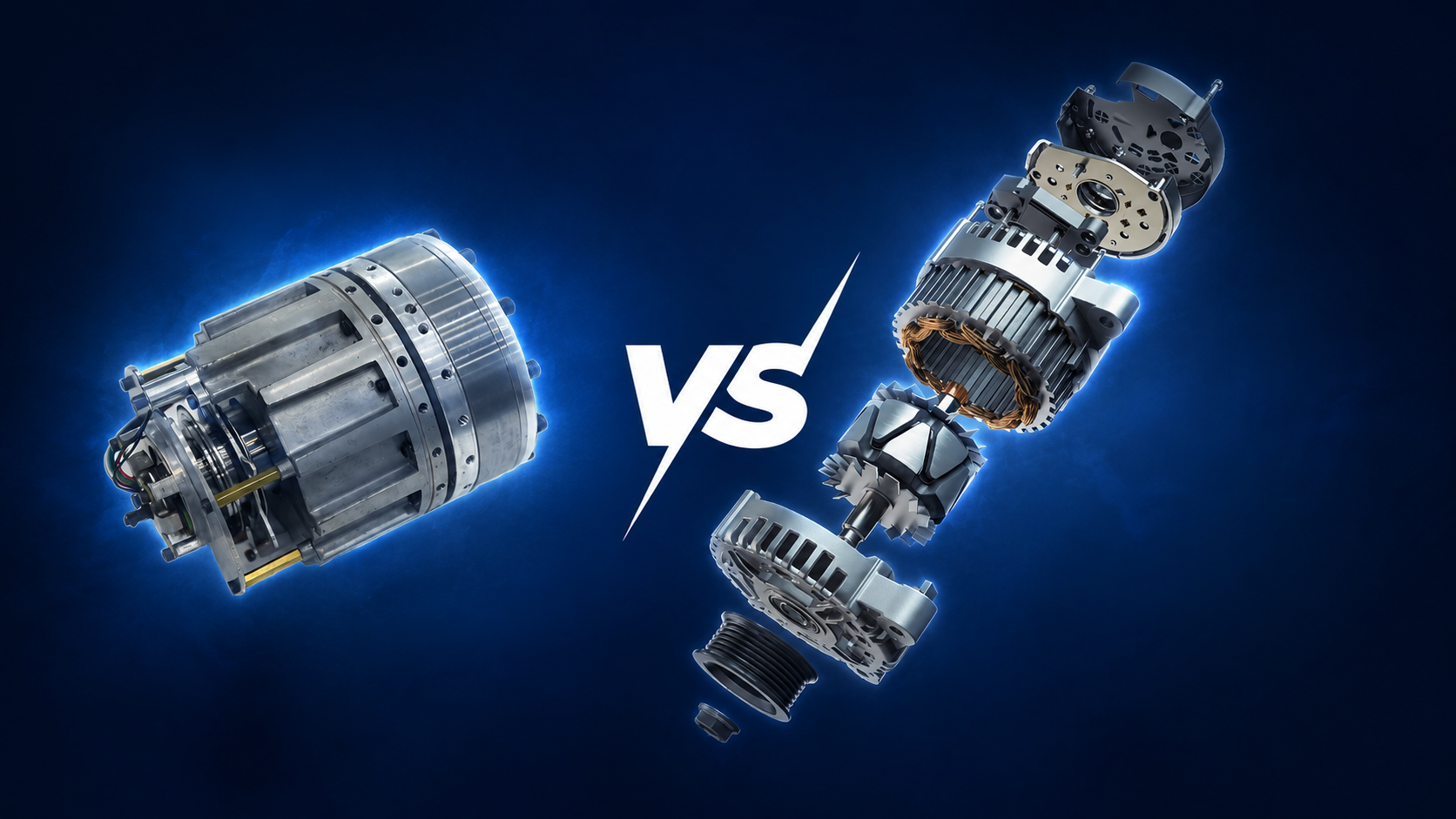
Here's the million-dollar question (or perhaps the thousand-dollar question in this case). Direct drive systems cost significantly more than gear-driven alternatives, so you need to consider whether the benefits justify the expense for your situation.
When direct drive makes sense:
You're competing in online championships or leagues
You spend 10+ hours weekly sim racing
You want the most realistic experience possible
You're building a dedicated sim racing space
Budget isn't your primary constraint
When you might hold off:
You're still exploring different racing games
Your racing time is limited to a few hours monthly
Space constraints mean frequent setup and takedown
You're not sure sim racing is a long-term hobby
The Thrustmaster T598 offers high-end features, including an Axial Flux Direct Drive motor and magnetic pedal set, bridging the gap between mid-range and premium options for PlayStation users.
You've got your shiny new PlayStation steering wheel, you've unboxed it with the excitement of Christmas morning, and now you're staring at cables and mounting brackets, wondering where to start. Don't worry – the setup process is more straightforward than it looks.
The basic connection process involves a few key steps.
Choose your mounting solution – Desk clamp, dedicated rig, or folding stand
Connect the power supply – Most wheels need external power for force feedback
Attach the wheel base securely to prevent movement during racing
Connect pedals to the wheel base using the provided cable
Plug USB cable into your PlayStation console
Update firmware if prompted by the manufacturer's software
Your PlayStation should recognise the wheel automatically once connected. If it doesn't, you might need to power cycle the console or check for system updates.
Once the physical setup is complete, you'll want to dive into the settings. Each racing game handles wheel configuration differently, but most follow similar patterns:
Calibration – Let the game detect your wheel's full rotation range
Force feedback strength – Adjust to your preference and wheel capabilities
Steering linearity – How directly your inputs translate to on-screen movement
Pedal sensitivity – Especially important for brake modulation
Button mapping – Assign functions like DRS, pit limiter, and camera views
From helping customers choose and configure racing gear, we see the same setup mistakes again and again.
The most common issue is weak mounting. A PlayStation steering wheel needs to stay locked in place, especially under heavy steering loads. If the base moves, your inputs become less accurate and force feedback feels muddy.
The second issue is pedal movement. Basic pedals can slide on carpet or hard floors, which makes braking inconsistent. Bracing pedals against a wall, stand or cockpit pedal plate helps immediately.
Other common mistakes include:
Skipping firmware updates
Setting force feedback too high
Using a desk that flexes
Sitting too close or too far from the pedals
Forgetting to calibrate the wheel in each game
Running cables where they can be pulled mid-race
A PlayStation steering wheel will only perform as well as the setup around it. Before changing advanced settings, make sure the wheel base, pedals and seating position are stable.
Your PlayStation steering wheel is only part of the equation. The pedals you're pushing make an enormous difference to your lap times and overall experience. Many entry-level wheels come with basic two-pedal sets (accelerator and brake), but serious sim racers quickly discover the value of upgrading.
There are three main types of pedal systems you'll encounter:
Pedal Type |
Mechanism |
Feel |
Price Range |
|---|---|---|---|
Potentiometer |
Spring resistance |
Basic |
$50-$150 |
Load Cell |
Pressure sensing |
Realistic |
$200-$500 |
Hydraulic |
Fluid-based |
Premium |
$500+ |
Load cell brakes are particularly game-changing because they respond to pressure rather than distance. This mirrors how real car brakes work – you're not just pushing the pedal down, you're applying force to it. The muscle memory you develop translates better between different cars in your games.
Once you've sorted your wheel and pedals, you might start eyeing up additional peripherals:
H-pattern shifters for manual transmission immersion
Sequential shifters for modern race cars and rally driving
Handbrakes essential for rally and drift enthusiasts
Button boxes for quick access to advanced functions
These accessories transform your racing from "pretty good" to "absolutely mind-blowing." There's something visceral about heel-toeing through a downshift or yanking the handbrake for a Scandinavian flick that controllers simply can't replicate.
Not all racing games play nicely with every PlayStation steering wheel, which can be frustrating when you've just invested in new hardware. The good news is that most major racing titles on PlayStation have excellent wheel support.
Your wheel will shine brightest in these titles:
Gran Turismo 7 – The flagship PlayStation racing experience with exceptional wheel support
F1 2025 – For those interested in F1 racing simulation, this is essential
Assetto Corsa Competizione – Serious GT racing with advanced physics
WRC 11 – Rally racing that benefits enormously from wheel precision
Project CARS 3 – Diverse racing disciplines with solid wheel implementation
Some games require specific tweaking to get the most from your wheel. Force feedback settings that work perfectly in Gran Turismo might feel completely wrong in Assetto Corsa. Don't be afraid to experiment and search for community-recommended settings for your specific wheel model.
A PlayStation steering wheel is the heart of the setup, but it shouldn't be the only thing you think about. The cockpit, seat, pedals, monitor position and cable management all change how the system feels.
At our Dandenong showroom, one of the biggest things customers notice is stability. A wheel that feels decent on a desk can feel far more precise once it's mounted to a rigid cockpit. The same applies to pedals. When they don't move, braking becomes easier to repeat.
A complete setup may include:
PlayStation-compatible wheel base
Wheel rim
Pedal set
Racing cockpit or wheel stand
Racing seat
Shifter or handbrake
Monitor or TV mount
Cable management
If you want a simple living room setup, a wheel stand may be enough. If you want a dedicated racing space, a cockpit is a better long-term foundation.
Here's the reality check: a proper PlayStation steering wheel setup takes space. If you're living in a compact apartment in Melbourne or Sydney, you need to get creative with your arrangement.
Not everyone has a spare room for sim racing. These options help maximise limited space:
Folding wheel stands
Quick setup and pack-away capability
Reasonable stability for most wheels
More affordable than permanent rigs
Can be stored in wardrobes or under beds
Desk-mounted systems
Use existing furniture
Minimal additional footprint
Limited to lighter wheels
May damage desk surfaces over time
Compact cockpits
Purpose-built but space-conscious
Better than stands, smaller than full rigs
Often height-adjustable
Can be positioned against walls when not in use
For those with more space available, visiting our Dandenong showroom lets you experience different setups firsthand and understand what works for your situation.
Technology moves quickly in the sim racing world. The PlayStation steering wheel you buy today needs to remain relevant as games evolve and new console generations emerge. Making smart choices now saves money and frustration down the track.
When evaluating wheels for longevity, consider:
Modular design allowing component upgrades without replacing everything
Active manufacturer support with regular firmware updates
Strong community providing setups, mods, and troubleshooting help
Multi-platform compatibility in case you expand to PC racing
Proven reliability backed by user reviews and long-term testing
The wheel market changes constantly, with new technologies and price points emerging regularly. Staying informed through sim racing communities helps you understand where the market is heading and when it might be worth upgrading specific components.
There's no single right budget. The right amount depends on how often you race and how serious you are about the experience.
As a guide:
Casual racers can start with an entry-level wheel
Weekly racers should consider mid-range
Competitive or dedicated racers should look at direct drive
Anyone using strong force feedback should budget for stable mounting
Anyone chasing consistency should consider better pedals
A PlayStation steering wheel is easier to justify when you think about cost per session. If you race multiple times per week, the value builds quickly. If you only play once every few months, keep the setup simple.
The mistake is spending all your budget on the wheel and ignoring the rest of the setup. A balanced system usually feels better than an expensive wheel on a weak mount with sliding pedals.
The best PlayStation steering wheel is the one that fits your racing style, space and long-term plans.
Choose a budget wheel if you're new to sim racing, playing casually or need something easy to store.
Go for a mid-range wheel if you're racing weekly and want stronger feedback without jumping into a premium build.
Choose direct drive if you're serious about realism, consistency and long-term simulator performance.
From our showroom testing, the biggest lesson is simple: don't judge a PlayStation steering wheel by force feedback strength alone. Mounting stability, pedal feel, compatibility and comfort matter just as much.
If you're unsure, start by deciding where the wheel will be mounted. Then choose the strongest and most compatible setup that suits your budget. A well-mounted mid-range PlayStation steering wheel can feel better than a more powerful wheel in a poor setup.
At Gamer Gear Direct, our team helps Australian racers choose, test and configure racing simulator gear for their space, budget and driving goals. If you want to compare setups before buying, visit our Dandenong showroom or explore our PlayStation racing wheels, racing simulator cockpits and complete racing simulator packages online.


