





Everything You Need To Know About Setting Up An Xbox Racing Simulator
|
|
An Xbox racing simulator can turn your spare room, lounge room, office, or dedicated gaming space into a proper racing setup without the complexity of a full PC rig.
That’s the big reason Xbox still makes sense for a lot of Australian sim racers. It’s simple to use, easy to keep updated, and works with a growing range of Xbox-compatible wheels, pedals, cockpits, and racing games.
At Gamer Gear Direct, our team has tested Xbox racing simulator setups in our Dandenong South showroom, helped customers compare different cockpit styles, and walked plenty of first-time racers through the difference between a basic wheel and a more serious setup. This guide is based on that hands-on experience, not guesswork.
If you’re planning your first Xbox racing simulator, the goal isn’t to buy the most expensive gear straight away. A well-planned Xbox racing simulator should feel stable, comfortable, and easy to use. The goal is to choose hardware that suits your space, your favourite racing games, your skill level, and the kind of driving you want to do.
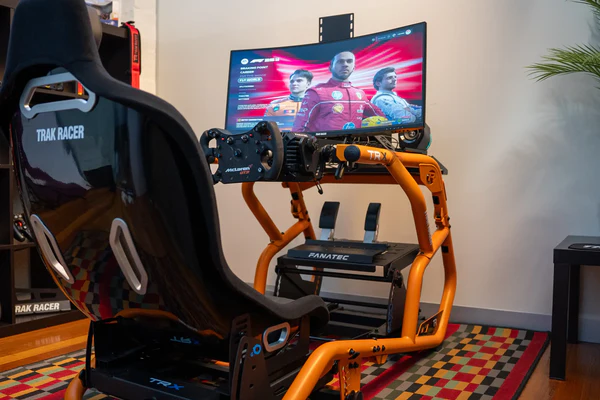
Our team has tested Xbox racing simulator hardware across wheel stands, fixed cockpits, direct drive wheelbases, entry-level wheels, load cell pedals, shifters, handbrakes, and different display options.
We look at how the setup performs in real use. That includes installation time, Xbox compatibility, force feedback feel, pedal control, cockpit flex, comfort, cable management, upgrade options, and how easy the setup is for customers to use when they first sit down.
In our showroom, we also see how different drivers react to different setups. Some customers instantly prefer a compact wheel stand. Others want the locked-in feel of a dedicated cockpit. Some care most about Forza Motorsport. Others want F1-style racing, GT racing, rally, drifting, or casual weekend racing with mates.
That hands-on testing helps us recommend an Xbox racing simulator based on real driving feel, not just specs on a product page.
Xbox is still one of the easiest ways to get into racing simulation. You don’t need to install drivers, manage PC hardware, or spend time troubleshooting software before you can drive.
For many racers, that simplicity is the main advantage. You connect your compatible wheel, load the game, adjust your steering and force feedback settings, and start racing.
Microsoft has invested heavily in making Xbox the go-to platform for racing enthusiasts. The collaboration between Xbox and racing wheel manufacturers has resulted in officially licensed hardware that delivers authentic force feedback and precision control. This partnership ensures your gear works flawlessly without compatibility headaches.
What makes Xbox particularly appealing for Aussie racers?
Plug-and-play simplicity: No driver installations or compatibility troubleshooting
Consistent performance: Every Xbox Series X delivers identical frame rates and graphics
Competitive pricing: Lower entry cost compared to equivalent PC setups
Local multiplayer support: Easy split-screen racing with mates on the couch
Game Pass value: Access to multiple racing titles for one monthly fee
The ecosystem just works. You're not spending hours tweaking settings or updating drivers when you could be perfecting your braking points at Bathurst.
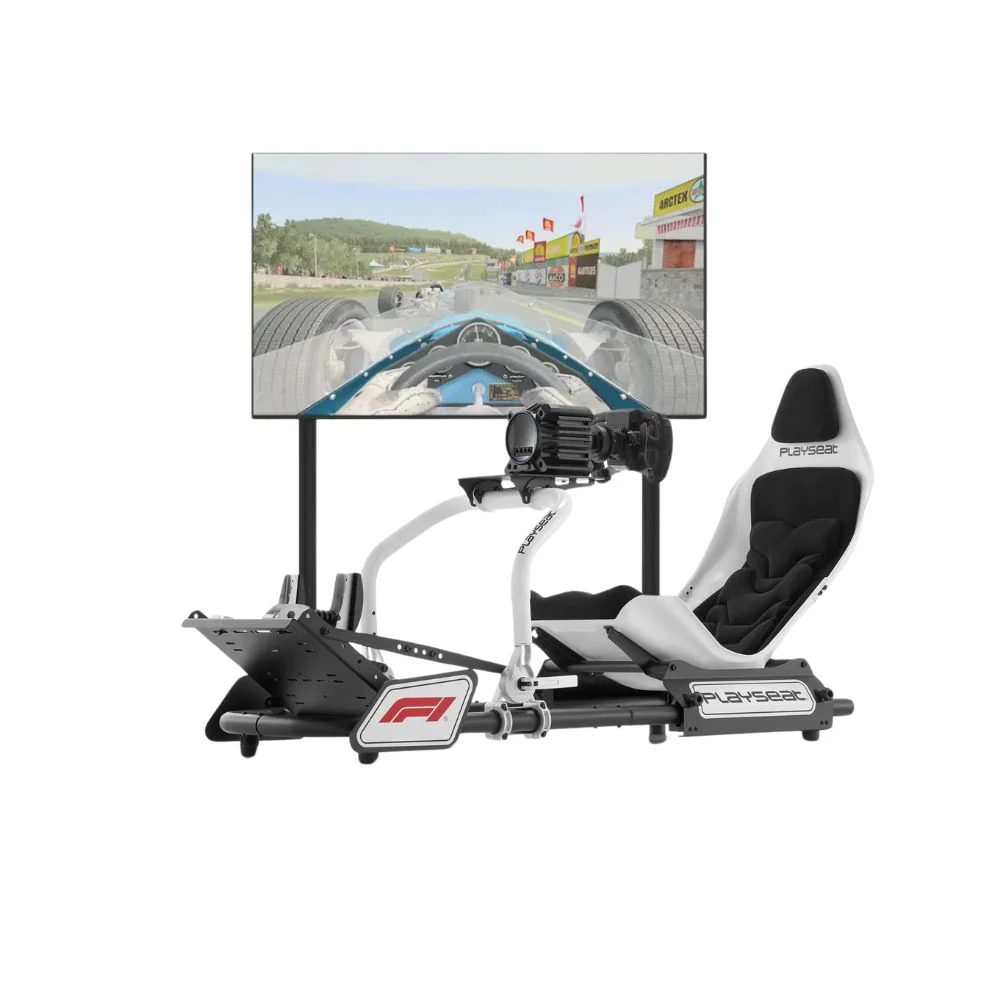
Building your ideal Xbox racing simulator starts with choosing the right peripherals. Your controller is literally your connection to the virtual track, so this decision matters more than you might think.
|
Wheel Type |
Force Feedback |
Price Range |
Best For |
|---|---|---|---|
|
Gamepad |
None |
$80-$150 |
Casual racing, testing titles |
|
Entry Wheels |
Basic 2-3Nm |
$300-$500 |
New sim racers, limited space |
|
Mid-Range FFB |
5-8Nm |
$600-$1,200 |
Serious hobbyists, regular use |
|
Direct Drive |
10-20Nm+ |
$1,500-$4,000+ |
Competitive racers, professionals |
When you're first starting out, there's absolutely nothing wrong with using your standard Xbox controller. Many top-tier racers practice with controllers to understand the pure racing lines before adding hardware complexity.
But when you're ready to upgrade, understanding what makes a direct drive wheel worth it becomes crucial for making an informed investment.
Here's something many newcomers overlook: your pedals matter just as much as your wheel. Proper pedal sets feature:
Load cell brakes for realistic pressure-based braking
Adjustable pedal faces to match your driving position
Independent mounting for custom positioning
Progressive resistance that mimics real hydraulic systems
The difference between basic plastic pedals and a quality load cell setup is night and day. You'll find yourself braking later and more consistently because you're feeling actual pressure rather than just measuring travel distance.
Your hardware is only half the equation. The games you choose determine whether you're getting an authentic simulation or just a pretty arcade racer. Let's break down what's actually worth your time.
The latest Forza Motorsport delivers what Microsoft calls "a generational leap in fidelity, immersion, and realism." This isn't marketing fluff. The physics engine genuinely rewards smooth inputs and punishes aggressive driving.
What sets Forza Motorsport apart from its predecessors is the dynamic track conditions. Rubber builds up on racing lines throughout sessions, track temperature affects grip levels, and tyre degradation happens realistically. These aren't superficial features; they fundamentally change how you approach each race.
Assetto Corsa Competizione: GT3-focused simulation with laser-scanned tracks
F1 2025: Official championship simulation with career mode depth
Project CARS 3: Diverse car roster with weather simulation
Automobilista 2: Brazilian tracks and comprehensive motorsport coverage
You might also stumble across All Motors Racing Simulator, which offers a different approach to vehicle variety and simulation depth. Each title brings unique strengths to your Xbox racing simulator experience.
Once you've sorted your wheel and games, the next question becomes: where do you actually mount everything? Your kitchen table won't cut it for serious lap times.
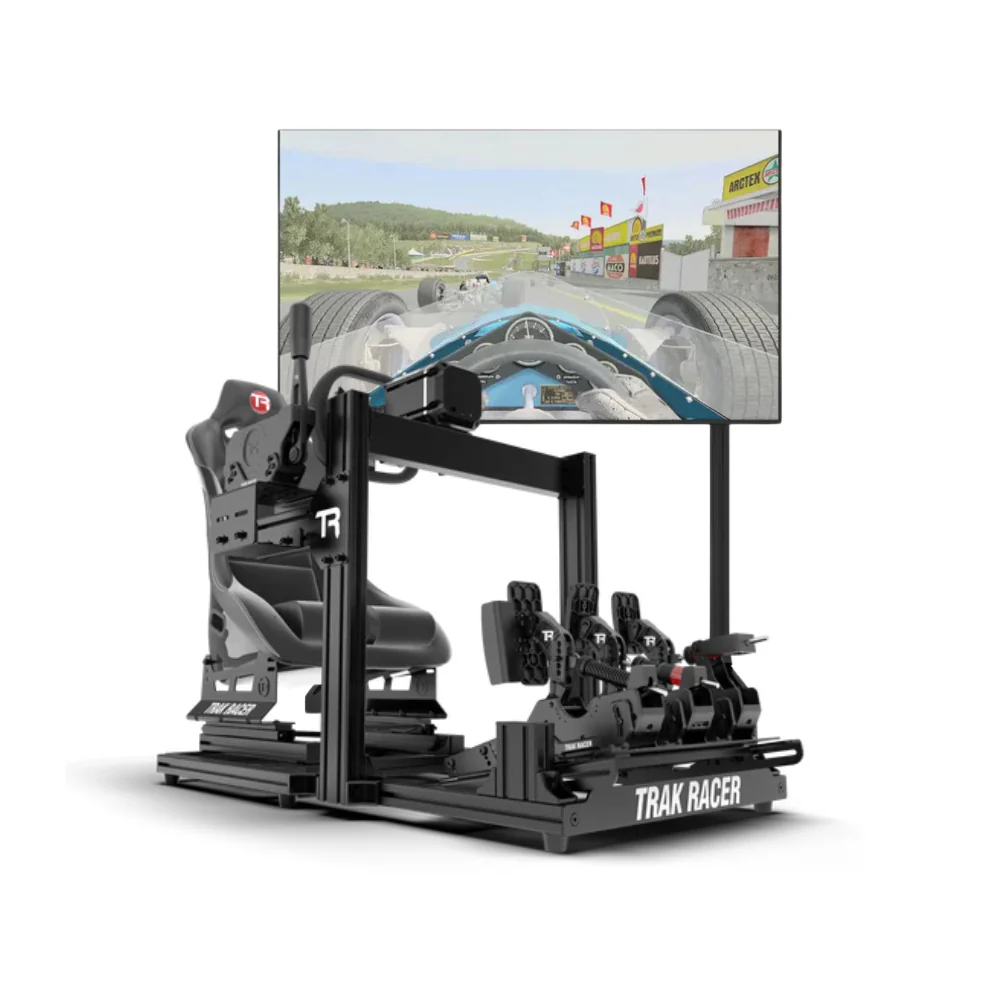
Wheel stands: Perfect for apartments or shared spaces where you need portability. They fold away when finished and provide stable mounting for wheels and pedals. Expect to invest $100-$400 for quality options.
Dedicated rigs: These bolt-together aluminium profiles create a fixed racing position. They're adjustable for different body types and can accommodate monitor arms, shifters, and button boxes. Budget $600-$1,500 depending on features.
Full motion simulators: The ultimate expression of sim racing includes hydraulic actuators that move with the car. These aren't toys; they're serious training tools that cost $5,000+.
Check out our guide to motion sim racing if you're considering this level of commitment.
When selecting your cockpit, consider these practical factors:
Your available floor space and whether you need portability
Monitor or VR headset mounting requirements
Upgradability for adding shifters and handbrakes later
Comfort for multi-hour racing sessions
Compatibility with your chosen wheel and pedal brands
Our racing simulator cockpit guide dives deeper into specific models and configurations worth considering.
You've probably already got a TV, but is it the right choice for your Xbox racing simulator? The display you choose dramatically affects your ability to judge braking points and spot apexes.
|
Configuration |
Pros |
Cons |
Ideal Use |
|---|---|---|---|
|
Single 27-32" |
Affordable, simple setup |
Limited peripheral vision |
Casual racing, shared space |
|
Ultra-wide 49" |
Immersive single display |
Compatibility varies by game |
Serious hobbyists, clean aesthetics |
|
Triple screens |
Maximum field of view |
Complex setup, space intensive |
Competitive racing, dedicated rooms |
|
VR headset |
Ultimate immersion |
Comfort issues, heat buildup |
Short sessions, variety gaming |
If you're leaning toward an ultra-wide display, our review of 49-inch gaming monitors for sim racing compares the best options available in Australia.
For VR enthusiasts, the Meta Quest 3 and PlayStation VR2 (with PC adapter) offer stunning clarity and positional tracking. The sense of depth and scale in VR transforms your understanding of track elevation and corner camber. However, extended sessions can cause discomfort, so many racers use VR for practice and screens for competition.
Getting your gear connected is just the beginning. The real magic happens when you dial in settings that match your driving style and hardware capabilities.
Every racing wheel feels different, and games implement force feedback in unique ways. You'll want to spend time adjusting:
Overall strength: How heavy the wheel feels (too light = no information, too heavy = arm fatigue)
Self-aligning torque: The wheel's tendency to return to centre
Road texture detail: Feeling curbs, track surface changes, and bumps
Damping and friction: Simulating mechanical resistance in the steering system
Start with community-recommended settings for your specific wheel model, then adjust incrementally. The goal is clear communication from the tyres about what's happening at the contact patch.
Looking at essential race car simulator features, you'll notice integration with telemetry software is becoming standard. Apps like Race Sim Studio and SimHub display real-time data on secondary screens or even on your smartphone.
What can you monitor during races?
Tyre temperatures across all four corners
Brake temperatures and fade indicators
Fuel consumption and range calculations
Suspension travel and aerodynamic balance
Lap time deltas and sector comparisons
This data transforms your racing from guesswork to precision engineering. You'll understand exactly why you're losing time in sector two or why your rear tyres are overheating.
Understanding where we've come from helps appreciate where we're going. The original Forza Motorsport revolutionised console racing simulation with its paint system and car customisation depth. Back then, most racing wheels were simple peripherals with basic vibration motors.
Fast forward to Forza Motorsport 2's launch, and we saw the beginning of force feedback integration and online multiplayer leagues. The community started taking console sim racing seriously.
Games like Race Pro brought PC-quality simulation physics to Xbox 360, proving the console could handle authentic racing dynamics. Though niche, it influenced how developers approached tyre models and vehicle handling.
Today's Xbox racing simulator landscape is remarkably diverse. The latest racing simulation news from Xbox showcases regular updates to major titles, new wheel compatibility announcements, and emerging technologies like ray-traced reflections that enhance immersion.
The influence of PC simulators like rFactor continues to shape console development. Its modding community and physics accuracy set benchmarks that console developers now reference when creating their own tyre models and suspension calculations.
You wouldn't jump into a GT3 race car on your first day at a real track, right?
The same logic applies to your Xbox racing simulator journey. Start with slower, more forgiving cars and gradually build your skills.
Stage 1: Learn the Basics (Weeks 1-4)
Front-wheel-drive hatchbacks on familiar tracks
Focus on smooth inputs and proper racing lines
Practice threshold braking without ABS
Master weight transfer principles
Stage 2: Add Complexity (Months 2-3)
Rear-wheel-drive sports cars with moderate power
Learn trail braking and rotation techniques
Start competing in online lobbies with similar skill levels
Record and review your laps for improvement
Stage 3: Serious Competition (Months 4+)
High-downforce prototypes or GT3 machinery
Join organised leagues with consistent schedules
Study telemetry to find time in every corner
Experiment with setup changes and document results
Our comprehensive Xbox One driving simulator games guide recommends specific titles for each skill level, helping you choose appropriate challenges as you develop.
After helping hundreds of Australian racers optimise their setups, we've noticed recurring issues that hold people back from reaching their potential.
Overdriving the car: Aggressive inputs feel fast but actually slow you down. Smooth is fast. The wheel should flow through your hands rather than being wrestled.
Ignoring setup fundamentals: Before tweaking wing angles and damper settings, ensure your cockpit position is correct. Your eyes should be level with the horizon in-game, and your arms slightly bent when holding the wheel.
Chasing hardware instead of practice: That direct drive wheel won't make you faster if your braking points are inconsistent. Master your current equipment before upgrading.
Skipping community resources: The sim racing community is incredibly helpful. Online forums, Discord servers, and YouTube channels offer free coaching that can shave seconds off your lap times.
Beyond the core wheel and pedals, several accessories can elevate your Xbox racing simulator setup from good to exceptional.
Sequential shifters: Essential for rally and touring car racing
Handbrakes: Required for proper rally simulation and drift techniques
Bass shakers: Affordable motion feedback through vibration mounted to your rig
Wind simulators: Fans that adjust speed based on your velocity in-game
Custom button boxes: Quick access to controls like pit limiters and DRS
Understanding how to mount a button box properly ensures it's accessible without interfering with your steering motion.
Let's talk real numbers for various commitment levels in dollars:
Starter Setup ($800-$1,500)
Xbox Series S or X
Entry-level force feedback wheel
Wheel stand
Existing TV
Enthusiast Setup ($3,000-$6,000)
Xbox Series X
Mid-range force feedback wheel
Load cell pedals
Dedicated cockpit
Ultra-wide monitor or VR headset
Professional Setup ($10,000+)
Xbox Series X
Direct drive wheel system
Hydraulic pedals
Motion platform
Triple screen array or high-end VR
For specific recommendations within these ranges, our budget racing sim setup guide breaks down the best value components available.
Your investment deserves proper care to ensure longevity and consistent performance. Racing wheels contain sensitive electronics and mechanical components that require occasional maintenance.
Monthly checks should include:
Cleaning wheel rim and button surfaces
Inspecting cable connections for wear
Tightening any loose mounting bolts
Updating firmware when manufacturers release it
Calibrating pedals if you notice inconsistent behaviour
Most quality wheels from Logitech, Thrustmaster, and MOZA are built to withstand years of aggressive use. However, pedals often wear faster, particularly the potentiometers in brake pedals. Load cell brake systems typically outlast potentiometer-based units significantly.
One unexpected benefit of getting serious about your Xbox racing simulator is the community you'll discover. Online racing leagues bring together people from across Australia and beyond who share your passion for motorsport.
These aren't just random public lobbies with rammers. Organised leagues feature:
Race stewards who review incidents and maintain fair competition
Safety ratings that group drivers by skill and racecraft
Season championships with consistent rules and point systems
Practice sessions where experienced racers mentor newcomers
Voice chat that creates genuine friendships and rivalries
The competitive yet supportive environment pushes you to improve while making the hobby more social and engaging than solo practice sessions.
Building the perfect Xbox racing simulator is a journey that evolves with your skills and passion for motorsport. Whether you're starting with a basic wheel stand or planning a dedicated sim cave with motion platforms, the key is finding equipment that matches your current needs while allowing room to grow.
At Gamer Gear Direct, we understand that choosing the right simulation gear can feel overwhelming, which is why our team specialises in helping Australian sim racers find the perfect setup for their space, budget, and racing ambitions. We're here to answer your questions and ensure your investment delivers the immersive racing experience you're after.


