🥳🥳Honeycomb Echo Flight Controller Available Now🥳🥳
Skip to content

NaturalPoint TrackIR 5 Gamer Set

Sold out
Original Price $599.00
Current Price $549.00

Availability: Translation missing: en.general.icons.icon_check_circle icon Out of stock

✔️ Authorised Australian Dealer
✔️ Fast Shipping Australia-Wide
✔️ 100 Day FREE Returns
✔️ Backed By Manufacturer Warranty
✔️ Experts Ready To Help: (03) 9961 0240

Secured and trusted checkout with

Notify me when back in stock

Description

NaturalPoint TrackIR 5 Gamer Set

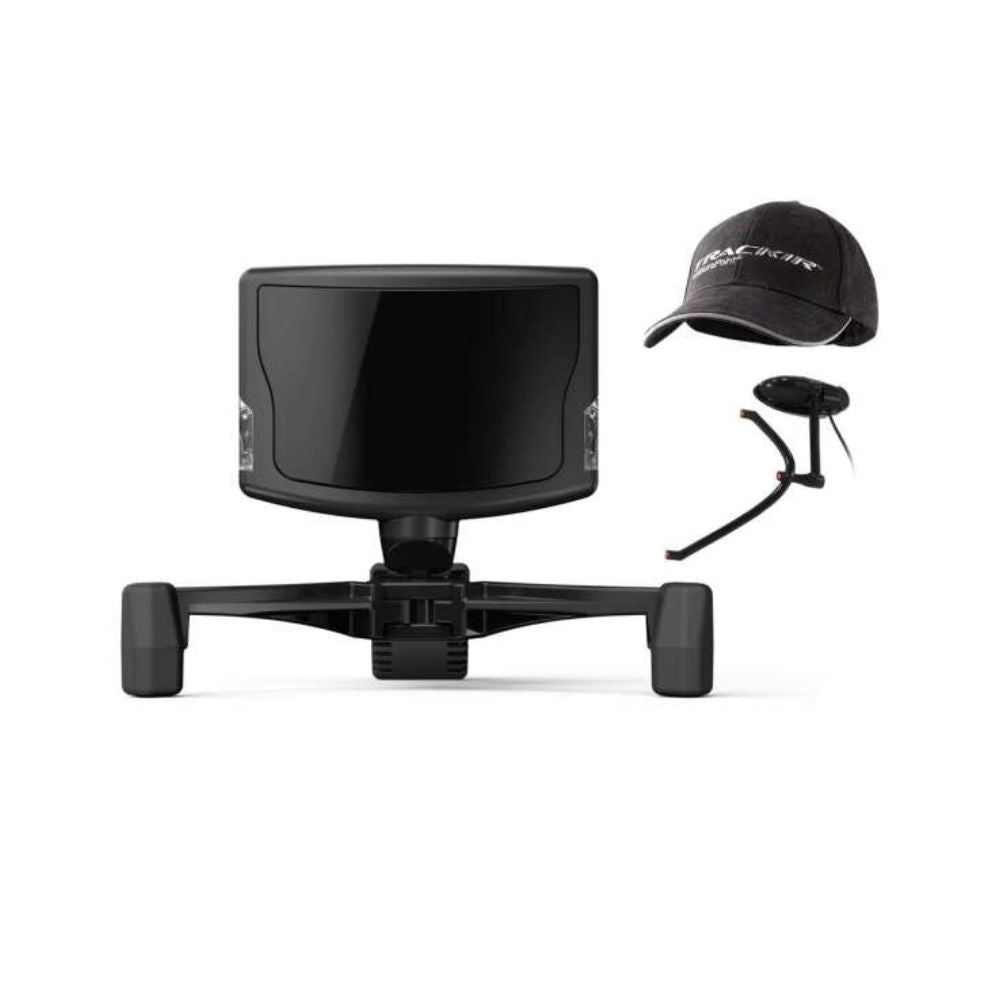
The TrackIR 5 is an infrared camera that sits on your monitor and follows a clip you wear, turning head movement into in-game view movement. The Gamer Set is the fullest of the three packs: the camera, both clips, and the TrackCap to wear the reflective one on.

It reads all six degrees of freedom, yaw, pitch and roll plus movement on the X, Y and Z axes, so leaning in to read a gauge and glancing across the cockpit are separate inputs rather than one blurred one.

Having both clips and the cap means you are not committed to one way of wearing it. The powered TrackClip Pro goes on a headset band, the reflective TrackClip goes on the cap, and which one suits you depends mostly on the light in your room.

It is a Windows PC device, and support comes from each title rather than from the camera. NaturalPoint lists more than 100 TrackIR Enhanced games and simulators.

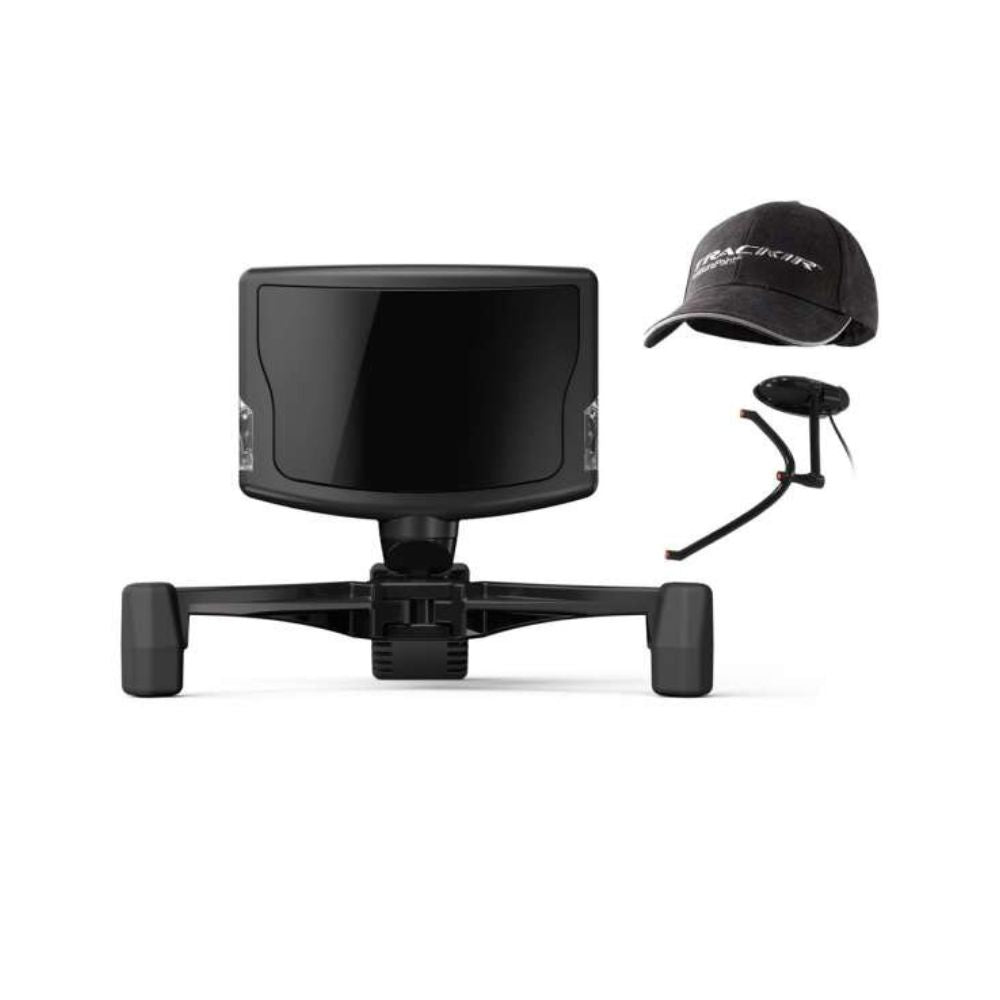
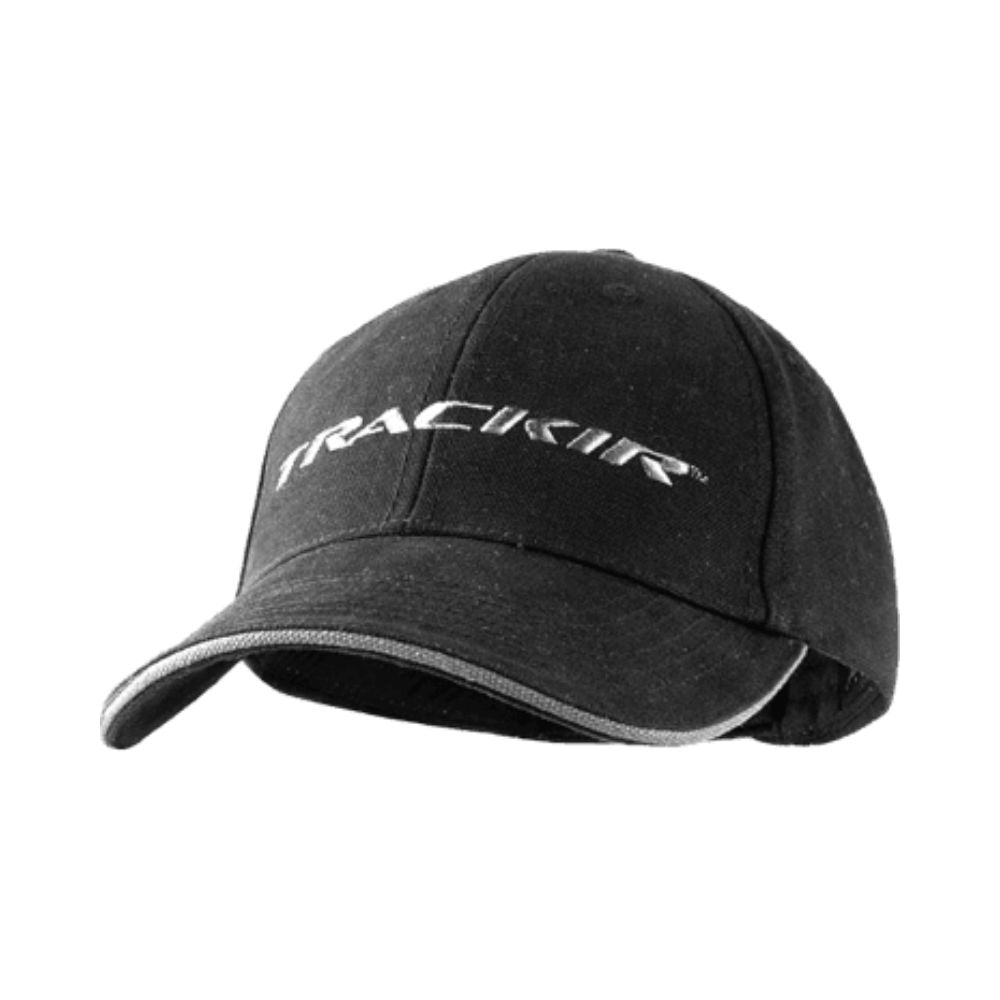
TrackIR 5 Gamer Set as supplied, camera, cap and powered clip together

TrackIR 5 Gamer Set key features

  • Camera, powered TrackClip Pro, reflective TrackClip and the TrackCap
  • TrackClip Pro runs active LEDs with a USB power tap and pass through
  • Tracks six degrees of freedom: yaw, pitch and roll plus X, Y and Z
  • TrackClip Pro works at 61 cm to 152 cm from the camera
  • 51.7 degree field of view, 640 x 480 raw sensor resolution
  • Reporting resolution of 96,000 x 72,000, resolving to 1/150th of a pixel
  • 120 fps sample rate with a 9 ms response time
  • 51 x 38 x 14.5 mm without the base, on a magnetic mount with adjustable legs

Head tracking without a VR headset

A headset gives you head movement and stereo depth, and it also puts a screen on your face. TrackIR gives you the head movement and leaves you looking at your own monitors, your own instruments and your own keyboard.

That is the trade, and it is a real choice rather than a cheaper substitute. Pilots who fly with charts, a second screen or a physical cockpit in front of them tend to run TrackIR instead of VR, not alongside it.

It also asks nothing of your graphics card, because it is a camera rather than two more displays to render.

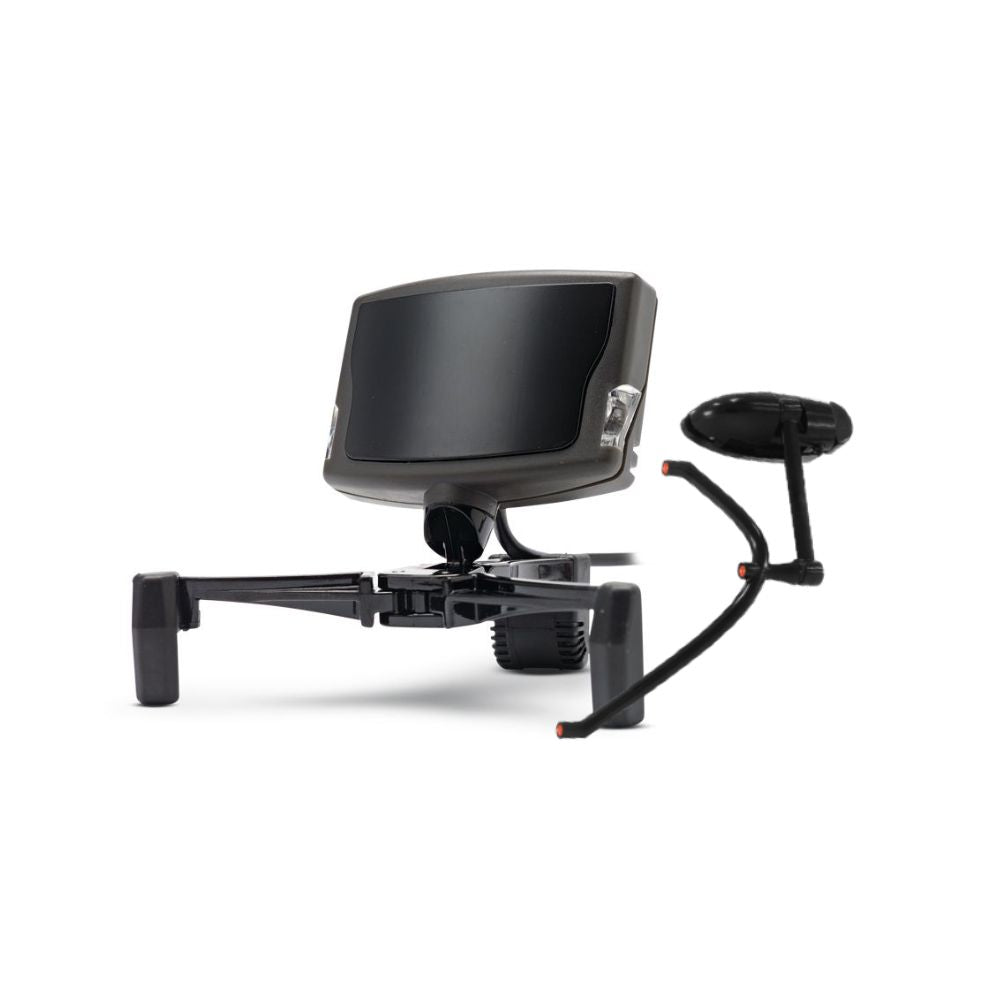
TrackIR 5 camera three quarter view with the powered clip and its lead

Two clips and a cap, and when to use each

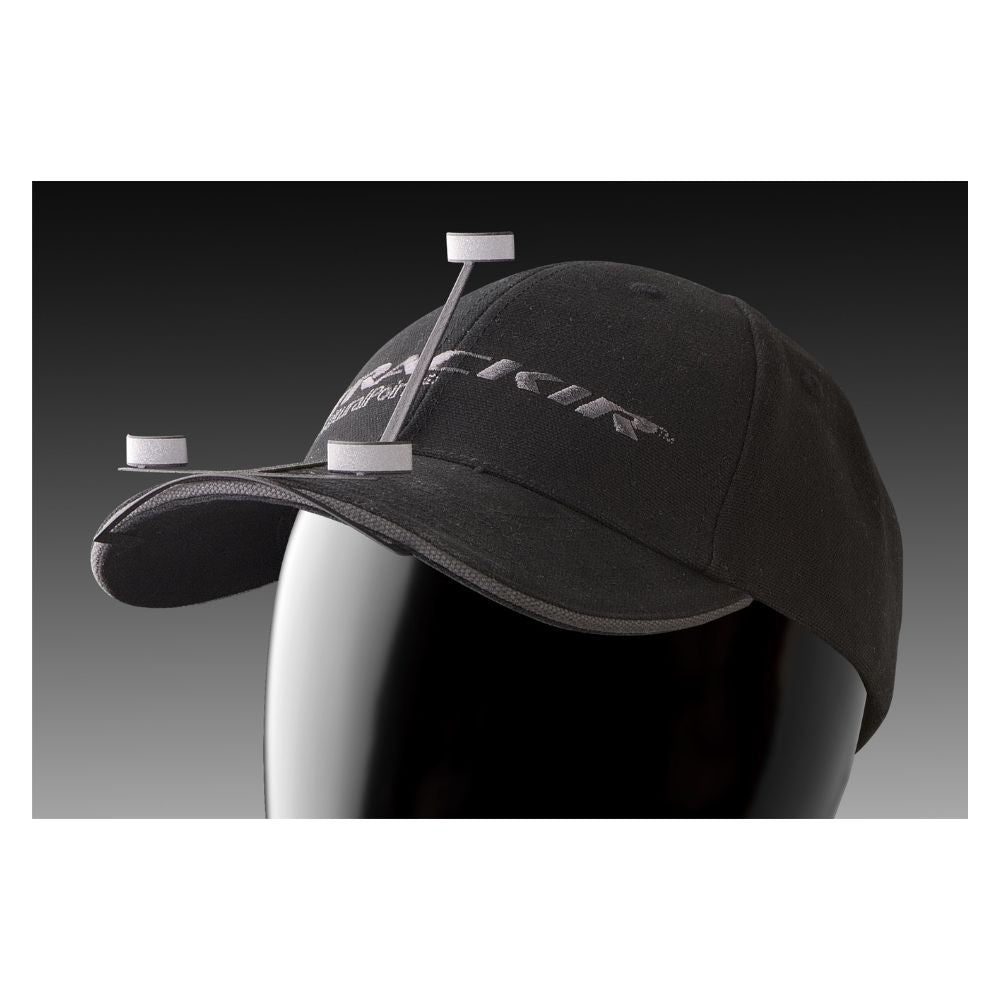
The reflective TrackClip bounces the camera's infrared back at it and needs no power. It mounts on the brim of the supplied TrackCap, or on a visor, which suits anyone who does not wear a headset to fly.

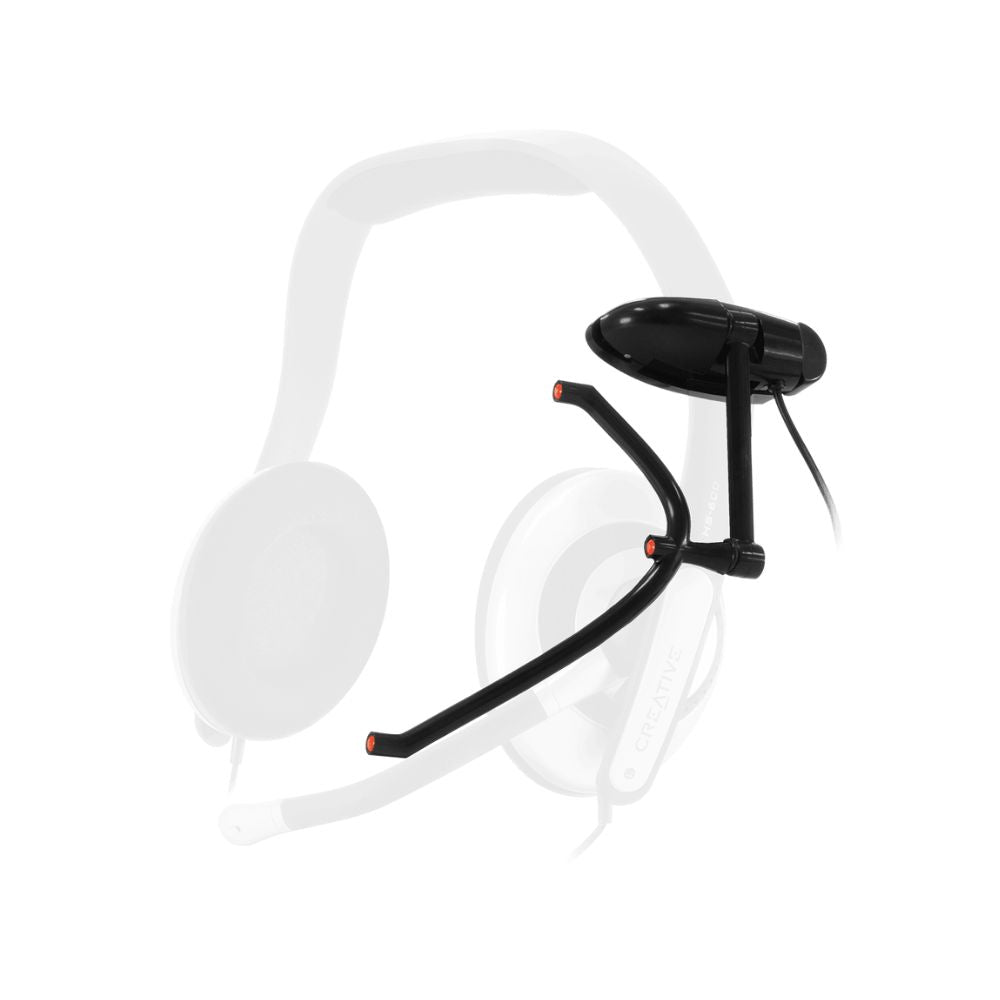
The TrackClip Pro emits its own infrared through active LEDs and draws power over USB with a pass through. It clips to a headset band above the left ear and fits bands up to about 32 mm wide and 13 mm thick, and NaturalPoint rates it from 61 cm to 152 cm from the camera.

Choose on light rather than price. A bright room or a window behind your head defeats a reflective clip, and that is the case the powered one is built for. With all three parts in this set you can try both and keep whichever holds.

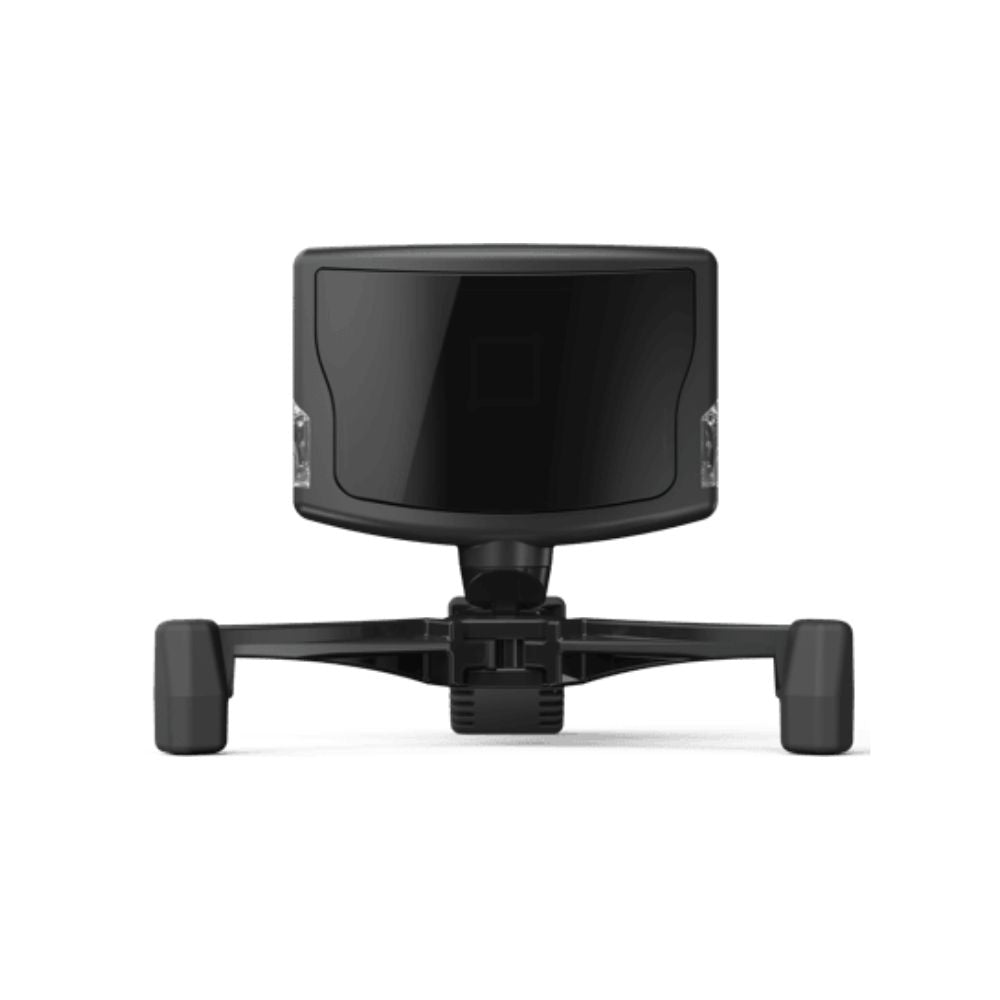
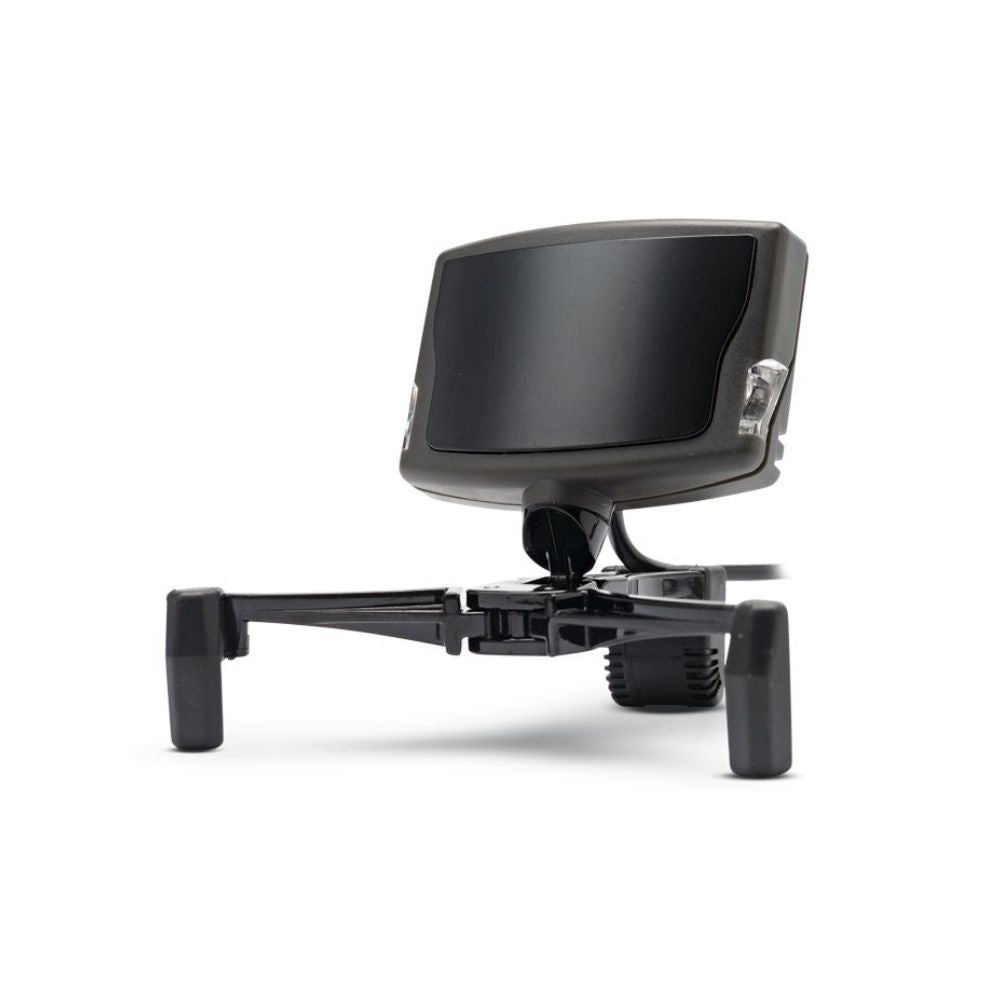
TrackIR 5 camera front on, centred on the magnetic base

What the camera actually resolves

The sensor is 640 x 480, but NaturalPoint reports position to 1/150th of a pixel, giving a reporting resolution of 96,000 x 72,000 across a 51.7 degree field of view.

That subpixel figure is why the view holds still when your head does, and why a small movement reads as a small movement instead of nothing. Coarse tracking fails at both ends: it jitters when you are still and ignores you when you move slightly.

Sample rate is 120 fps with a 9 ms response time, so the view arrives with the head turn rather than behind it.

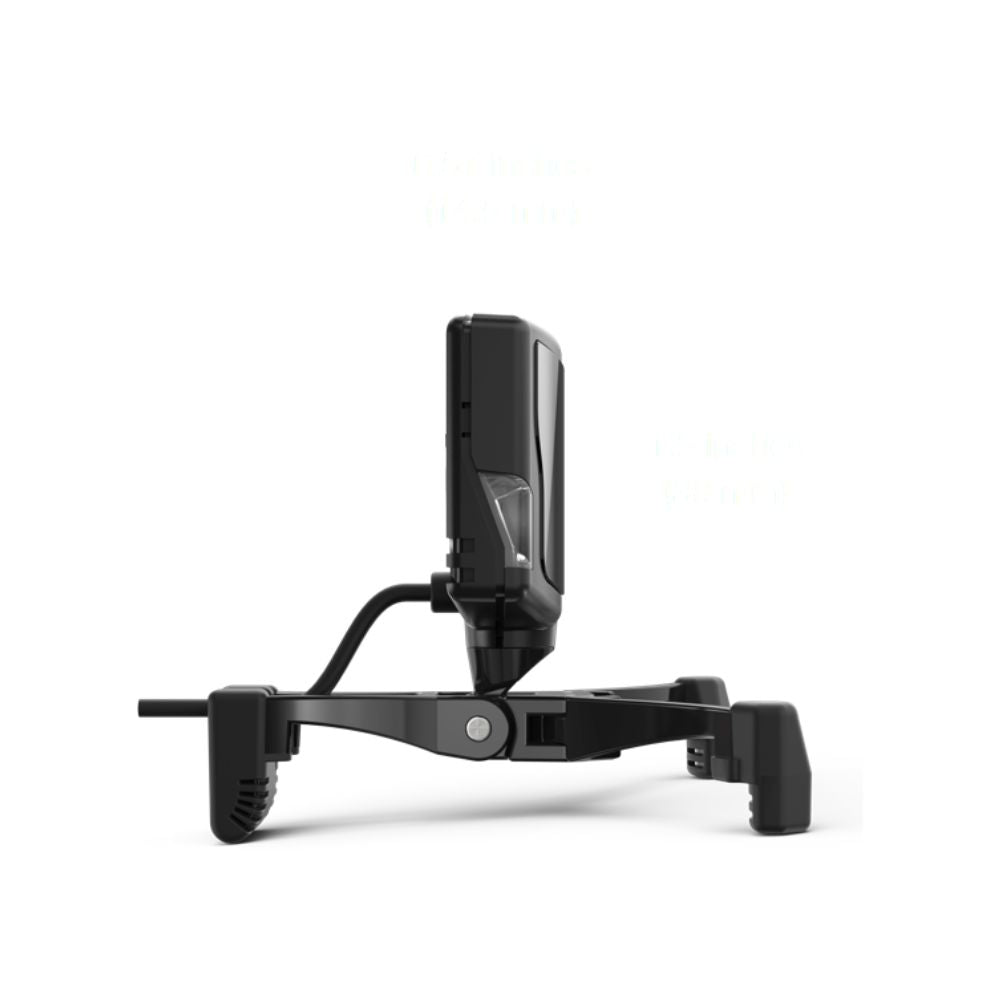
TrackIR 5 camera and base from the side, showing the adjustable legs

Six axes, tracked separately

Six degrees of freedom means three rotations, yaw, pitch and roll, and three positions, X, Y and Z, each reported on its own axis rather than blended together.

In practice that is the difference between turning your head towards a mirror and leaning forward to put your eye closer to an instrument. A tracker that only reads rotation cannot tell those apart.

Most titles use at least two axes, and the ones built around the device use all six. NaturalPoint's software sets a curve per axis, and the default profile suits nobody in particular.

TrackIR 5 camera angled on its base toward a seated player

Tuning it to how you move

The software sets a separate response curve for each of the six axes, so sensitivity and speed can differ between, say, a quick glance left and a slow lean towards the panel.

There are preset profiles to start from, and most people edit one rather than build from scratch. The usual first change is to make the horizontal swing larger, so a small real turn clears the A-pillar or the mirror without you losing the screen.

Spend twenty minutes on this when it arrives. It is the difference between head tracking you forget about and head tracking you keep fighting.

TrackClip Pro positioned on a headset band to show the mounting point

Mounting the camera

The camera sits on a magnetically attached base with adjustable legs that grip the bezel of a monitor or TV. No screws, nothing permanent, and moving it to another screen takes seconds.

The magnet does more than save time. The camera lifts off the base without moving the base, so it can come off and go back on without resetting where the view points.

Mount it centred above the screen you actually look at. On a triple-screen rig that is the middle panel rather than the physical centre of the array.

Reflective clip fitted to the brim of the supplied TrackCap

Our take

“This is the set to buy if you are not sure how you want to wear it, which is most people the first time. You get the cap for the reflective clip and the powered clip for a headset, so you can settle it by trying rather than by guessing from a product page. If you already know you fly in a headset, the Ultra Pack gets you the same camera and the same powered clip without the cap.”

Blake Sterling, CEO & Founder, Gamer Gear Direct

Frequently asked questions

How much setting up does it need?

Mount the base on the monitor, put the camera on it, plug the USB in and choose a clip. The part that actually matters is the software, where you set the response curve for each axis. Budget twenty minutes for that rather than two.

Should I get this or a VR headset?

They are different things rather than two grades of the same thing. VR gives you head movement and stereo depth and puts a screen on your face. TrackIR gives you head movement and leaves you looking at your own screens, instruments and keyboard.

Will it work with my simulator?

Support is built into each title rather than into the camera. NaturalPoint lists more than 100 TrackIR Enhanced games and simulators, and most major flight and combat sims have supported it for years. Check theirs before you order, or tell us what you run and we will confirm it.

Which clip should I wear?

If you already wear a headset, the TrackClip Pro goes on the band above your left ear and you will stop noticing it. If you do not, the reflective clip on the supplied cap keeps anything off your head and needs no cable.

How fine is the tracking?

NaturalPoint reports position to 1/150th of a pixel on a 640 x 480 sensor, which works out to a reporting resolution of 96,000 x 72,000. That is what keeps the view still when your head is still, and moving when it barely moves.

Does it pick up leaning as well as turning?

Yes, they are separate axes. Rotation is yaw, pitch and roll; position is X, Y and Z. Leaning forward to read a gauge and turning to look at a mirror are two different inputs, which is what six degrees of freedom means in practice.

Why does this set come with both clips?

Because which one works better depends on your room rather than your budget. The reflective clip is defeated by a bright room or a window behind your head; the powered clip is not. Having both, and the cap, means you can settle it by trying.

Can I change how sensitive it is?

Yes, per axis. The software sets a separate curve for each of the six, so the view can swing a long way for a small turn while the lean stays closer to one to one. There are presets to start from and most people edit one.

Specifications

SKU: TIR5GS
Minimum System Requirements:
Microsoft Windows PC.
USB port.
Internet connection for driver software download & updates
Head Position Tracked: 6 Axes (6 DOF)

TrackIR 5 Camera

Horizontal Field of View: 51.7°
Sample Rate (FPS): 120
Raw Sensor Resolution: 640 x 480
Sub-pixel Resolution: 1/150th pixel
Reporting Resolution: 96,000 x 72,000
Resolution per Horizontal Degree: 1850 subpixels/degree
Unit Size (without base): 51mm x 38mm x 14.5mm
Connection: USB
USB Cable Length: 6 feet (1.8m)
Full list of compatible games: NaturalPoint TrackIR Enhanced titles

TrackClip Pro

Active LEDs for precise tracking
USB power tap, with USB pass through
Ultra light weight
Working range: 61 cm to 152 cm
2 position headset clip
Attaches to headset bands above left ear
Fits headset bands up to 32mm wide and 13mm thick

What’s In The Box?

1x TrackIR 5 infrared camera
1x TrackClip Pro active LED headset sensor
1x TrackClip reflector track clip (suitable for a hat or headset)
1x TrackCap
1x Quick start guide
Electronic user manual

Reviews


Warranty

The NaturalPoint TrackIR 5 is backed by a one year warranty against manufacturer defects, supported by Gamer Gear Direct’s Australian team. 

If for some reason your item doesn't work as expected, simply contact us and we'll either repair your item under warranty or we may be able to offer a refund/exchange. 

Again, if for some reason your item doesn't work as expected, contact us right away and we'll sort out any issues ASAP.

Shipping

Orders are typically processed within 1–2 business days and shipped via trusted Australian courier partners.

Estimated delivery times after dispatch:

  • VIC: 2–4 business days
  • NSW: 2–4 business days
  • ACT: 3–5 business days
  • QLD: 2–4 business days
  • SA: 2–4 business days
  • WA: 4–10 business days
  • NT: 4–10 business days
  • TAS: 4–10 business days

Click here to view our full shipping & handling policy

100 Day FREE Returns

Changed your mind? No problem! You can return unused, unopened items within 100 days of your order date, provided they’re in original packaging and resaleable condition. Better still, we'll cover the return shipping!

All Gamer Gear Direct products are backed by Australian Consumer Law and include a minimum 12-month Australian warranty. If there’s an issue with your product, our team is here to help and will work to make it right.

Click here to view our full returns policy.

Why Buy From Us?

Authorised Australian dealer

Gamer Gear Direct is an authorised Australian dealer for the brands we represent, including Trak Racer, Playseat, MOZA Racing, Logitech, Honeycomb Aeronautical, Thrustmaster, HORI, Turtle Beach, Sparco, OMP, PXN, Sigma Integrale and Pokornyi Engineering. We are trusted by over 20,000 customers nationwide.

Every product we sell is 100% genuine, sourced through approved channels, and supported locally.

Fast local shipping

We ship directly from our Australian warehouses, with most orders leaving within 1 to 2 business days. This means faster delivery times and reliable tracking from dispatch to your door.

Hassle-free 100-day returns

Changed your mind? Eligible items can be returned within 100 days provided they are unused, unopened, and in original packaging. We keep the process clear and straightforward.

Genuine Australian warranty

Every product we sell is covered by a comprehensive Australian warranty, backed by both the manufacturer and Australian Consumer Law. You will not be left dealing with overseas support channels.

Expert support you can trust

Whether you need product advice, compatibility guidance, or after-sales support, you are dealing with people who know the sim and gaming gear we sell inside and out. Our sim and gaming specialists are here to make things easy.

With Gamer Gear Direct you will get:

  • Expert guidance on choosing the right gear for your goals and budget
  • Personalised setup advice tailored to your space and the way you play
  • Smart gear pairing suggestions for PCs, consoles, monitors, wheels, controllers and accessories
  • A dedicated account representative for ongoing support

We also have a Melbourne showroom in Dandenong South, so you can try the gear before you commit. Call us on (03) 9961 0240, talk to our team on live chat, or email support@gamergeardirect.com.au and one of our specialists will help you.

Trusted by professionals

The brands we stock are used at the highest level of motorsport and aviation simulation. The same technologies are used for training, preparation and skill development at professional level, giving you access to pro-grade equipment built for accuracy, realism and reliability.

Description

NaturalPoint TrackIR 5 Gamer Set

The TrackIR 5 is an infrared camera that sits on your monitor and follows a clip you wear, turning head movement into in-game view movement. The Gamer Set is the fullest of the three packs: the camera, both clips, and the TrackCap to wear the reflective one on.

It reads all six degrees of freedom, yaw, pitch and roll plus movement on the X, Y and Z axes, so leaning in to read a gauge and glancing across the cockpit are separate inputs rather than one blurred one.

Having both clips and the cap means you are not committed to one way of wearing it. The powered TrackClip Pro goes on a headset band, the reflective TrackClip goes on the cap, and which one suits you depends mostly on the light in your room.

It is a Windows PC device, and support comes from each title rather than from the camera. NaturalPoint lists more than 100 TrackIR Enhanced games and simulators.

TrackIR 5 Gamer Set as supplied, camera, cap and powered clip together

TrackIR 5 Gamer Set key features

  • Camera, powered TrackClip Pro, reflective TrackClip and the TrackCap
  • TrackClip Pro runs active LEDs with a USB power tap and pass through
  • Tracks six degrees of freedom: yaw, pitch and roll plus X, Y and Z
  • TrackClip Pro works at 61 cm to 152 cm from the camera
  • 51.7 degree field of view, 640 x 480 raw sensor resolution
  • Reporting resolution of 96,000 x 72,000, resolving to 1/150th of a pixel
  • 120 fps sample rate with a 9 ms response time
  • 51 x 38 x 14.5 mm without the base, on a magnetic mount with adjustable legs

Head tracking without a VR headset

A headset gives you head movement and stereo depth, and it also puts a screen on your face. TrackIR gives you the head movement and leaves you looking at your own monitors, your own instruments and your own keyboard.

That is the trade, and it is a real choice rather than a cheaper substitute. Pilots who fly with charts, a second screen or a physical cockpit in front of them tend to run TrackIR instead of VR, not alongside it.

It also asks nothing of your graphics card, because it is a camera rather than two more displays to render.

TrackIR 5 camera three quarter view with the powered clip and its lead

Two clips and a cap, and when to use each

The reflective TrackClip bounces the camera's infrared back at it and needs no power. It mounts on the brim of the supplied TrackCap, or on a visor, which suits anyone who does not wear a headset to fly.

The TrackClip Pro emits its own infrared through active LEDs and draws power over USB with a pass through. It clips to a headset band above the left ear and fits bands up to about 32 mm wide and 13 mm thick, and NaturalPoint rates it from 61 cm to 152 cm from the camera.

Choose on light rather than price. A bright room or a window behind your head defeats a reflective clip, and that is the case the powered one is built for. With all three parts in this set you can try both and keep whichever holds.

TrackIR 5 camera front on, centred on the magnetic base

What the camera actually resolves

The sensor is 640 x 480, but NaturalPoint reports position to 1/150th of a pixel, giving a reporting resolution of 96,000 x 72,000 across a 51.7 degree field of view.

That subpixel figure is why the view holds still when your head does, and why a small movement reads as a small movement instead of nothing. Coarse tracking fails at both ends: it jitters when you are still and ignores you when you move slightly.

Sample rate is 120 fps with a 9 ms response time, so the view arrives with the head turn rather than behind it.

TrackIR 5 camera and base from the side, showing the adjustable legs

Six axes, tracked separately

Six degrees of freedom means three rotations, yaw, pitch and roll, and three positions, X, Y and Z, each reported on its own axis rather than blended together.

In practice that is the difference between turning your head towards a mirror and leaning forward to put your eye closer to an instrument. A tracker that only reads rotation cannot tell those apart.

Most titles use at least two axes, and the ones built around the device use all six. NaturalPoint's software sets a curve per axis, and the default profile suits nobody in particular.

TrackIR 5 camera angled on its base toward a seated player

Tuning it to how you move

The software sets a separate response curve for each of the six axes, so sensitivity and speed can differ between, say, a quick glance left and a slow lean towards the panel.

There are preset profiles to start from, and most people edit one rather than build from scratch. The usual first change is to make the horizontal swing larger, so a small real turn clears the A-pillar or the mirror without you losing the screen.

Spend twenty minutes on this when it arrives. It is the difference between head tracking you forget about and head tracking you keep fighting.

TrackClip Pro positioned on a headset band to show the mounting point

Mounting the camera

The camera sits on a magnetically attached base with adjustable legs that grip the bezel of a monitor or TV. No screws, nothing permanent, and moving it to another screen takes seconds.

The magnet does more than save time. The camera lifts off the base without moving the base, so it can come off and go back on without resetting where the view points.

Mount it centred above the screen you actually look at. On a triple-screen rig that is the middle panel rather than the physical centre of the array.

Reflective clip fitted to the brim of the supplied TrackCap

Our take

“This is the set to buy if you are not sure how you want to wear it, which is most people the first time. You get the cap for the reflective clip and the powered clip for a headset, so you can settle it by trying rather than by guessing from a product page. If you already know you fly in a headset, the Ultra Pack gets you the same camera and the same powered clip without the cap.”

Blake Sterling, CEO & Founder, Gamer Gear Direct

Frequently asked questions

How much setting up does it need?

Mount the base on the monitor, put the camera on it, plug the USB in and choose a clip. The part that actually matters is the software, where you set the response curve for each axis. Budget twenty minutes for that rather than two.

Should I get this or a VR headset?

They are different things rather than two grades of the same thing. VR gives you head movement and stereo depth and puts a screen on your face. TrackIR gives you head movement and leaves you looking at your own screens, instruments and keyboard.

Will it work with my simulator?

Support is built into each title rather than into the camera. NaturalPoint lists more than 100 TrackIR Enhanced games and simulators, and most major flight and combat sims have supported it for years. Check theirs before you order, or tell us what you run and we will confirm it.

Which clip should I wear?

If you already wear a headset, the TrackClip Pro goes on the band above your left ear and you will stop noticing it. If you do not, the reflective clip on the supplied cap keeps anything off your head and needs no cable.

How fine is the tracking?

NaturalPoint reports position to 1/150th of a pixel on a 640 x 480 sensor, which works out to a reporting resolution of 96,000 x 72,000. That is what keeps the view still when your head is still, and moving when it barely moves.

Does it pick up leaning as well as turning?

Yes, they are separate axes. Rotation is yaw, pitch and roll; position is X, Y and Z. Leaning forward to read a gauge and turning to look at a mirror are two different inputs, which is what six degrees of freedom means in practice.

Why does this set come with both clips?

Because which one works better depends on your room rather than your budget. The reflective clip is defeated by a bright room or a window behind your head; the powered clip is not. Having both, and the cap, means you can settle it by trying.

Can I change how sensitive it is?

Yes, per axis. The software sets a separate curve for each of the six, so the view can swing a long way for a small turn while the lean stays closer to one to one. There are presets to start from and most people edit one.

Specifications

SKU: TIR5GS
Minimum System Requirements:
Microsoft Windows PC.
USB port.
Internet connection for driver software download & updates
Head Position Tracked: 6 Axes (6 DOF)

TrackIR 5 Camera

Horizontal Field of View: 51.7°
Sample Rate (FPS): 120
Raw Sensor Resolution: 640 x 480
Sub-pixel Resolution: 1/150th pixel
Reporting Resolution: 96,000 x 72,000
Resolution per Horizontal Degree: 1850 subpixels/degree
Unit Size (without base): 51mm x 38mm x 14.5mm
Connection: USB
USB Cable Length: 6 feet (1.8m)
Full list of compatible games: NaturalPoint TrackIR Enhanced titles

TrackClip Pro

Active LEDs for precise tracking
USB power tap, with USB pass through
Ultra light weight
Working range: 61 cm to 152 cm
2 position headset clip
Attaches to headset bands above left ear
Fits headset bands up to 32mm wide and 13mm thick

What’s In The Box?

1x TrackIR 5 infrared camera
1x TrackClip Pro active LED headset sensor
1x TrackClip reflector track clip (suitable for a hat or headset)
1x TrackCap
1x Quick start guide
Electronic user manual

Reviews


Warranty

The NaturalPoint TrackIR 5 is backed by a one year warranty against manufacturer defects, supported by Gamer Gear Direct’s Australian team. 

If for some reason your item doesn't work as expected, simply contact us and we'll either repair your item under warranty or we may be able to offer a refund/exchange. 

Again, if for some reason your item doesn't work as expected, contact us right away and we'll sort out any issues ASAP.

Shipping

Orders are typically processed within 1–2 business days and shipped via trusted Australian courier partners.

Estimated delivery times after dispatch:

  • VIC: 2–4 business days
  • NSW: 2–4 business days
  • ACT: 3–5 business days
  • QLD: 2–4 business days
  • SA: 2–4 business days
  • WA: 4–10 business days
  • NT: 4–10 business days
  • TAS: 4–10 business days

Click here to view our full shipping & handling policy

100 Day FREE Returns

Changed your mind? No problem! You can return unused, unopened items within 100 days of your order date, provided they’re in original packaging and resaleable condition. Better still, we'll cover the return shipping!

All Gamer Gear Direct products are backed by Australian Consumer Law and include a minimum 12-month Australian warranty. If there’s an issue with your product, our team is here to help and will work to make it right.

Click here to view our full returns policy.

Why Buy From Us?

Authorised Australian dealer

Gamer Gear Direct is an authorised Australian dealer for the brands we represent, including Trak Racer, Playseat, MOZA Racing, Logitech, Honeycomb Aeronautical, Thrustmaster, HORI, Turtle Beach, Sparco, OMP, PXN, Sigma Integrale and Pokornyi Engineering. We are trusted by over 20,000 customers nationwide.

Every product we sell is 100% genuine, sourced through approved channels, and supported locally.

Fast local shipping

We ship directly from our Australian warehouses, with most orders leaving within 1 to 2 business days. This means faster delivery times and reliable tracking from dispatch to your door.

Hassle-free 100-day returns

Changed your mind? Eligible items can be returned within 100 days provided they are unused, unopened, and in original packaging. We keep the process clear and straightforward.

Genuine Australian warranty

Every product we sell is covered by a comprehensive Australian warranty, backed by both the manufacturer and Australian Consumer Law. You will not be left dealing with overseas support channels.

Expert support you can trust

Whether you need product advice, compatibility guidance, or after-sales support, you are dealing with people who know the sim and gaming gear we sell inside and out. Our sim and gaming specialists are here to make things easy.

With Gamer Gear Direct you will get:

  • Expert guidance on choosing the right gear for your goals and budget
  • Personalised setup advice tailored to your space and the way you play
  • Smart gear pairing suggestions for PCs, consoles, monitors, wheels, controllers and accessories
  • A dedicated account representative for ongoing support

We also have a Melbourne showroom in Dandenong South, so you can try the gear before you commit. Call us on (03) 9961 0240, talk to our team on live chat, or email support@gamergeardirect.com.au and one of our specialists will help you.

Trusted by professionals

The brands we stock are used at the highest level of motorsport and aviation simulation. The same technologies are used for training, preparation and skill development at professional level, giving you access to pro-grade equipment built for accuracy, realism and reliability.