How To Build The Perfect PS5 Racing Simulator
|
|
After testing PlayStation-compatible racing gear in our Dandenong South showroom, we’ve found that a strong PS5 racing simulator comes down to four things: the right wheelbase, consistent pedals, a rigid cockpit, and a display setup that keeps your driving inputs sharp.
You don’t need a complicated PC rig to enjoy serious sim racing. A PS5 racing simulator can give you smooth performance, excellent racing titles, and simple setup, especially if Gran Turismo 7, F1, Assetto Corsa Competizione, or rally games are your main focus.
At Gamer Gear Direct, we’ve helped Australian customers choose entry-level setups, direct-drive systems, load-cell pedal upgrades, and full racing cockpits. This guide is based on what we’ve tested, what customers ask us in the showroom, and what we’ve seen work best across different budgets and room sizes.
We don’t treat a PS5 racing simulator as a simple list of parts. We look at how the full system performs when everything is mounted, adjusted, and used in real driving sessions.
When testing PlayStation-compatible racing gear, we focus on:
Wheel feedback through kerbs, understeer, oversteer, and grip loss
Pedal feel under repeated braking
Cockpit flex under force feedback and heavy brake pressure
Seating comfort across longer sessions
Display position, input response, and visibility
PS5 setup difficulty
Shifter, handbrake, and accessory compatibility
Upgrade paths for drivers who want to improve later
The biggest lesson from our testing is simple: a PS5 racing simulator feels best when the hardware is balanced. A powerful wheelbase on a weak frame feels worse than a moderate wheelbase on a rigid cockpit. Load-cell pedals feel excellent, but only when the pedal plate can handle the pressure. A large TV can look impressive, but a closer monitor with lower input lag can feel more responsive.
That’s the kind of detail you only notice once you’ve tested full setups, not just read spec sheets.
The PS5 offers a unique sweet spot for sim racing enthusiasts who want serious immersion without the complexity or expense of a high-end PC setup. You're getting console simplicity with near-PC-level performance, and that's a winning combination for many Aussie racers.
What makes the PS5 racing simulator option particularly attractive is the plug-and-play nature of most peripherals. Unlike PC setups that often require driver installations, software configurations, and compatibility troubleshooting, PS5-compatible racing wheels and pedals typically work straight out of the box.
Sony's licensing requirements mean manufacturers have already done the heavy lifting to ensure smooth operation.
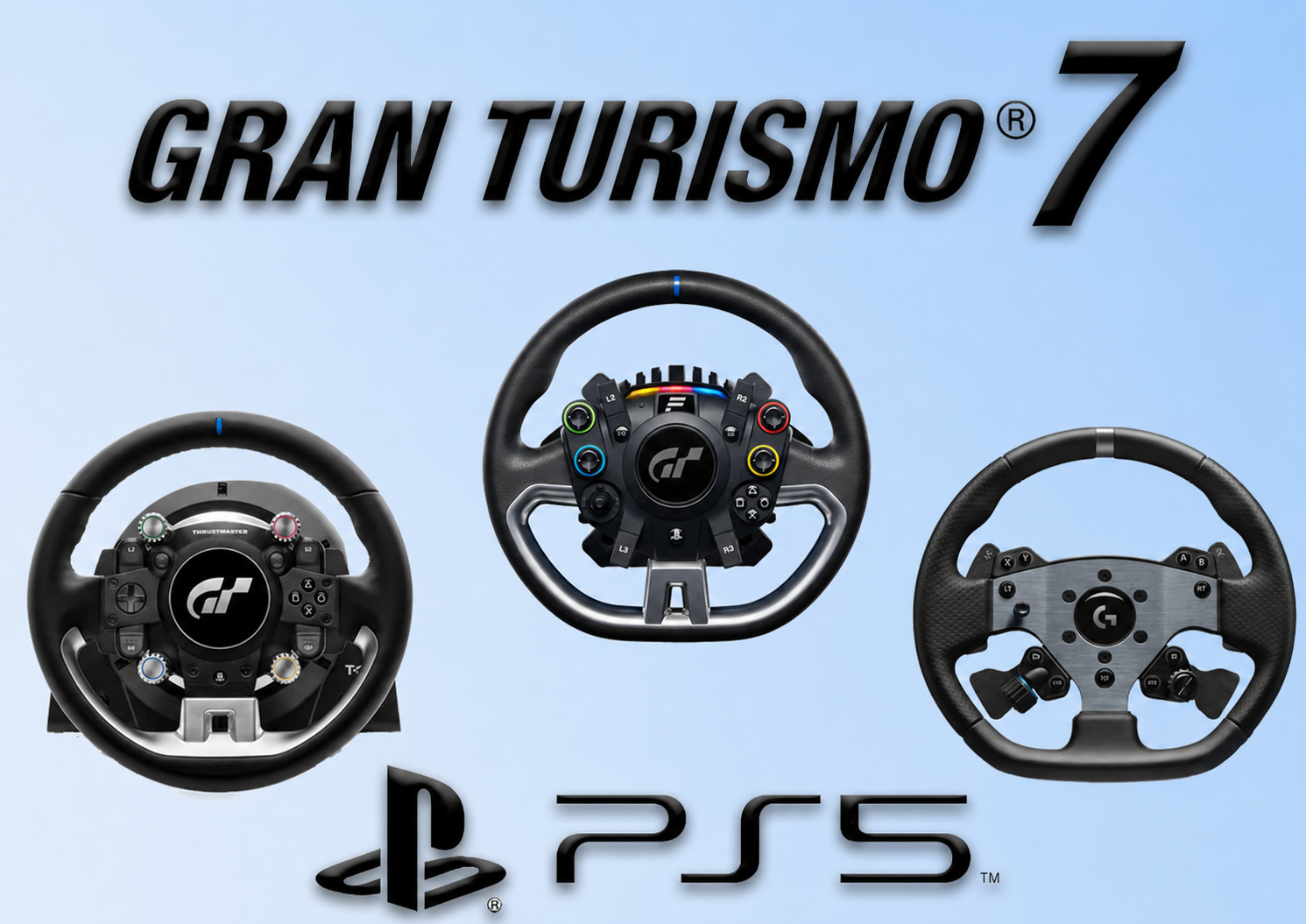
The exclusive titles available on PS5 add another compelling reason. Gran Turismo 7 remains the benchmark racing simulation on the platform, offering incredible attention to detail and physics modelling that takes full advantage of quality racing hardware.
Here's what the PS5 brings to your racing simulator setup:
4K resolution at 60fps in most racing titles (some offer 120fps performance modes)
Ray tracing capabilities for stunning reflections and lighting
Ultra-fast SSD eliminating loading screens between races
DualSense haptic feedback integration for compatible wheels
3D audio support for better spatial awareness on track
Let's break down what you actually need to build a complete setup. Not every component is mandatory, but understanding how each piece contributes to the overall experience helps you prioritise your investment.
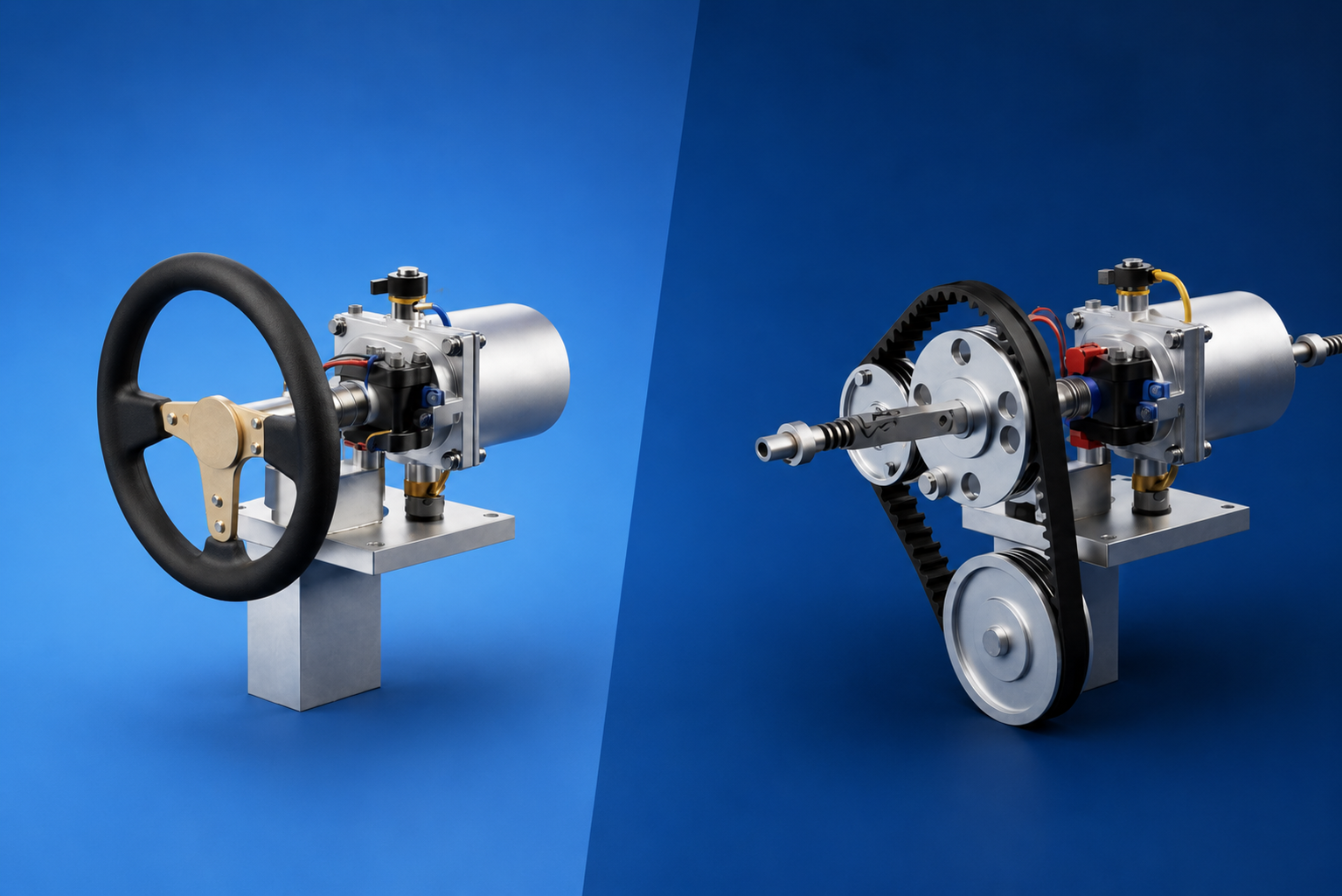
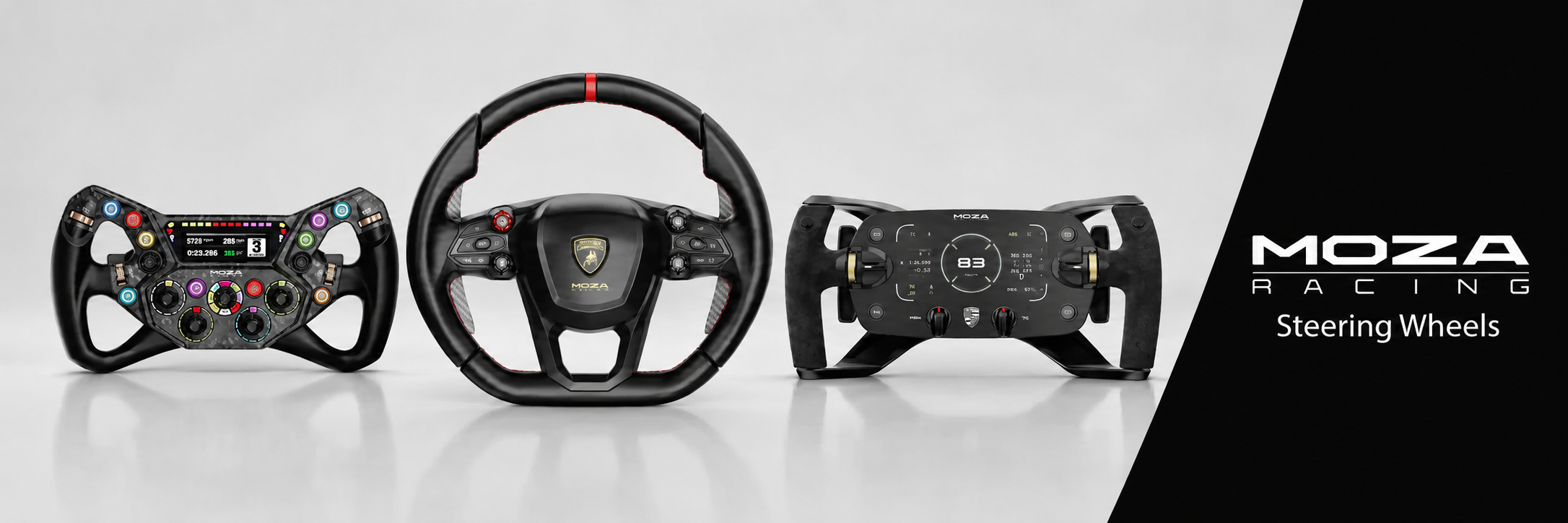
The steering wheel forms the foundation of any PS5 racing simulator. You've got options ranging from entry-level belt-driven wheels to professional-grade direct-drive systems.
Entry-Level Options
Logitech G29/G923: Force feedback, leather wheel, responsive pedals
Thrustmaster T150: Budget-friendly with decent force feedback
Hori Racing Wheel Apex: Most affordable licensed option
Mid-Range Champions
Thrustmaster T300 RS GT: Stronger force feedback, smoother operation
Thrustmaster T-GT II: Designed specifically for Gran Turismo 7
Logitech G Pro: Advanced force feedback with TrueForce technology
Premium Direct-Drive
Fanatec GT DD Pro: Entry-level direct-drive specifically for PlayStation
Thrustmaster T818: High-torque direct-drive for serious racers
Many beginners underestimate pedal quality, but proper brake feel dramatically improves lap times. Stock pedals that come bundled with wheels work fine initially, but upgrading to load-cell brake pedals transforms your braking consistency.
Pedal Type |
Feel |
Precision |
Price Range |
|---|---|---|---|
Potentiometer |
Travel-based |
Moderate |
$150-$300 |
Load Cell |
Pressure-based |
High |
$300-$600 |
Hydraulic |
Ultra-realistic |
Very High |
$600+ |
Load-cell brakes measure pressure rather than distance travelled, mimicking real car brake pedals. This means you brake with muscle memory rather than guessing pedal position, leading to more consistent braking points lap after lap.
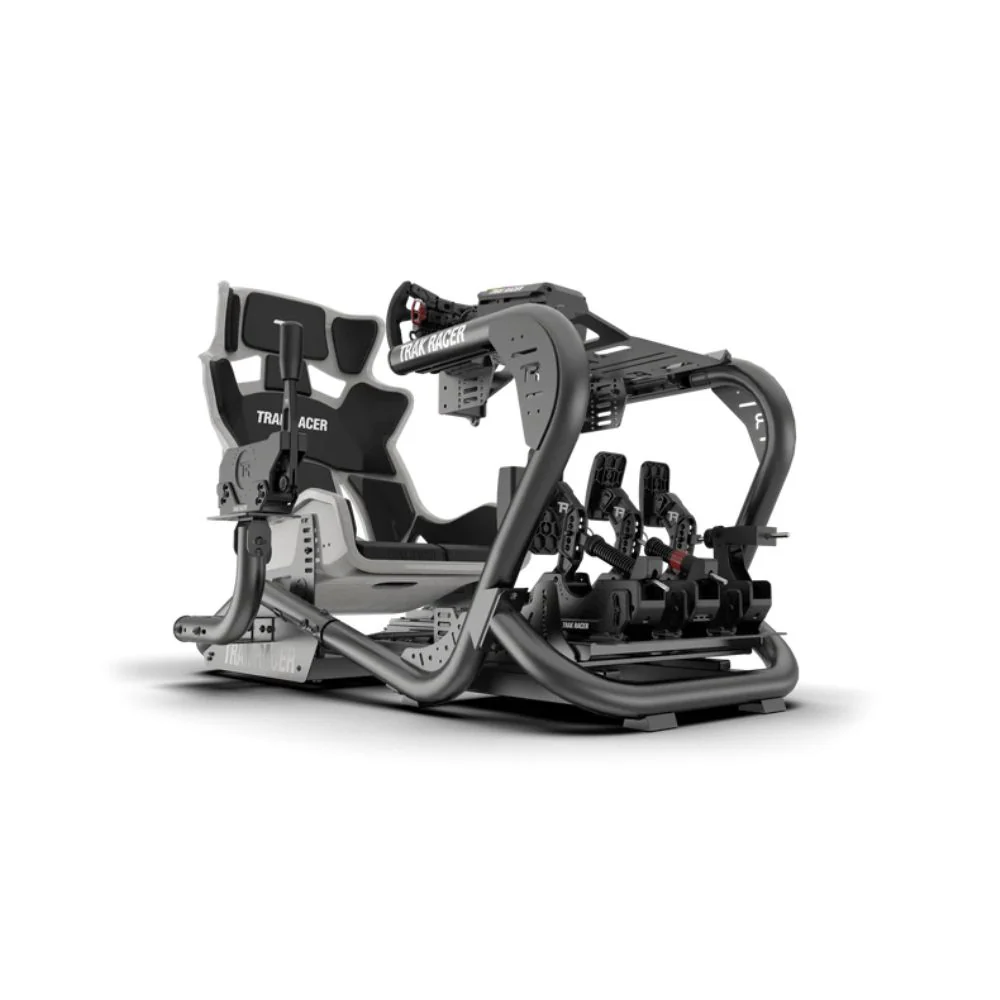
You can't achieve proper immersion with a wobbly desk mount. A solid cockpit keeps everything stable during aggressive driving and positions your body correctly for extended racing sessions.
Portable Wheel Stands
Ideal for space-conscious setups
Quick assembly and storage
Usually accommodates wheel and pedals only
Price range: $150-$350
Full Racing Cockpits
Rigid aluminum frames
Adjustable seating positions
Monitor/TV mounting options
Price range: $400-$1,500+
If you're serious about finding the right cockpit, our guide on choosing the best racing simulator cockpits covers options for every budget and space requirement.
Having brilliant hardware means nothing without software that takes advantage of it. The PS5 racing simulator experience truly shines with titles built specifically for wheel and pedal setups.
GT7 stands as the premier PlayStation racing simulation. Polyphony Digital has refined the physics model to deliver extraordinary realism, from tyre degradation to fuel consumption strategies. The career mode teaches racing fundamentals while the multiplayer Sport mode offers competitive racing against skilled drivers worldwide.
What makes GT7 special for wheel users:
Nuanced force feedback communicating road surface and tyre grip
Weather systems affecting handling characteristics
Extensive car tuning options for setup optimisation
VR2 support for ultimate immersion
EA's F1 series brings official Formula 1 racing to your PS5 racing simulator with all current teams, drivers, and circuits. The handling model rewards smooth inputs and precise braking, making it perfect for wheel and pedal combinations.
The career mode lets you build a team from the ground up while managing resources, development, and driver relationships. For those interested in F1-specific simulation options, explore our comprehensive F1 simulator games guide.
ACC focuses exclusively on GT3 racing, delivering the most realistic GT car handling available on PS5. The physics engine demands respect, punishing aggressive driving while rewarding smoothness and precision.
Key features for sim racers:
Laser-scanned tracks for ultimate accuracy
Advanced tire modeling
Dynamic weather and track conditions
Official Blancpain GT Series license
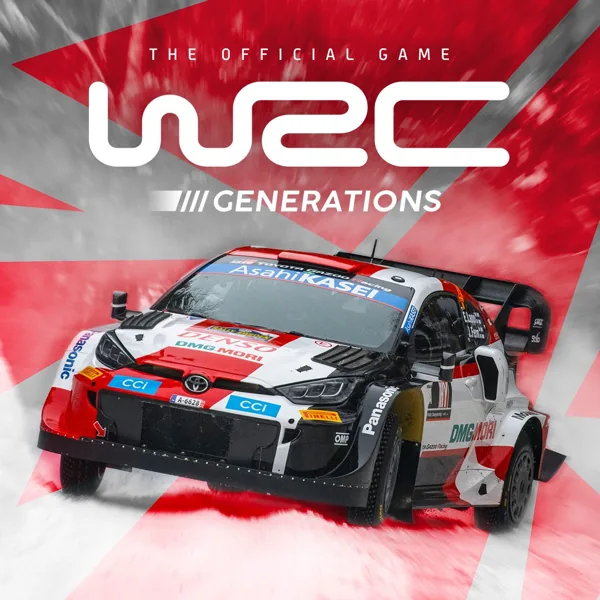
Rally racing demands different skills than circuit racing. WRC Generations puts you on gravel, tarmac, and snow with authentic rally cars from throughout WRC history. The co-driver calls keep you focused while navigating technical stages at breakneck speeds.
Looking for more variety? Here are other excellent options:
Need for Speed Unbound: Arcade-style street racing with wheel support
Ride 5: Motorcycle racing simulation
Dirt Rally 2.0: Hardcore rally simulation
Hot Wheels Unleashed: Fun arcade racing
Now let's talk about putting everything together. Creating a cohesive PS5 racing simulator involves more than buying components; it's about integration and optimisation.
Before purchasing anything, honestly assess your available space and budget. A proper setup requires:
Minimum space: 1.5m x 1.5m floor area
Ideal space: 2m x 2m with viewing distance flexibility
Storage considerations for foldable vs. permanent installations
Budget allocation: 40% wheel/pedals, 35% cockpit, 25% accessories
The PS5 supports multiple display options, each with advantages:
Traditional TV (40-65 inches)
Familiar setup process
HDR support for stunning visuals
Usually what you already own
Viewing distance: 1.5-2.5 meters
Gaming Monitor (27-49 inches)
Lower input lag
Higher refresh rates (120Hz+)
Better pixel density
Closer mounting possible
For sim racing specifically, ultrawide monitors offer incredible peripheral vision. Our article on the best ultra-wide monitors for sim racing explores options that work beautifully with PS5 setups.
PlayStation VR2
Ultimate immersion factor
True 360-degree awareness
Supported in GT7 and select titles
Requires adaptation period
This decision drives everything else. Consider these factors:
Force Feedback Strength
Entry wheels: 2-3 Nm torque
Mid-range: 4-6 Nm torque
Direct-drive: 9-25 Nm torque
The Logitech G923 remains popular for good reason, offering TrueForce technology that adds high-frequency vibrations for enhanced feedback. It's a solid middle-ground option for Australian sim racers building their first serious setup.
Getting the seating position right prevents fatigue and improves control. Follow these ergonomic principles:
Seat angle: 100-110 degrees recline
Wheel distance: Arms slightly bent at full lock
Pedal position: Knee bend around 120 degrees when the brake is fully pressed
Monitor distance: Arms-length for screens, closer for ultrawides
Quality cockpits like the TR8 racing simulator offer extensive adjustability to accommodate different body types and preferences.
Once you've mastered the basics, these upgrades take your PS5 racing simulator to professional levels.
Manual transmission control adds another dimension to racing. Sequential shifters suit modern race cars, while H-pattern shifters work perfectly for classic car racing and rally stages.
Popular options:
Thrustmaster TH8A: Dual-mode shifter (H-pattern and sequential)
Logitech Driving Force Shifter: Affordable H-pattern option
VNM Shifter: Premium build quality
Handbrakes become essential for rally racing in WRC or Dirt Rally, letting you initiate and control slides through hairpin corners.
Button boxes consolidate frequently-used functions within easy reach. Instead of fumbling for controller buttons mid-race, dedicated switches handle headlights, wipers, pit limiters, and more.
Our detailed guide on what a button box is explains the benefits and different configurations available.
Motion simulation represents the ultimate upgrade. These platforms tilt and shake your entire cockpit, simulating acceleration, braking, and cornering forces.
Benefits include:
Enhanced immersion through physical feedback
Better understanding of car behaviour
Reduced reliance on visual cues
More intuitive weight transfer feel
While expensive, motion platforms transform the PS5 racing simulator experience completely. Learn more in our ultimate guide to motion simulator technology.
If your wheel came with basic potentiometer pedals, upgrading to load-cell brakes should be your first priority. Brands like MOZA and Thrustmaster offer standalone pedal sets that dramatically improve braking consistency.
Hardware alone doesn't guarantee great lap times. Proper configuration ensures everything works together harmoniously.
Each racing title implements force feedback differently. Start with these baseline settings and adjust to taste:
Setting |
Gran Turismo 7 |
F1 2024 |
ACC |
|---|---|---|---|
Force Feedback Strength |
4-6 |
80-100 |
80-90 |
Sensitivity |
1-2 |
0 |
50 |
Linearity |
N/A |
50 |
N/A |
General principles:
Lower strength if you fight the wheel constantly
Increase if you can't feel road surface changes
Adjust sensitivity to match your wheel's rotation range
Test on familiar cars and tracks
Visual clarity matters enormously when hitting braking markers at 250 km/h. Optimise these PS5 display settings:
Performance mode over quality mode (higher frame rates)
Game mode on TV/monitor (reduces input lag)
HDR calibration for better visibility in varied lighting
Motion blur off for clearer vision during quick direction changes
Don't overlook audio when building your PS5 racing simulator. Engine sounds provide crucial feedback about gear selection and rev limits.
Recommended audio setup:
Headphones for 3D audio positioning
2.1 speaker system minimum
Separate subwoofer for engine rumble
Audio mix settings favouring engine/tyre sounds over music
Learning from others' errors saves time and money. Here are pitfalls Australian sim racers frequently encounter:
Buying the cheapest wheel available: Budget options exist, but the jump from entry to premium wheels delivers exponentially better experience and longevity.
Ignoring cockpit rigidity: A wobbly rig undermines expensive hardware. Invest in solid mounting before upgrading to direct-drive wheels.
Skipping pedal upgrades: Many racers spend big on wheels while neglecting pedals, but brake feel matters more than steering feel for lap time improvement.
Wrong seating position: Discomfort leads to shorter sessions and slower lap times. Spend time getting ergonomics right initially.
Not testing before buying: If possible, try different wheels at gaming expos or friends' setups before committing to expensive hardware.
Your physical environment impacts immersion and performance more than you'd think.
Avoid glare on screens from windows or overhead lights
Bias lighting behind monitors reduces eye strain
Adjustable lighting lets you match time-of-day racing
RGB lighting adds atmosphere without functionality
Extended racing sessions generate heat from your body, console, and display. Adequate ventilation prevents discomfort and potential hardware issues. Position your PS5 racing simulator with breathing room around the console for optimal cooling.
Hard surfaces create echo that degrades audio quality. Simple improvements include:
Carpet or rugs under the cockpit
Acoustic panels on nearby walls
Door seals to contain noise
Considerations for household members or neighbours
Looking ahead in 2026 and beyond, several trends are shaping the PS5 racing simulator landscape.
Increased VR adoption: As PSVR2 gains support across more titles, expect virtual reality to become standard rather than novelty.
Cross-platform competition: More titles are enabling PS5 players to race against PC competitors, expanding online racing communities.
Direct-drive accessibility: Prices continue dropping on entry-level direct-drive wheels, making this technology available to more racers.
AI integration: Advanced AI opponents provide more realistic practice and competition when human opponents aren't available.
Building your skills alongside your hardware accelerates improvement:
Online communities:
r/simracing subreddit for general advice
Gran Turismo Australia Facebook groups
Local Australian sim racing leagues
YouTube channels:
Driver61 for driving technique
Sim Racing Garage for hardware reviews
Super GT for entertaining gameplay
For comprehensive information covering various aspects of simulation racing, browse the resources section which includes guides on everything from motion sim racing to budget racing setups.
Building a complete PS5 racing simulator offers Australian gamers an accessible path to serious simulation racing without the complexity of PC setups.
Whether you're starting with an entry-level wheel or planning a full direct-drive motion platform, having the right guidance ensures every dollar contributes to better lap times and greater enjoyment.
At Gamer Gear Direct, we're passionate about helping Aussie sim racers build their perfect setup with expert advice and quality simulation gear that fits your specific needs and budget.