

The Only Formula One Simulator Guide You'll Ever Need
|
|
A Formula One simulator can make home racing feel sharper, more controlled, and far closer to the cockpit feel many F1 fans want. The right setup isn’t only about buying the most powerful wheelbase or the largest screen. It’s about how the cockpit, wheel, pedals, seating position, display, and software work together once you’re driving at speed.
At Gamer Gear Direct, we’ve handled and tested a wide range of sim racing hardware through our Dandenong South showroom, including entry-level wheel and pedal sets, direct drive systems, aluminium profile cockpits, Formula-style wheels, load cell pedals, monitor setups, and motion-ready rigs. We’ve also helped Australian customers work through the small setup details that can change how a Formula One simulator feels in real use, from pedal tray movement to wheel height, seating angle, and platform compatibility.
This guide breaks down what to look for before you buy, how to set up your rig, and which upgrades usually make the biggest difference once you start chasing cleaner laps.
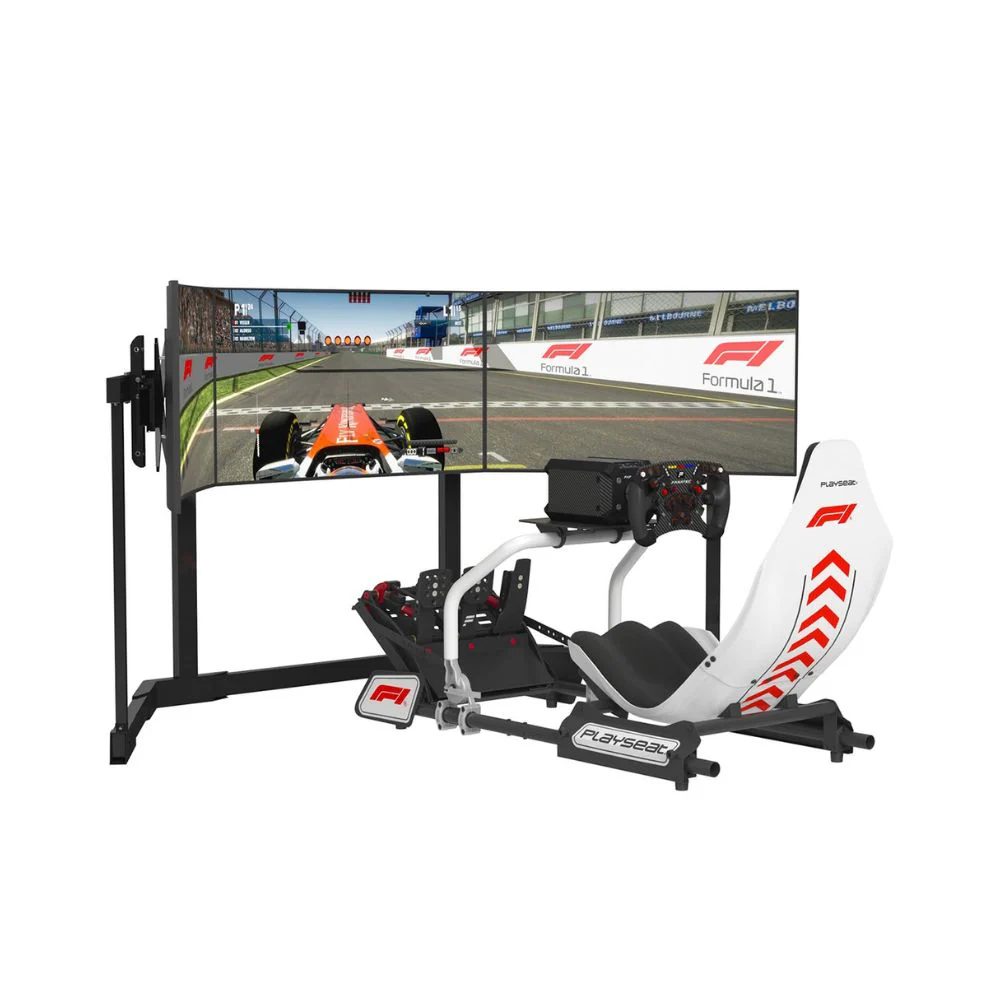
A Formula One simulator is a racing setup designed to recreate the feel of driving a Formula-style car at home. It can be as simple as a wheel and pedals mounted to a desk, or as advanced as a full cockpit with a Formula-style rim, direct drive wheelbase, load cell pedals, curved display, triple screens, VR, and motion hardware.
The main difference between a Formula One simulator and a general racing rig is the driving position and control layout. Formula-style racing usually uses a more reclined seating angle, a compact wheel shape, quick-access buttons, precise braking, and a screen position that supports fast corner entry and apex spotting. A GT-style cockpit can still work well, but a true Formula-style setup puts more focus on low seating, pedal angle, steering reach, and quick adjustments during a lap.
If you’re comparing different rig layouts, F1 driving simulator content can help you understand the difference between Formula seating and more upright GT-style cockpits.
When our team looks at a Formula One simulator setup, we don’t judge it by specs alone. A high-torque wheelbase doesn’t feel right if the cockpit flexes. Premium pedals won’t give consistent braking if the pedal tray moves. A wide monitor can look impressive but still feel wrong if the field of view is off.
The key areas we assess are cockpit rigidity, pedal stability, wheelbase mounting strength, seating comfort, software compatibility, display position, cable routing, and upgrade path. These details shape how the setup feels after the first few laps, not just how it looks in photos.
We also look at how easy the setup is to live with. Some drivers want a fixed rig in a dedicated room. Others need something compact for a shared space. Some want a Formula One simulator mainly for F1 titles, while others want a rig that can also handle GT, rally, drifting, and endurance racing.
The cockpit is the foundation of a Formula One simulator. If the frame moves under braking or the wheel deck shakes during cornering, the rest of the hardware can’t perform at its best. This is why we usually recommend choosing the cockpit carefully before spending more on wheel torque or extra screens.
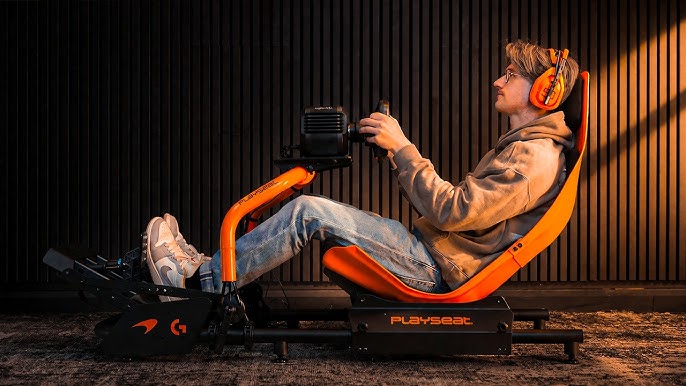
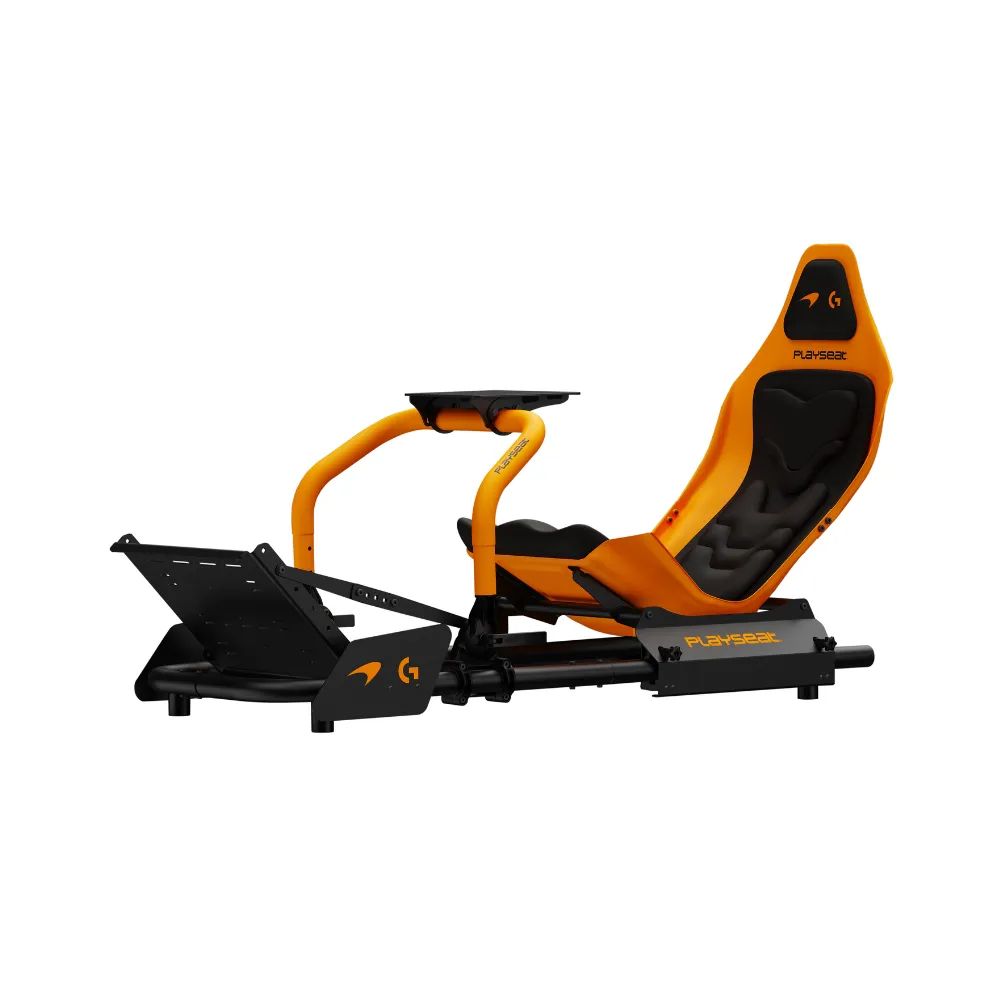
A Formula-style cockpit places the driver lower and more reclined than a standard GT cockpit. The pedals are often higher and angled towards the driver, which can feel more immersive for open-wheel racing. The trade-off is comfort and access. A very reclined position can feel great for short sessions, but some drivers prefer a hybrid cockpit that can be adjusted for both Formula and GT driving.
For many home racers, a hybrid sim racing cockpit is the smarter option. It gives you a Formula-inspired position without locking you into one racing style. It can also make upgrades easier if you later add stronger pedals, a direct drive wheelbase, or a monitor mount.
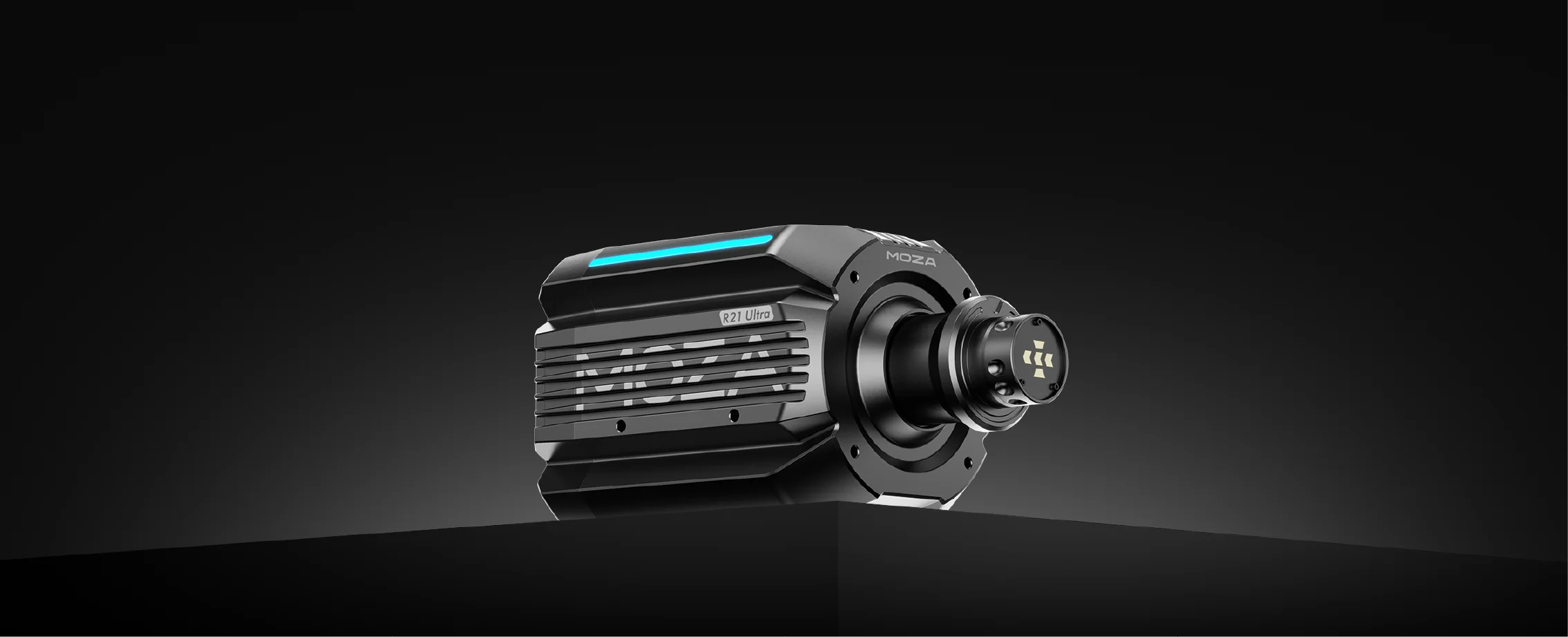
A Formula One simulator needs a wheelbase that gives clear, controlled feedback. Entry-level force feedback wheels can be enough for casual racing, but direct drive systems give stronger detail because the motor sends force directly through the steering shaft. This can make kerbs, grip changes, and steering load easier to read.
That said, more torque isn’t always better for every driver. If the cockpit isn’t rigid, a stronger wheelbase can make flex more obvious. If the driver is new to sim racing, too much force can also cause fatigue and slower reactions. A well-set direct drive wheelbase on a solid cockpit will often feel more useful than a very powerful wheelbase on a weak frame.
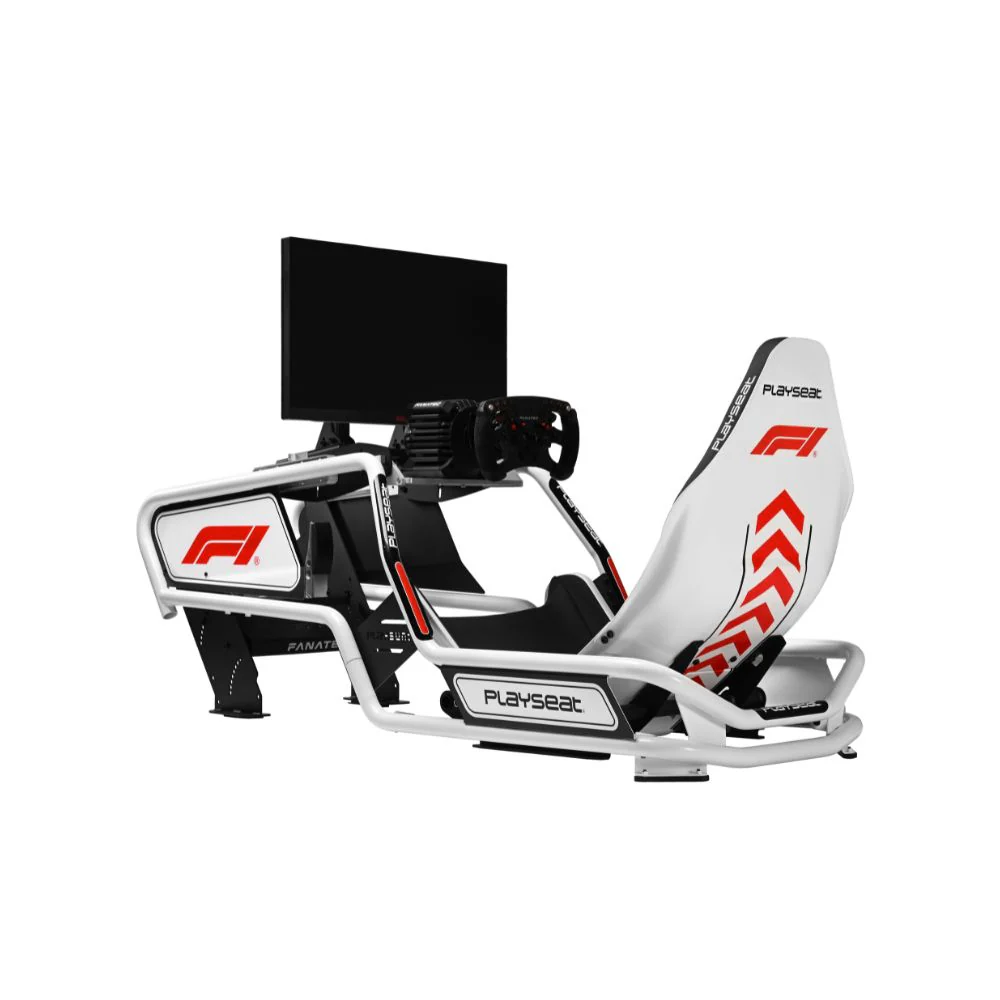
The steering wheel shape also changes the feel of a Formula one simulator. Formula-style wheels usually have a compact rectangular or open-wheel shape, with buttons and rotary controls for brake bias, differential, ERS, pit limiter, and menu navigation. A round wheel is more flexible for drifting, rally, and road cars, but it won’t feel as close to a modern Formula cockpit.
Pedals are one of the most important parts of a Formula one simulator. New buyers often focus on the wheelbase first, but braking consistency usually has a larger effect on lap time. If you can brake at the same pressure lap after lap, it becomes easier to hit apexes, manage tyre wear, and avoid lockups.
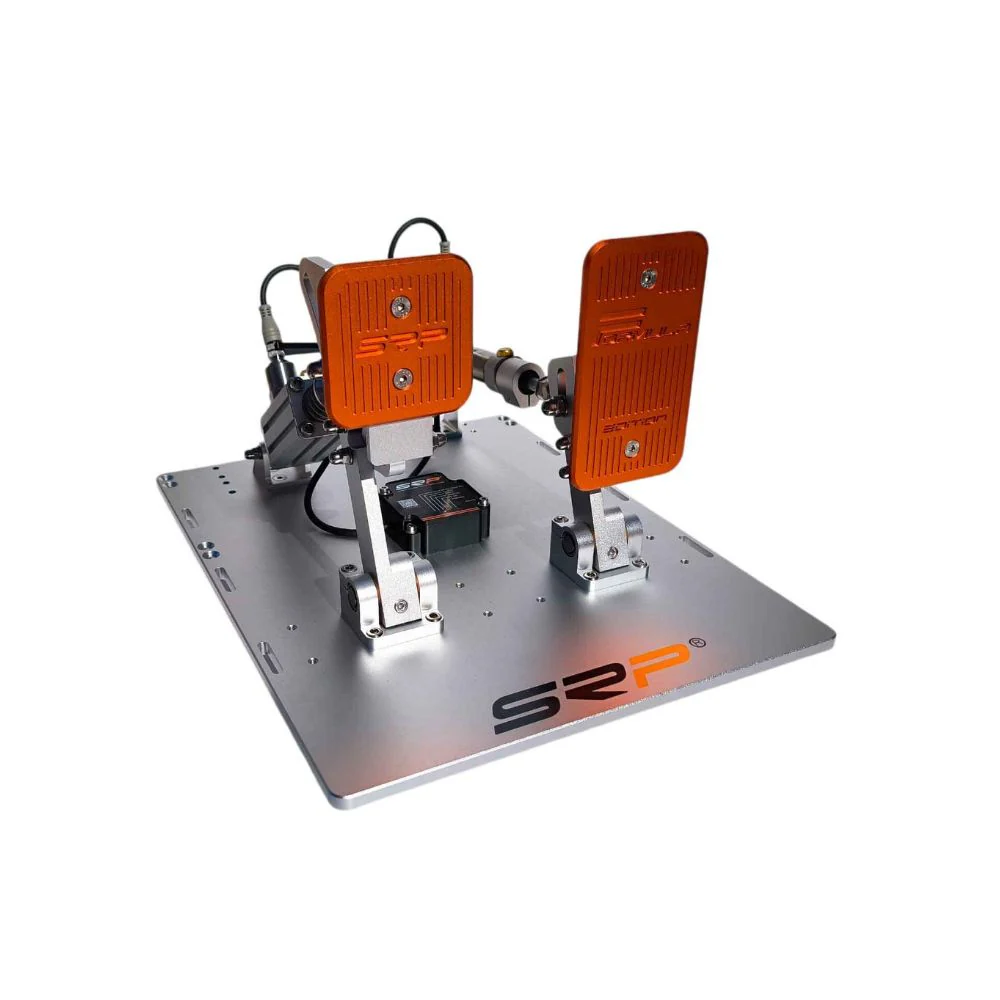
Load cell pedals measure pressure rather than simple pedal travel. This gives a more repeatable braking feel, especially once the pedals are mounted to a rigid cockpit. If the pedal tray lifts, flexes, or slides, the benefit drops quickly.
Before upgrading anything else, check that your pedals are secure, your seat distance is correct, and your brake force setting matches your leg strength. A Formula one simulator should let you brake hard without pulling yourself out of position or bracing awkwardly against the wheel.
Your display has a huge effect on how a Formula one simulator feels. A single monitor is easy to run and simple to set up. An ultrawide screen gives more side vision without the complexity of triples. Triple monitors can create a wider racing view, but they need more space, stronger mounting, and more careful setup.
VR can feel very immersive, especially for cockpit awareness, but it isn’t right for every driver. Some people love the depth and head tracking. Others prefer monitors for comfort, clarity, and longer races.
The most common display issue we see is poor positioning. If the screen is too far away, too high, or off-centre, your braking points and corner judgement can feel inconsistent. A good racing simulator setup should place the display close enough to support a natural field of view without blocking wheel movement or making the cockpit hard to enter.
The software you use should shape the hardware you buy. F1 titles are the obvious choice for fans who want official teams, circuits, and race formats. iRacing is popular for competitive online racing and structured progression. Assetto Corsa is widely used by PC racers who want flexible content, mod support, and a broad mix of car types.
For console users, compatibility needs to be checked before buying. Some wheelbases, wheels, and pedals work on PC only. Others need a specific console-compatible wheelbase or steering wheel. PC users usually have more freedom to mix hardware, but they still need to check mounting, USB support, software settings, and game profiles.
If your main goal is a Formula One simulator for console racing, start with platform compatibility first. If your goal is a PC-based rig with more upgrade options, plan the cockpit, wheelbase, pedals, and screen layout together.
The best upgrade order depends on what you already own, but most drivers get better results by fixing stability before chasing power.
A sensible upgrade path usually looks like this:
Secure cockpit or wheel stand
Load cell pedals
Direct drive wheelbase
Formula-style steering wheel
Monitor, ultrawide, triples, or VR
Motion hardware
Motion can add a lot of immersion, but it shouldn’t be the first fix for an unstable rig. If your wheel mount moves or your pedals flex, motion will not solve the main issue. Build a stable base first, then look at motion sim racing upgrades if you want extra physical feedback.
Start by choosing a space with enough room around the cockpit. You’ll need space to enter the rig, adjust the seat, reach your PC or console, and route cables safely. If you’re using a stronger wheelbase or motion system, place the rig on a stable floor and think about vibration through the room.
Once the cockpit is assembled, set your seat position before adjusting the wheel and pedals. Your arms should stay slightly bent when turning, and your legs should have enough bend to brake firmly without locking your knees. If you feel like you’re pulling on the wheel while braking, the seat or pedals need adjustment.
Mount the wheelbase securely and check all bolts after your first few sessions. Pedals should be fixed firmly, with no tray lift under heavy braking. For the display, centre the screen with your wheelbase and bring it close enough to create a natural view of the track.
A Formula One simulator should feel stable before it feels fast. Take short test sessions, adjust one item at a time, and avoid changing wheel force, brake pressure, seating angle, and display position all at once.
The most common mistake is spending too much on the wheelbase and not enough on the frame or pedals. A powerful direct drive unit can feel impressive, but the benefit is reduced if the rig moves during cornering or braking.
Another common mistake is setting the brake too stiff too soon. Load cell pedals need pressure, but the setting should match your strength and seating position. If you can’t repeat the same brake input comfortably, the setup is working against you.
Monitor placement is another big one. A screen mounted too far away can make the car feel disconnected from the track. A screen mounted too high can make corner entry harder to judge. If you’re using triples, poor side angle can distort your view and make close racing harder.
Cable routing also gets ignored. Keep cables away from pedal travel, seat rails, and moving wheel parts. A clean setup is easier to maintain and safer during longer sessions.
Once your hardware is stable, training becomes far more useful. Start with one track and one car, then build consistency before chasing fast laps. Use time trial or practice sessions to learn braking points, throttle control, and steering inputs without race pressure.
Focus on smooth inputs. In Formula-style cars, aggressive braking, sudden steering, and early throttle can cost time quickly. Watch your lap delta, but don’t let it push you into overdriving. Clean laps build better habits than one fast sector followed by mistakes.
Telemetry can also show setup problems. If your braking trace changes wildly from lap to lap, it may be technique, but it can also point to pedal movement, poor seat distance, or brake force set too high. If your steering inputs look nervous, check force feedback strength, seating distance, and wheel height.
A Formula One simulator gives you the best feedback when the hardware is secure and the settings suit your body. Good training starts with a rig that lets you repeat the same inputs comfortably.
A pure Formula position feels more like open-wheel racing, but it isn’t the best fit for every home racer. It can be harder to climb into, less relaxed for long sessions, and less flexible for other racing styles.
A GT position is more upright and familiar. It works well for touring cars, road cars, drifting, rally, and endurance racing. It can still be used for F1 titles, but it won’t give the same cockpit feel as a Formula one simulator.
A hybrid position is often the best middle ground. It gives you a lower, sportier seating angle while keeping the rig easier to adjust. If you share the rig with family members or race several game types, hybrid positioning can be the safer long-term choice.
Before buying, ask yourself these questions:
Are you racing on PC, PlayStation, or Xbox?
Do you want a pure Formula position or a hybrid cockpit?
Will the cockpit handle your chosen wheelbase torque?
Are the pedals load cell, and can they mount securely?
Do you have enough room for the display setup you want?
Can the rig be upgraded later with monitor mounts, accessories, or motion?
If you’re planning a full home setup, Formula One simulator advice can help you compare cockpit layouts, wheel options, and upgrade paths before you commit.
A Formula One simulator should feel controlled, stable, and comfortable before it feels extreme. The best setup isn’t always the most expensive one. It’s the one that suits your platform, space, driving style, and upgrade plans.
Start with the cockpit, pedals, and seating position. Then choose the wheelbase, steering wheel, display, and accessories around that foundation. Once the main hardware is secure, you’ll have a Formula one simulator that’s easier to drive, easier to improve with, and far more rewarding over longer sessions.