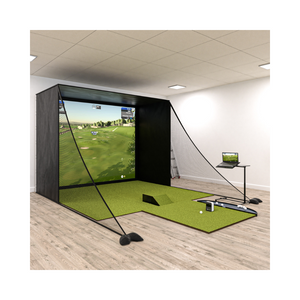
Imagine mastering your golf swing from the comfort of your home with the most advanced virtual golf technology of 2026. The future is here, and with trugolf e6, you can experience a golf revolution right in your living room. This guide is your roadmap to unlocking the full potential of trugolf e6, helping you elevate your skills and enjoy the most immersive play possible. Inside, you’ll find everything you need: from setup and features, to gameplay tips, interpreting analytics, and advanced strategies. Ready to improve your game? Dive in and let’s get started.
Imagine stepping into a world where golf is always accessible, rain or shine. That’s the promise of trugolf e6, a virtual golf platform that’s set the standard for realistic simulation in 2026. Whether you’re a beginner or a seasoned golfer, this technology brings world-class courses and data-driven training right to your fingertips.

Trugolf e6 is a premium golf simulation software designed to deliver an authentic golfing experience indoors. Since its early days, the platform has evolved rapidly, with the 2026 update introducing even greater realism, seamless device integration, and new gameplay features.
It works hand in hand with top launch monitors like Apogee, LaunchBox, and Mevo+, capturing your swings and translating them into lifelike on-screen action. The software is perfect for home setups, commercial venues, training studios, and pure entertainment. For those exploring options, you might also be interested in the Best home golf simulator picks to see how trugolf e6 stacks up for home use.
E6 Connect supports both casual practice and competitive play, allowing you to host family games or challenge players worldwide.
What sets trugolf e6 apart is its impressive lineup of features. You get access to over 27 meticulously recreated standard courses plus a rotating library of simulated layouts, ensuring there’s always something new to try.
Game modes cater to every player: Stroke, Scramble, Best Ball, Stableford, Closest to the Pin, and Long Drive are all available. The software boasts ultra-realistic 4K graphics and advanced ball physics, making every shot feel authentic.
With unlimited player profiles, online events, and compatibility with both PC and iOS devices, trugolf e6 is built for flexibility and community engagement.
There are plenty of reasons trugolf e6 stands out in 2026. First, the Home software requires no annual subscription, though you can unlock extra content with a subscription if you want more variety. Regular updates and new monthly courses keep the experience fresh and exciting.
You can play peer-to-peer matches, climb global leaderboards, and join a community trusted by PGA professionals and top training facilities. The adoption rates speak for themselves: thousands of users are now participating in growing online events, and satisfaction levels remain high.
If you’re serious about your golf journey, trugolf e6 offers a reliable, evolving, and truly immersive solution.
Setting up your trugolf e6 system is an exciting process, whether you’re a first timer or upgrading your current simulator. With the right approach, you can create a seamless, immersive golf experience right in your home or business. Let’s walk through each step so you’re ready to tee off with confidence.
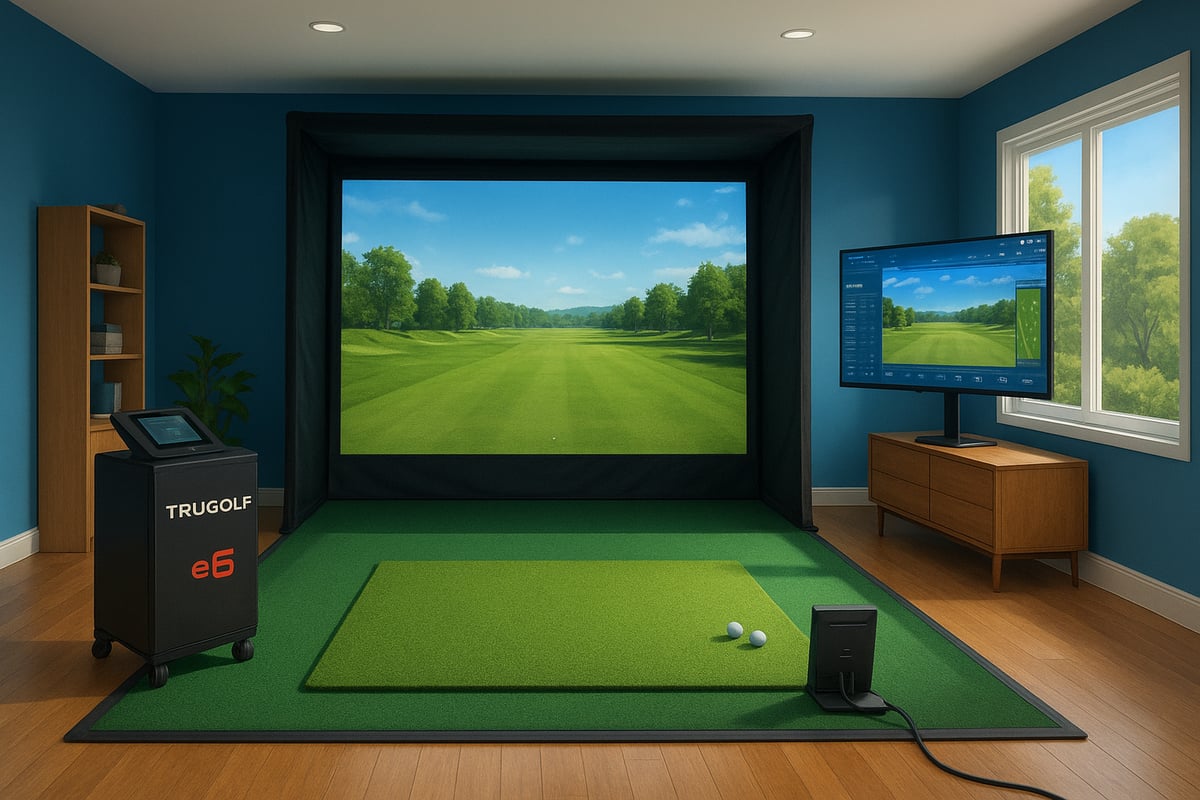
Before diving into trugolf e6, double check your hardware. Compatible launch monitors include Apogee, LaunchBox, Mevo+, X3, and Xi Tour. For the best experience, your PC should have at least an Intel i5 processor, 8GB RAM, Nvidia 1070 graphics card or higher, and run Windows 10 with DirectX 11 support.
If you’re using iOS, devices like iPad Pro 1+, iPad 5+, iPad Air 3+, iPad Mini 5+, or iPhone 8+ are required. Accessories such as high quality hitting mats, impact screens, enclosures, and premium golf balls like Titleist RCT enhance realism and durability.
Popular setup bundles often include a launch monitor, hitting mat, enclosure, and projector, giving you everything needed for trugolf e6 in one package. For a detailed walkthrough, you might find the Complete DIY golf simulator guide helpful as you plan your perfect setup.
Getting trugolf e6 up and running is straightforward. First, choose between a Home license or an annual subscription based on your needs. After purchase, you’ll receive a unique product key or license via email.
For PC users, download and install the software, then enter your key during activation. On iOS, follow the App Store instructions, input your license, and you’re ready to go. If you hit any snags, check your internet connection, device compatibility, and make sure your system meets the requirements.
Many users report smooth installations, but if issues arise, support resources and community forums are available to help troubleshoot trugolf e6 setup questions quickly.
Once the software is installed, it’s time to calibrate your trugolf e6 system for accuracy. Begin by aligning your launch monitor according to the manufacturer’s instructions. Make sure your hitting area is clear, with recommended room dimensions of at least 3m wide by 5m long and 3m high for safe, comfortable swings.
Lighting should be even and bright, reducing shadows or glare that could interfere with shot detection. Connect your hardware to the software via Wi-Fi or USB as specified. Test shot tracking and ball detection, making adjustments for sensitivity or position if needed.
To boost realism, position your mat to reduce bounce and noise, and use soft flooring or padding to minimise sound. Proper calibration ensures trugolf e6 delivers accurate data and an immersive virtual golf experience from the very first swing.
Ready to step into the world of trugolf e6? Whether you're chasing a course record or just unwinding after work, learning to navigate the platform is your first step to making every swing count. Let's break down how you can explore courses, dive into game modes, and customise your virtual golf journey for maximum fun and improvement.
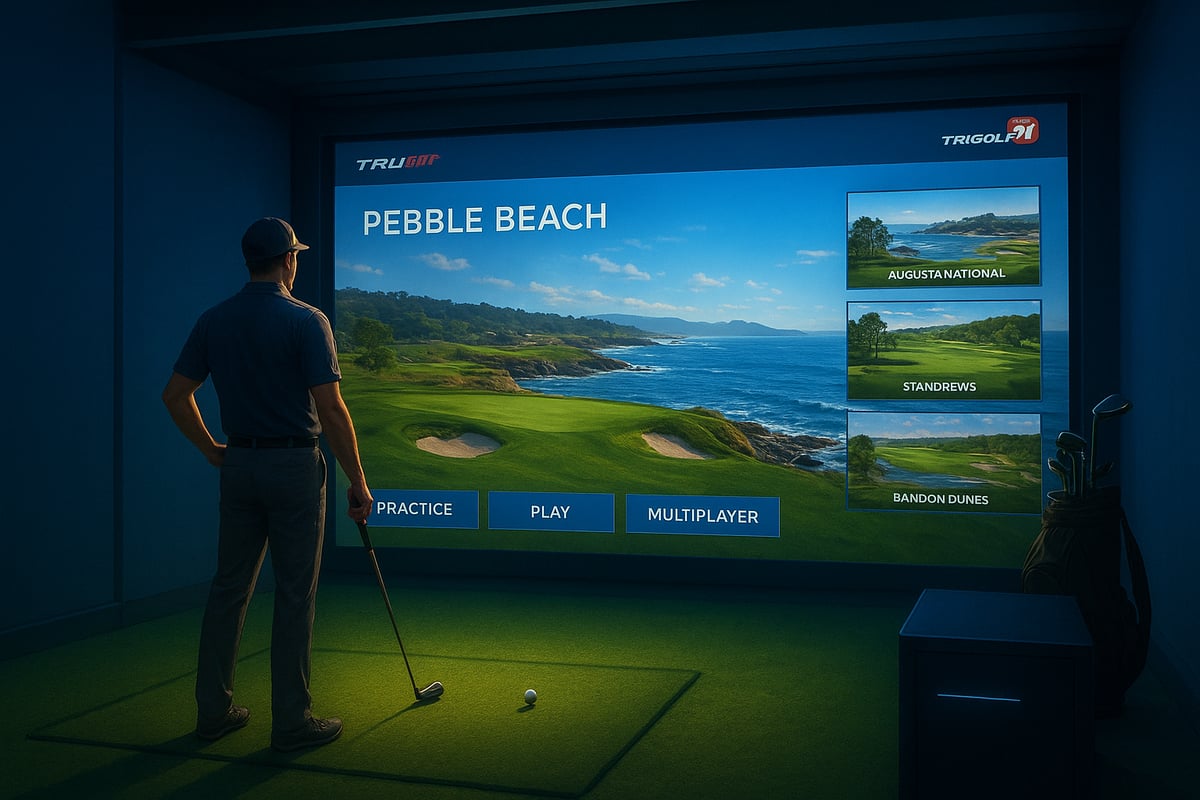
With trugolf e6, you gain access to a rich library of world-class courses. Imagine teeing off at Pinehurst No. 8 one day, then challenging yourself at Banff Springs or Pebble Beach the next. The platform regularly rotates simulated courses, so you'll always have something new to try.
Practice makes perfect, right? Trugolf e6 gives you practice facilities like driving ranges, chipping and putting greens, and scoring zones. Want to drop a ball anywhere on the course for a tricky bunker shot? You can, making it easy to target your weak spots and turn them into strengths.
In-round practice lets you pause your round and rehearse that tough approach as many times as you like. This flexibility is a game-changer for building confidence and consistency.
Trugolf e6 isn't just about solo rounds. It’s packed with game modes to keep things fresh and competitive. You can play classic Stroke play, team up in Scramble or Best Ball, or even try your hand at Stableford for a twist. For quick fun, mini games like Closest to the Pin or Long Drive are always a hit.
Family or friends joining in? Set up unlimited player profiles, so everyone has their own stats and progress. Online events and peer-to-peer matches let you challenge golf enthusiasts from around the globe, bringing the excitement of competition straight into your living room.
Hosting a virtual tournament is easier than you think. Pick a course, set the rules, and invite your mates for a night of friendly rivalry.
Navigating the trugolf e6 dashboard is intuitive, even if you're new to simulators. You can create and manage detailed player profiles, tweak game settings like weather, tees, and pin locations, and adjust green speeds to simulate real-world challenges. Accessibility features and language support make the platform welcoming for all.
Want to personalise your session? Set up a custom practice routine, tailor the environment, or join one of the many online events happening each month. For a deeper dive into all the dashboard options, player management, and gameplay features, the E6 Golf User Manual v1.6 is a fantastic reference.
Immersive graphics and sound settings help you feel like you're right on the course, making every round with trugolf e6 a truly engaging experience.
Ever wondered what separates a casual swing from a pro-level shot? With trugolf e6, you get access to detailed analytics that break down every element of your game. This data not only fuels improvement but also adds a new layer of immersion to your virtual golf experience.

Trugolf e6 captures a wide range of performance data with every swing. These metrics provide a window into your technique and help you understand how your equipment and swing mechanics affect your results.
Here’s a snapshot of the key shot data you’ll see:
| Metric | What It Means | Why It Matters |
|---|---|---|
| Club Head Speed | Speed of club at impact | Influences distance |
| Ball Speed | Speed of ball off face | Directly affects carry |
| Smash Factor | Ball speed / club speed ratio | Measures efficiency |
| Backspin/Side Spin | Rotational movement of ball | Affects trajectory & shape |
| Launch Angles | Vertical & horizontal launch | Determines height & direction |
| Shot Apex | Highest point of ball flight | Useful for approach shots |
| Carry/Total Distance | Distance travelled in air/total | Assesses shot effectiveness |
For example, a typical trugolf e6 shot report shows high club head speed but excessive side spin, signalling a slice. Analysing these numbers lets you pinpoint exactly where your swing needs attention.
How do you turn all that trugolf e6 data into lower scores? Start by looking for patterns in your shot results. Maybe you see consistent left-to-right spin or low smash factors. These insights highlight where your swing mechanics can be refined.
Try this approach:
Many PGA instructors use trugolf e6 analytics with their students, providing actionable feedback based on real data. For instance, if you’re struggling with a fade, lowering your side spin by adjusting grip or stance—guided by the software—can yield visible results.
To take your trugolf e6 experience further, sync your analytics with compatible launch monitors and mobile apps. Export your shot data for in-depth analysis or share it with your coach. Some setups let you overlay video of your swing, adding a visual layer to the numbers.
Want to go deeper? Pair trugolf e6 analytics with wearable sensors that track body movement. This approach lets you compare how your swing changes translate into shot outcomes, bridging the gap between virtual and real-world practice.
For a broader perspective on making the most of your analytics and training tools, check out the Ultimate guide to indoor golf. Users consistently report noticeable improvement rates after combining trugolf e6 insights with structured practice routines and tech integrations.
Blending these resources ensures every session is productive, engaging, and tailored to your personal goals.
Customising your trugolf e6 setup is where the magic really happens. Want to play a rainy round at dusk or simulate a breezy morning at Pebble Beach? With trugolf e6, you can tweak almost every aspect of your virtual course. Adjust the weather, wind speed, and even the time of day to mirror real-life conditions or create unique challenges. You can also modify tee locations and pin placements, making each session fresh and engaging.
Creating custom tournaments is a breeze, whether you want to challenge friends or set up a solo test. Many users find that simulating tournament conditions boosts focus and helps transfer skills to real-world play. Want more tips on making your simulator environment feel authentic? Check out these indoor golf sim setup tips for expert advice on getting the most from your space.
With trugolf e6, everyone in your household can have their own player profile. You can set up unlimited profiles, so each user’s stats, achievements, and history are saved separately. This makes it easy to track your progress over time, compare scores, and see how your skills are improving.
Love a bit of friendly competition? Set up a family leaderboard and watch as everyone chases top spot. Sharing achievements with friends or even your coach is simple, letting you celebrate milestones or get feedback. On average, most households using trugolf e6 have several active profiles, making it a true hub for group play and individual improvement.
Getting help with trugolf e6 is straightforward. If you ever hit a snag, built-in support resources and customer service are just a few clicks away. The software receives regular updates, bringing new features, improved graphics, and fresh courses to keep things exciting. Installing updates is quick, and you’ll always find guidance through community forums or official manuals.
Troubleshooting common issues, like calibration or connectivity, is made easier with detailed guides such as the TruGolf E6 User Manual. Many users appreciate the active online community, where you can swap tips, join events, or just chat about your latest round. Ongoing updates and strong support mean your trugolf e6 experience keeps getting better over time.
Ready to push your virtual golf experience to the next level? With trugolf e6, you can transform casual play into a truly immersive, skill-building journey. Let’s dive into the pro-level secrets that will help you get the most out of every session.
Want your virtual rounds to feel like you’re on the actual course? Start by cranking up the trugolf e6 graphics settings for crisp 4K visuals. Adjust the sound options so you hear every club strike and bird call, pulling you deeper into the action.
Premium accessories matter too. Choose high-quality hitting mats, impact screens, and dedicated lighting to mimic real-world conditions. Many players even set up a dedicated golf simulator room, adding touches like dark wall colours or acoustic panels to cut noise and distractions.
For a deeper look at the technology powering these advances, check out the TruGolf Holdings Technology Strategy. These innovations help make trugolf e6 more lifelike, which means your practice feels more authentic and skills transfer better to the real game.
Consistency is key if you want to see real improvement with trugolf e6. Why not set up a weekly routine? Use the built-in mini games for targeted skills like distance or accuracy. Try a “driving range challenge” every Monday and track how far you can hit over time.
Mix it up with chipping and putting drills, or create your own custom practice sessions. The software lets you revisit tough holes or set up tricky wind conditions, so you’re always learning something new. By tracking your stats, you’ll spot patterns and see where you’re making progress week by week.
With trugolf e6, structured routines aren’t just about repetition—they’re about building confidence and making every swing count.
Golf is always more fun with friends, right? trugolf e6 makes it easy to join online tournaments, climb global leaderboards, or host private matches with mates. The platform’s active community means you’ll always find someone to compete with, whether you’re aiming for a friendly round or a serious showdown.
Success stories from online competitions show just how motivating virtual play can be. Some users have even built lasting friendships through regular weekly events. Plus, sharing your achievements and stats keeps you connected and inspired to push your limits.
So, with trugolf e6, you’re not just mastering your swing—you’re joining a vibrant, global golf community.