F1 Simulators Tested by Gamer Gear Direct
|
|
A good F1 simulator should feel controlled, stable and natural from the moment you start braking into the first corner. The screen, wheel, pedals and cockpit all need to work together. If one part flexes, sits too far away or forces your body into the wrong position, the whole setup can feel less convincing.
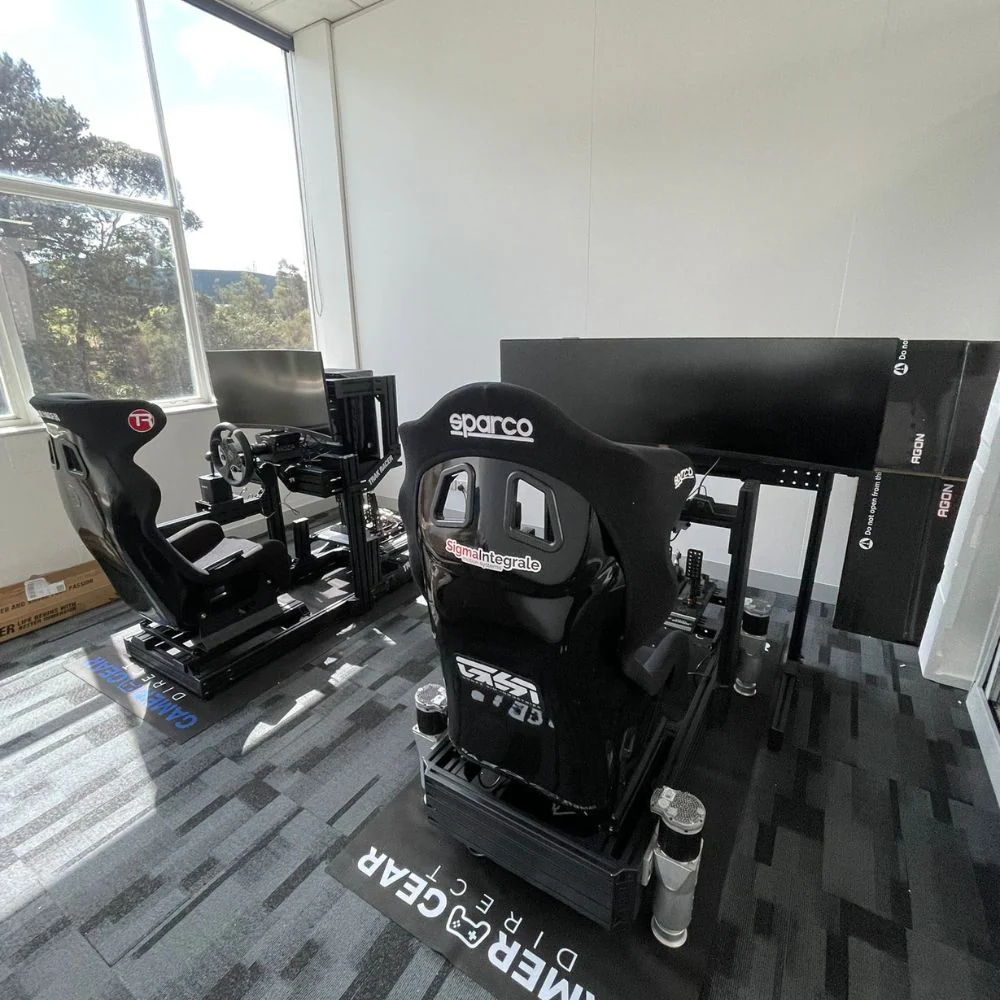
At Gamer Gear Direct, we've assembled and tested F1 simulator hardware at our Dandenong showroom, including direct drive wheelbases, formula-style wheels, load cell pedals, racing cockpits, monitor stands and motion-ready frames. We've looked at how each setup feels during longer driving sessions, how easily it adjusts for different drivers and where cheaper builds usually fall short.
This article breaks down what we've found from hands-on testing, customer demos and daily product setup work. You'll learn what makes an F1 simulator feel realistic, which parts deserve more of your budget and how to choose a setup that suits your space, platform and driving goals.
When we test an F1 simulator, we don't only check if the wheel turns and the pedals respond. We assemble the cockpit, adjust the seat, set the wheel height, mount the pedals, check screen distance and drive the setup under repeated braking, steering and throttle inputs.
The first thing we look for is movement in the frame. Flex through the wheel deck or pedal plate can make braking and steering feel vague. A direct drive wheelbase can send detailed feedback through the wheel, but the cockpit has to be rigid enough to handle it. In our showroom testing, a stable cockpit often makes a bigger difference than chasing the highest torque figure.
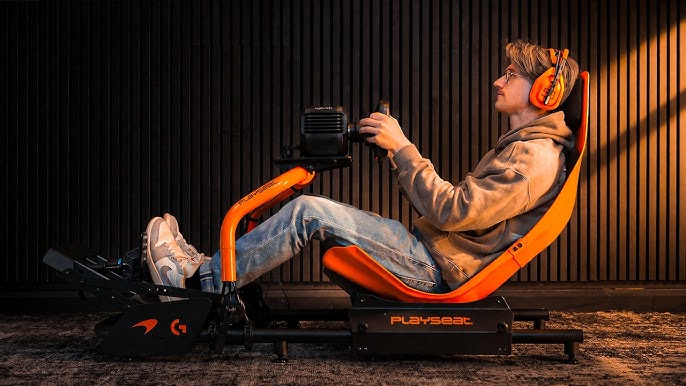
We also test comfort. An F1 simulator puts the driver in a more reclined position than a GT-style rig, so seat angle, pedal height and wheel distance become important. A setup that feels exciting for two laps can become tiring if the pedals are too high, the wheel is too close or the seat doesn't support your back properly.
Our team also checks cable routing, mounting points, adjustment range, display placement and upgrade options. An F1 simulator should feel good now, but it should also leave room for better pedals, a stronger wheelbase, triple screens or motion hardware later.
The biggest mistake we see is treating an F1 simulator as one product. It's really a full driving position made from several parts. You need a rigid cockpit, accurate steering, consistent pedals, a clear display and software that gives the hardware enough detail to work with.
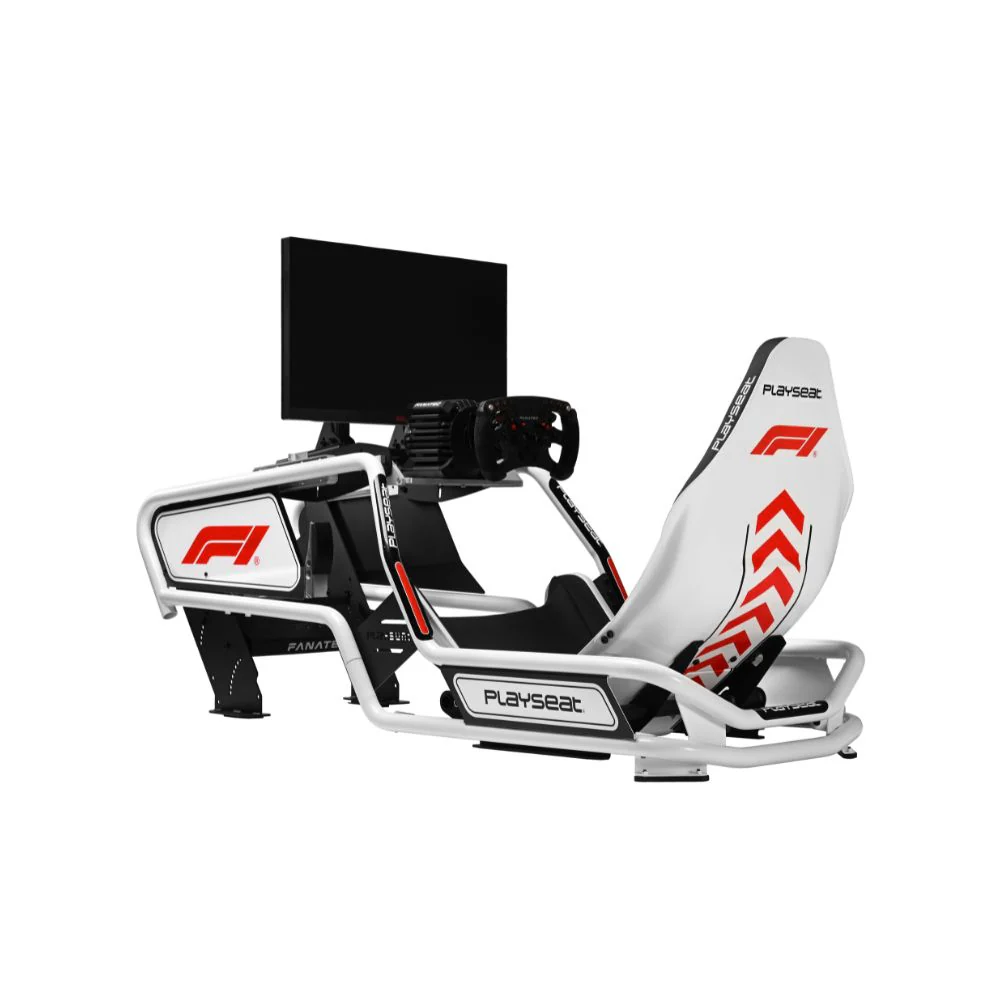
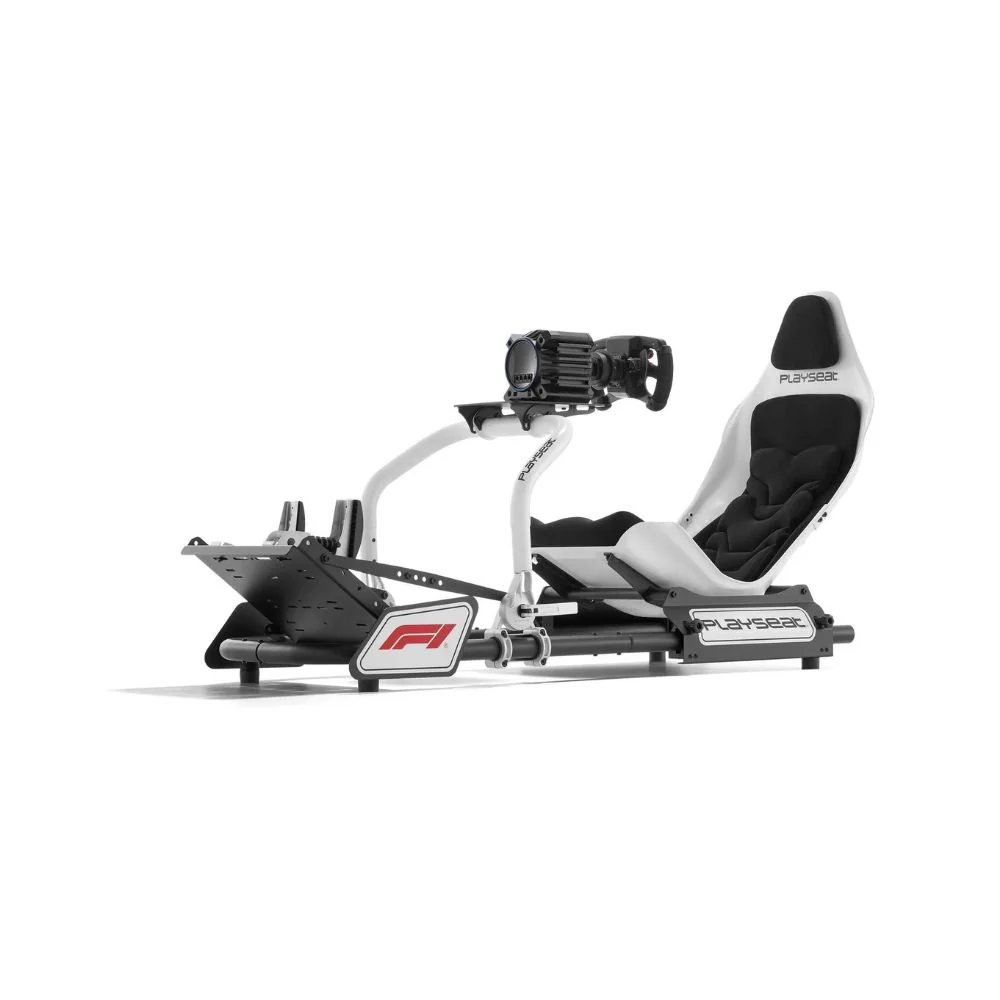
The cockpit creates the foundation. A formula-style driving position usually places the driver lower and more reclined, with the legs stretched forward toward the pedals. That position can feel far more immersive for Formula racing, but it needs the right frame and adjustment range. For drivers comparing frames, a dedicated F1 sim cockpit can feel very different from a standard GT layout.
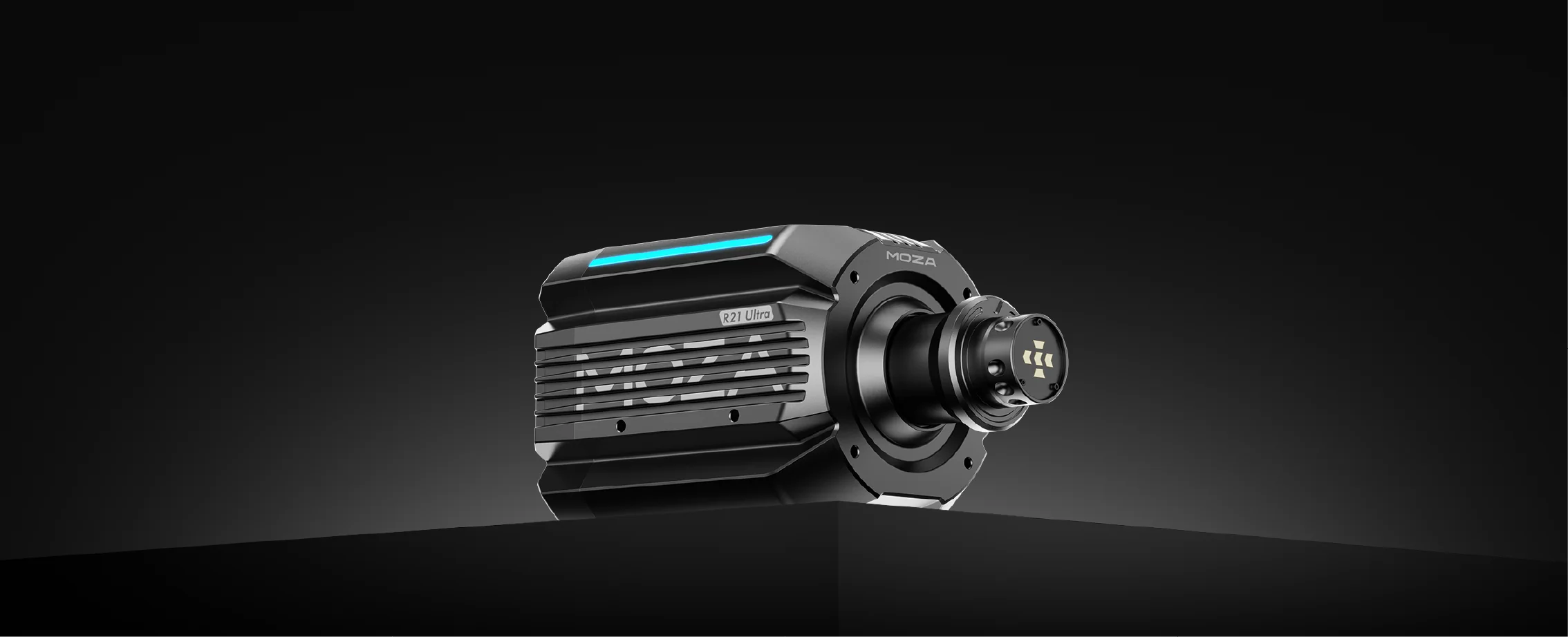
The wheelbase controls steering feel. Direct drive wheelbases give faster response and more detail than entry-level gear-driven or belt-driven units. You can feel kerbs, grip changes and steering load more clearly, especially through high-speed corners. Still, more torque isn't always the first thing we'd recommend. A rigid frame and consistent braking usually come first.
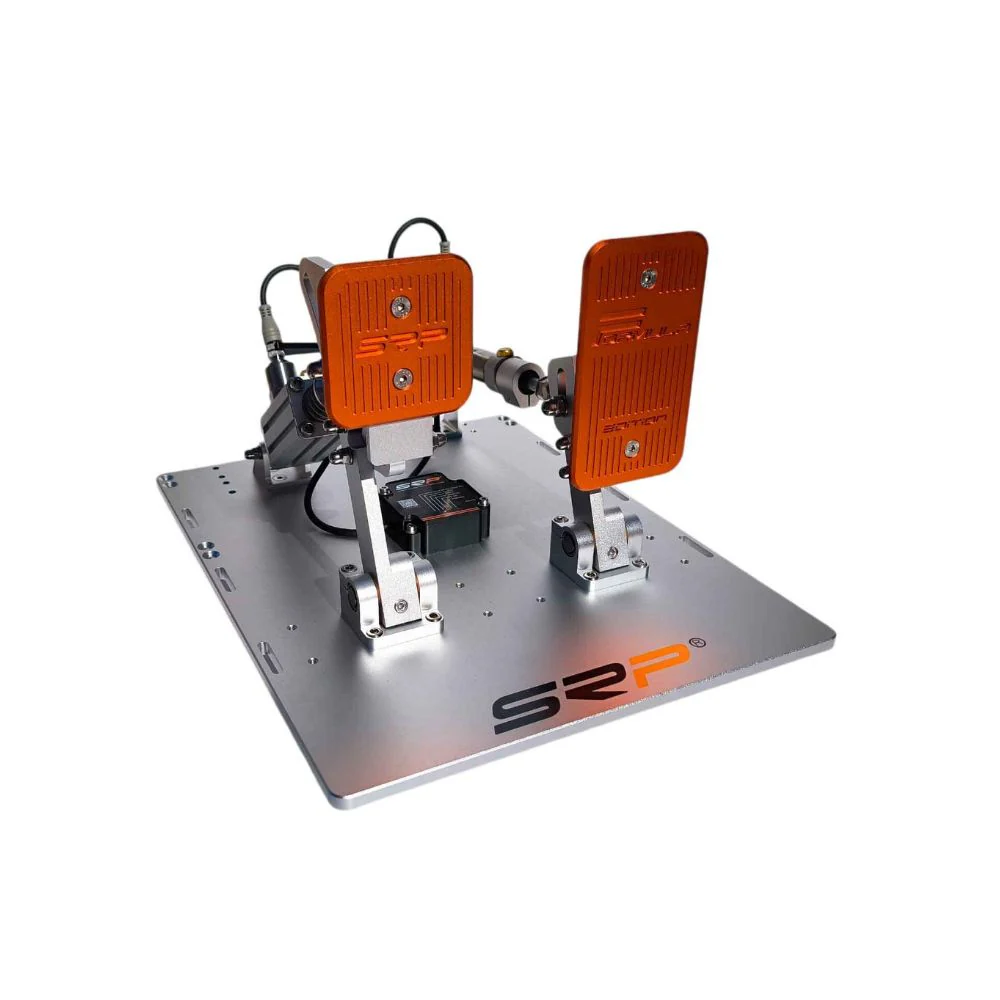
The pedals affect lap consistency. Many customers expect the wheel to be the main upgrade, but after testing different rigs, we've found that load cell pedals can have a huge effect on confidence. Braking by pressure feels more repeatable than braking by pedal travel, which is why a better pedal set often improves consistency quickly. If you're planning a full racing simulator setup, don't leave the pedal choice until the end.
Displays shape immersion. A single monitor can work well for a compact F1 simulator, but an ultrawide or triple-screen layout gives better peripheral vision. VR can feel incredibly immersive, but it also depends on comfort, PC performance and how long you like to drive in one session.
Start with the cockpit. If the frame moves under braking or steering, every other component feels weaker. For an F1 simulator, look closely at wheel deck strength, pedal plate adjustment, seat angle and monitor mount options. Aluminium profile cockpits usually offer the best adjustment and upgrade path, while fixed tubular frames can suit drivers who want a cleaner all-in-one layout. A rigid sim racing cockpit gives the wheel and pedals a better platform to work from.
Next, choose the wheelbase. Entry-level direct drive systems are now strong enough for many home drivers. Mid-range options add more detail and headroom, while higher-output wheelbases suit drivers who want heavier steering and stronger feedback. We don't suggest buying on torque alone. Mounting strength, game support, software quality and ecosystem compatibility also count. A quality direct drive wheelbase should suit your cockpit, platform and driving style.
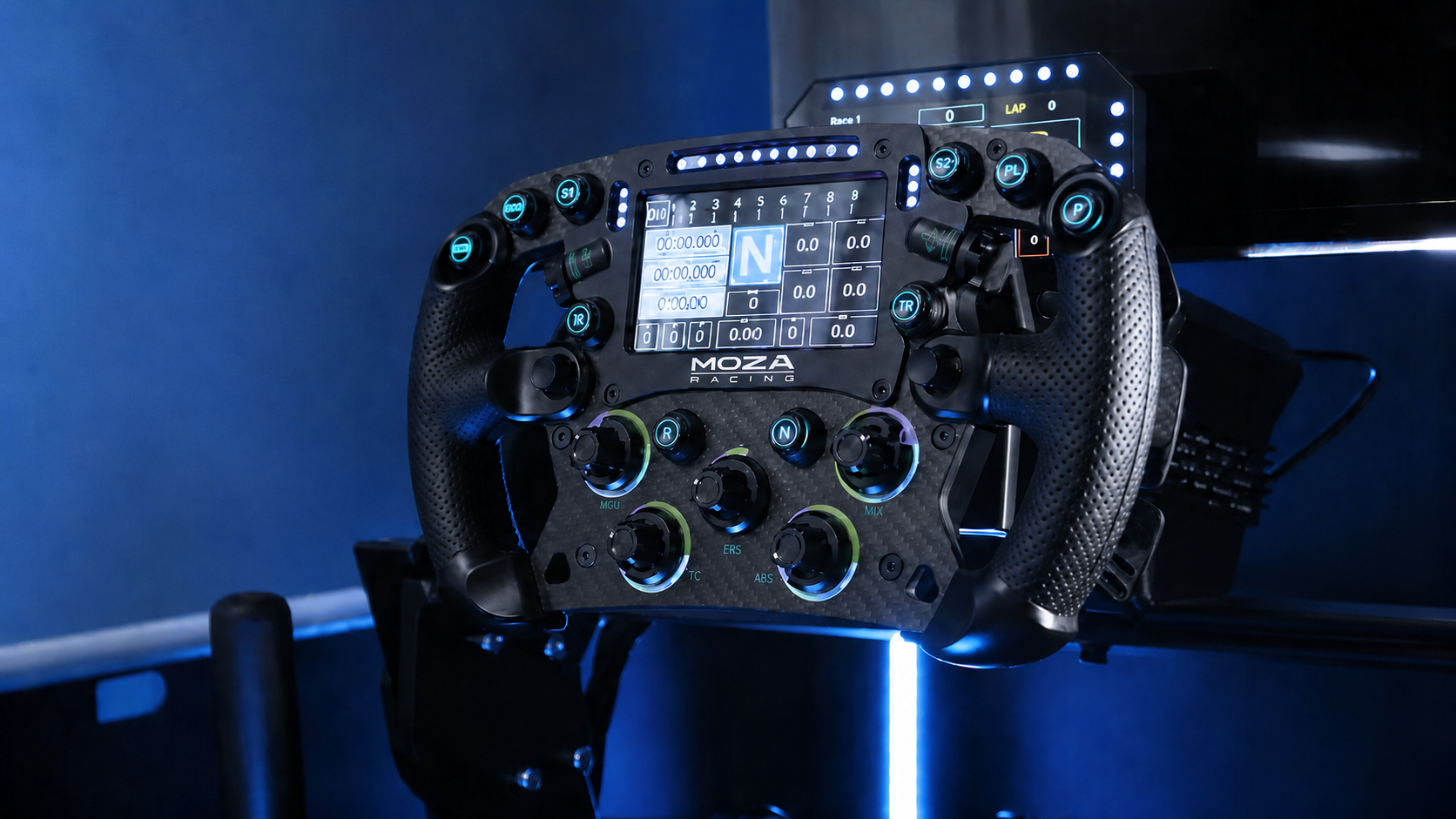
The steering wheel should match the type of racing you enjoy. A formula-style wheel is the natural choice for an F1 simulator because the shape, buttons and paddle placement feel closer to modern single-seater racing. A round wheel is more flexible if you also drive rally, drifting or road cars, but it won't feel as focused for Formula racing. If you drive mostly Formula cars, a sim racing steering wheel with a formula shape is worth considering early.
Pedals deserve more attention than most buyers give them. A stable brake pedal gives you more control than a soft pedal that bottoms out too easily. Load cell pedals are usually the sweet spot for committed home racers, while hydraulic pedals suit premium builds where braking feel is the priority. Better sim racing pedals can make the whole setup feel more consistent.
For displays, think about the room first. Triple screens need more width, a stronger stand and more setup time. Ultrawide monitors are easier to manage. VR saves space and gives depth, but some drivers prefer the comfort of screens for longer sessions. Button boxes, shifters, gloves, shoes and other sim racing accessories can then be added once the main driving position feels right.
An entry-level F1 simulator should focus on stability, comfort and simple setup. We'd start with a compact cockpit or wheel stand, an entry direct drive wheelbase, a formula-style wheel if the platform supports it and pedals that can be upgraded later. This type of build suits drivers moving away from a desk setup who want better control without taking over a full room.
A mid-range F1 simulator is where the experience starts to feel much more complete. This is where we'd look at a rigid cockpit, a stronger direct drive wheelbase, load cell pedals and either an ultrawide monitor or triple screens. The extra frame strength is important because the brake pedal and wheelbase will put more load through the rig.
A premium F1 simulator should start with the cockpit and seating position. Aluminium profile frames, high-end pedal sets, stronger direct drive wheelbases, triple screens and motion-ready mounting options all make more sense at this level. The goal is not just stronger feedback. The goal is a setup that stays solid, comfortable and adjustable across long sessions. Drivers considering motion sim racing should choose the frame carefully before adding actuators later.
For many Australian drivers, the best value is often a mid-range build with room to grow. It gives you the main benefits of a proper F1 simulator without forcing every premium component into the first purchase.
After testing different simulator setups at our Dandenong showroom, we've found that customers usually notice cockpit stability before anything else. When the wheel deck is firm and the pedal plate doesn't move, the car feels easier to control. When the frame flexes, even good hardware can feel less accurate.
We've also found that pedal placement changes the whole experience. If the pedals are too close, the driving position feels cramped. If they're too far away, braking becomes tiring. In an F1 simulator, the reclined position makes pedal angle even more important because your legs are doing more of the work.
Wheel height is another detail that changes comfort quickly. A formula-style wheel should be close enough for control but not so close that your shoulders tense up. During demos, small adjustments to wheel angle and seat distance often make the setup feel much better within minutes.
We also see a big difference between customers who buy for specs and customers who buy for fit. Specs are useful, but they don't tell the full story. The right F1 simulator has to match your body size, room size, platform and upgrade plans.
Spending too much of the budget on the wheelbase and not enough on the cockpit. A high-output direct drive wheelbase needs a frame that can handle the forces. If the cockpit flexes, the extra power doesn't feel as clean.
Underestimating pedals. A better brake pedal can do more for lap consistency than many drivers expect. If you enjoy Formula racing, load cell pedals are worth considering early.
Ignoring space. A full F1 simulator with triple screens needs more room than most people expect. Before buying, measure the width, depth and access space around the rig. You still need to get in, get out and adjust the setup comfortably.
Mixing hardware without checking compatibility. PC drivers usually have the widest options, while PlayStation and Xbox users need to pay close attention to wheelbase, wheel and pedal support.
For a small room, a compact cockpit, single monitor or VR headset can make more sense than a wide triple-screen setup. You can still get excellent steering and braking feel without using the largest display layout.
For a dedicated sim room, start with a rigid cockpit and display plan. Decide early if you want a single monitor, ultrawide or triple screens, because the monitor stand and cockpit position can affect the whole layout. If motion hardware is on your list later, choose a frame that can support it.
For console players, compatibility comes first. Don't assume every wheelbase, wheel and pedal set will work together on PlayStation or Xbox. A great F1 simulator is only useful if your platform recognises the hardware properly.
For PC racers, the main advantage is flexibility. You can choose from more wheelbases, pedals, button boxes, displays and software options. That makes PC the best path for drivers who want to upgrade their F1 simulator over time.
Seeing a simulator online is useful, but sitting in one tells you far more. At our Dandenong showroom, customers can get a better feel for cockpit size, seating position, pedal pressure, wheel angle and screen distance before choosing a setup.
During a demo, pay attention to how natural the driving position feels. Your knees, shoulders and wrists shouldn't feel strained. The brake pedal should feel stable, and the cockpit shouldn't move every time you press hard. You should also check how easy it's to enter and exit the rig, especially if the simulator will be shared with other drivers at home.
A showroom test can also show you what not to buy. Some drivers realise they don't need the strongest wheelbase. Others realise they need a sturdier cockpit than they first planned. The right F1 simulator is the one that fits your driving style and your space, not just the one with the biggest spec sheet.
If you're starting from scratch, put the cockpit first. A rigid frame gives the rest of the hardware a better base. Then look at pedals, wheelbase, wheel shape and display layout.
If you mainly drive Formula cars, choose a Formula-style wheel and a cockpit that can create a reclined racing position. Add load cell pedals as soon as your budget allows. For many drivers, that combination creates the biggest leap from a casual racing setup to a convincing F1 simulator.
If you're upgrading from a desk or basic stand, don't rush straight into the most powerful wheelbase. A stable cockpit and better pedals will often make the setup feel more controlled. Once the foundation is right, a stronger direct drive wheelbase becomes a more worthwhile upgrade.
If you already have a strong wheelbase, check the rest of the rig. Pedal flex, poor screen placement or an awkward seat can hold the setup back. A balanced F1 simulator feels cohesive. Every part supports the driving position, steering feel and braking control.
A good F1 simulator doesn't come from one expensive part. It comes from the right combination of cockpit rigidity, seating position, braking feel, steering detail and display placement.
After testing simulator hardware in our Dandenong showroom, our view is simple. Start with a stable cockpit, choose pedals that give you consistent braking, add a wheelbase that suits your experience level and select a display layout that fits your room. From there, you can upgrade into stronger feedback, larger screens or motion hardware without rebuilding the whole setup.
The best F1 simulator is the one that feels natural every time you drive. It should be comfortable, controlled and ready to grow as your skills improve.