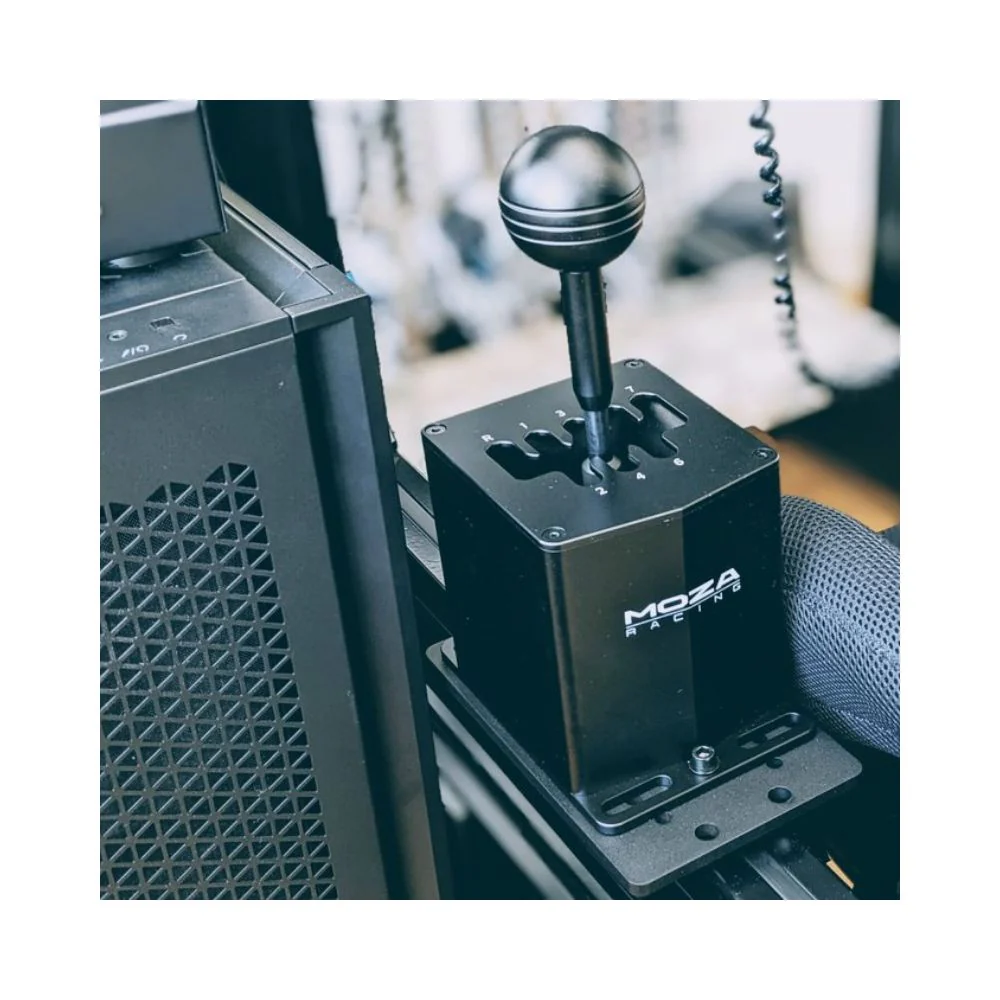
MOZA HGP Shifter Guide To Get The Best Racing Experience
|
|
If you’re adding a proper manual feel to your racing simulator, the MOZA HGP shifter is one of the first upgrades worth looking at. Paddle shifters are fast, but they don’t give you the same physical rhythm as rowing through gears in an H-pattern car.
We’ve tested the MOZA HGP shifter at our Dandenong showroom across rigid racing simulator setups to see how it feels during real driving sessions, not just on a spec sheet. The goal was simple: check how it mounts, how it registers gears, how solid it feels under repeated shifts, and who it suits best.
This guide gives you our practical verdict, setup notes, compatibility guidance, and tips for getting the most from the MOZA HGP shifter in your own rig.
For this review, we focused on the parts of the MOZA HGP shifter that make the biggest difference once you’re driving. Specs are useful, but shift feel, mounting stability, and gear recognition are what you notice once the lights go out.
Our testing focused on:
Mounting the shifter to a rigid cockpit shifter plate
Connecting the unit directly to a Windows PC by USB
Checking gear detection through MOZA Pit House
Mapping each gear inside racing sim control menus
Testing repeated upshifts, downshifts, reverse selection, and 7th gear selection
Checking comfort during longer driving sessions
Comparing when an H-pattern shifter makes sense compared with paddle shifting
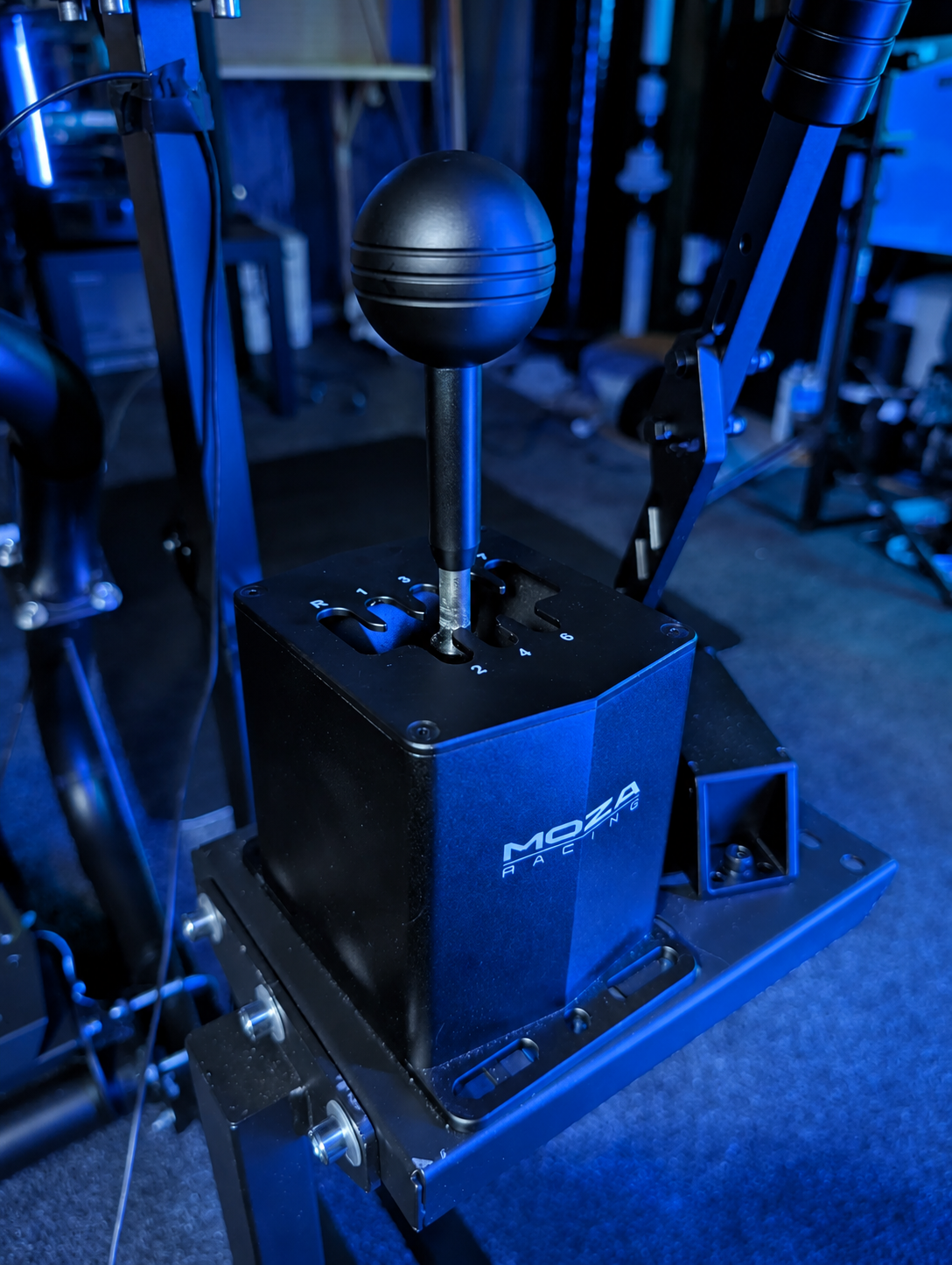
The biggest takeaway from our showroom testing is that the MOZA HGP shifter feels best when it’s hard-mounted to a stable cockpit. The aluminium body has a solid feel, but the mount underneath it still plays a major role. If your cockpit or shifter arm flexes, you’ll feel that movement during quick shifts.
For the best result, we’d install it on a rigid shifter mount as part of a proper racing simulator cockpit instead of placing it on a lightweight desk setup.
If you’re searching for a shifter that feels as close to a real manual gearbox as possible, the MOZA HGP shifter is a game-changer. Whether you’re building your first sim setup or looking to upgrade your rig, understanding what sets this shifter apart is the first step to maximising your racing experience.
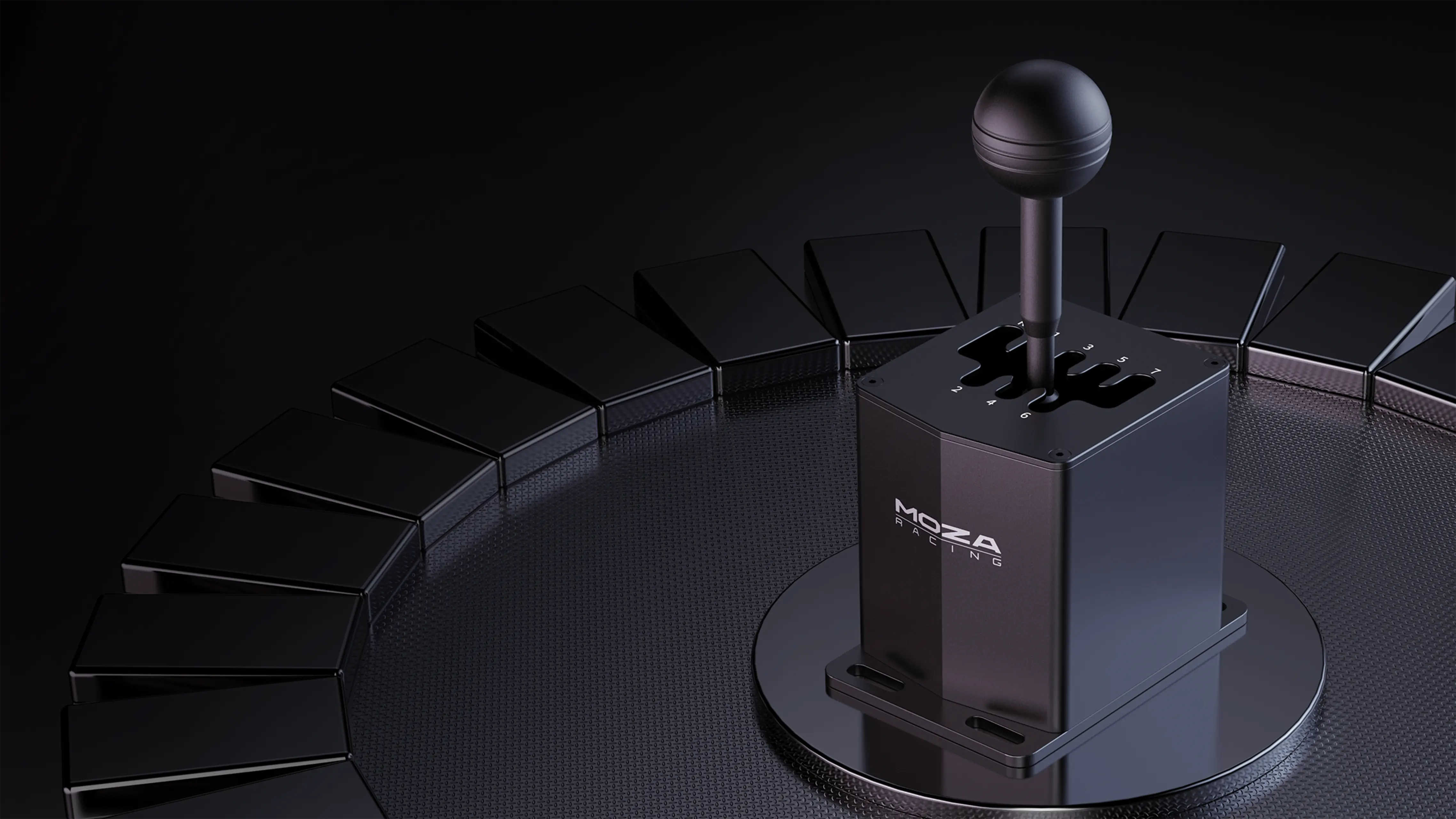
Let’s start with the fundamentals. The MOZA HGP shifter sports a 7+R H-pattern, delivering a tactile and realistic gear change every time you slot into gear. Built entirely from metal, it’s designed to withstand intense sessions and last for years.
Here’s a quick look at the key specs:
Feature |
Details |
|---|---|
Shifting Pattern |
7-speed H-pattern + Reverse |
Build Material |
Full metal construction |
Resistance |
Adjustable via internal springs |
Connectivity |
USB and MOZA ecosystem support |
Size |
Compact for versatile mounting |
The adjustable resistance lets you dial in the perfect shifting feel—whether you prefer a lighter touch for long races or a stiffer action for rally stages. Integration is simple with both USB and MOZA’s hardware.
So, what makes the MOZA HGP shifter a top pick? First, it’s fully compatible with the latest sim racing titles and hardware. MOZA has upgraded the internal mechanisms, meaning each shift is even smoother and more precise than before.
Plug-and-play support with the MOZA Racing product line means setup is a breeze. Customisation is a big deal here—you can swap out the shift knob and adjust the shaft length to match your preferred driving style or emulate your favourite car.
One standout upgrade is the improved spring tensioning system. This gives you more consistent gear engagement, reducing the chance of missed shifts during those crucial moments in a race. You’ll notice the difference whether you’re tackling a tight rally stage or pushing for a podium in circuit racing.
Talk to anyone who’s used the MOZA HGP shifter, and you’ll hear about its impressive longevity and uncanny realism. Many sim racers in Australia praise the shifter’s minimal dead zones and spot-on shift recognition, which really helps when you’re chasing lap times or battling in online leagues.
Community-driven firmware updates keep the shifter current and responsive. Australian sim racing forums often highlight how well the MOZA HGP shifter integrates with local setups, especially for those running multi-device rigs.
Thanks to its robust construction and strong support network, the MOZA HGP shifter is frequently recommended for both newcomers and seasoned sim drivers. It’s a shifter that grows with you, adapting to your driving style and the latest racing tech.
Our main finding was simple: the MOZA HGP shifter rewards a clean, deliberate shift. It doesn’t feel like a loose toy shifter, and it doesn’t need an aggressive slam to register a gear. You get the best result by guiding the lever confidently into each gate.
During repeated shifts, the H-pattern layout felt clear. The gates are easy to understand after a few laps, and reverse selection feels separated enough from the main forward gears. That makes the shifter easier to trust once you’re driving harder.
We also noticed that mounting makes a major difference. On a stiff cockpit, the MOZA HGP shifter feels planted and consistent. On a lighter frame, the shift action can make the mount move, which takes away from the realism. That’s not a fault with the shifter itself; it’s a reminder that manual shifting puts side load into your rig.
If you’re already using a direct drive wheelbase, load cell pedals, or hydraulic pedals, don’t treat the shifter mount as an afterthought. A stable mount helps the MOZA HGP shifter feel sharper and keeps your gear changes more consistent.
Getting your MOZA HGP shifter up and running is a breeze with the right approach. Whether you are a first-timer or upgrading your sim racing rig, this step-by-step guide helps you avoid common pitfalls and ensures your shifter is ready for action in no time.
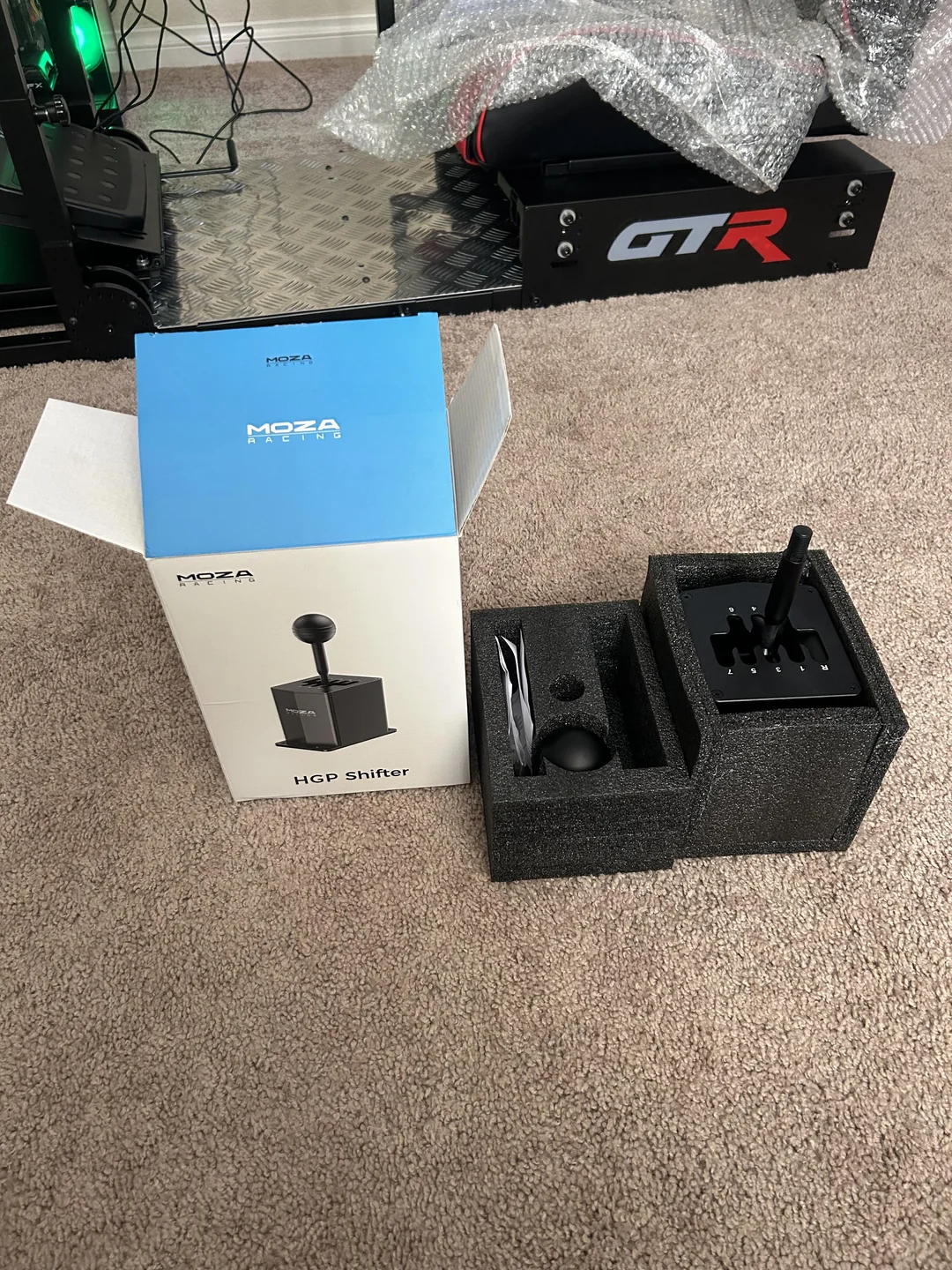
When you first open the box, you will find the MOZA HGP shifter, USB cable, mounting hardware, and quick start guide. Double-check that all parts are included before proceeding.
Here is a simple checklist to follow:
MOZA HGP shifter unit
USB cable
Table clamp and screws
Mounting bracket (for cockpits)
Quick start documentation
You have two main mounting options. The table clamp is perfect for quick setups or if you are short on space. For a more permanent solution, the hard-mount bracket integrates seamlessly with most sim racing cockpits. Here is a quick comparison:
Mount Type |
Pros |
Cons |
|---|---|---|
Table Clamp |
Fast setup, portable |
Less stable for heavy use |
Hard-Mount |
Rock-solid, immersive feel |
Needs cockpit frame |
Secure the shifter tightly before jumping in. For casual play, the clamp is fine, but for serious endurance sessions, the hard-mount method is highly recommended.
Now, connect your MOZA HGP shifter to your PC using the included USB cable. It is genuinely plug-and-play for Windows, but to unlock full features, you will want to install the MOZA Pit House software.
1. Download MOZA Pit House from the official website.
2. Run the installer and follow on-screen prompts.
3. Connect your MOZA HGP shifter via USB.
4. Launch MOZA Pit House and ensure device recognition.
If you have a MOZA wheelbase or pedals, the software will detect and manage all devices in one place.
For first-time users, the intuitive software makes syncing and updating firmware effortless. Take a moment to check for updates before moving on.
With your MOZA HGP shifter connected, it's time to calibrate it in your favourite racing sim. Launch your chosen game, then head to the controls or input settings menu.
Assign each gear position to the correct in-game function. Most modern sims like iRacing and Assetto Corsa support the shifter natively, making this process straightforward. Test each gear to ensure the shifts register accurately.
Adjust the sensitivity if needed, especially if you switch between rally and circuit racing. Many drivers create custom profiles for different disciplines to get the most out of their MOZA HGP shifter.
Take a few test laps to confirm everything feels natural. Once dialled in, you are ready to chase your next personal best.
The MOZA HGP shifter is designed for PC racing, giving you plug-and-play support with Windows systems. While console compatibility is not standard as of recent news, the shifter shines with a wide range of sim racing titles.
Here’s a quick comparison of popular games and native support:
Sim Racing Title |
Native Support |
Notes |
|---|---|---|
iRacing |
Yes |
Full H-pattern mapping |
Assetto Corsa |
Yes |
Customisable profiles |
Assetto Corsa Competizione |
Yes |
Realistic shift logic |
rFactor 2 |
Yes |
Direct support |
Automobilista 2 |
Yes |
Plug-and-play recognised |
You can expect seamless operation in these titles, with accurate gear recognition and no lag. PC compatibility means you can easily update drivers and tweak settings, making the MOZA HGP shifter a favourite in sim racing communities.
The real magic of the MOZA HGP shifter comes alive when it’s integrated into the MOZA ecosystem. Plug it straight into your MOZA wheelbase or connect via USB to your PC. The MOZA Pit House software lets you manage all your MOZA gear from a single dashboard, including shifter calibration and firmware updates.
Syncing your shifter’s firmware with your wheelbase and pedals keeps your setup running smoothly. You’ll also benefit from real-time telemetry, which feeds data straight to MOZA dashboards for instant feedback on your shifting performance.
You’re not locked into the MOZA brand if you want to use the MOZA HGP shifter. It’s compatible with many third-party wheelbases using adapters and configuration tools. Community guides are a huge help here, walking you through cross-brand setups and ensuring your shifter works flawlessly alongside other gear.
If you’re mixing brands, remember to check for firmware updates and compatibility notes specific to your hardware. Using the right adapters and following community-tested steps will keep your experience smooth and reliable.
Even with the MOZA HGP shifter’s robust design, you might run into occasional hiccups. Common issues include device detection problems, firmware update errors, or USB recognition glitches. If your shifter isn’t detected, try unplugging it, restarting your PC, and reconnecting. Updating to the latest firmware often fixes persistent bugs.
For more complex problems, the MOZA knowledge base and community forums are great resources. Follow step-by-step guides for resolving USB errors or calibration drift, and don’t hesitate to reach out to support if you hit a wall. Keeping your software and firmware up to date is your best defence against most integration headaches.
Advanced configuration lets you tailor the shifter’s feel, ergonomics, and software to match your driving style and favourite disciplines. Let’s dive into the best ways to get hands-on with your setup.
Fine-tuning the mechanical resistance of your MOZA HGP shifter can make a world of difference. Want a lighter touch for long endurance races, or a stiffer, more tactile feel for rally or GT events? Adjusting the spring tension is straightforward:
Locate the adjustment screw or tension dial under the shifter’s base.
Use the provided tool to increase or decrease resistance to your liking.
Test each setting in-game to find the sweet spot for your preferred discipline.
Here’s a quick comparison table for reference:
Racing Type |
Recommended Resistance |
Effect on Fatigue |
|---|---|---|
Endurance |
Low |
Minimal |
Rally |
High |
Moderate |
Circuit/GT |
Medium |
Balanced |
By experimenting with these settings, you’ll quickly discover how the MOZA HGP shifter can mimic real car sensations while reducing fatigue over long sessions.
Swapping out the shift knob is one of the quickest ways to personalise your MOZA HGP shifter. Whether you prefer the classic round style for vintage cars or a short-throw knob for precise GT racing, there are plenty of options.
MOZA offers several official accessories designed for direct fit.
Aftermarket brands provide a wide range of materials and shapes.
Installation is as simple as unscrewing the original and fitting the new knob.
If you’re building a full sim racing rig, check out the Top MOZA sim setups for inspiration on how to integrate your MOZA HGP shifter with complementary gear and accessories. This way, your cockpit can look and feel just like your dream car.
The MOZA HGP shifter’s software, MOZA Pit House, lets you go beyond physical tweaks by saving multiple shift profiles for different driving scenarios. Want a specific setup for drifting, then switch instantly to a circuit profile?
Try this workflow:
Open MOZA Pit House and select your MOZA HGP shifter.
Adjust dead zones and gear detection thresholds to suit your needs.
Save each configuration as a separate profile, such as “Rally” or “GT.”
You can even use inline
profile switchingcommands for quick changes mid-session. This flexibility ensures your shifter always matches your racing mood and game title.
Even the most reliable MOZA HGP shifter can run into issues like stuck gears, calibration drift, or lost connectivity. Start by unplugging and reconnecting the USB cable, then check for firmware updates using MOZA Pit House. For calibration drift or missed shifts, reset the device via the software.
If you need a broader troubleshooting context, this sim racing setup guide can help you identify rig-specific issues and solutions. For hardware resets after firmware updates, follow the official MOZA guidelines.
MOZA provides warranty coverage for the MOZA HGP shifter in Australia, giving you peace of mind. If you encounter issues you can’t solve, reach out via MOZA’s official support channels or tap into community forums for advice.
Their knowledge base is a great resource for self-service troubleshooting, offering step-by-step guides and tips from other sim racers. Always keep your purchase details handy for warranty claims, and don’t hesitate to contact the support team for persistent problems.
Chasing tenths in time trials or eyeing your first esports podium, these pro-level techniques and insights will help you shift more smoothly, drive faster, and squeeze the most out of every lap.
Getting the most from your MOZA HGP shifter starts with mastering classic techniques. Heel-and-toe downshifting and rev-matching are essential for keeping your car balanced under heavy braking. Practice these moves until they become second nature, and you’ll notice fewer missed shifts and smoother transitions.
Build muscle memory by running repeated laps in your favourite sim. Set up a routine: focus on hitting each gear cleanly, then gradually increase your pace. Over time, you’ll find your shifting is more consistent, helping you shave precious seconds off your lap times.
Every racing style demands its own MOZA HGP shifter setup tweaks. For rally stages, consider lowering mechanical resistance for quick, light shifts. Touring car and GT racing often benefit from stiffer tension, giving better feedback at high speeds.
You can create custom shift profiles for each discipline, dialling in gear engagement to match your needs. If you’re building a full rig, check out this full racing simulator setup guide for tips on integrating the MOZA HGP shifter into your ideal layout.
Discipline |
Resistance |
Shift Profile |
|---|---|---|
Rally |
Low |
Quick engagement |
Touring/GT |
High |
Firm, precise |
Want to know how the best in Australia use their MOZA HGP shifter? Top esports drivers often recommend fine-tuning shift detection and dead zones to minimise mis-shifts. Many share their custom profiles and button mapping tips in sim racing forums, so don’t hesitate to join the conversation.
Local leagues and community races are a goldmine for practical advice. Ask around for pedal and shifter combo settings, and you’ll quickly find tweaks that give you a competitive edge, especially in endurance events.
From our showroom testing, the MOZA HGP shifter feels much more convincing when it’s part of a rigid rig. The shift action puts side pressure into the mount, so a weak shifter plate can make the whole setup feel less precise.
We’d also suggest placing the shifter where your hand naturally falls from the wheel. If it’s too far back, too low, or too close to your leg, you’ll notice it during longer sessions. A small position adjustment can make the MOZA HGP shifter feel much more natural.
For most drivers, the ideal setup is a stable cockpit, a clutch pedal, and a wheelbase strong enough to match the level of immersion the shifter adds. Browse our racing simulator packages if you want a full setup that gives the shifter a solid base from day one.
The MOZA HGP shifter is worth it if you want a real H-pattern feel in your racing simulator. It’s solid, clear through the gates, simple to set up on PC, and well suited to manual cars, drifting, rally-style driving, and truck simulator use.
It’s not the first upgrade we’d recommend for every driver. If your cockpit flexes, your pedals are basic, or your wheelbase is holding you back, fix those areas first. But if you already have a stable rig and want a more complete manual driving setup, the MOZA HGP shifter makes a lot of sense.
Our biggest advice is to mount it properly. Give it a rigid shifter plate, take the time to map each gear, and position it where your hand naturally lands. Do that, and the MOZA HGP shifter becomes one of those upgrades that makes manual driving feel far more engaging.