MOZA FSR2 Review: Tested for Formula-Style Setups
|
|
The MOZA FSR2 is a premium formula-style sim racing wheel for drivers who want more control, more telemetry, and a more race-focused feel from their cockpit. The real value is in the screen, paddle layout, button mapping, quick release, and how well it works inside the MOZA ecosystem.
The team here at Gamer Gear Direct has tested the MOZA FSR2 through the setup process and in live sim racing sessions to understand where it feels strong, where it takes a little work, and who it suits best. In this review, we’ll walk through our hands-on findings, key specs, setup tips, compatibility notes, and the small details we’d want to know before buying it.
If you’re comparing formula-style wheels, direct drive wheelbases, or a full cockpit upgrade, this guide should help you decide if the MOZA FSR2 is the right move for your racing setup.
To give this review more than a spec-sheet overview, we tested the MOZA FSR2 as a real driver would use it. That meant mounting it to a MOZA direct drive setup, configuring it in MOZA Pit House, checking the touchscreen dashboard, mapping the paddles, adjusting shift lights, and using it in racing conditions where button access and screen visibility actually count.
Our testing focused on five areas:
Build quality and rigidity under normal driving loads
Grip comfort during longer sessions
Paddle feel and control placement
Touchscreen usability during racing
Setup process through MOZA Pit House
The goal wasn’t just to confirm what the MOZA FSR2 can do on paper. We wanted to see how easily a driver could get comfortable with it, how much time setup takes, and how the wheel feels once you’re focused on braking points, race starts, tyre data, and mid-race adjustments.
Test Area |
Details |
|---|---|
Wheel tested |
MOZA FSR2 Formula Wheel |
Software |
MOZA Pit House |
Setup focus |
Dashboard, paddle mapping, shift lights, quick release, ergonomics |
Driving style |
Formula-style and GT-style racing |
Testing location |
Gamer Gear Direct showroom testing environment |
Let’s break down the features that make this wheel the new benchmark for sim racers aiming for the top.
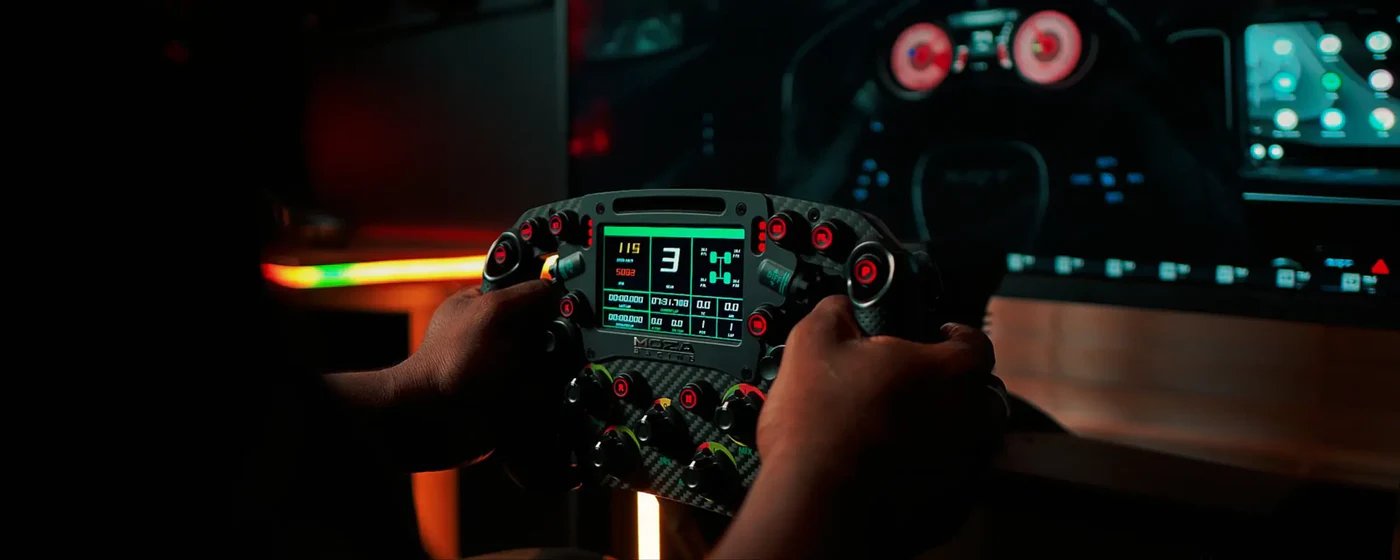
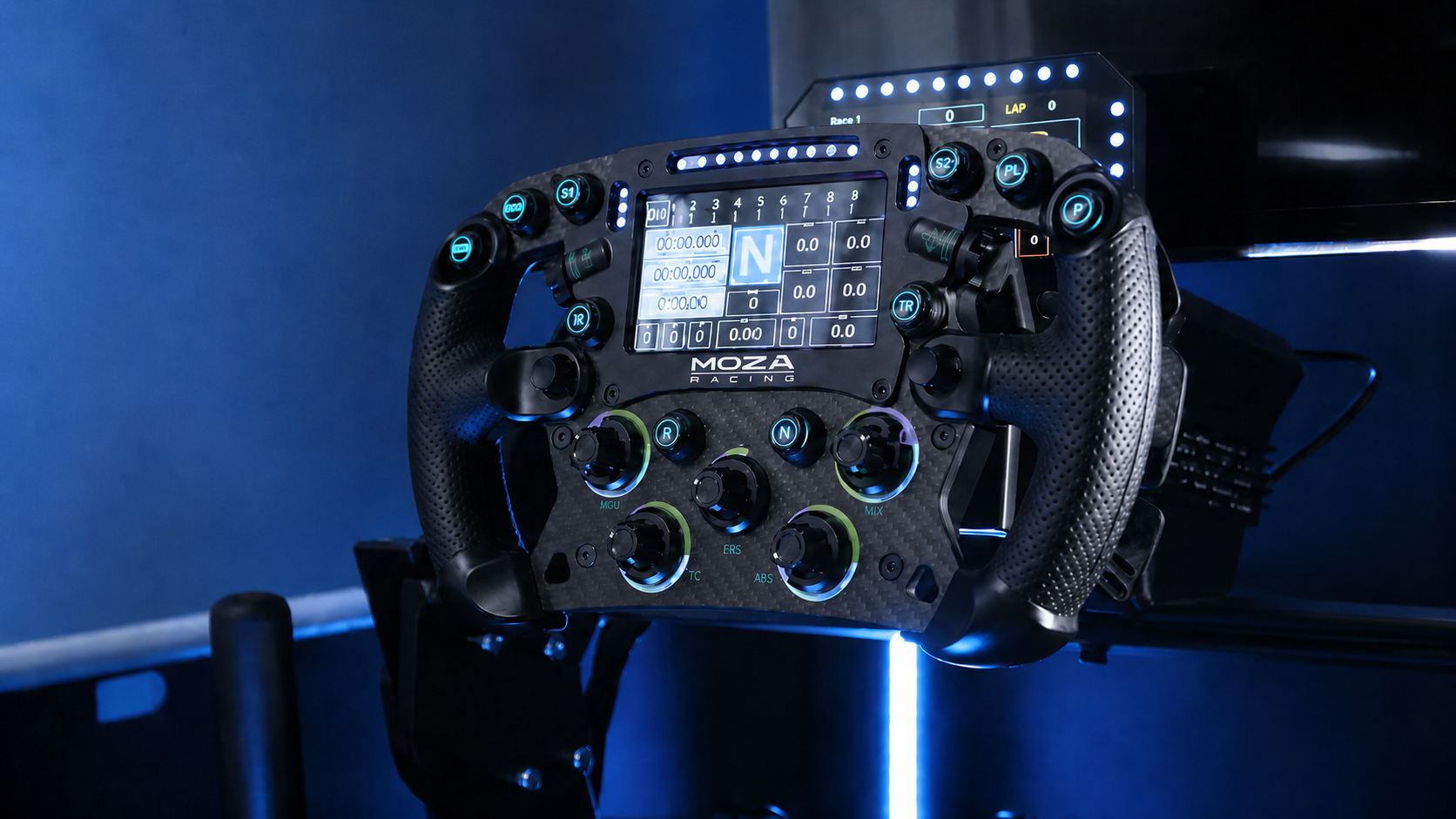
The MOZA FSR2 brings a 280mm formula-style wheel crafted for pure authenticity. Its 5mm-thick 3K twill carbon fibre faceplate delivers both incredible strength and feather-light performance. The aerospace-grade aluminium alloy back plate means this wheel can handle even the most intense sessions without flex or fatigue.
You’ll notice the perforated microfiber leather grips, which keep your hands comfortable and steady lap after lap. The innovative 6-paddle system includes dual-clutch and fully programmable paddles, giving you tactical flexibility. At the heart, a quad-core 1.3GHz processor ensures every input is lightning fast.
Real-world users rave about the tactile feedback and robust build, making the MOZA FSR2 a standout choice.
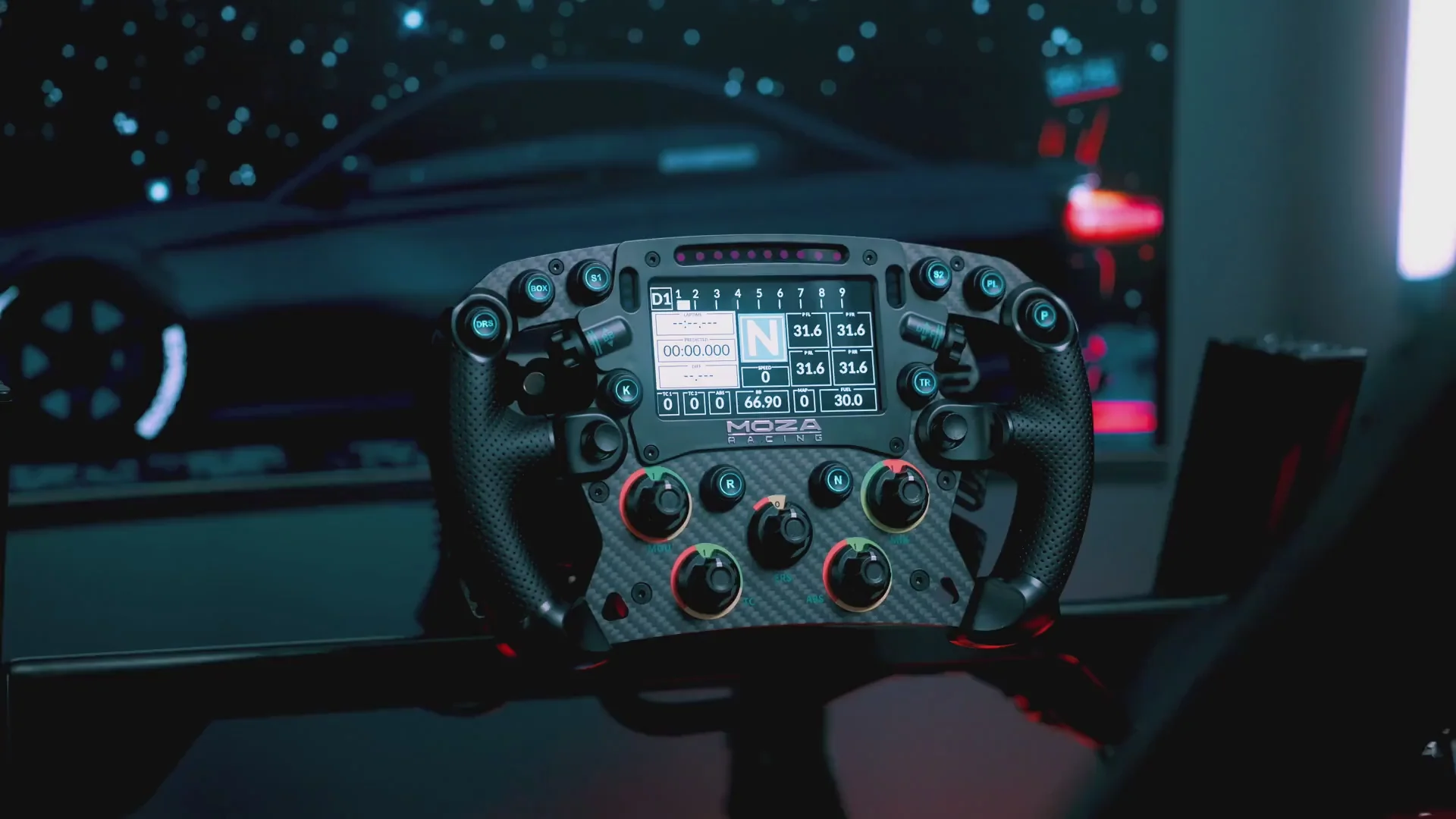
The MOZA FSR2 features a 4.3-inch full-colour touchscreen with crisp 480p resolution and a smooth 60Hz refresh rate. You get a fully customisable dashboard UI, thanks to the MOZA Pit House software, letting you create layouts that fit your racing style.
Swipe gestures make it a breeze to switch between telemetry screens and adjust settings mid-race. With 16.7 million colour options for button and LED lighting, you can set the mood for any event. Users love how easy it is to switch layouts and monitor real-time telemetry, saying it’s like having a race engineer right at your fingertips.
The MOZA FSR2 is designed to work with all MOZA wheelbases, and if you’re running a third-party base, the MOZA Hub has you covered. The seamless aluminium quick-release lets you swap wheels in seconds, so you can switch disciplines without missing a beat.
It’s part of an open ecosystem, making it easy to build a flexible sim rig that grows with you. Integration with MOZA pedals and accessories means you can craft a complete racing system tailored to your needs. This broad compatibility ensures your setup is future-proof for the evolving sim racing standards.
Getting your MOZA FSR2 up and running is an exciting first step toward a premium sim racing experience.
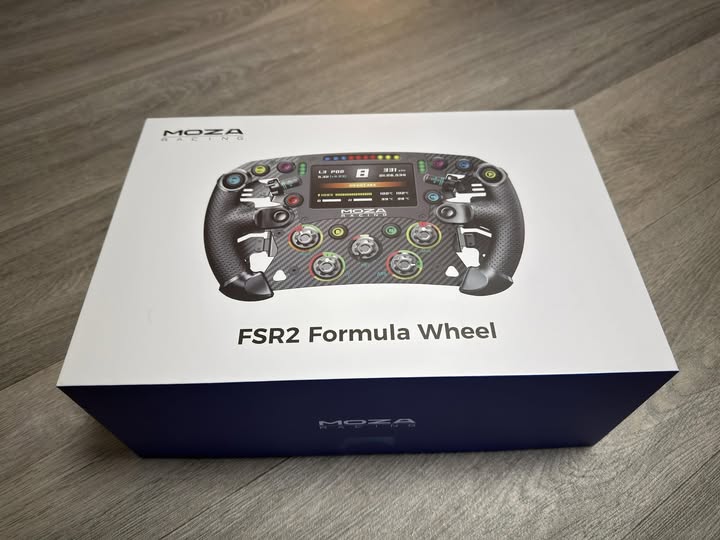
When you open your MOZA FSR2 box, you’ll find the wheel, a toolkit, a sticker set, and a user manual. The packaging is well-organised, so you won’t waste time searching for parts. Start by laying out all contents for a quick inventory.
Assembly is straightforward. Use the supplied toolkit to attach the MOZA FSR2 to your chosen wheelbase. The seamless quick-release system works with both MOZA and third-party bases. Align the hub, insert, and secure the locking collar. Many users report the process takes just a few minutes, and everything feels solid from the get-go.
Next, you’ll need the MOZA Pit House software. Download and install it on your PC before connecting your MOZA FSR2. Once plugged in, the software should recognise your wheel instantly.
The first thing you should do is check for firmware updates. Keeping both the wheel and base firmware current ensures smooth operation and unlocks the latest features. The update process is user-friendly—just follow the prompts in Pit House. Racers often mention that regular updates have improved responsiveness and added new dash layouts, so it’s worth making this a habit.
Keeping everything updated means your MOZA FSR2 will always be ready for new sim titles and racing standards.
Now for the fun part: personalising your MOZA FSR2’s 4.3-inch touchscreen. Open the MOZA Pit House and navigate to the dashboard settings. Here, you can choose from pre-set layouts or design your own for telemetry, RPM, and race data.
Want quick access during a race? Assign swipe gestures for instant toggling between layouts or data screens. Many drivers create custom dashboards for F1, GT, or endurance racing, making it easy to display exactly what matters for each event.
Experiment with colours and widgets to suit your style. The MOZA FSR2 makes it simple to switch things up as your racing evolves.
Button and paddle mapping is crucial for maximising your MOZA FSR2’s potential. Start by assigning core functions—shifters, dual-clutch, and auxiliary paddles—for tasks like DRS, KERS, or pit limiter.
Use the MOZA software to map the 10 backlit buttons, rotary encoders, and 7-way switches. Many racers recommend mapping radio and pit functions to auxiliary paddles for instant access in tight moments. Here’s a quick mapping example:
Function |
Recommended Control |
|---|---|
DRS/KERS |
Auxiliary Paddles |
Pit Limiter |
Button 1 or Paddle |
Radio |
Button 2 |
Brake Bias |
Rotary Encoder |
Tweak your setup until it feels natural. With the MOZA FSR2, you’re in complete control—tailor every input to your driving style.
Let’s explore how you can personalise every detail for the ultimate sim racing experience. With so many options at your fingertips, you’ll find that even small tweaks can make a world of difference in performance and comfort.
One of the standout features of the MOZA FSR2 is its advanced RGB lighting system. You can customise the six RGB signal lights to indicate flags, RPMs, or overtake opportunities. The ten LED shift indicators are fully adjustable, letting you set the brightness and colour patterns to match your preferences.
Here are some ways to optimise your lighting setup:
Assign unique colours for different flag states (yellow, blue, red)
Use progressive RPM lighting for perfect shift timing
Sync paddle and button backlights for night racing
Many racers love setting up colour codes for various scenarios, making it easier to react quickly during intense races.
Comfort and control go hand in hand with the MOZA FSR2. Start by adjusting the grip and paddle spacing to fit your hand size. You can fine-tune paddle travel and resistance, so shifts feel just right—whether you have quick sprints or long endurance races ahead.
Consider these personalisation tips:
Test different grip covers for comfort during extended sessions
Adjust paddle tension for faster, more responsive shifts
Experiment with aftermarket grips for a tailored feel
Endurance racers often spend hours behind the wheel, so optimising ergonomics helps you stay sharp and comfortable from start to finish.
The MOZA FSR2 shines when it comes to real-time data. By integrating live telemetry from your favourite sim titles, you can display lap times, tyre temperatures, fuel status, and sector splits directly on the touchscreen dashboard.
You might:
Design custom layouts for each racing discipline (F1, GT, endurance)
Assign swipe gestures to quickly switch between data sets mid-race
Focus your dashboard on tyre wear or fuel for strategic advantage
Having instant access to detailed telemetry means you can make smarter, faster race decisions every lap.
The MOZA FSR2’s touchscreen is a game changer for in-race strategy. With a swipe, you can pull up live telemetry, manage pit stop timing, or monitor tyre temps. Customise your dashboard layouts for each racing discipline—focus on tyre wear and fuel for endurance, or lap delta and sector splits for sprint races.
Switching layouts mid-race helps you adapt to changing conditions. For example, if rain hits, swap to a display prioritising tyre temperatures and grip. This flexibility lets you make smarter decisions on the fly, giving you a real edge over the competition.
Dialling in the force feedback on your MOZA FSR2 can transform your driving. Adjust the strength and response curves for each sim title. Save different profiles for various cars or tracks—what works for an open-wheeler may be too aggressive for a GT car.
Try these tweaks:
Lower force for wet conditions to feel subtle grip loss
Boost feedback for night racing to catch minor slides
Adjust damper settings for more realistic steering weight
Take time to experiment and don’t hesitate to ask for advice on community forums. Fine-tuning these settings can help you catch every curb and apex with confidence.
Consistency is key in sim racing, and the MOZA FSR2’s dual-clutch and paddle system can help you build muscle memory. Practise race starts by varying clutch bite points, and rehearse quick gear shifts until they’re second nature.
Here are some drills:
Reaction sprints: Focus on launch timing with the dual-clutch
Pit stop practice: Map pit limiter, rehearse entry and exit
Button memory: Blindfolded drills to find critical controls fast
Pair your wheel with a quality pedal set for a complete training setup and explore sim racing pedals for compatible options. With regular practice, you’ll see your lap times and consistency improve, making you a formidable competitor.
Staying ahead in sim racing means ensuring your MOZA FSR2 is always up to date. MOZA’s consistent firmware and software releases mean you’re never left behind as new features and standards roll out. You’ll find that the MOZA FSR2 is compatible with upcoming sim titles and hardware, making it a smart long-term investment.
Many users appreciate how MOZA’s updates unlock new dashboard options and improved performance. As sim racing evolves, you can count on your wheel to adapt right along with it. Regularly checking for updates keeps your system running at its best.
Integrating the right accessories can transform your rig. Pair the wheel with MOZA’s pedal sets, direct drive wheelbases, or even a motion rig for maximum immersion. User favourites include:
MOZA R25 Ultra wheelbase
CRP2 pedal set for precise braking
Sturdy cockpit mounts for stability
Choosing accessories based on user reviews ensures smooth compatibility and a cohesive racing feel. Many racers find that expanding their setup with official MOZA gear delivers a seamless experience, especially when everything is tuned for the MOZA FSR2.
The biggest strength of the MOZA FSR2 is how complete it feels once it’s set up properly. You’re not just getting a formula-style shape. You’re getting a wheel with real dashboard depth, a lot of assignable controls, and enough paddle functionality for serious race starts and strategy inputs.
The screen is genuinely useful when the layout is simple. The six-paddle design gives you more control options without forcing everything onto front-facing buttons. The quick release feels secure, and wheel changes are fast if you already use other MOZA wheels.
We also liked how much control MOZA Pit House gives you. The RGB lights, RPM LEDs, button colours, dashboard layouts, and paddle settings all add up to a wheel that can be adjusted for different race formats.
For drivers who enjoy sim racing accessories that add practical control rather than just looks, the MOZA FSR2 makes a lot of sense.
The MOZA FSR2 isn’t hard to use, but it isn’t a set-and-forget wheel if you want the best result. You’ll need to spend time in MOZA Pit House creating a sensible control layout and dashboard setup.
The wheel can also feel like too much for casual driving. If you mostly cruise, drift, or jump between arcade racing games, a simpler wheel may feel more natural. The MOZA FSR2 is at its best when you’re using the touchscreen, clutch paddles, rotary encoders, and race controls properly.
The grips are comfortable, but for long sessions we’d still recommend gloves. The material gives you control, but gloves help with consistency and comfort over longer races.
This isn’t a negative, but it’s worth knowing before you buy: the MOZA FSR2 is a serious wheel for drivers who actually want to use its features.
If you’re planning a full rig upgrade, don’t spend your entire budget on the wheel alone. The MOZA FSR2 works best as part of a balanced setup.
Start with a stable cockpit, then choose a direct drive base with the strength you want. From there, add quality pedals. A load cell brake will often make a bigger difference to lap consistency than any wheel upgrade. Once those core pieces are sorted, the MOZA FSR2 becomes a much more valuable upgrade.
A smart upgrade path looks like this:
Strong cockpit
Direct drive wheelbase
Load cell pedals
Formula-style wheel
Monitor, stand, or dashboard upgrades
For braking consistency, browse sim racing pedals before locking in the rest of your rig. If your pedals are too basic, the MOZA FSR2 will feel premium in your hands, but your lap times may still suffer under braking.
The MOZA FSR2 is a serious formula-style wheel for drivers who want more control, more telemetry, and a more complete race-focused cockpit. After testing it through setup and driving use, we think its strongest features are the touchscreen dashboard, six-paddle layout, quick release, strong materials, and deep MOZA Pit House customisation.
It isn’t the right wheel for every driver. Beginners, casual players, and drivers who mainly use round-wheel cars may be better served by a simpler option. But if you’re racing formula cars, prototypes, GT cars, or competitive PC sims, the MOZA FSR2 gives you a high level of control in a compact, premium-feeling package.
Our advice is to buy the MOZA FSR2 if you’ll actually use the screen, paddles, encoders, and button mapping. That’s where it earns its place in a serious sim racing setup.