MOZA Sim Racing Guide: Setup, Ecosystem And Showroom-Tested Advice
|
|
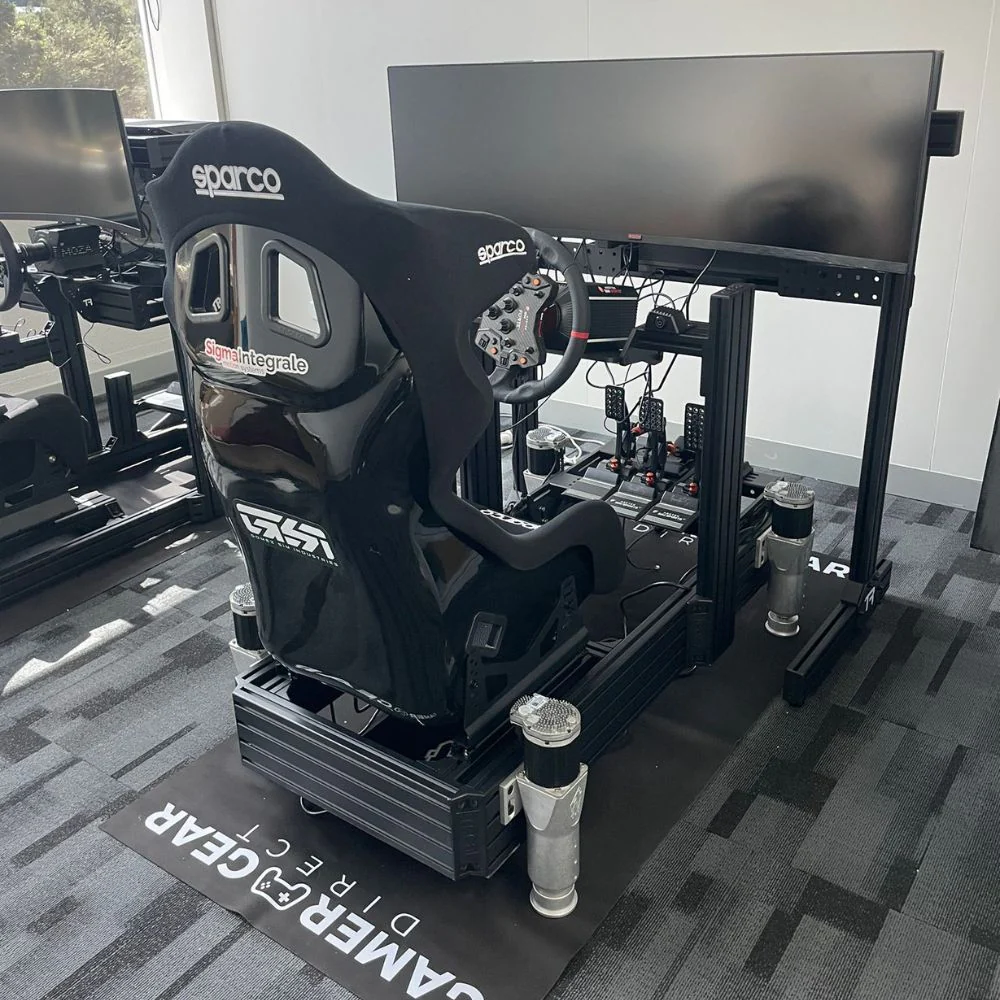
At Gamer Gear Direct, we’ve installed, tested and demonstrated a wide range of MOZA sim racing gear at our Dandenong South showroom. This guide is based on what we’ve learned from setting up MOZA wheelbases, steering wheels, pedals, shifters and handbrakes for real customers, from first-time drivers moving away from a basic wheel to serious home racers upgrading into direct drive.
MOZA sim racing gear is popular because the ecosystem is easy to grow. You can start with a compact bundle, upgrade the pedals, add a different wheel rim, then add a shifter, handbrake or digital dash as your driving style develops. That’s one of the main reasons we recommend it to customers who want a strong platform without making the setup too complicated from day one.
This MOZA sim racing guide covers the products, setup process, Pit House software, cockpit fitment, real-world adjustment tips and common issues we’ve helped customers solve.
Our team has tested MOZA sim racing hardware across complete cockpit setups, desk-mounted entry setups and upgraded rigs with separate pedals, shifters and accessories. The main things we look for are force feedback clarity, mounting stability, software setup, pedal feel, wheel compatibility, cable layout and how easy the setup is for a customer to understand.
During showroom demos, the questions we hear most are simple: “Is this too strong for me?”, “Will it fit my cockpit?”, “Can I upgrade later?”, “Is the software hard to use?” and “Which wheelbase should I start with?” Those questions shape the advice in this guide.
We also test MOZA sim racing products from a customer’s point of view. That means we don’t just look at the spec sheet. We check how the product feels after installation, how long it takes to get driving, how easy the software is to navigate and what needs explaining before a customer feels confident using it at home.
Ready to see why so many drivers are making the switch to MOZA sim racing?
If you’re stepping up from a basic wheel or jumping straight into a pro setup, understanding the ecosystem is the first step to mastering your experience.
MOZA has carved out a serious reputation in the industry. What sets it apart? It starts with direct drive wheelbases that deliver precise, powerful force feedback. MOZA’s modular design means you can swap components and upgrade as your ambitions grow.
The user community has exploded, with more support, tutorials, and local Australian events than ever. MOZA sim racing gear works seamlessly with all the top sims, so you’re never left out of the action.
Take the MOZA R5 bundle for newcomers or the R9 for mid-level racers—both have become benchmarks in their price range. If you’re chasing realism and reliability, MOZA is a name you’ll keep hearing.
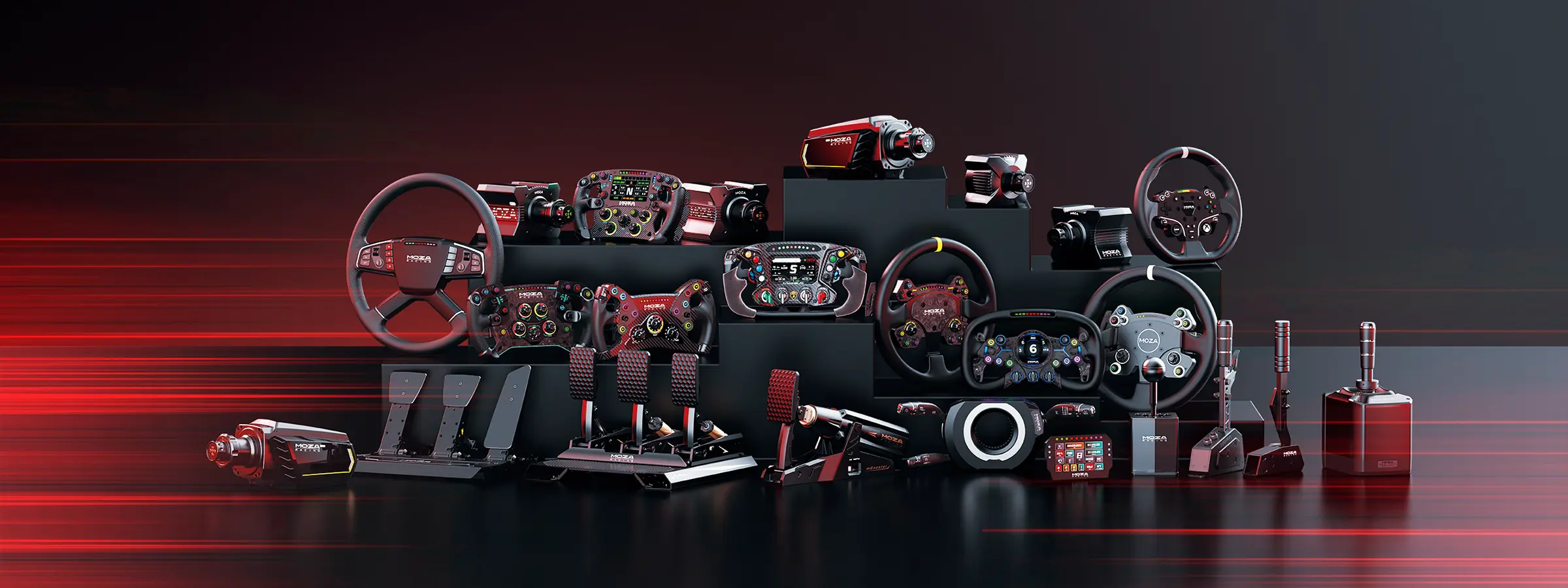
The MOZA sim racing hardware lineup is both broad and refined. Here’s a snapshot:
Product |
Notable Feature |
Example Model |
|---|---|---|
Wheelbases |
Direct drive, modularity |
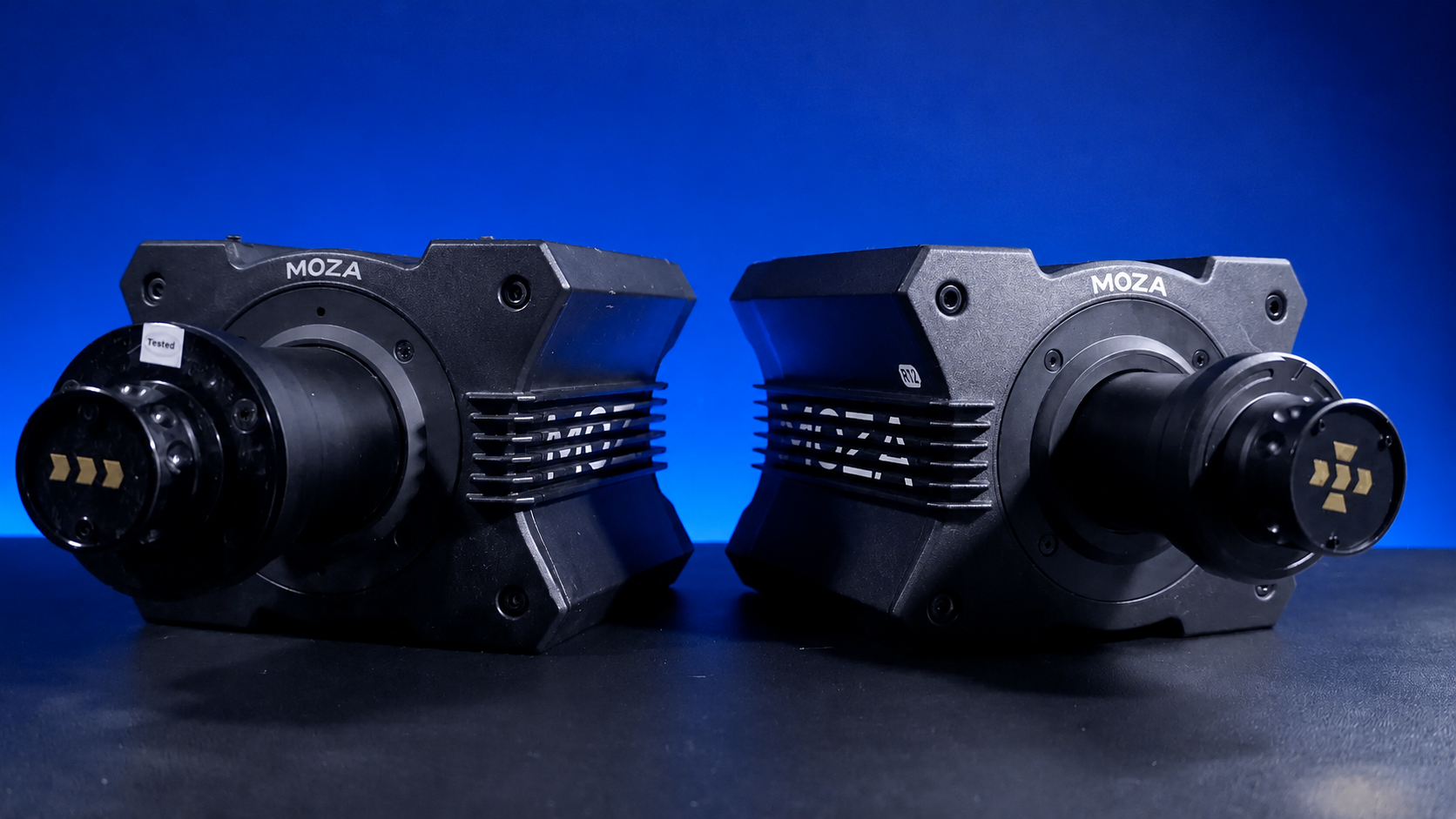
R9, R12, R21 & R25 |
Steering Wheels |
Customisable, quick-release |
GS V2, FSR |
Pedals |
Load cell tech, adjustability |
CRP, SR-P |
Shifters |
Sequential/H-pattern, tactile feel |
HGP |
Accessories |
Button boxes, dash displays |
CM HD |
Over the years, MOZA has pushed for quick-release systems and customisable button layouts. Direct drive adoption has soared, with many sim racers moving from belt-driven wheels to MOZA’s R5 and R9 as their first taste of pro-level hardware.
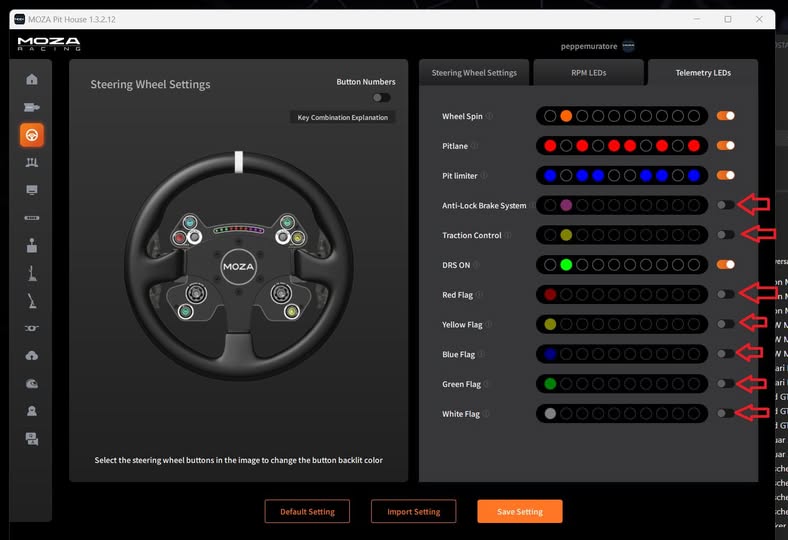
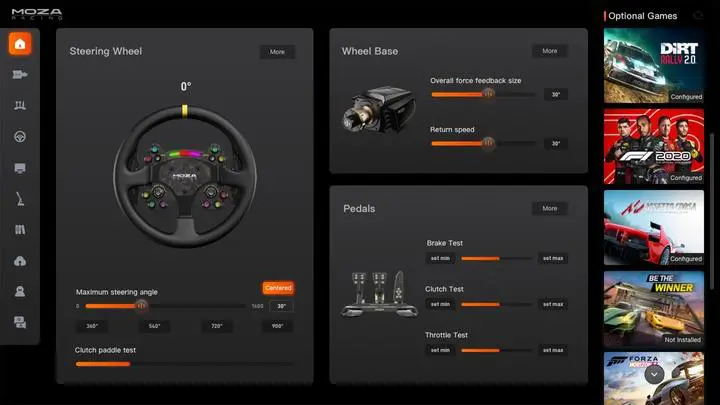
The heart of the MOZA sim racing experience is the MOZA Pit House software. This platform lets you manage every device, update firmware, and fine-tune feedback profiles. It’s updated regularly, staying ahead of sim racing trends and integrating with popular third-party tools.
You can easily connect multiple devices, from wheels to pedals to dash displays, and bring them together with real-time telemetry. The software streamlines your setup, so you spend less time troubleshooting and more time on track.
When it comes to data and dashboards, MOZA users love how easy it is to add custom displays and analyse in-depth performance stats after every session.
MOZA sim racing has seen tremendous growth, especially in Australia. The brand now competes head-to-head with established giants, drawing in everyone from weekend hobbyists to esports pros.
A typical user could be a casual gamer upgrading their first wheel, or a dedicated racer entering national leagues. You’ll find MOZA sim racing gear featured in community meetups and online leagues across the country. If you’re after a more local perspective, the MOZA Racing guide is a great resource for tips and setup ideas.
Setting up your MOZA sim racing rig can feel like a mini adventure.
If you’re a first-timer or a seasoned racer, getting every detail right means more realism and better lap times.
Let’s walk through each stage so you’ll have your rig ready and dialled in with confidence.
Crack open your MOZA sim racing boxes and you’ll find everything you need to get started. For the R5, R9, and flagship models, expect the wheelbase, steering wheel, pedals, cables, and a quick-start guide. Always set up in a clutter-free space with a sturdy table or cockpit frame.
Grab the right tools: a set of hex keys, a screwdriver, and maybe a socket wrench. Mount the wheelbase first, using the provided bolts to secure it firmly. Attach pedals and accessories next, making sure everything lines up before tightening. If you hit a snag, check the manual or look up a Full Racing Simulator Setup Guide for extra tips. Common issues like misaligned holes or missing screws are usually easy to fix with a little patience.
Once unboxed, follow this sequence for installing your MOZA sim racing gear. Begin by mounting the wheelbase to your rig or cockpit frame, ensuring it’s level and secure. Attach the steering wheel using MOZA’s quick-release system, then connect the pedals to the base or your rig’s pedal tray.
Add any shifters or handbrakes, making sure all mounting points are tight. For cable management, use Velcro ties or cable clips to keep wires neat and out of the way. Double-check that your hardware matches your rig’s compatibility—MOZA bases fit well with brands like Trak Racer. If you’re transitioning from another brand, reference your rig’s manual for adapter options.
With your MOZA sim racing hardware in place, it’s time to get digital. Start by downloading the MOZA Pit House software from the official site. Once installed, connect each device via USB—your PC should recognise them instantly.
Open the Pit House softwareand follow the prompts to add each piece of hardware. Check for firmware updates right away; these keep your gear running smoothly and add new features. If a device isn’t detected, try swapping USB ports or restarting your PC. Most detection issues resolve with a fresh install of the software or a quick cable check.
Now fine-tune your MOZA sim racing setup for peak performance. Calibrate the wheel, pedals, and shifter using the Pit House interface—follow the on-screen steps for each device. Test force feedback and pedal response to ensure everything feels accurate and responsive.
Before your first race, do a quick safety check. Confirm all mounts are tight, cables are tucked safely, and nothing is loose. This not only keeps your setup safe but also helps you focus on the track, not on hardware worries.
Unlocking the true potential of your MOZA sim racing rig comes down to the details. Fine-tuning your hardware not only boosts realism but also gives you an edge when shaving off those precious tenths.
From chasing lap records to building a more immersive experience, dialling in your setup can transform how the car feels on track.
Start by adjusting the torque to match your preferred car or series. For GT cars, a moderate force feedback profile often feels natural, while F1 sims benefit from higher torque and quicker response.
Experiment with sensitivity and dampening until the steering feels both responsive and realistic. Rotation angle should match your sim title, typically 900 degrees for road cars and 360 for open wheelers.
Common settings for genres:
Genre |
Torque |
Rotation Angle |
Dampening |
|---|---|---|---|
GT |
Medium |
900 |
Medium |
F1 |
High |
360 |
Low |
Rally |
High |
540 |
High |
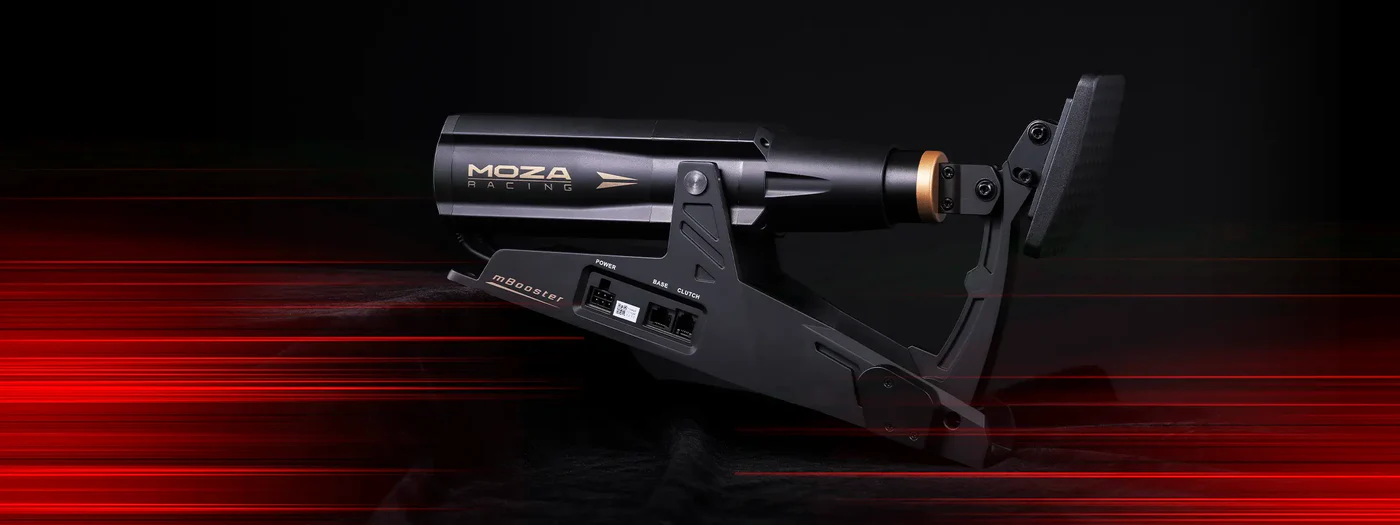
Your pedals are where finesse meets performance. Start by customising pedal travel and resistance to suit your driving style. Longer travel helps with trail braking, while stiffer resistance is ideal for those who want precise brake modulation.
Use MOZA’s pedal software to fine-tune dead zones, making sure your throttle and brake inputs register exactly when you want. For heel-and-toe techniques, set the pedal spacing so you can comfortably roll your foot between the brake and accelerator. If you prefer trail braking, increase pedal stiffness and reduce the dead zone for sharper response.
Quick pedal setup tips:
Adjust spring tension for desired firmness
Calibrate each pedal in the software
Test in practice sessions before racing
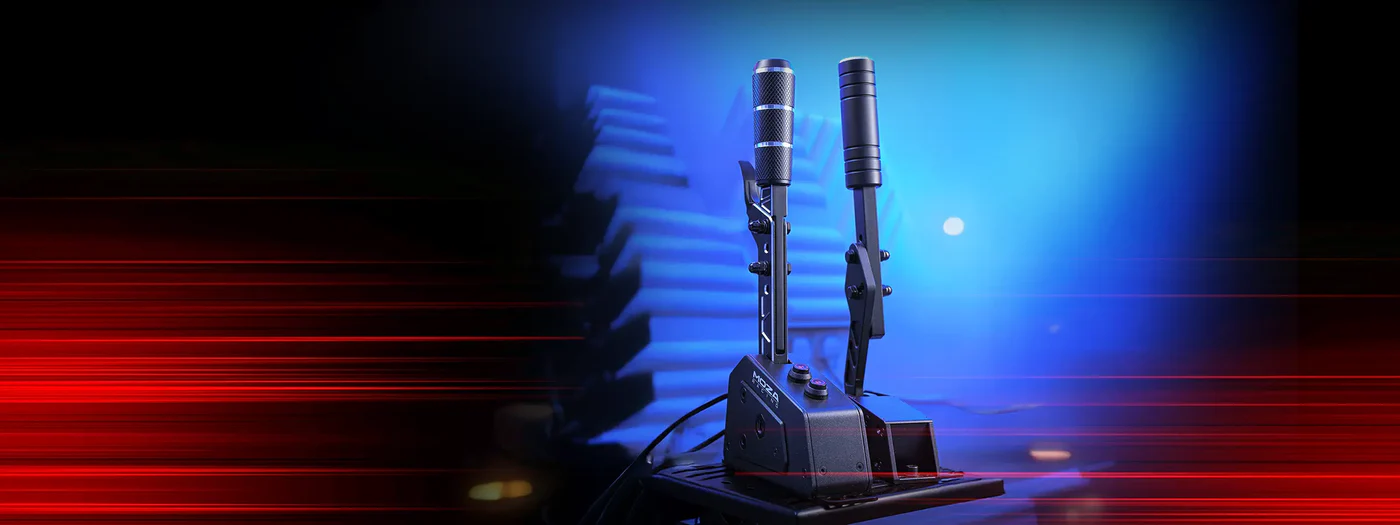
Setting up your shifter and handbrake is the finishing touch on your MOZA sim racing rig. Assign each function in your sim software, then calibrate the shifter for either sequential or H-pattern mode, depending on your favourite cars.
If you’re integrating a MOZA shifter with third-party hardware, double-check compatibility and update firmware if needed. For rally or drift fans, a responsive handbrake is essential, so fine-tune its travel and resistance for maximum control.
A handy tip is to test your shifter and handbrake in a controlled environment before jumping into a race. This helps you catch any miscalibration early and ensures every gear change and slide is perfectly executed.
Don’t overlook comfort when aiming for perfection. Adjust your seat position so your elbows are slightly bent with your hands on the wheel, and your knees are comfortably flexed on the pedals. Set the wheel height to align naturally with your shoulders.
Tweak pedal angle for ankle comfort, especially during long stints. Small ergonomic changes can make a huge difference, reducing fatigue and letting you focus on the track. If you ever find yourself shifting in your seat mid-race, it’s time to re-evaluate your rig’s setup.
Unlocking the full potential of your MOZA sim racing setup starts with mastering the software that ties everything together. If you want every lap to feel authentic and every upgrade to matter, getting to know MOZA’s digital tools is just as crucial as your hardware choices.
The MOZA Pit House is the control centre for all your MOZA sim racing gear. The dashboard lets you manage connected devices, tweak settings, and monitor telemetry in real time. Setting up custom profiles for different cars or tracks is straightforward with just a few clicks.
You can easily switch between endurance and sprint race setups, saving precious time before a session. The interface is clean and user-friendly, making it simple to update firmware or check device status.
Telemetry is where the race gets serious. By connecting dash displays, you gain instant access to speed, gear, lap times, and more without needing to glance away from the track. Analysing your performance with telemetry tools helps you spot areas for improvement, whether you’re chasing tenths in time trials or racing wheel to wheel.
Many racers use third-party dashboards for personalised data layouts. These displays can be tailored for different sim titles, letting you track tyre wear, fuel usage, or sector splits at a glance. Integrating these tools with your MOZA sim racing rig turns your cockpit into a data-driven command centre, giving you an edge over the competition.
Telemetry Features |
Benefits for Racers |
|---|---|
Live lap data |
Immediate performance feedback |
Custom dashboards |
Tailored data views |
Exportable session logs |
In-depth analysis |
Setting up custom button mapping is a game changer. Assign functions to your wheel, button boxes, or custom panels so everything you need is at your fingertips. Want to activate DRS, ERS, or radio on the fly in an F1 sim? Just map those controls to the most convenient buttons.
Macros are especially handy for pit stops or toggling multi-function displays. The flexibility in the Pit House software means you can adapt your controls to fit any sim racing scenario, from rally to endurance events. This level of personalisation keeps you focused on the race, not fumbling for buttons.
Even the best MOZA sim racing setups hit the occasional snag. Common fixes include checking firmware updates, reconnecting devices, or recalibrating inputs. MOZA’s official support channels and user forums are packed with guides, FAQs, and active community help, making it easy to get back on track fast.
Your MOZA sim racing cockpit is the foundation of your setup. Compatibility is crucial, so choose a cockpit frame that securely fits your MOZA wheelbase and pedals. Proper monitor placement is key for realism. Aim for the centre of the screen to be at eye level, with the wheel rim just below your line of sight.
Single monitor setups are simple and space-efficient, but triple monitors offer a wider field of view and greater immersion. Here’s a quick comparison:
Setup Type |
Pros |
Cons |
|---|---|---|
Single Monitor |
Easy to set up, affordable |
Limited FOV |
Triple Monitor |
Wide FOV, immersive |
More space, higher cost |
Mount your monitors as close as possible to your wheel and adjust the angle for minimal distortion. Many Aussie sim racing enthusiasts showcase creative cockpit layouts online, so check out community forums for inspiration.
Quality headphones or a surround sound system can immerse you in every engine note and tyre squeal. For an extra layer of realism, add tactile transducers (like Buttkickers) to your seat or pedals. These sync with in-game effects, letting you feel every bump and kerb.
Pairing haptic feedback with force feedback from your MOZA hardware creates a powerful, lifelike sensation. If you want to explore advanced motion and haptic setups, the Ultimate Guide to Motion Sim Racing offers great ideas and inspiration.
Start simple, then expand as your budget allows. Many professional MOZA sim racing setups combine multiple audio and haptic solutions for maximum immersion.
Don’t overlook the room itself. A comfortable MOZA sim racing environment is well-lit, cool, and free from distractions. Position your rig away from windows to reduce glare and consider soft ambient lighting to reduce eye strain during long sessions.
Tidy cable management is both practical and visually appealing. Use cable ties or sleeves to bundle wires, and route them away from moving parts. Influencers often showcase rigs with minimal visible cables, which not only looks pro but also cuts down on accidental unplugging mid-race.
A clutter-free, well-ventilated space helps you focus on racing without interruptions. Regularly check connections and keep your area dust-free for the best experience.
MOZA sim racing gear is a strong choice for drivers who want direct drive feedback, an upgradeable ecosystem and software control without making the setup feel too complex.
It suits beginners who want to skip weaker entry-level wheels and start with direct drive. It suits home racers who want a compact but powerful setup. It also suits drivers who want to grow into a more complete cockpit with pedals, shifters, handbrakes and different wheel styles.
The main thing we’d watch is cockpit stability. If you’re planning a stronger wheelbase or load cell pedals, don’t mount them to a weak frame and expect the best result. Spend time getting the foundation right.
MOZA sim racing also makes sense for customers who want local guidance before they buy. That’s where showroom testing helps. You can feel the difference between setups, compare wheel styles and get advice before locking in your gear.
MOZA sim racing gear has become popular because it gives drivers a clear upgrade path. You can start with a compact direct drive bundle, then add stronger pedals, different wheels, a shifter, handbrake or cockpit upgrades as your driving improves.
From our experience testing and demonstrating MOZA sim racing products at our Dandenong South showroom, the best results come from matching the gear to the driver, not just buying the strongest base available. A comfortable seat position, stable cockpit, properly calibrated pedals and simple Pit House profile can make a huge difference.
If you’re planning your first MOZA sim racing setup or upgrading from an older wheel, start with the way you drive. GT racing, drifting, rally, formula racing and truck simulation all need different layouts. Once the setup matches your driving style, MOZA gives you a flexible ecosystem that can keep growing with you.
For the next step, explore MOZA sim racing bundles, direct drive wheelbases, sim racing pedals, sim racing cockpits and complete racing simulator packages.