🥳🥳MOZA Xmas Sale! Save Up To $200 On Select MOZA Products & Bundles🥳🥳
Skip to content
Formula 1 Simulator Guide: Your Roadmap for 2026

Formula 1 Simulator Guide: Your Roadmap for 2026

Written by: Karl Luis Matias

|

Step into the cockpit of the future, where the formula 1 simulator experience is changing faster than ever as we race towards the 2026 season. If you want to keep up with this rapid evolution, you’re in the right place.

This guide is designed to help you master every aspect of F1 simulators, from understanding the basics to navigating new regulations, hardware upgrades, and advanced driving skills.

Curious about what’s next for sim racing? We’ll explore the latest technology, walk through setup tips, and share expert resources so you can stay ahead of the competition. Ready to start your journey? Let’s dive in.

Understanding Formula 1 Simulators: The Basics

Ever wondered what it’s really like to step into the shoes of an F1 driver? A formula 1 simulator is your ticket to experiencing the speed, precision, and pressure of motorsport—all from your own home or a team’s high-tech facility. At its core, a formula 1 simulator is a sophisticated system designed to replicate the physics, handling, and environment of real-world F1 racing. While professional simulators, like the Mercedes-AMG Petronas setup, feature advanced motion platforms, force feedback, and telemetry analysis, home rigs focus on immersion and accessibility. Both types are crucial for driver training, car development, and bringing the thrill of F1 to enthusiasts everywhere.

Understanding Formula 1 Simulators: The Basics

What is a Formula 1 Simulator?

A formula 1 simulator blends realism and technology, aiming to mirror the exact sensation of racing an F1 car. What sets professional simulators apart is their use of full-motion platforms, high-fidelity force feedback wheels, and access to real-time telemetry data. For example, teams like Mercedes rely on these systems to train drivers and fine-tune car setups before a race weekend.

Consumer simulators, on the other hand, offer scaled-down versions that still pack a punch for home users. The main difference lies in the level of immersion and the depth of data analysis available. Whether you’re chasing lap times or just after the thrill, both types share the same goal—delivering the most authentic F1 experience possible.

Evolution of F1 Simulators (Up to 2026)

The journey of the formula 1 simulator has been nothing short of revolutionary. In the early days, PC-based sims offered basic physics and simple graphics. Fast forward to now, and you’ll find full-motion rigs with VR support, AI-driven opponents, and cloud-powered telemetry.

A key driver behind this evolution has been the changing FIA regulations. For instance, the 2022 technical overhaul saw teams rapidly adapt their simulators to match new car designs and aerodynamics. Innovations like virtual reality and advanced AI have made the formula 1 simulator more lifelike than ever, blurring the line between the digital and physical track.

Why Simulators Matter for 2026

With the 2026 F1 technical regulations on the horizon, the formula 1 simulator is set to play an even bigger role. Teams and sim racers are preparing for sweeping changes to hybrid power units, aerodynamics, and chassis design. Simulators act as crucial testing grounds, letting engineers and drivers experiment with setups before cars even hit the tarmac.

Did you know that up to 60% of rookie driver training now happens in simulators? Esports and sim racing are also reshaping how new talent enters F1. If you want to dive deeper into what’s changing for 2026, check out the official FIA unveils Formula 1 regulations for 2026 and beyond for the latest technical updates and how they’ll impact the world of simulation.

2026 F1 Regulation Changes: What Sim Racers Need to Know

If you’re passionate about the formula 1 simulator experience, the 2026 F1 regulations are about to shake up your virtual grid. These changes aren’t just for real-world engineers and drivers—they’ll impact every sim racer looking to keep pace with the future of motorsport.

2026 F1 Regulation Changes: What Sim Racers Need to Know

Key Technical Changes Affecting Simulators

The 2026 F1 rulebook is rewriting the formula 1 simulator playbook. The main headlines? Hybrid power units will become even more advanced, with greater focus on electric output and sustainable fuels. Expect active aerodynamics, simplified wings, and ground effect tweaks that change how cars stick to the track.

Chassis weight will drop, and new materials are coming into play. For sim racers, this means your simulator physics will need to reflect lighter, more agile cars with sharper responses. Anticipate updates to handling models on leading sim platforms, so your virtual lap times will feel different from previous seasons.

Professional teams are already upgrading their simulators to match these demands. For example, Williams is implementing a state-of-the-art simulator in preparation for the 2026 season, highlighting how crucial realistic simulation will be for adapting to new tech.

Software and Game Updates for 2026

How will your favourite racing games keep up? Every major formula 1 simulator platform—like F1 24, iRacing, and Assetto Corsa Competizione—plans to roll out big updates to mirror the 2026 rules. This includes new tyre models, overhauled energy management systems, and physics updates to account for active aero and revised car weights.

If you want the most realistic experience, look for games that add support for hybrid deployment strategies and advanced fuel management. Third-party telemetry tools are also expected to upgrade, giving you deeper insights into your driving and car setup.

Take F1 22 as a precedent: when the 2022 rules changed, game developers quickly integrated revised aerodynamics and suspension physics. Expect the same rapid adaptation for 2026, so your formula 1 simulator stays at the cutting edge.

How Regulation Changes Impact Home Sim Racing

What does all this mean for your home setup? You’ll need to rethink your driving style in your formula 1 simulator, focusing on efficient energy recovery, more precise braking, and mastering the new cornering dynamics. Hardware compatibility becomes even more important—your rig, wheel, and pedals must be ready for increased force feedback and rapid input changes.

Sim racing communities and leagues are already buzzing, with forums sharing early tips and custom setups for the new regulations. During previous rule changes, sim racing participation surged as drivers raced to master new techniques and setups.

Staying engaged with these communities will set you up to get the most from your formula 1 simulator as the 2026 era begins.

Essential Hardware & Software for a 2026-Ready F1 Simulator

Getting your formula 1 simulator ready for the 2026 season is about more than just having the latest game. The right hardware and software will transform your experience, making every lap feel closer to the real thing. Let’s break down exactly what you’ll need to compete at the highest level.

Essential Hardware & Software for a 2026-Ready F1 Simulator

Choosing the Right Simulator Rig

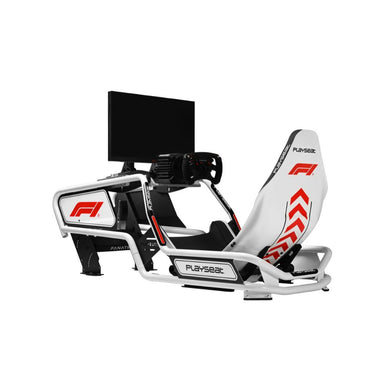
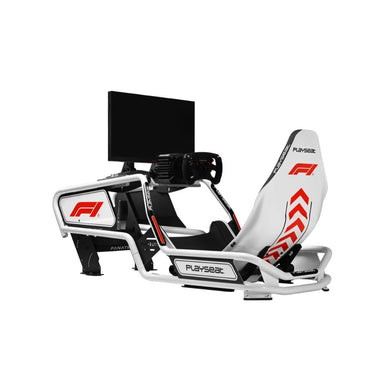
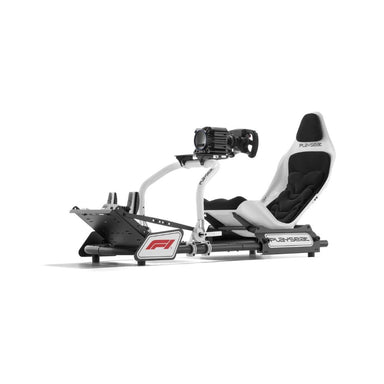
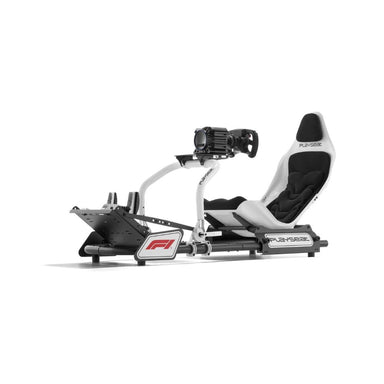
When it comes to building a formula 1 simulator, your cockpit is the foundation. Entry-level rigs like Playseat offer solid basics, but if you’re chasing realism and comfort for long sessions, consider stepping up to models from Next Level Racing or SimLab. These provide more adjustability and sturdier frames, which matter when you’re pushing hard through simulated G-forces.

Here’s a quick comparison to help you decide:

Brand

Level

Adjustability

Durability

Price Range

Playseat

Entry-High

Medium

Good

$$

Trak Racer

Entry-High

High

Very Good

$$$

SimLab

High

Very High

Excellent

$$$$

Ergonomics are key. Make sure your seat supports your back and legs, and that everything is within easy reach. This helps prevent fatigue and injury over longer practice stints. If you want to explore a variety of cockpit options, check out the Racing Simulator Cockpits Collection for inspiration.

Wheels, Pedals, and Force Feedback Systems

Your formula 1 simulator comes alive with a quality wheel and pedal setup. Direct drive wheels are the gold standard for 2026, delivering crisp, realistic force feedback that lets you feel every bump and slide. Belt and gear-driven wheels are more affordable, but lack the detail and strength of direct drive systems.

Pedal choice matters, too. Load cell pedals offer precise brake feel, mimicking real F1 brake pressure, while potentiometer pedals are more basic but still effective for newcomers. Here’s a quick comparison:

  • Direct Drive Wheels: Maximum realism, higher price, best for serious racers.

  • Belt/Gear-Driven Wheels: Good for beginners, less detailed, more affordable.

  • Load Cell Pedals: Superior accuracy and durability.

  • Potentiometer Pedals: Budget-friendly, less precise.

For example, the Logitech G Pro and Fanatec CSL DD are both popular choices, but the CSL DD delivers more nuanced feedback, especially under the evolving 2026 physics. Force feedback realism is more critical than ever as new regulations change how the car feels on track.

Must-Have Software and Game Titles for 2026

No formula 1 simulator is complete without the right software. F1 24 is the current benchmark, but keep your eyes on the horizon for F1 26, which will fully integrate the new rules, hybrid systems, and advanced aero models. Assetto Corsa Competizione and iRacing also offer robust F1 mod support, making them worth considering for variety and realism.

To get the most out of your rig, tap into third-party telemetry and data analysis tools. These programs let you dig into your lap data, compare lines, and find those extra tenths. Many work seamlessly with VR headsets and motion platforms, adding a new layer of immersion.

The modding community is another huge asset. As soon as new regulations drop, expect a flurry of updates that tweak car models, physics, and even graphics. This flexibility helps your formula 1 simulator stay relevant and up to date. Whether you’re running stock content or custom mods, a combination of the right software and community support is what will keep you ahead of the competition.

Step-by-Step: Setting Up Your Formula 1 Simulator for 2026

Ready to build your dream formula 1 simulator setup for 2026? Let’s break the process into five simple steps so you can get racing faster and smarter. Whether you’re squeezing a rig into your flat or designing a dedicated sim room, these tips will help you create a space that feels like the real F1 paddock.

Step-by-Step: Setting Up Your Formula 1 Simulator for 2026

Step 1: Planning Your Simulator Space

Before you even unpack your formula 1 simulator gear, think about where it’ll live. Measure your available space, aiming for at least 2x1.5 metres for a comfortable setup. Good ventilation is a must, especially during long sessions.

If you’re in a small apartment, a foldable rig or compact cockpit is your best mate. For dedicated gaming rooms, you can go all-in with a full frame, triple screens, and surround sound. Remember to consider noise for housemates and neighbours.

Step 2: Assembling Hardware Components

Now the fun begins: unboxing and putting together your formula 1 simulator hardware. Start with the cockpit, then mount your wheel, pedals, and monitors securely. Use zip ties or cable sleeves for tidy cable management and to prevent tripping hazards.

If you’re after a truly authentic F1 experience, check out the Cube Controls CSX-3 F1 Wheel Review for insights into top-tier F1-style wheels that bring the real paddock vibe home.

Step 3: Installing and Configuring Software

With your formula 1 simulator hardware set up, it’s time to install your chosen racing game or sim platform. Update all device drivers and firmware for smooth compatibility with 2026 features. Customise your wheel and pedal controls to match your driving style, and tweak force feedback to mirror the latest F1 physics.

Don’t forget to set your graphics and sound for maximum immersion. Test each setting to make sure everything runs smoothly before your first hot lap.

Step 4: Calibration and Testing

Proper calibration is the secret sauce for any formula 1 simulator. Run your wheel and pedal calibration routines using your sim’s built-in tools. Make sure your steering and pedal inputs are accurate and responsive.

Do a few test laps on a familiar circuit, adjusting sensitivity and force feedback until the car feels just right. Fine-tune your setup based on lap times and comfort — the goal is to get as close to real F1 handling as possible.

Step 5: Optimising for Comfort and Performance

Don’t underestimate comfort in your formula 1 simulator. Adjust your seat so your arms and legs are relaxed, and set your monitor at eye level for clear visibility. Place your peripherals within easy reach to avoid distractions mid-race.

Accessories like racing gloves, driving shoes, and a proper seat can make long sessions more enjoyable. Little tweaks here can make a massive difference to your performance and keep you focused on shaving off those tenths.

Mastering F1 Simulator Driving Techniques for 2026

Ready to shift your formula 1 simulator skills into top gear? The 2026 season brings fresh challenges, pushing you to adapt both your driving style and technical understanding. Let’s break down what it takes to master the art of virtual F1 racing as the sport evolves.

Adapting to New Car Physics and Handling

With the 2026 regulations, the formula 1 simulator landscape is transforming. Hybrid power units and active aerodynamics demand you rethink every lap. You’ll notice changes in how the car balances through corners, especially with ground effect tweaks and simplified wings.

How does this affect your drive? Braking points will shift, and throttle application becomes more delicate as energy recovery systems kick in. Every input you make, from steering to pedal pressure, must be smoother and more precise. For example, in a back-to-back comparison, pre-2026 cars may allow earlier throttle exits, while 2026-spec cars reward patience and energy management.

  • Anticipate earlier braking for tight corners due to increased car weight.

  • Modulate throttle to maximise hybrid deployment on straights.

  • Adjust your line through medium-speed bends to account for active aero shifts.

Curious how the pros are preparing? Check out this breakdown: F1 2026 Car Changes Explained with Gary Paffett for insights into how these updates reshape both real and simulator driving.

Advanced Sim Racing Skills

Now that you understand the new physics, it’s time to level up your technique. The formula 1 simulator world rewards those who master nuanced skills like trail braking and weight transfer. Want to shave tenths off your lap? Focus on:

  • Trail braking: Carrying brake pressure into the apex for sharper turn-in.

  • Throttle blipping: Smoother downshifts keep the car stable.

  • Weight transfer: Control pitch and roll for better grip out of corners.

Racecraft is just as vital. Learn to defend your position cleanly, set up overtakes, and manage tyre wear over long stints. Top esports drivers recommend practising in changing weather and traffic conditions, building adaptability for any scenario.

Don’t forget, real-time feedback from your hardware matters. Upgrading your pedal set can transform your feel for braking and throttle. The Sim Racing Pedals Guide offers a deep dive into advanced options for ultimate control in your formula 1 simulator.

Analysing Telemetry and Improving Lap Times

Analysing telemetry is your secret weapon for unlocking speed in any formula 1 simulator. Whether it’s in-game tools or third-party apps, data gives you the edge to pinpoint exactly where you’re losing time.

Start by examining these key areas:

  • Corner entry and exit speeds

  • Braking points and pressure consistency

  • Throttle traces through acceleration zones

A simple table can help track your progress:

Metric

Lap 1

Lap 2

Lap 3

Best Sector Time

32.4 s

32.1 s

31.9 s

Max Brake Force

82%

88%

87%

Avg Throttle Out

72%

75%

78%

As you review laps, look for patterns. Are you braking too late in sector two? Is your throttle too aggressive on corner exit? Data-driven training, as seen in many top sim racing programs, accelerates your learning curve. Consistency is king, so set realistic goals and monitor your improvement session by session.

Unlocking your potential in a formula 1 simulator means blending new technical knowledge with sharp driving instincts. Dive into your data, tweak your techniques, and you’ll be ready for whatever 2026 throws your way.

Training Resources and Communities for 2026 F1 Sim Racers

Ready to take your formula 1 simulator journey to the next level? You do not have to go it alone. Whether you are aiming for the podium in esports or just want to master the latest sim physics, there is a wealth of resources and a vibrant community waiting for you. Let us explore where you can find expert guidance, fierce competition, and endless support.

Online Coaching and Training Platforms

If you want to fast-track your progress with a formula 1 simulator, professional coaching platforms are the way to go. Services like Sim Racing Academy and Virtual Racing School offer structured lesson plans, one-on-one coaching, and detailed feedback.

  • Personalised feedback on driving technique

  • Telemetry analysis to highlight strengths and weaknesses

  • Step-by-step progression plans

You will often find coaches who have real-world motorsport experience or have competed at the top level of sim racing. These platforms are constantly updating their techniques to keep pace with evolving regulations and hardware. For example, the recent push by Williams to implement state-of-the-art simulator technology highlights how even F1 teams rely on advanced training methods to stay ahead. Read more about this in the Williams to implement state-of-the-art simulator article.

Esports Leagues and Competitive Opportunities

The world of formula 1 simulator esports is booming. Major tournaments like the F1 Esports Series and VCO ProSIM attract thousands of competitors and offer significant prize pools.

Here is a quick snapshot:

League

Prize Pool (AUD)

Participants

F1 Esports Series

$1,000,000+

100,000+

VCO ProSIM

$250,000+

10,000+

SRO Esports

$100,000+

5,000+

Many top sim racers have used these leagues as a springboard into real-world motorsport careers. Audi, for example, recently signed a simulator driver to support their F1 power unit development, illustrating the direct line from sim racing to the Formula 1 paddock. Check out the story in this Audi signs simulator driver for F1 power unit development press release.

Community Forums, Mods, and Support Networks

No formula 1 simulator enthusiast should underestimate the power of the community. Forums like RaceDepartment, SimRacing.GP, and Reddit are packed with advice, troubleshooting help, and custom setups.

  • Download custom mods and liveries

  • Share and compare lap times

  • Join leagues or find teammates

The formula 1 simulator community is famous for its willingness to help newcomers and veterans alike. You will find modders who update car models and physics within days of new regulation announcements, keeping your sim experience as fresh and accurate as possible. Peer support and collaboration are what make sim racing so rewarding, both for skill development and social connection.

Karl Luis Matias profile picture

Karl Luis Matias

Facebook Twitter

Karl Matias is a Sales & Support Specialist at Gamer Gear Direct. When he’s not helping customers pick the right gear or solving tech issues, he’s spending time with his family or diving into new games to “research” (that’s what he calls it anyway). If it can be played, Karl has probably tried it — and has an opinion about it.