The Ultimate Guide To Motion Simulators For Racing And Flight Setups
|
|
A motion simulator can change the way a racing or flight setup feels, but not every system delivers the same result. Some rigs add useful cues for braking, cornering, traction loss, takeoff and landing. Others create too much movement, too much noise, or too much flex in the cockpit.
Our team at Gamer Gear Direct has worked with motion-ready cockpits, direct drive wheelbases, load cell pedals, flight controls, haptic systems and full simulator packages through our Dandenong South showroom. We’ve seen how a motion simulator feels when it’s set up properly, and we’ve also seen how quickly the experience can fall apart when the cockpit, mounts, software, seat position or actuator layout aren’t right.
This article explains how a motion simulator works, what to look for before you buy, and how to choose a setup that feels controlled instead of overdone. If you’re planning a complete racing build, start with a rigid sim racing cockpit, a reliable base, and hardware that can handle the extra force of moving parts.
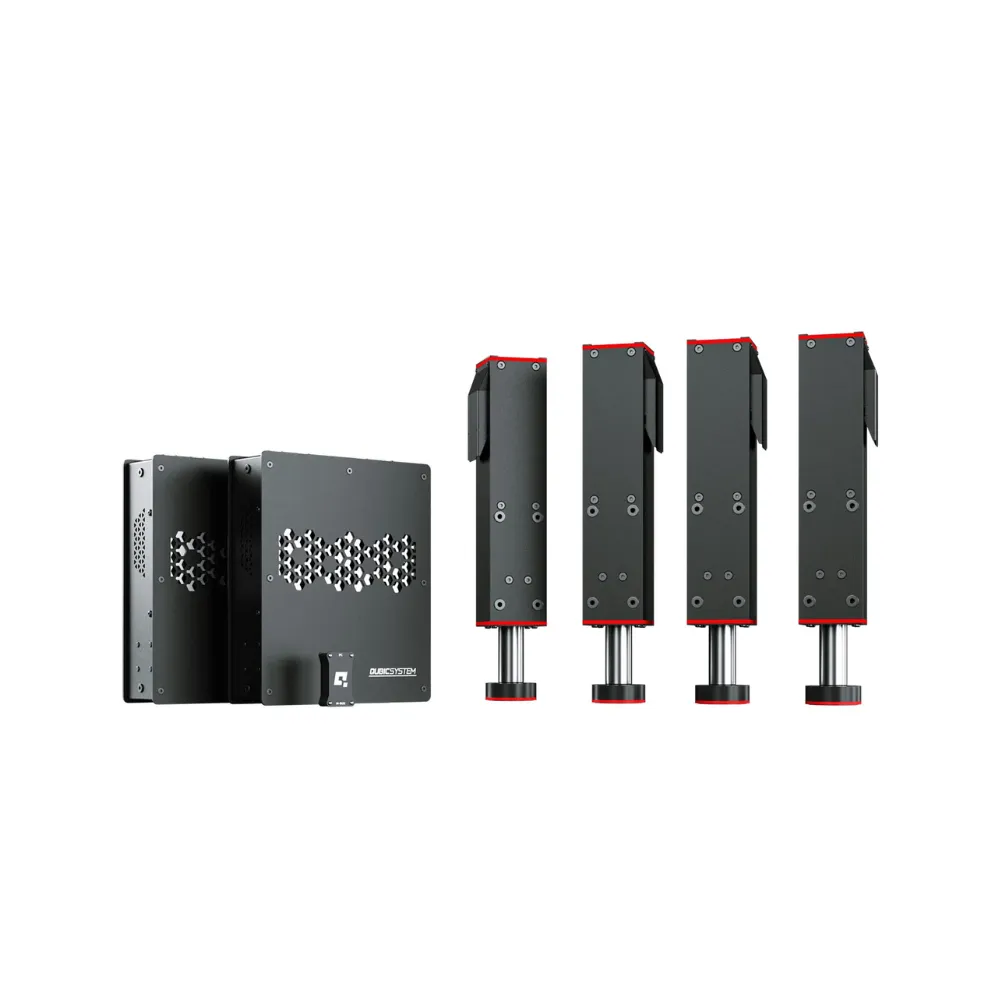
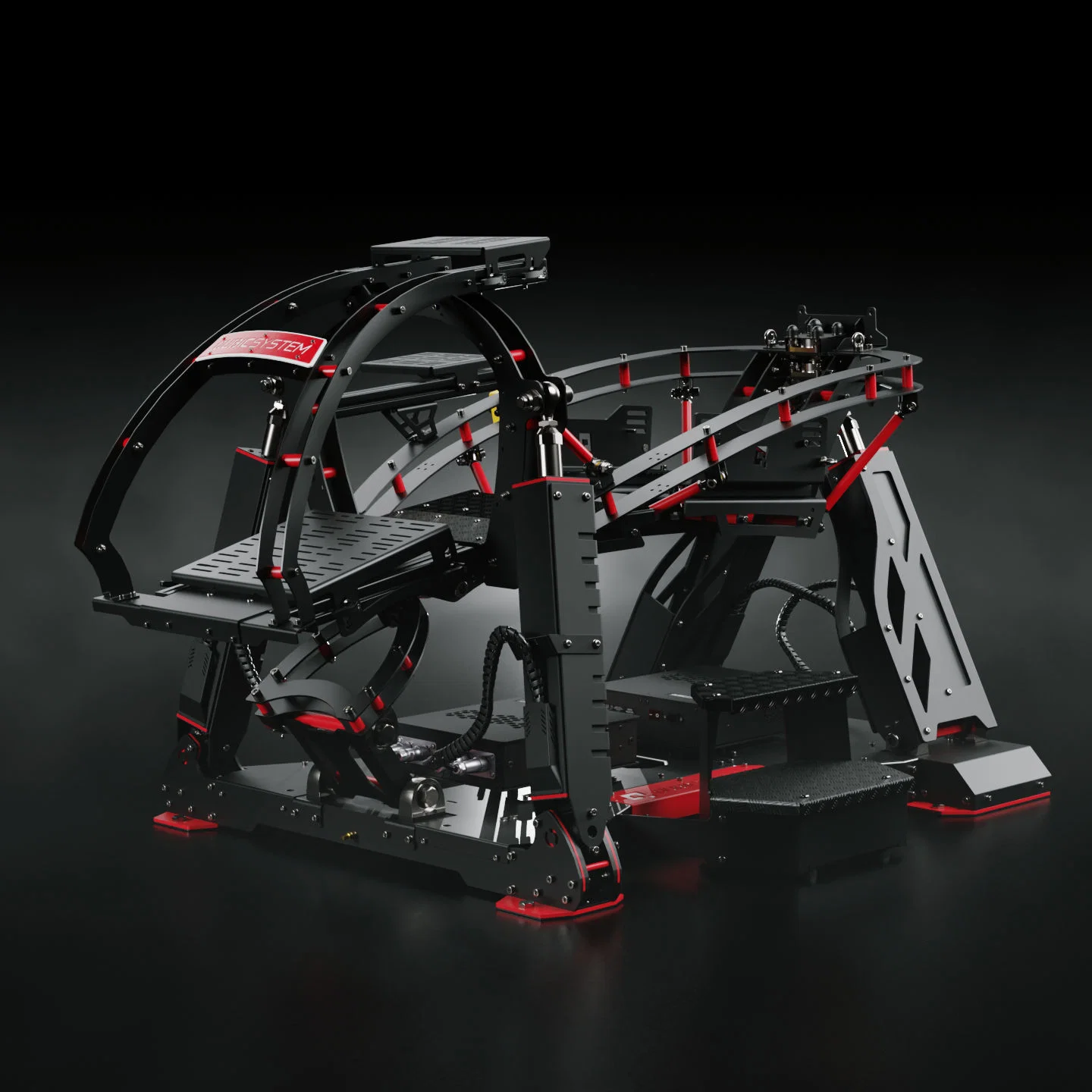
A motion simulator uses actuators, software and telemetry data to move your cockpit in response to what’s happening in the game or training software. In sim racing, it can recreate brake dive, kerb strikes, road texture, gear shifts, acceleration, oversteer and impacts. In flight simulation, it can add cues for climb, descent, turbulence, landing impact and banking.
The key is timing. A good motion simulator should react in a way that feels connected to the car, aircraft or vehicle on screen. If the movement arrives late, feels too aggressive, or shakes the cockpit without purpose, it can reduce immersion instead of improving it.
Static simulators still have value. A rigid cockpit, a direct drive wheelbase, quality pedals and a well-positioned monitor can give you an excellent experience. A motion simulator adds another layer by involving your body, not just your hands and feet.
The core parts are usually simple to understand:
Actuators move the cockpit or platform.
Motion software turns game data into movement.
Mounting brackets connect the system to the rig.
Haptic feedback adds vibration and texture.
The cockpit frame keeps everything stable.
For buyers, the cockpit is often the part that gets overlooked. Motion can expose weak pedal plates, seat mounts and wheel decks quickly. If the frame flexes under load, the motion simulator won’t feel as clean as it should.
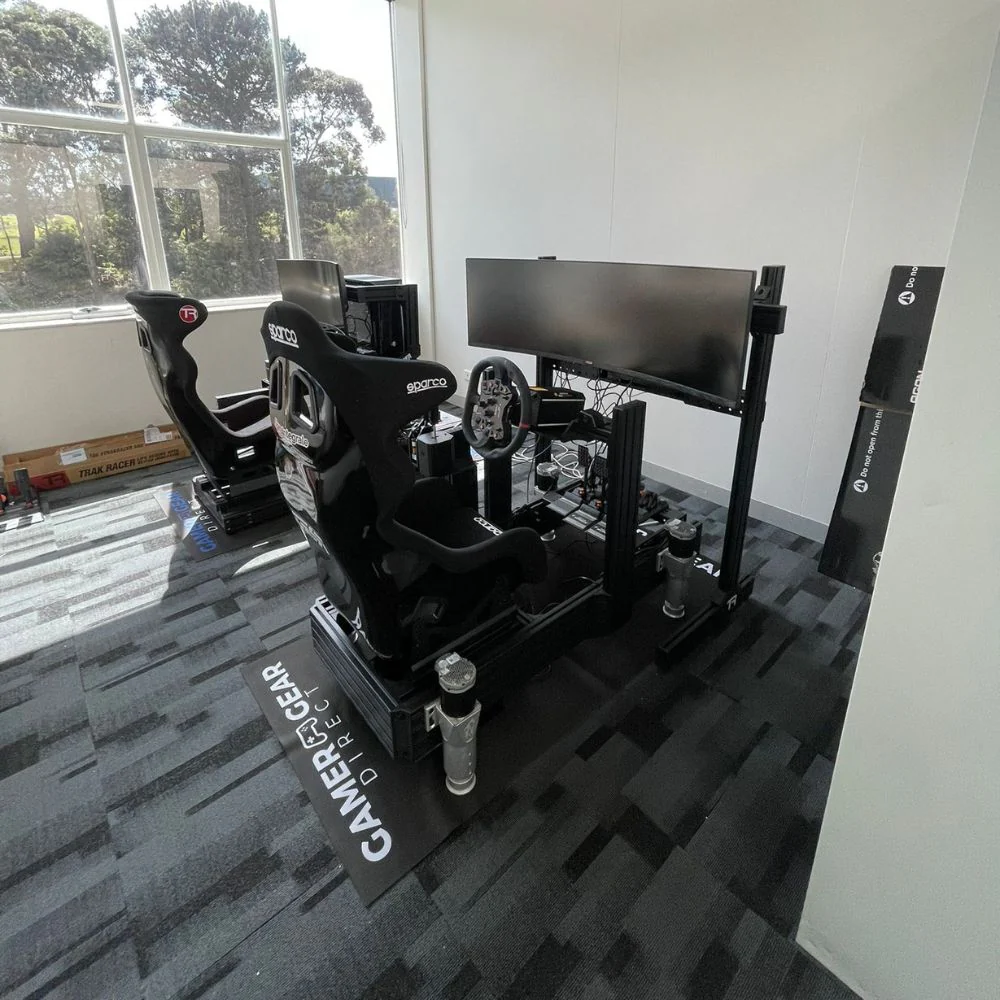
At our Dandenong South showroom, we assess motion simulator setups by looking at how the whole system works, not just the actuator spec sheet. A fast actuator can still feel poor if the cockpit moves in the wrong places, the profile is too sharp, or the seat position isn’t stable.
When we assess a motion simulator, we look at how much noise the actuators make during normal use, how stable the cockpit feels under braking and cornering, how easy the software is to set up, how natural the motion feels during longer sessions, and how well the system works with common racing and flight controls.
For racing setups, we pay close attention to braking feel, kerb feedback and traction loss cues. For flight setups, we focus on smooth movement, pitch and roll control, comfort and how well the system works with yokes, sticks, throttles and rudder pedals.
The best motion simulator isn’t always the one with the most movement. In many home setups, controlled movement feels better than extreme movement. Too much motion can make the rig harder to drive, harder to fly, and less comfortable over time.
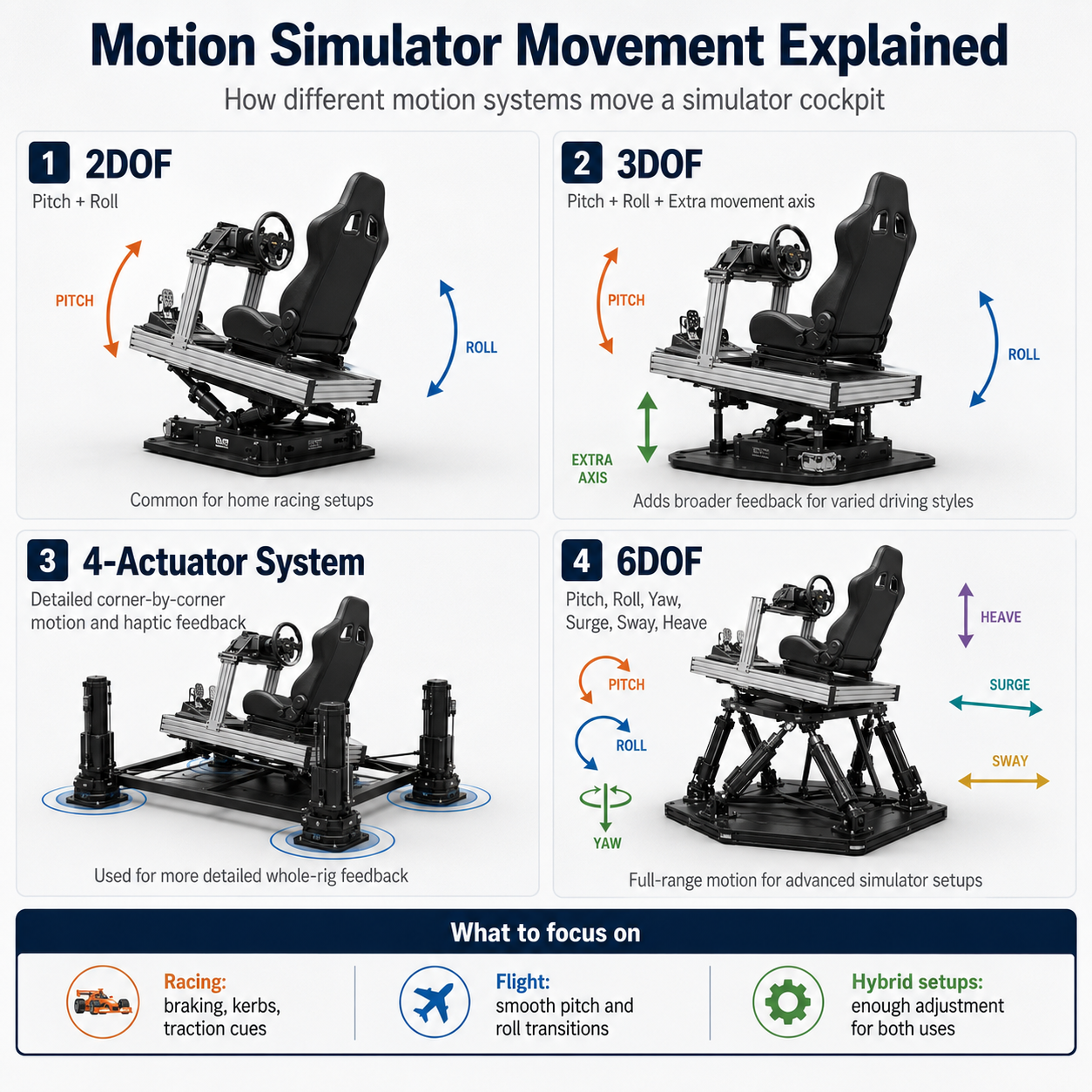
A motion simulator can move in different ways depending on the actuator layout and platform design. You’ll often see terms like 2DOF, 3DOF, 4-actuator systems and 6DOF. DOF means degrees of freedom, which refers to the types of movement a system can recreate.
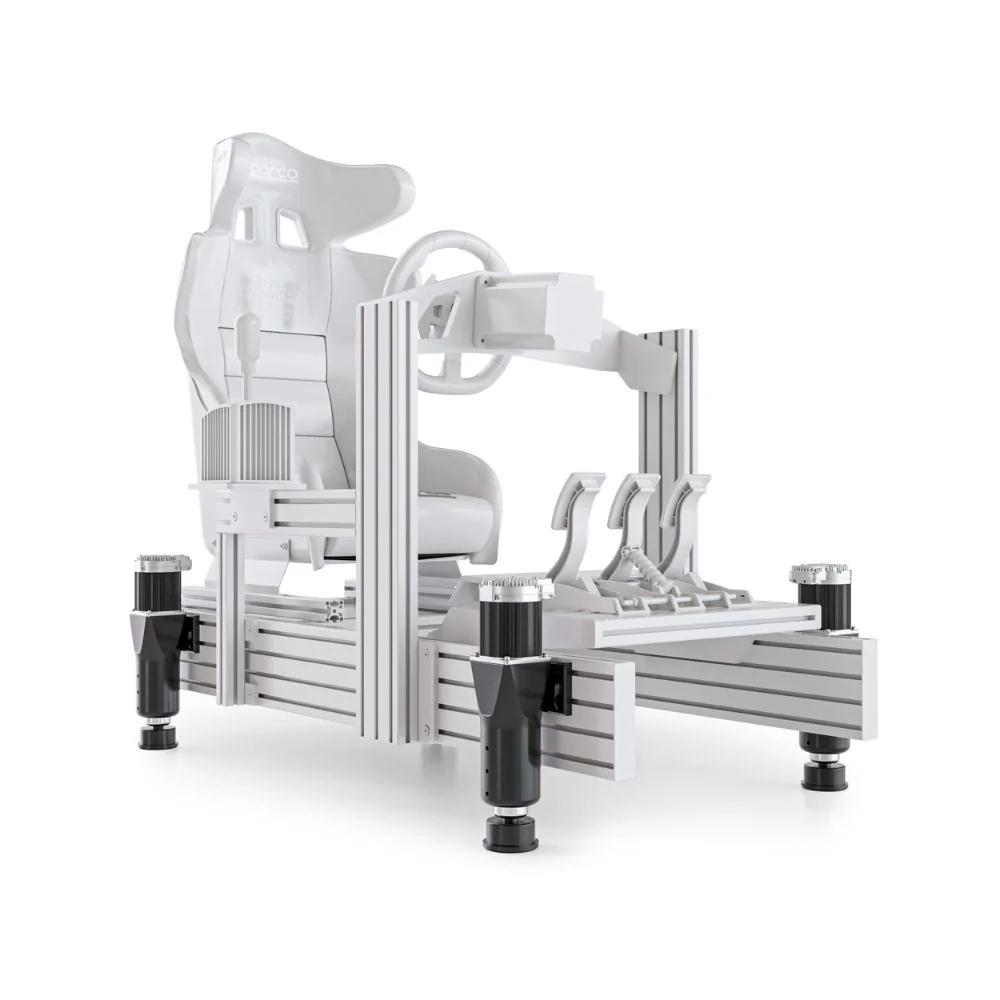
A basic 2DOF setup usually focuses on pitch and roll. In racing, that can give you braking and cornering cues. A 3DOF system may add another axis or extra actuator support for a wider range of movement. A 4-actuator haptic system can create more detailed feedback across the whole rig. A 6DOF platform adds more complex movement, but it also needs more space, more setup time and a larger budget.
For most home racing and flight builds, the question isn’t “how much motion can I get?” The better question is “what type of feedback do I want to feel?” A motion simulator used for GT racing needs different tuning from a flight sim setup. Rally, drifting, endurance racing, truck simulation and formula-style racing also benefit from different motion profiles.
If your goal is racing immersion, focus on clean braking cues, kerb feel and traction feedback. If your goal is flight simulation, focus on smooth transitions and controlled pitch and roll. If your setup needs to handle both, choose a cockpit and actuator layout with enough adjustment to suit each use.
Most home users are best served by actuator systems because they’re cleaner, quieter and easier to install than hydraulic systems. Hydraulic motion systems can produce huge force, but they’re more common in commercial training environments where space, maintenance and noise are less restrictive. Pneumatic systems can move quickly, but they’re not usually the first choice for premium racing and flight setups at home.
System type |
Best use |
Main benefit |
Main drawback |
|---|---|---|---|
Electric actuators |
Home racing and flight setups |
Cleaner installation and lower maintenance |
Force output varies by model |
Hydraulic systems |
Commercial and training spaces |
High force and smooth movement |
More noise and maintenance |
Pneumatic systems |
Specialist applications |
Fast movement |
Less common in home simulator builds |
For a home motion simulator, electric actuator systems usually make the most sense. They’re easier to integrate into a cockpit, easier to power, and better suited to a spare room, garage, office or showroom environment.
A good motion simulator doesn’t need to throw you around. The most convincing setups often use smaller, sharper cues rather than exaggerated movement. In racing, the first thing you notice is braking. A clean brake dive cue can make heavy braking zones feel more physical, especially when combined with load cell pedals.
Kerb feedback is another major difference. With the right haptic setup, ripple strips feel more defined, and road texture becomes easier to read. Traction loss cues can also add confidence because the cockpit starts to communicate what the car is doing before the visual slide becomes obvious.
In flight simulation, the biggest gains come from takeoff, landing and turbulence cues. Smooth movement is more important than aggressive movement. If the setup is too abrupt, it can feel artificial. If it’s too soft, it can feel disconnected.
A motion simulator also changes how you think about the rest of the rig. Seat position, pedal angle, monitor height, wheelbase strength and cable routing all become more important once the cockpit starts moving.
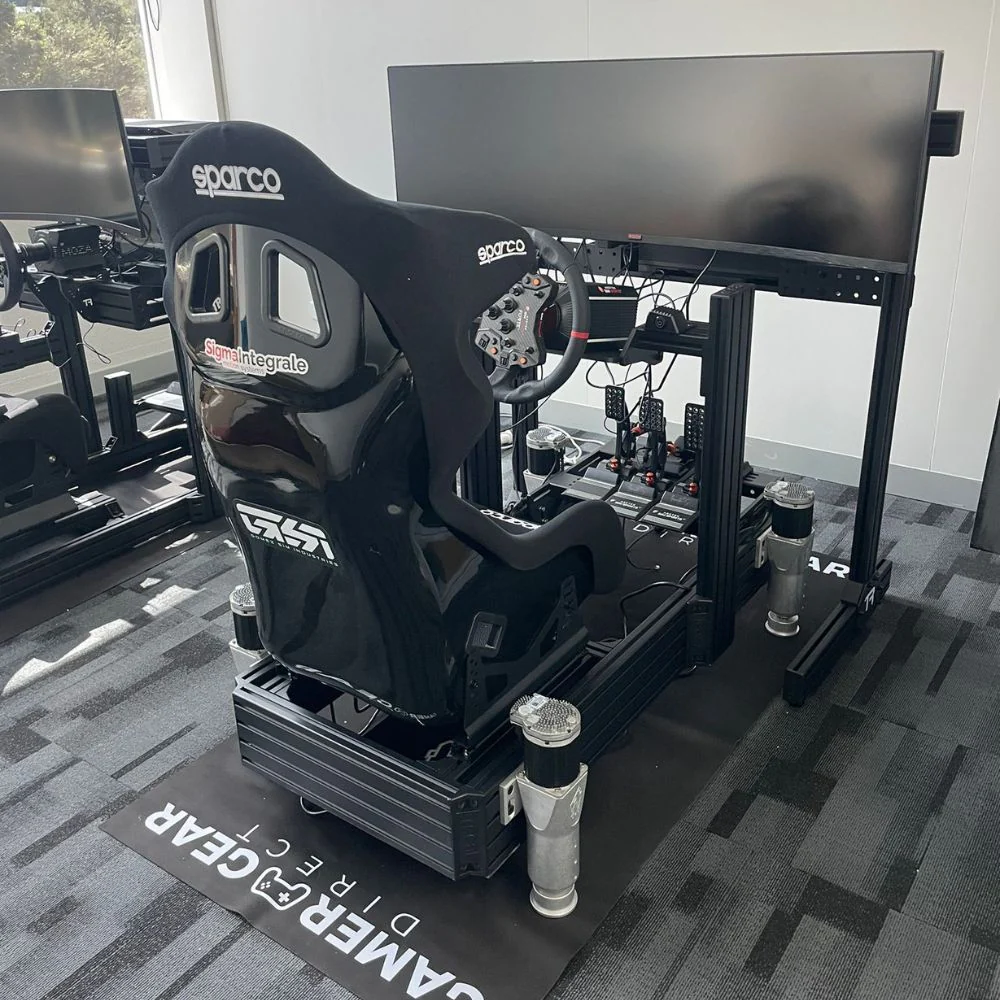
D-BOX is one of the best-known names in haptic motion for racing and entertainment. D-BOX G5 systems use actuators and haptic feedback to create precise motion cues, and many racing simulator packages use D-BOX with aluminium profile cockpits for extra rigidity.
Sigma Integrale is another name many sim racers look at when comparing compact actuator-based systems. Its DK motion systems are known for fitting into racing cockpits without needing a huge footprint, which can suit home users with limited space.
Trak Racer is important because cockpit strength and mounting support are central to a good motion simulator. A motion-ready aluminium profile cockpit gives the actuators a rigid base, which makes the motion feel cleaner. If the cockpit flexes, you’ll lose detail before the feedback reaches your body.
The brand name alone shouldn’t decide the purchase. Look at the full package. A motion simulator needs the right cockpit, seat, mounts, software support and control hardware. A premium actuator system on a weak cockpit won’t feel premium.
For complete setups, many buyers start with a heavy-duty racing simulator cockpit, then add a compatible motion kit, a direct drive wheelbase, sim racing pedals, a racing seat, shifter, handbrake and monitor stand. Flight users may need a flight simulator cockpit, yoke mount, throttle mount, rudder pedal support and extra room around the frame.
Sim racing puts unique demands on a motion simulator. The setup needs to handle sudden braking, fast steering inputs, kerb strikes and repeated force through the pedals. If your rig flexes every time you brake, motion won’t fix it.
For GT and endurance racing, comfort and stability are high priorities. You may spend long sessions in the seat, so smooth motion profiles and good seating support are important. For rally and drifting, faster cues and traction feedback become more important. For formula-style racing, pedal position, seating angle and wheel height can change how natural the motion feels.
Before buying a motion simulator for racing, check your cockpit first. It should have a rigid frame, stable pedal deck, secure seat mount and actuator compatibility. If you’re still using a foldable or lightweight cockpit, upgrade the cockpit before adding motion.
A well-planned motion sim racing setup should feel controlled, repeatable and easy to drive. The motion should add detail without making the car harder to control.
Flight users need a different feel from racing users. A motion simulator for flight should focus on smooth pitch, roll and transition cues. Takeoff, landing and turbulence should feel convincing without making the platform distracting.
The cockpit layout also changes. Flight sim users may need a centre stick, side stick, yoke, throttle quadrant, rudder pedals, button boxes and multiple screens. All of those components need to stay secure as the platform moves.
Comfort is a bigger issue in flight simulation because sessions can run for a long time. Seat padding, recline angle, arm position and screen distance can make a big difference. A motion simulator for flight should feel stable enough for long use, not just exciting for the first few minutes.
If you want one rig for racing and flight, choose a cockpit with adjustable mounts and enough open space around the controls. The more hardware you add, the more important cable management becomes.
A motion simulator is a major addition to a setup, so it’s worth checking the full rig before you commit. The actuator system is only one part of the experience.
Ask these questions before buying:
Is the cockpit rated or commonly used for motion?
Can the pedal deck handle heavy braking without flex?
Does the seat mount stay stable during repeated movement?
Do you have enough floor space around the rig?
Can you run the system on your current PC and software?
Is the emergency stop easy to reach?
Are power cables and data cables protected from movement?
Can the setup be adjusted for more than one driver or pilot?
If the answer is no to several of these, start with the cockpit and mounting hardware first. A motion simulator works best when the foundation is already solid.
The most common mistake is buying motion before the cockpit is ready. Lightweight frames can twist, rattle or move under actuator force. That reduces feedback quality and can make the setup feel less controlled.
Another mistake is chasing the biggest movement range. More travel doesn’t automatically mean a better experience. For racing, small and accurate cues often feel more useful than large platform movement. For flight, smooth motion and comfort are more important than dramatic shifts.
Some buyers also forget about noise. A motion simulator can be quiet enough for home use, but actuator sound, vibration through the floor and bass shaker feedback can still affect shared living spaces. If the rig is upstairs or near bedrooms, think carefully about placement.
Software setup is another area to check. Motion profiles need adjustment for different games, cars, aircraft and driving styles. A system with good software support will be easier to live with long term.
The right accessories can make a motion simulator feel more complete. Haptic bass shakers can add engine vibration, road texture and impact feedback without relying only on cockpit movement. A stable monitor stand can keep screens aligned while the rig moves. A comfortable seat can reduce fatigue during longer sessions.
Cable management becomes more important with motion. Power leads, USB cables, display cables and control wiring need enough slack for movement, but not so much that they can catch on the platform. Floor protection can also be useful if the setup is installed in a room with timber, tiles or polished concrete.
For racing users, the best add-ons are usually racing simulator accessories that improve control and feedback. A load cell pedal set, shifter, handbrake and rigid wheel mount can all make the motion feel more connected. For flight users, a secure throttle mount, rudder pedal tray and button panel can make the cockpit feel more natural.
A motion simulator is worth considering if you already have a solid cockpit and want more physical feedback from racing or flight simulation. It can make braking, cornering, kerbs, takeoff, landing and turbulence feel more believable, especially when the software profile is set up well.
It’s also a smart option for users building a premium sim racing bundle from the start. Planning motion early lets you choose the right cockpit, mounts, seat and hardware before you spend money on parts that may need replacing later.
A motion simulator may not be the right first purchase for a beginner. If you’re still using basic pedals, a low-torque wheelbase or a lightweight frame, those upgrades should usually come first. Motion works best after the core controls and cockpit are already stable.
A motion simulator can add a new layer of realism to racing and flight setups, but it needs the right foundation. The best results come from a rigid cockpit, correct mounting hardware, clean software setup and motion profiles that match the activity.
For racing, focus on braking, kerb feedback and traction cues. For flight, focus on smooth pitch, roll and transition cues. For hybrid setups, choose hardware with enough adjustment for both control layouts.
Our team has seen the difference between a motion simulator that feels controlled and one that feels overdone. The actuator system is important, but the full build decides how good the experience feels. Start with the cockpit, match the system to your use case, and choose components that can handle movement every time you drive or fly.