







How To Choose The Right Sim Racing Cockpit For You
|
|
A sim racing cockpit is the base of your whole racing setup. It affects how your wheel feels, how your pedals respond, how long you can drive comfortably and how easy it is to upgrade later. If the cockpit flexes under braking or moves under force feedback, even good hardware can feel loose.
This article breaks down how to choose a sim racing cockpit based on frame strength, ergonomics, adjustability, compatibility and upgrade room. It’s written for drivers who want a setup that feels stable, comfortable and ready for the hardware they plan to use.
When we assess a sim racing cockpit, we look beyond the frame shape. A cockpit has to hold the driver, wheelbase, pedals and accessories in the right position while staying rigid under load.
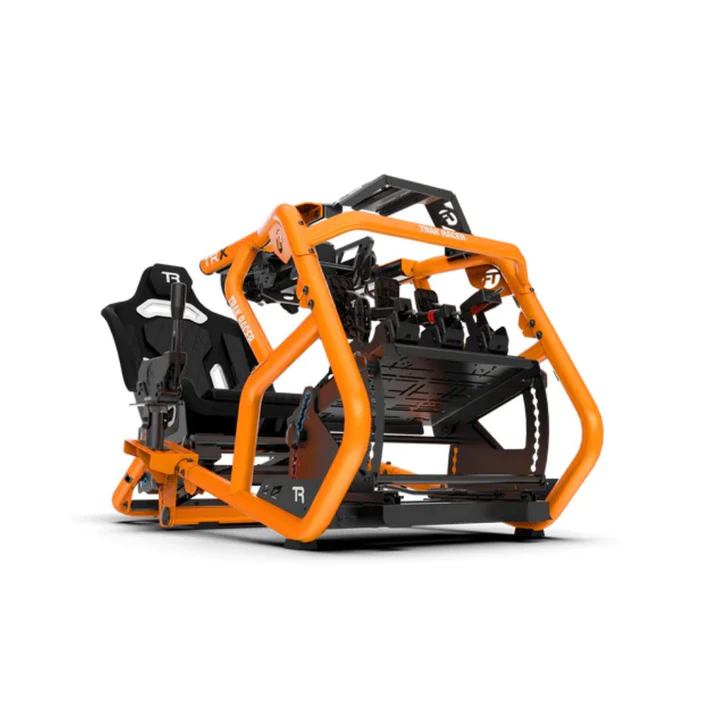
The first thing we check is frame movement. A cockpit can look solid until a direct drive wheelbase starts pushing force through the wheel deck. If the uprights move, steering detail can feel vague. The same goes for the pedal tray. With load cell or hydraulic pedals, you’re pressing against the pedal with more force than entry-level potentiometer pedals. If the tray flexes, braking can feel inconsistent.
We also check driver fit. A good sim racing cockpit needs enough adjustment for seat distance, pedal angle, wheel height and shifter position. For shared setups, seat sliders are a major benefit because they let different drivers get comfortable faster.
Compatibility is another big factor. A cockpit should support the wheelbase, pedals, seat, shifter, handbrake and display setup you want now, while still leaving room for upgrades. That’s why many drivers look at sim racing cockpits before buying the rest of their gear.
Most cockpits fall into a few common styles. The right choice depends on your space, budget, racing style and hardware.
A compact sim racing cockpit can work well for casual drivers, console racers or small rooms. The benefit is easy storage and a smaller footprint. The trade-off is upgrade room. Once you add stronger pedals or a higher-torque wheelbase, a compact frame can reach its limit faster.
A tubular steel cockpit gives you a more fixed driving position and stronger mounting points. These are popular with drivers who want a permanent setup without moving into a full aluminium profile rig. They can be a good fit for GT-style racing, especially with mid-range direct drive equipment.
An aluminium profile sim racing cockpit gives the most adjustability. The frame uses slotted aluminium sections, so you can move mounts, add brackets and change the layout over time. This style works well for drivers planning to add direct drive wheelbases, stronger sim racing pedals, shifters, handbrakes, button boxes or motion gear.
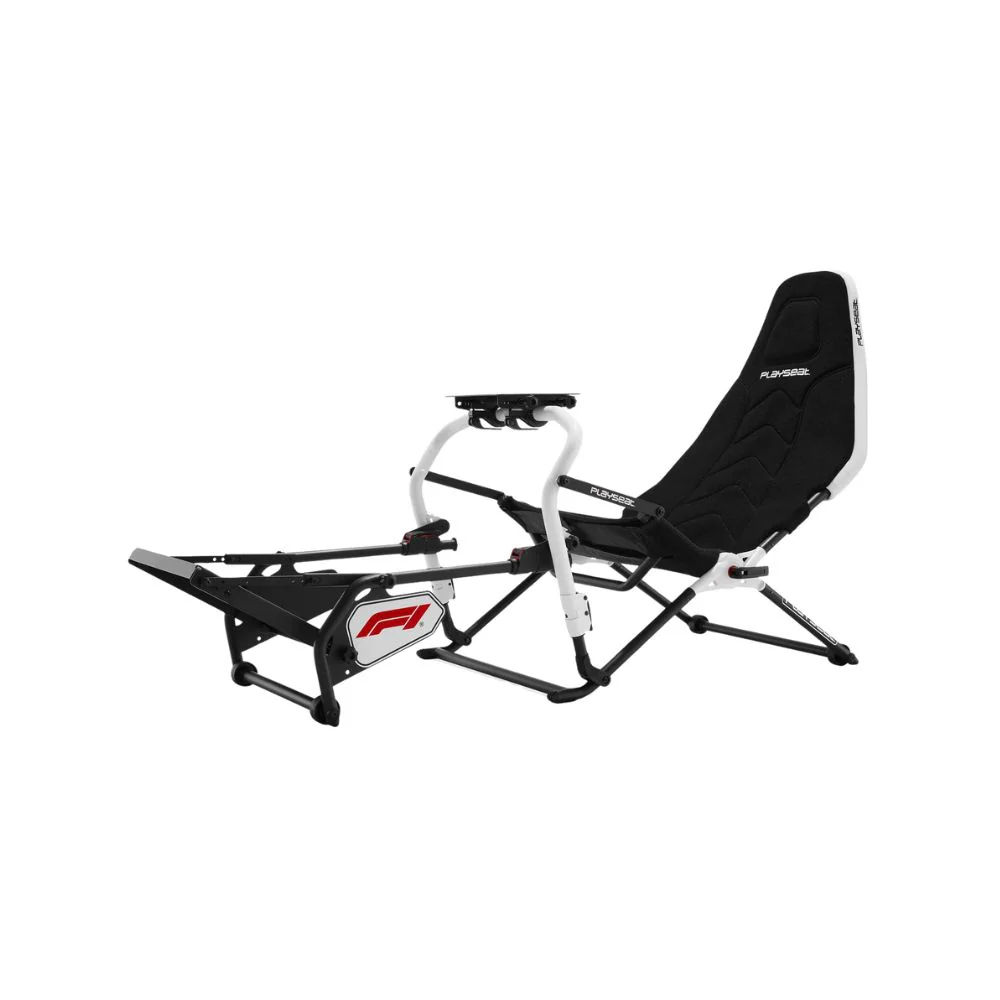
Formula-style cockpits are more reclined, with a lower seat and raised pedal position. They suit drivers who want an F1-style posture. The seating angle is different from a GT setup, so it’s worth thinking carefully before choosing one as your only rig.
Motion-ready cockpits are built for drivers who want haptic feedback or actuator-based movement. The key is not just strength. You also need mounting support, cable clearance and enough room around the frame.
A sim racing cockpit should match the type of racing you do most often. GT, F1, rally, drift and endurance sessions all place different demands on the frame and seating position.
GT drivers usually need a stable upright position with strong wheel and pedal mounts. This gives a natural driving posture and works well for long sessions. If you race GT cars often, prioritise a rigid frame, adjustable pedal tray and solid seat mounting.
F1-style drivers may prefer a reclined position with the pedals higher than a standard GT layout. An F1 simulator cockpit can feel more immersive for open-wheel racing, but it may be less comfortable for general driving or shared use.
Rally and drift drivers need easy access to a shifter and handbrake. The sim racing cockpit should have mounting options on the side of the frame, with enough adjustment to place both controls within reach. If the handbrake sits too far away, it can interrupt your timing during transitions.
Endurance drivers should focus on seat comfort and adjustability. A cockpit can feel fine for ten minutes and uncomfortable after an hour. Seat angle, lumbar support, airflow and monitor height all play a role in longer sessions.
For a multi-user setup, adjustment range becomes more important than a single perfect position. A cockpit with seat sliders, adjustable pedal mounts and flexible wheel height is easier to set up for family members, friends or showroom use.
Frame rigidity is one of the biggest differences between an entry setup and a more capable sim racing cockpit. You’ll feel it most through the wheelbase and pedals.
With a direct drive wheelbase, force feedback travels through the wheel deck and frame. If the cockpit moves, some of that detail is lost before it reaches your hands. A rigid frame gives the wheelbase a stronger platform, so steering detail feels cleaner and more consistent.
Pedal tray strength is just as important. Load cell and hydraulic pedals respond to pressure, not just travel. If the tray moves when you brake, your muscle memory has to deal with the pedal and the frame at the same time. That makes braking harder to repeat.
When comparing a racing simulator cockpit, check the wheel deck, uprights, pedal tray and seat mount. These areas handle the most force. Thin brackets, loose adjustment points or unsupported pedal plates can become weak spots once heavier hardware is installed.
A sim racing cockpit should put your body in a relaxed, controlled position. Good ergonomics make the car easier to drive and reduce fatigue during longer sessions.
Start with the seat. Your back should feel supported without forcing your shoulders forward. Your legs should reach the pedals with a slight bend at full brake pressure. If your knee locks out, the seat is too far back. If your legs feel cramped, move the seat or pedals away.
Next, set the wheel. Your shoulders should stay relaxed when holding the wheel. If the wheel is too high, your arms and neck can fatigue. If it’s too low, your wrists can feel awkward during steering inputs.
Pedal angle also changes the feel of a sim racing cockpit. A GT setup usually has a more upright pedal position, while a formula setup often places the pedals higher and further forward. The best position is the one that lets you brake hard without lifting your hips or twisting your body.
Monitor height should match your eye line. If the screen is too high or too low, you’ll adjust your neck instead of focusing on the track. For triple screens or ultrawide displays, stable sim racing monitor stands can make a major difference because screen movement becomes distracting during driving.
The seat can change the whole feel of a sim racing cockpit. Bucket seats give strong side support and a fixed racing feel. Reclinable seats offer more adjustment and can be better for shared rigs. Hybrid seats sit between the two, giving support without locking you into one position.
A bucket seat works well when one driver uses the cockpit most of the time. It holds the body in place and can make braking feel more stable. The downside is fit. If the seat shape doesn’t suit your body, there’s less adjustment available.
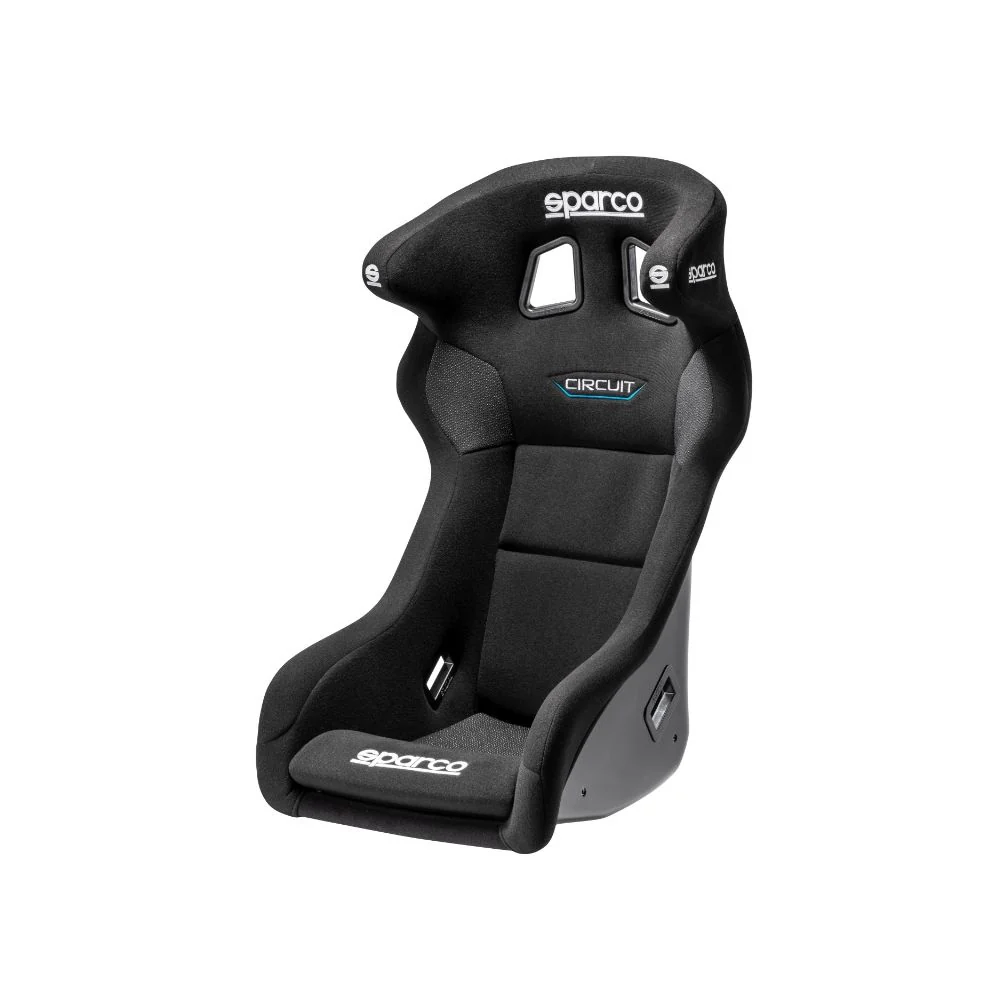
A reclinable seat gives more flexibility. It can be easier to use for different drivers and longer casual sessions. The trade-off is that some reclinable seats may not feel as locked-in as a fixed bucket seat.
Seat sliders are worth considering for almost any sim racing cockpit. They make it easier to adjust reach without changing pedal mounts or wheel position. For families, esports rooms or showroom-style setups, sliders save time and reduce setup frustration.
A good sim racing cockpit should make your hardware feel secure. The main areas to check are wheelbase mounting, pedal mounting and accessory placement.
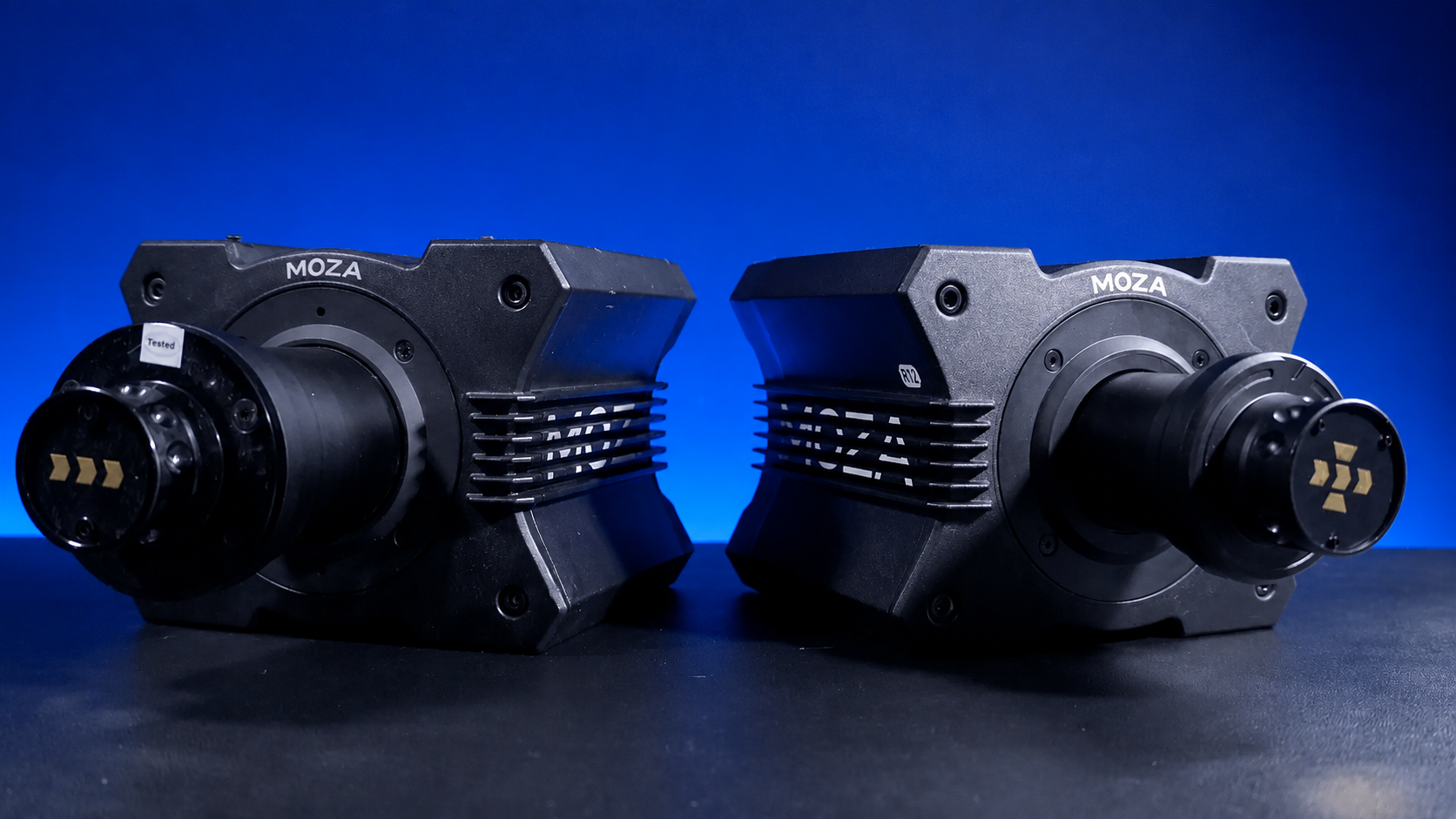
For wheelbases, look at the mounting plate and upright support. Entry-level wheels place less stress on the frame, but direct drive units need a stronger mounting platform. A wheel deck that moves during cornering can make steering feel less precise.
For pedals, check the mounting holes, angle adjustment and tray support. Stronger sim racing pedals need a firm tray that doesn't flex when you brake. If you plan to upgrade pedals later, choose a cockpit that can handle more load than your current setup needs.
Shifters and handbrakes need proper reach. Rally and drift drivers should place the handbrake close enough for fast inputs without leaning out of the seat. Manual drivers should place the shifter in a natural position for the cars they drive most.
Button boxes, stream decks and dashboard displays can be useful, but only when they’re easy to reach and don’t crowd the wheel. A clean cockpit layout is usually better than adding every accessory at once. Start with the main controls, then add sim racing accessories once the core position feels right.
If you’re planning to add motion or haptics later, choose the sim racing cockpit with that in mind from the start. Motion gear adds movement, vibration and extra cable demands, so the frame needs more than basic strength.
Check that the cockpit has actuator mounting options or support for haptic hardware. Look underneath and behind the frame for clearance. Make sure cables can move without catching on brackets or being pulled tight during operation.
Seat shakers and pedal haptics are easier to add than full motion, but they still need clean mounting points and tidy cable routing. A cockpit with open mounting options gives you more freedom to add motion simulators or haptic systems later.
VR users should also think about space and cable routing. A VR headset can make the cockpit feel more immersive, but you still need clear movement around the seat and wheel. If you use monitors instead, make sure the cockpit or stand can hold the display at the right height and distance.
The best way to build a sim racing cockpit is to start with the frame and driver position, then add hardware around it. If you start with accessories first, you may end up working around limitations instead of creating a clean setup.
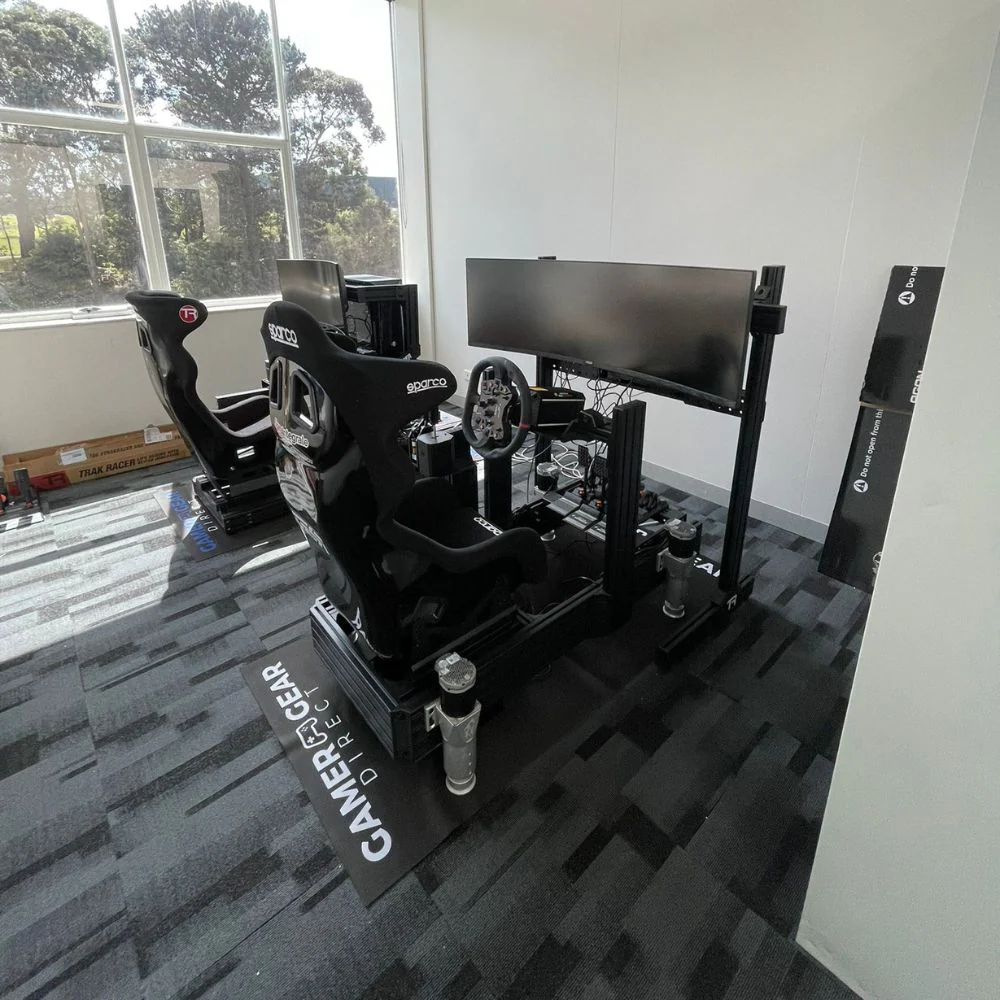
First, choose the cockpit based on your wheelbase and pedal plans. A light wheel and basic pedals don't need the same frame as a high-torque direct drive setup with load cell or hydraulic pedals.
Next, install the seat and pedals. Set the seat distance before locking down the wheel position. This gives you a better base because pedal reach controls your whole driving posture.
Then mount the wheelbase. Adjust height and distance so your arms stay relaxed and your shoulders don't lift while steering. After that, add the shifter, handbrake and button box in positions that feel natural.
Finally, set your screen or VR layout. For monitors, bring the display close enough for immersion without blocking the wheel. For VR, keep cables clear and make sure you can enter and exit the cockpit safely.
After building your sim racing cockpit, don't judge the setup from one short lap. Run a few sessions and focus on comfort, braking and steering consistency.
If your shoulders feel tight, adjust the wheel. If your knees or hips feel strained, change seat distance or pedal angle. If braking feels inconsistent, check pedal tray movement and pedal calibration. If you feel like you’re leaning forward to see the screen, adjust monitor height or distance.
Small changes can make the sim racing cockpit feel much better. Move one thing at a time, then test again. This makes it easier to know what changed and why the setup feels better or worse.
For shared setups, mark seat slider positions for each driver. This saves time and makes it easier to return to a known position.
A sim racing cockpit needs occasional maintenance, especially if it uses strong force feedback or heavy braking hardware. Over time, bolts can loosen, brackets can move and cable ties can wear.
Check the main bolts around the wheel deck, pedal tray and seat mount. Look for movement in the frame and tighten anything that has shifted. Inspect cables near moving parts, especially if you use haptics or motion gear.
Keep firmware and software updated for your wheelbase, pedals and accessories. This won't fix a weak frame, but it can keep your controls working as intended.
A well-maintained sim racing cockpit also keeps its value better. If you upgrade later, a clean frame with all brackets, bolts and mounts in good condition is easier to resell or repurpose.
The right sim racing cockpit isn't just the one that fits your budget. It's the one that supports your wheelbase, pedals, seating position, display setup and upgrade plans without making the driving experience feel loose or uncomfortable.
For casual racing, a compact cockpit may be enough. For direct drive, load cell pedals or long sessions, a stronger frame is worth considering. For motion and haptics, frame design, mounting support and cable clearance become even more important.
Start with your driving style, then choose the frame that gives your hardware a stable platform. A well-chosen sim racing cockpit makes every other part of the setup feel more connected.


