Full Motion Sim Guide To Get The Best Racing Or Flight Experience
|
|
A full motion sim can transform a racing setup from screen-based driving into something far more physical. You feel braking dive, kerb strikes, elevation changes, surface detail, and weight transfer through the cockpit, not just through the wheelbase. When it's set up well, the rig gives your body more information before the car fully reacts on screen.
The key is balance. A full motion sim isn't just a motion platform with a seat bolted on. The best results come from matching the platform with a rigid cockpit, stable pedals, a suitable wheelbase, the right display setup, and motion software that doesn't overpower the drive. We've worked with racing simulator hardware in our Dandenong showroom and through customer builds, and the same lesson keeps coming up: clean motion beats extreme movement.
This article explains what a full motion sim actually adds, how different motion systems feel, what components need to work together, and what we'd check before recommending a setup for home use.
When we're assessing a full motion sim, we don't only look at actuator speed, travel, or spec-sheet claims. Those details matter, but they don't tell the whole story once the rig is assembled and driven for longer sessions.
We look at how the platform behaves under braking, cornering, kerb contact, traction loss, and sudden changes in direction. We also check how stable the cockpit feels when the wheelbase and pedals are under load. A powerful motion system can feel messy if the pedal deck flexes, the seat shifts, or the frame moves in ways it shouldn't.
For a home racing setup, we focus on these areas:
Motion clarity under braking, acceleration, and cornering
Cockpit rigidity with direct drive wheelbases and load cell pedals
Pedal stability during heavy braking
Display movement, monitor shake, and VR comfort
Software setup, motion profiles, and daily usability
Noise, cable routing, and room placement
A full motion sim should add useful driving information without distracting you from the car. If the platform is too aggressive, it can feel impressive for a few laps, then become tiring or hard to read.
A standard racing simulator gives you feedback through the wheelbase, pedals, audio, and visuals. A full motion sim adds body movement, which gives you another layer of information. You can feel the car load up into a corner, pitch forward under braking, react over kerbs, and shift under acceleration.
The main value isn't just immersion. It can also make the car easier to read. When motion cues are set correctly, your body starts to pick up small changes before they become obvious on screen. That can make braking zones feel more natural and make oversteer easier to catch.
A full motion sim can also make VR feel more connected to the drive. The movement of the cockpit can match what your eyes see, which can reduce the disconnect some drivers feel in static rigs. Poor motion settings can do the opposite, so VR users need careful calibration.
If you're upgrading from a fixed cockpit, the first difference you'll notice is how much more important the rest of the rig becomes. A flexible frame, soft pedal plate, or weak monitor mount may not annoy you on a static setup. On a moving rig, those issues become obvious.
For related setup planning, see our racing simulator setup, sim racing cockpit, and motion simulator pages.
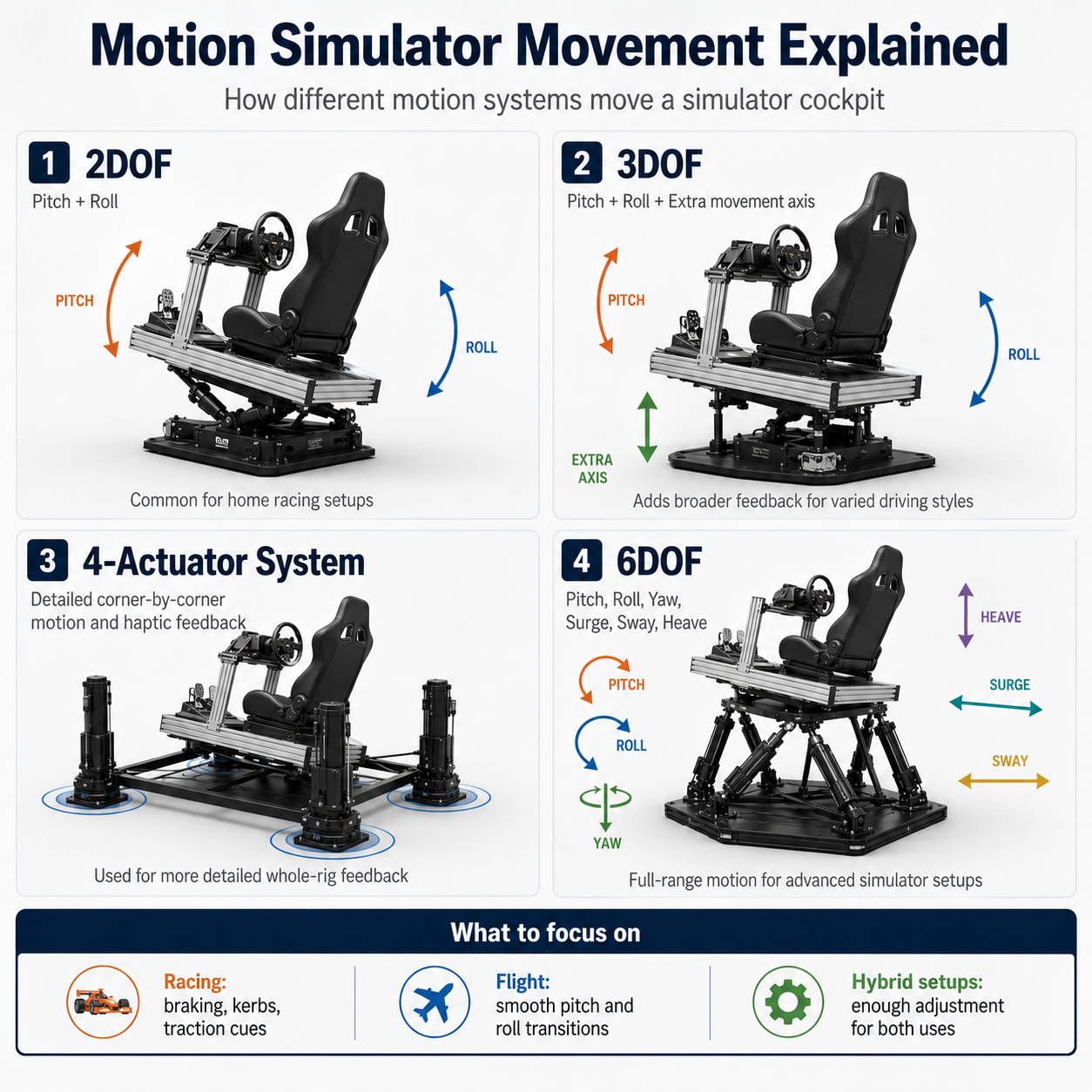
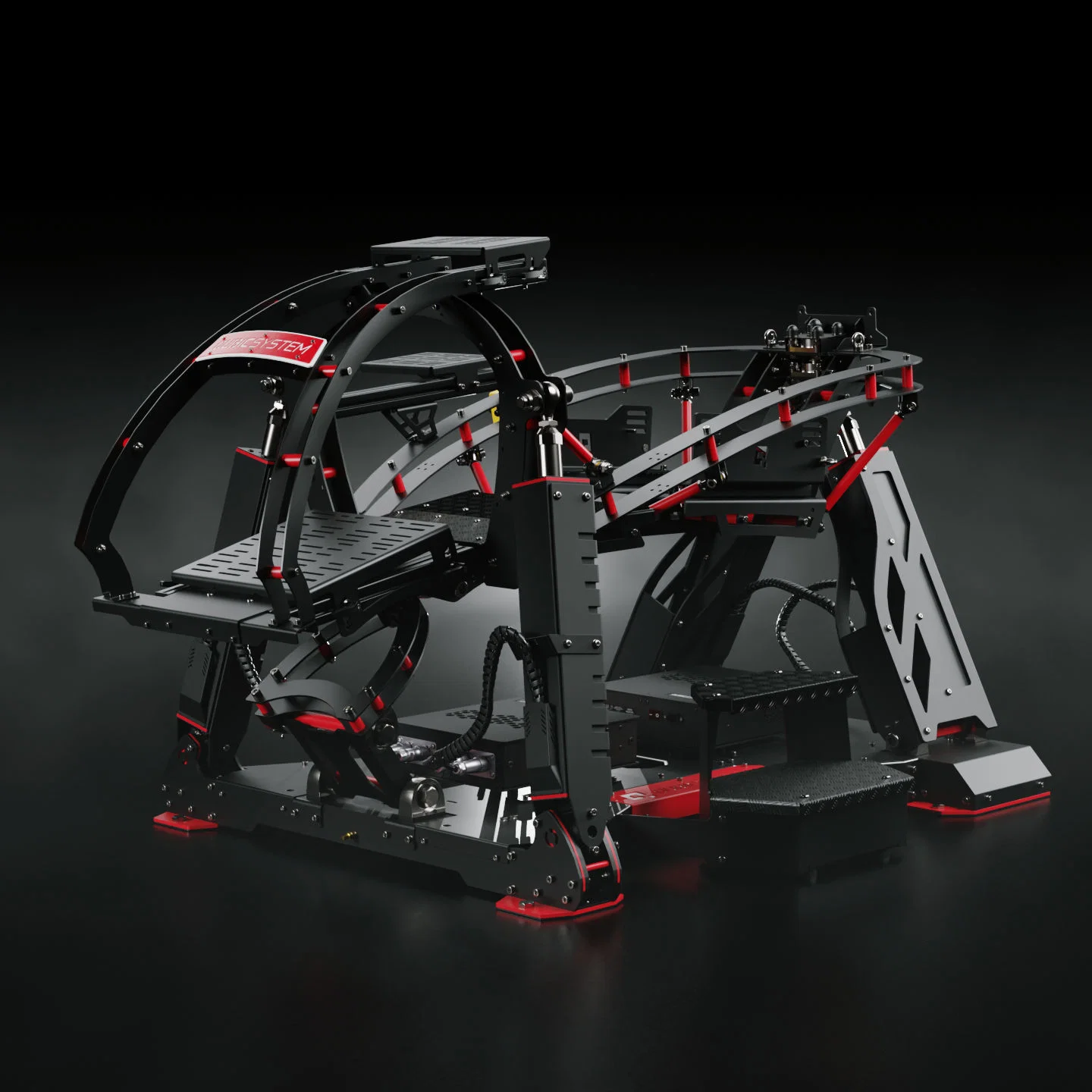
Not every motion platform is a full motion sim. Some systems move the seat only, some move the whole cockpit, and some focus on a smaller range of movement. The right option depends on your space, budget, display setup, and the level of feedback you want.
Motion Type |
Main Movement |
What You Feel |
Best Fit |
|---|---|---|---|
2DOF |
Pitch and roll |
Braking dive and cornering tilt |
Entry-level motion racing rigs |
3DOF |
Pitch, roll, and heave |
Bumps, kerbs, elevation shifts, braking, and cornering |
Home drivers wanting more physical feedback |
6DOF |
Surge, sway, heave, roll, pitch, and yaw |
Acceleration, braking, side load, bumps, rotation, and road detail |
High-end racing, VR, flight, and multi-sim spaces |
A full motion sim usually refers to a system that gives a much broader range of movement than a basic 2DOF rig. In racing, though, bigger movement isn't always better. The goal is believable feedback, not theatre.
For circuit racing, we usually want braking, kerb, and lateral load cues to feel clean and repeatable. For rally and drifting, sharper traction and surface cues can make the setup feel more alive. For flight simulation, heave, pitch, roll, and yaw become more important because the body expects different motion cues.
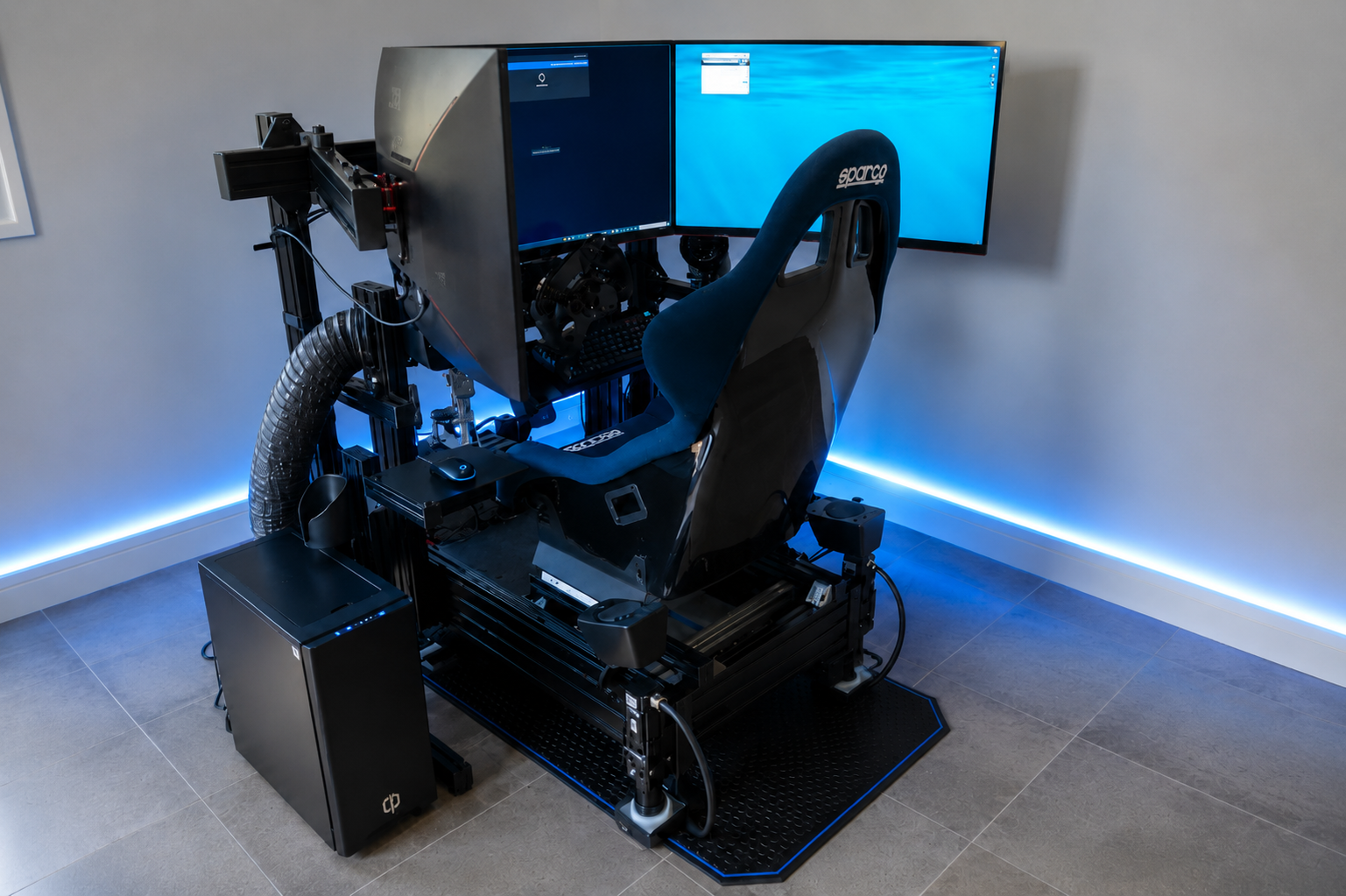
One of the biggest decisions is choosing a seat mover or a full cockpit mover. A seat mover shifts the seat while the pedals and wheel often stay fixed. A full cockpit mover moves the frame, seat, wheelbase, pedals, and sometimes the display mount as one unit.
A seat mover can be easier to fit into a smaller space. It can also be lighter and simpler to install. The trade-off is that your body moves while your controls may stay still, which can feel less natural under heavy braking or fast steering inputs.
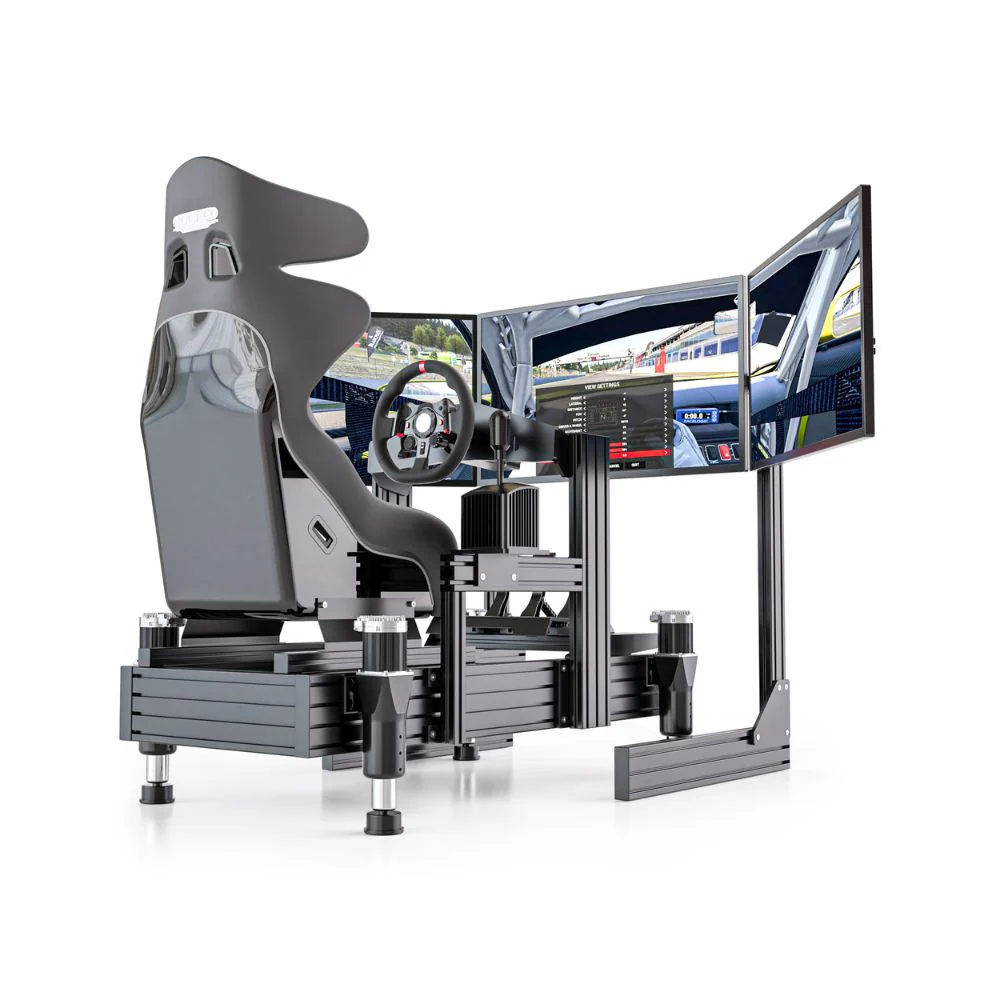
A full cockpit mover gives a more connected feel because the driver, wheelbase, pedals, and chassis move together. For a full motion sim built around racing, this usually feels more convincing, especially with direct drive wheelbases and load cell pedals. It also places more demand on the frame, mounting points, and cable routing.
If you plan to use triple monitors, think carefully about display placement. Moving the monitors with the rig can increase weight and shake. A freestanding monitor stand is often cleaner for heavy motion setups, especially when using large screens. VR has different needs again, because motion compensation and headset tracking become part of the setup.
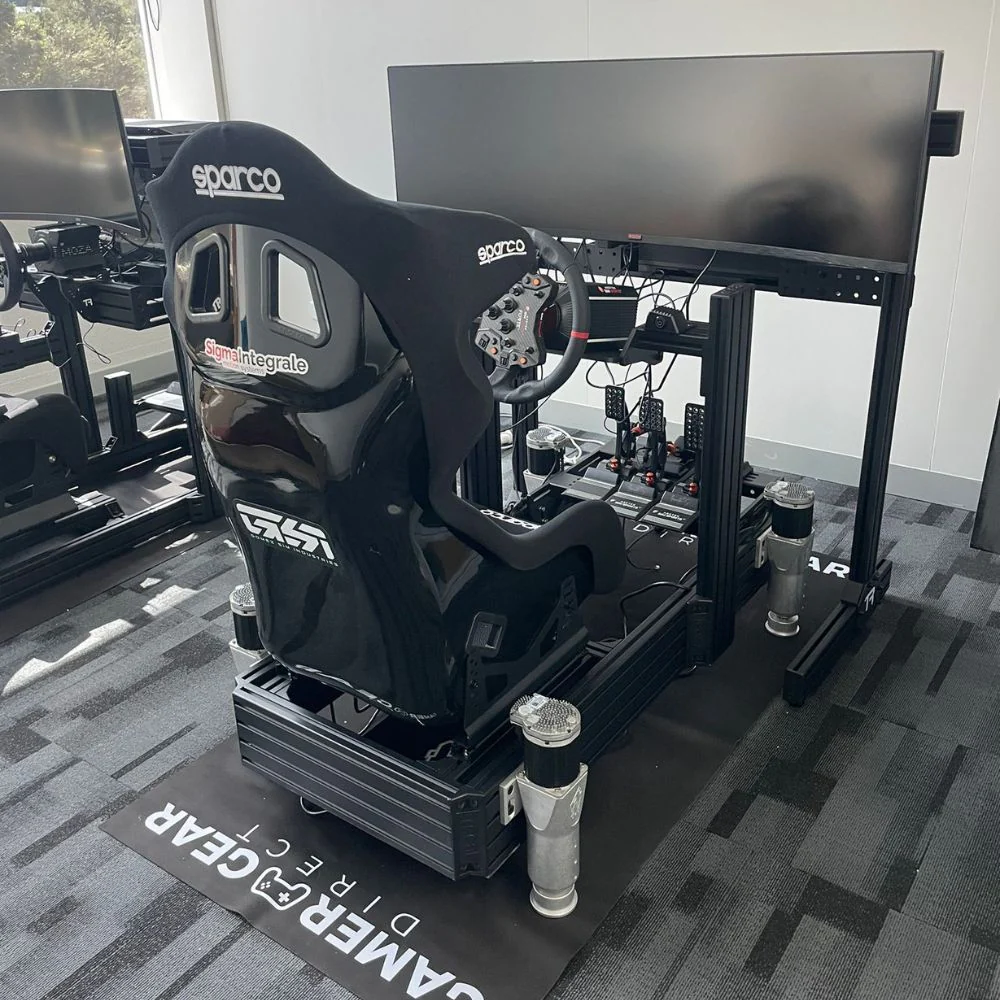
The cockpit is the foundation of a full motion sim. If the frame isn't rigid, the motion platform won't feel precise. Flex in the wheel deck, seat mount, or pedal plate can soften the feedback and make the rig feel less controlled.
This becomes more obvious with direct drive wheelbases. A high-torque wheelbase can place a lot of force through the frame. Add motion underneath, and any weak point in the cockpit can show up quickly. The same applies to load cell and hydraulic pedals, because heavy braking can move a weak pedal deck even before the motion platform is added.
For most home buyers, we'd check cockpit strength before choosing the motion platform. A full motion sim works best when the cockpit can handle the wheelbase, pedals, seat, accessories, and driver weight without unwanted movement.
A rigid sim racing cockpit also makes calibration easier. If the frame is stable, software changes feel more predictable. If the frame flexes, it becomes harder to tell if the issue is the motion profile, the platform, or the rig itself.
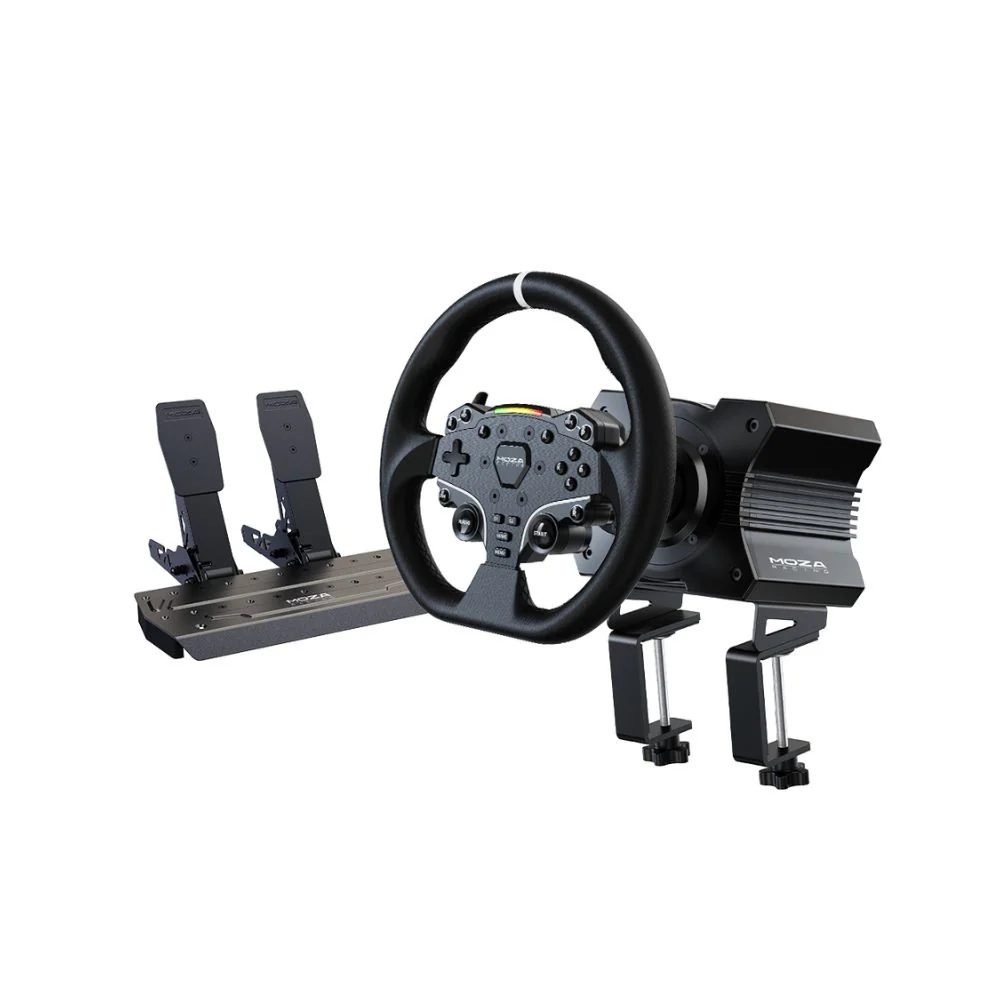
A full motion sim doesn't need the most powerful wheelbase to feel good. It needs a wheelbase that matches the cockpit and driver. Direct drive is usually the best fit because it gives cleaner steering feedback, but the mounting needs to be secure.
Pedals deserve just as much attention. Load cell pedals are popular because they read pressure instead of simple pedal travel, which gives braking a more realistic feel. On a moving rig, the pedal plate needs to stay solid under repeated heavy braking. If it flexes, braking consistency suffers.
For GT-style racing, a round or GT steering wheel is often more comfortable across a wide range of cars. For formula-style racing, a compact formula wheel can feel more natural. The right choice depends on the cars you drive most, not just the look of the wheel.
Useful internal links include direct drive wheelbase, load cell pedals, and steering wheel.
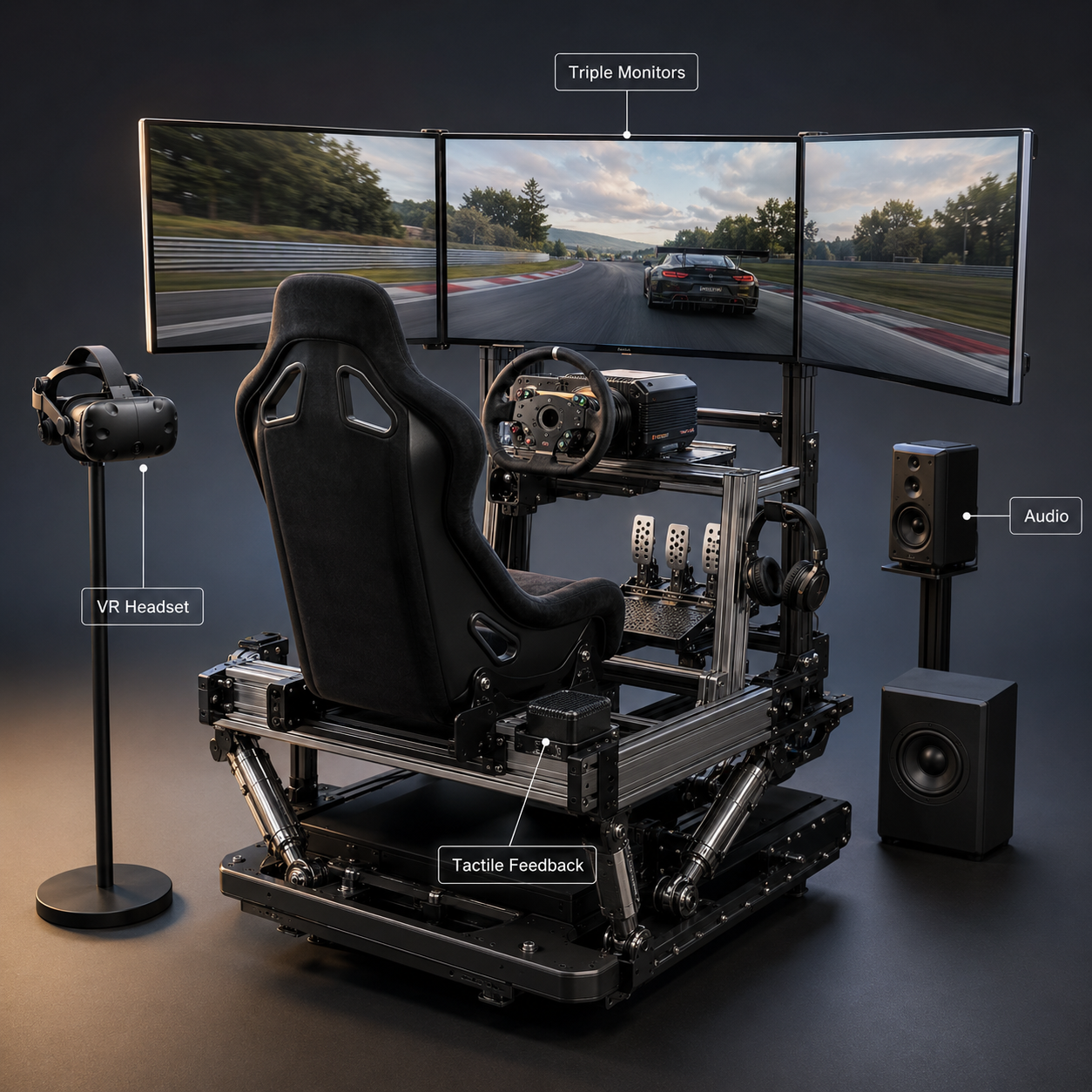
Your display setup changes how a full motion sim feels. Triple monitors give excellent visibility and make it easy to read braking points, apexes, and cars around you. The challenge is mounting. Large screens can shake if they're attached to the moving frame, so a freestanding stand is often the better option.
VR creates a more enclosed driving experience. It can work brilliantly with a full motion sim, but it needs careful setup. The movement of the rig, headset tracking, and motion compensation need to work together. If the motion profile is too aggressive, VR comfort can drop quickly.
Audio also adds a lot to the final experience. A good headset or speaker setup makes engine note, tyre noise, gear shifts, and kerb contact easier to read. Tactile transducers can add extra vibration through the seat or frame, but they need to be adjusted so they don't fight the motion platform.
A full motion sim has more moving parts than a fixed rig, so small planning errors can turn into bigger frustrations later. The most common mistake is choosing the motion platform before confirming the cockpit, display, pedals, wheelbase, room size, and power access.
Another mistake is chasing maximum movement. Aggressive profiles can look dramatic in videos, but smoother cues are usually better for driving. If every bump, gear change, and kerb strike feels exaggerated, the driver starts reacting to the rig instead of the car.
Room layout also needs attention. You need space around the cockpit for platform movement, safe entry and exit, cable routing, and airflow. If the rig is going into a shared space, noise and vibration should be considered before purchase.
Before buying a full motion sim, check:
Total footprint with the platform moving
Cockpit and seat compatibility
Wheelbase and pedal mounting strength
Display mounting method
VR tracking and motion compensation needs
Power, USB, and cable routing
Access for maintenance and adjustments
The right full motion sim starts with your driving goals. A driver focused on GT racing will usually need a different setup from someone who drives rally, drift, formula cars, flight sims, or truck sims. The motion platform should match the main use case first, then support extra genres where possible.
Space is the next big factor. A full cockpit mover needs clearance around the rig. You also need to allow for monitor stands, a PC or console area, speaker placement, and safe cable routing. If the room is tight, a smaller platform or seat mover may be easier to live with.
Budget should include more than the motion platform. You'll also need a suitable cockpit, seat, wheelbase, pedals, display setup, and possibly accessories such as shifters, handbrakes, tactile feedback, and button boxes. A balanced setup will usually feel better than spending too much on motion and leaving the cockpit or controls underdone.
If you're planning a full build, start with racing simulator bundles.
Motion tuning is where a full motion sim becomes personal. Two drivers can use the same hardware and prefer very different profiles. Some like sharper kerb and traction cues. Others prefer smoother chassis movement with less intensity.
For racing, we'd usually start with moderate motion strength and build up slowly. Braking, cornering, and kerbs should be clear without throwing the driver around. If you feel like you're bracing against the rig instead of driving the car, the profile is probably too aggressive.
Different cars also need different settings. A GT car, open-wheeler, rally car, drift car, and road car won't feel the same. Saving separate profiles can make the full motion sim easier to use across different titles and driving styles.
Tuning also changes with displays. A monitor setup can often handle more physical movement than VR. With VR, smoothness and motion compensation become more important because the headset needs to match what your body feels.
A full motion sim needs regular checks because the platform, frame, seat, cables, and controls are always moving. Keep bolts tight, cables clear of moving parts, and software updated. Listen for new noises, check for extra play in the frame, and inspect mounting points after longer sessions.
If the rig feels delayed, start with software and telemetry settings. If braking feels inconsistent, inspect the pedal deck and pedal mounting. If the display shakes too much, review the monitor stand. If VR feels uncomfortable, reduce motion strength and check motion compensation.
Keep the area around the platform clean and clear. A full motion sim should have enough space to move without catching cables, mats, furniture, or wall edges. Good cable management isn't just tidier; it protects the hardware and reduces setup issues.
For support-related planning, see racing simulator accessories and sim racing setup.
A full motion sim is best for drivers who already know they enjoy sim racing and want a more physical cockpit experience. It's a major step up from a fixed rig, so it makes the most sense when the rest of the setup is already strong enough to support it.
It's a great fit for drivers who use direct drive wheelbases, load cell pedals, VR, triple monitors, or high-end cockpits. It's also a good option for homes, studios, training spaces, and showrooms where immersion is a major part of the setup.
A full motion sim may not be the right first purchase for every beginner. If you're starting from scratch, a rigid cockpit, good wheelbase, and quality pedals may give you a better foundation before adding motion. Once those core parts are sorted, motion can make the whole experience feel more complete.
A full motion sim is one of the most immersive upgrades you can add to a racing setup, but it needs to be planned as a complete system. The motion platform, cockpit, wheelbase, pedals, displays, software, and room layout all affect the final feel.
If we were planning a full motion sim for a home racing setup, we'd start with the cockpit and controls first, then choose the motion platform around them. We'd also leave room in the budget for proper mounting, cable management, display support, and tuning time.
The best full motion sim isn't the one with the most dramatic movement. It's the one that gives clear, repeatable feedback every time you brake, turn, ride a kerb, or catch a slide.