

Driving Simulator Cost in Australia
|
|
Driving simulator cost can be hard to judge because a complete setup is more than a wheel and pedals. The real total depends on the cockpit, seat, wheelbase, steering wheel, pedals, display setup, software, delivery, and upgrade path. A cheap starting point can become expensive fast if the frame flexes, the pedals won’t mount cleanly, or the wheelbase needs a stronger cockpit later.
Gamer Gear Direct helps Australian drivers compare sim racing setups across beginner, enthusiast, and premium packages. We’ve handled cockpit builds, direct drive wheelbases, steering wheels, pedals, shifters, handbrakes, monitor mounts, and motion-ready rigs through our showroom and warehouse operations. That gives us a clear view of what changes driving simulator cost in the real world, not just on a product spec sheet.
This breakdown covers what you can expect to pay, what’s usually included, what gets missed, and how to choose a setup that matches the way you drive.
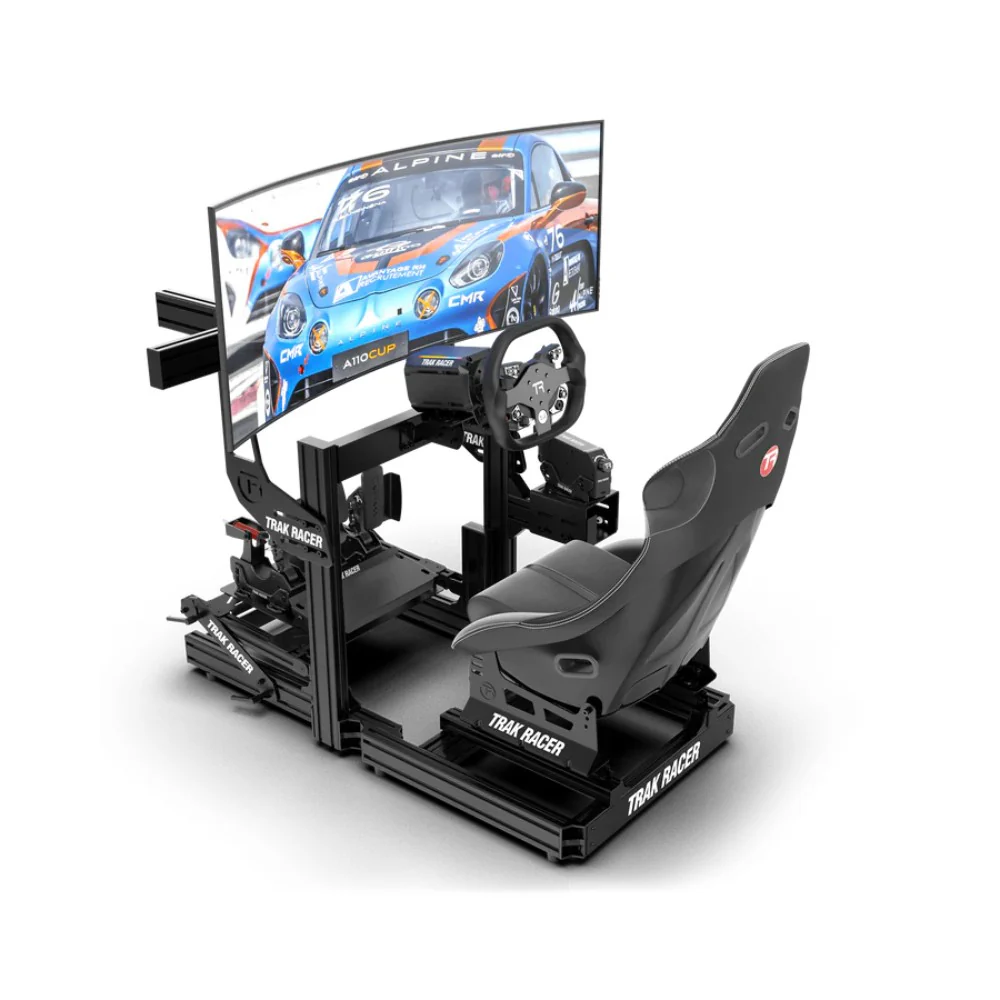
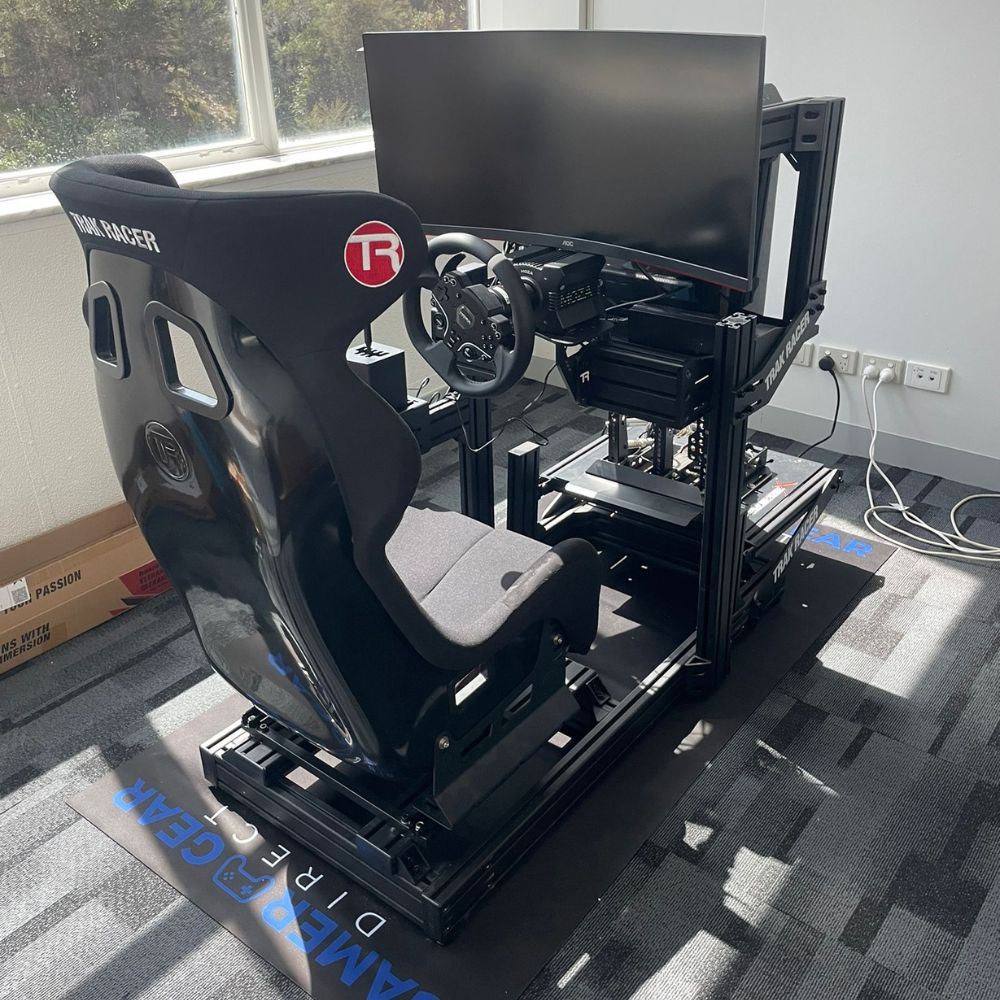
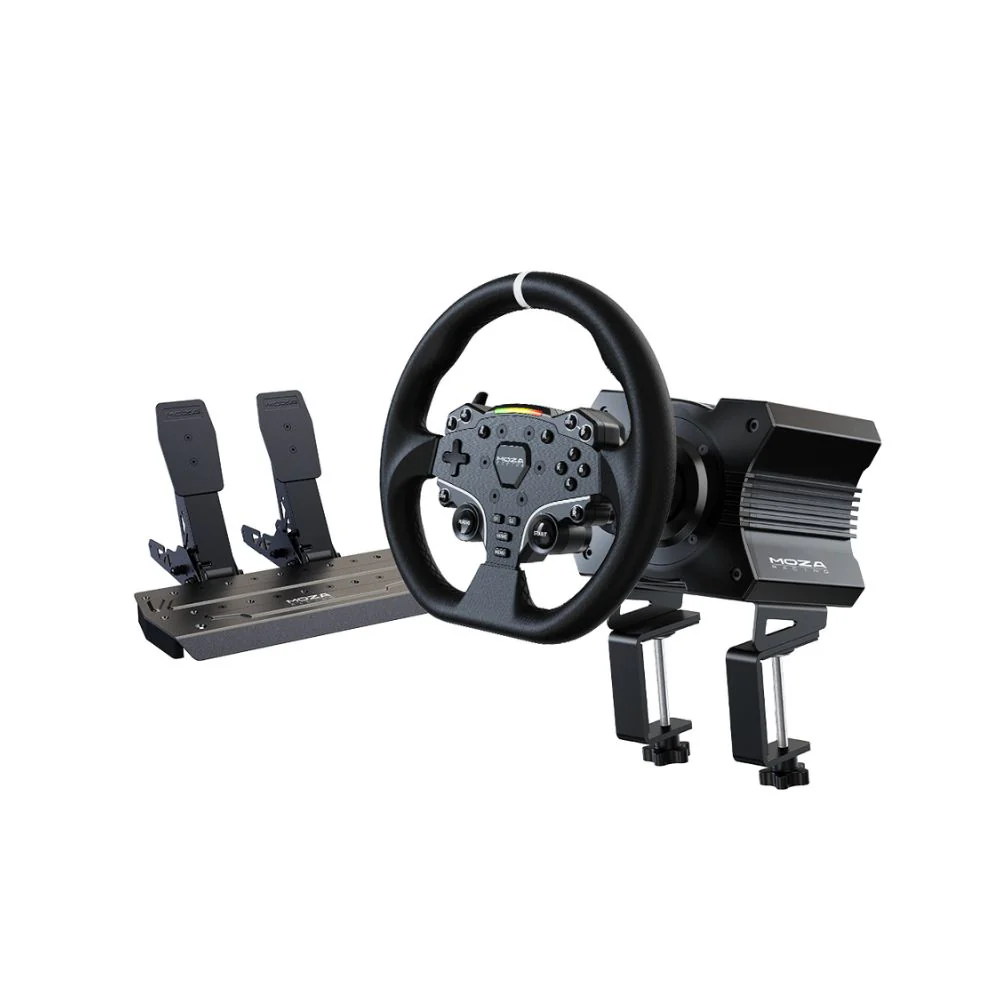
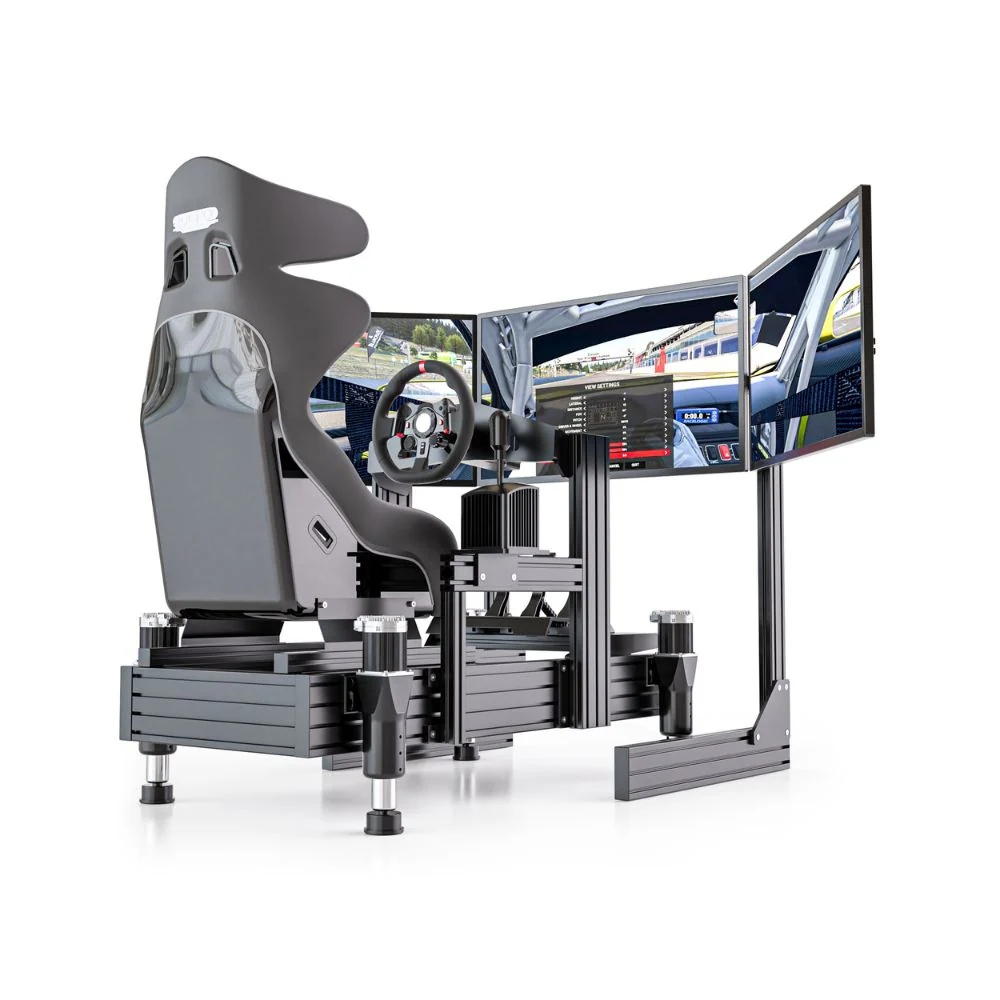
A driving simulator is a driving position built around racing or road simulation software. A basic setup can be a wheel clamped to a desk with pedals on the floor. A more complete setup uses a cockpit, racing seat, wheelbase, steering wheel, pedals, display mount, and accessories like a shifter or handbrake.
The reason driving simulator cost varies so much is that the category covers many different setup types. A casual console racer may only need a simple wheel and pedal set. A PC sim racer using a direct drive wheelbase may need a rigid cockpit, load cell pedals, a stronger monitor stand, and more space. A motion simulator buyer needs even more planning because the cockpit, actuator system, electronics, and display position all need to work together.
A complete simulator can include:
Cockpit or wheel stand
Seat and seat brackets
Wheelbase and steering wheel
Pedals
Shifter or handbrake if needed
Single monitor, triple monitors, or VR
Monitor stand or cockpit-mounted display frame
Gaming PC or compatible console
Simulation software
Cables, USB hub, power boards, and mounting hardware
Before comparing prices, check what’s actually included. Two packages can look similar at first, but one may exclude the seat, display mount, shifter plate, or delivery.
When we assess driving simulator cost, we look at the full setup rather than one part on its own. A wheelbase that feels great on paper still needs a frame that can handle it. Pedals with a heavy brake need a solid pedal plate. Triple monitors need the right stand and enough room behind the cockpit. A motion system needs a compatible frame and safe space around the rig.
In our showroom checks and customer setup planning, the largest cost jumps usually come from four areas. The first is moving from a desk or wheel stand to a full cockpit. The second is moving from a gear or belt-driven wheel to direct drive. The third is moving from basic pedals to load cell or hydraulic pedals. The fourth is adding displays, VR, or motion.
That’s why driving simulator cost should be planned as a system. Spending more in one area can create pressure in another. For example, a powerful direct drive wheelbase may expose flex in a lightweight cockpit. Heavy brake pedals can make a cheap pedal plate move under load. A triple screen setup can require more hardware, more space, and a stronger PC.
For a deeper setup overview, start with driving simulator setup before choosing individual parts.
The cockpit is often the part that buyers underestimate. A basic wheel stand can work for casual driving, but a full cockpit gives you a fixed driving position and better stability. Steel tube frames can be compact and cost-effective. Aluminium profile cockpits usually cost more, but they offer more adjustment and a better upgrade path for heavier hardware.
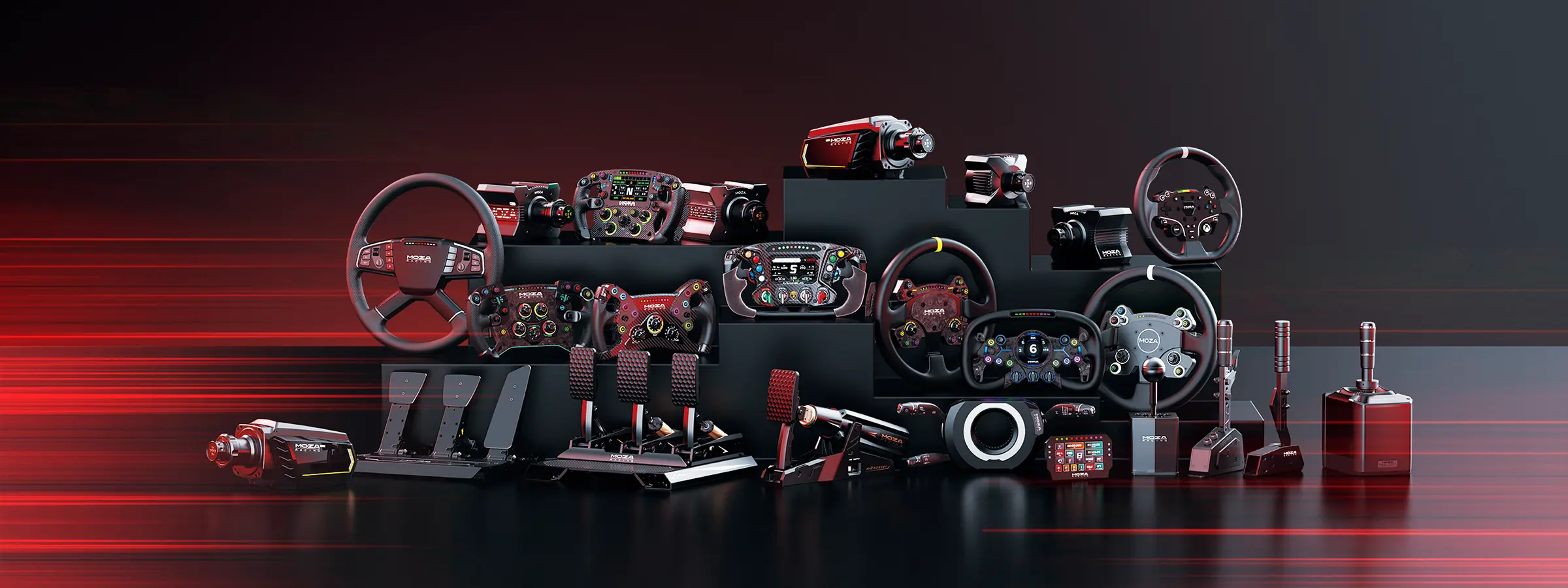
The wheelbase has a major impact on driving simulator cost. Entry-level force feedback wheels are affordable and easy to mount. Direct drive wheelbases cost more because they deliver stronger, more detailed steering feedback. They also need a stable frame. If the wheel deck moves when you turn, you lose some of the detail you paid for.
Pedals can change the feel of a simulator more than many beginners expect. Basic pedals are fine for casual use, but load cell pedals give a firmer brake feel and better control under braking. Hydraulic pedals sit at the premium end and are usually chosen by drivers who want a more physical brake feel.
Displays also change the budget. A single monitor keeps driving simulator cost lower. Triple monitors give a wider field of view, but they need a larger stand, more space, and a PC that can drive the extra pixels. VR can be immersive, but comfort, headset resolution, and PC performance need to be considered before you commit.
Accessories can add up quickly. A shifter, handbrake, button box, upgraded wheel rim, seat slider, speaker system, and cable management gear can push the total higher than expected. Start with the parts that affect control and stability first, then add extras later.
Driving simulator cost in Australia usually falls into several broad ranges. The exact total depends on inclusions, freight, stock availability, and the hardware you choose.
Setup type |
Typical inclusions |
Expected spend |
|---|---|---|
Desk or wheel stand setup |
Entry wheel, pedals, clamp or stand |
Low upfront cost |
Entry cockpit setup |
Cockpit, seat, wheel and pedals |
Lower to mid-range spend |
Direct drive cockpit setup |
Rigid cockpit, direct drive wheelbase, wheel, stronger pedals |
Mid to higher spend |
Triple screen setup |
Cockpit, wheelbase, pedals, display stand, monitors |
Higher spend |
Motion simulator setup |
Cockpit, direct drive hardware, pedals, motion platform |
Premium spend |
A beginner setup is usually the lowest driving simulator cost because it uses fewer parts. It may be enough for casual racing, console play, or someone learning the basics. The trade-off is usually stability, adjustment, and upgrade room.
A mid-range setup is where many sim racers get the best long-term value. This usually means a fixed cockpit, a better wheelbase, stronger pedals, and cleaner mounting. It costs more upfront, but it avoids the common cycle of replacing entry gear too quickly.
A premium setup can include direct drive hardware, load cell or hydraulic pedals, an aluminium profile cockpit, triple monitors, and motion. This level of driving simulator cost is suited to drivers who want a more complete setup from the start or customers planning a showroom, event space, training room, or commercial simulator.
For pre-configured options, browse racing simulator packages and racing simulator bundles.
A driving simulator package may include the cockpit, seat, wheelbase, wheel, pedals, and mounting hardware. Some packages also include a shifter, handbrake, monitor stand, or display. Others only include the frame and seat, which means you’ll need to add the driving controls separately.
This is where driving simulator cost can be misleading. A lower advertised price may only cover the cockpit frame. A higher-priced package may include the seat, wheelbase, steering wheel, pedals, and key mounting parts. Before judging value, compare the full list of inclusions.
The most common missing parts are the seat, seat slider, monitor stand, shifter mount, handbrake mount, cables, USB hub, gaming PC, and software. Delivery may also be separate, especially for bulky cockpits and large monitor stands.
A clean way to compare value is to ask what the setup needs before it’s ready to drive. If you need to add several parts after checkout, the real driving simulator cost may be higher than expected.
Entry-level setups are designed for new drivers, casual racing, and smaller rooms. They often use a desk-mounted wheel or a compact wheel stand with basic pedals. Some buyers add a folding seat or entry cockpit once they want a more fixed driving position.
The main benefit is a lower starting price. The main limitation is that the setup may move under braking or steering load. If you only race occasionally, that may be acceptable. If you race often, the movement can become frustrating and may lead to an earlier upgrade.
For most beginners, the best way to control driving simulator cost is to avoid buying random parts that don’t work well together. Choose a wheel and pedals that suit your platform, then make sure the stand or cockpit can mount them correctly.
A mid-range simulator usually includes a fixed cockpit, a stronger wheelbase, better pedals, and more adjustment. This is where driving simulator cost starts to increase, but it’s also where the setup begins to feel more stable and consistent.
In our customer conversations, this range often suits drivers who already know they enjoy sim racing and want a rig that can grow with them. They may start with a single monitor and add a better wheel, stronger pedals, or a display stand later.
The cockpit becomes more important in this range. If you’re planning to use direct drive hardware or firm brake pedals, a stronger frame is worth budgeting for early. It’s usually better to buy a cockpit that can handle the gear than to upgrade the cockpit soon after buying the wheelbase.
High-end simulator builds are for drivers who want stronger feedback, greater adjustability, and more immersion. This can include an aluminium profile cockpit, direct drive wheelbase, premium steering wheel, load cell or hydraulic pedals, triple monitors, VR, and motion.
Motion has the biggest impact on driving simulator cost because it adds hardware, electronics, setup planning, and space requirements. The rig needs to support the motion system safely, and the room needs enough clearance for movement. Display positioning also becomes more important because the driver and cockpit may move.
A high-end setup is not only about buying the most expensive parts. The parts need to work as one system. A premium wheelbase on a weak cockpit is a poor use of budget. Premium pedals without a stable pedal plate won’t feel right. Triple screens without a good stand can be hard to align.
For premium builds, start by planning the cockpit and driving position first, then choose the controls and displays around it. You can explore motion simulator options once the cockpit platform is sorted.
The advertised price is only part of the total. Delivery can add to driving simulator cost because cockpits, seats, and monitor stands are bulky. Some products may arrive across multiple cartons, so it’s worth checking what’s coming and when.
Assembly time is another factor. A simple wheel stand may be quick to set up. A full cockpit with seat, pedals, shifter mount, and triple monitor stand can take longer and may be easier with two people. Motion systems and triple displays need more planning again.
Software can also add ongoing costs. Some platforms require paid content, subscriptions, or extra cars and tracks. PC performance may become part of the budget if you want triple screens, VR, or high graphics settings.
Other common extras include seat sliders, side mounts, pedal adapters, monitor arms, speaker mounts, cable ties, USB hubs, extension cables, and power boards. They’re small items compared with the main hardware, but they can still affect the final driving simulator cost.
One of the most common mistakes is buying a powerful wheelbase before choosing the cockpit. Strong force feedback can expose flex in the wheel deck, especially on lighter frames. If you plan to use direct drive, start with cockpit compatibility.
Another mistake is underestimating pedals. Many beginners focus on steering feedback first, but braking consistency often has a bigger impact on lap times and control. A solid pedal plate and better brake feel can make the simulator more predictable.
Platform compatibility is also important. PC offers the widest hardware choice, while console setups need closer checking. The wheelbase, steering wheel, pedals, and game support all need to match the platform.
The final mistake is comparing packages by price alone. A cheaper bundle may leave out the seat or mounts. A more complete package may look expensive until you add the missing parts to the lower-priced option.
Start with the way you drive. If you’re racing casually on console, keep the setup simple and focus on compatibility. If you’re moving into PC sim racing, leave room in the budget for a cockpit that can accept upgrades. If you’re planning triple monitors or motion, measure the space before choosing the frame.
The safest way to manage driving simulator cost is to prioritise the parts that affect stability and control. That usually means cockpit, pedals, wheelbase, and display position. Visual extras and extra controls can come later.
If you’re building in stages, choose parts that won’t trap you. A modular cockpit gives you more freedom than a setup with limited mounting options. A good pedal platform gives you room to move into load cell pedals later. A clean display mount makes future screen changes easier.
Casual console driver: driving simulator cost should stay focused on a compatible wheel, pedals, and a simple stand or cockpit. There’s no need to overspend on parts the console can’t support.
PC sim racer: a fixed cockpit and reliable pedals should be high on the list. The wheelbase can be upgraded later, but a stable driving position makes every future part feel better.
GT or touring car driver: a round or GT-style steering wheel, firm pedals, and an adjustable cockpit are usually more important than extra accessories at the start.
Drift or rally driver: budget for a shifter and handbrake earlier. Mounting position is important, so make sure the cockpit can place those controls where your hands naturally reach.
Motion buyer: plan the full system before ordering parts. Cockpit compatibility, available floor space, power access, display position, and driver weight range all affect the final setup.
Warranty and support should be part of the total driving simulator cost. Sim racing hardware can include electronics, moving parts, firmware, mounting hardware, and wear items. If something fails, local support can reduce stress and downtime.
When we help customers with product issues, the process often starts with the order details, serial number, photos, and a short video of the fault. That gives the supplier or manufacturer the details needed to assess the issue properly. Keeping your packaging, receipts, and product labels makes support easier.
Delivery is also worth planning. Large cockpits and monitor stands can be heavy and bulky. Regional delivery may cost more than metro delivery, and some orders may ship in separate cartons. Before ordering, measure your room, access path, and available setup space.
Before you buy, make sure the listed price covers the parts you actually need. Check the cockpit, seat, wheelbase, steering wheel, pedals, monitor mount, shifter mount, handbrake mount, delivery, software, and platform compatibility.
Driving simulator cost is easiest to manage when you plan the full setup first. A balanced simulator doesn’t need every premium part on day one. It needs a stable cockpit, compatible controls, a comfortable driving position, and a clear path for upgrades when you’re ready.