





The Ultimate Guide to Simulator Wheel Setup and Performance
|
|
Have you noticed how the racing world is buzzing about simulator wheel setups? With more drivers and gamers seeking that real track feel at home, demand for the perfect simulator wheel is reaching a whole new level.
If you want to master your simulator wheel and unlock the most realistic driving experience possible, you’re in the right place. This guide will walk you through every step, from choosing the ideal wheel to fine-tuning it for peak performance.
We’ll cover how to select the right simulator wheel for your needs, essential setup steps, ways to dial in your settings, troubleshooting common issues, and expert tips to help you race like a pro. Whether you’re a weekend enthusiast or aiming for competitive glory, this guide is your ticket to a next-level racing setup.
Let’s get started and transform your simulator wheel journey.
Curious about what sets one simulator wheel apart from another?
It doesn't matter if you’re just starting out or aiming for pro-level realism; understanding the different types and features is key.
Let’s break down the main categories, must-have specs, and the latest innovations that are shaping the way you race.
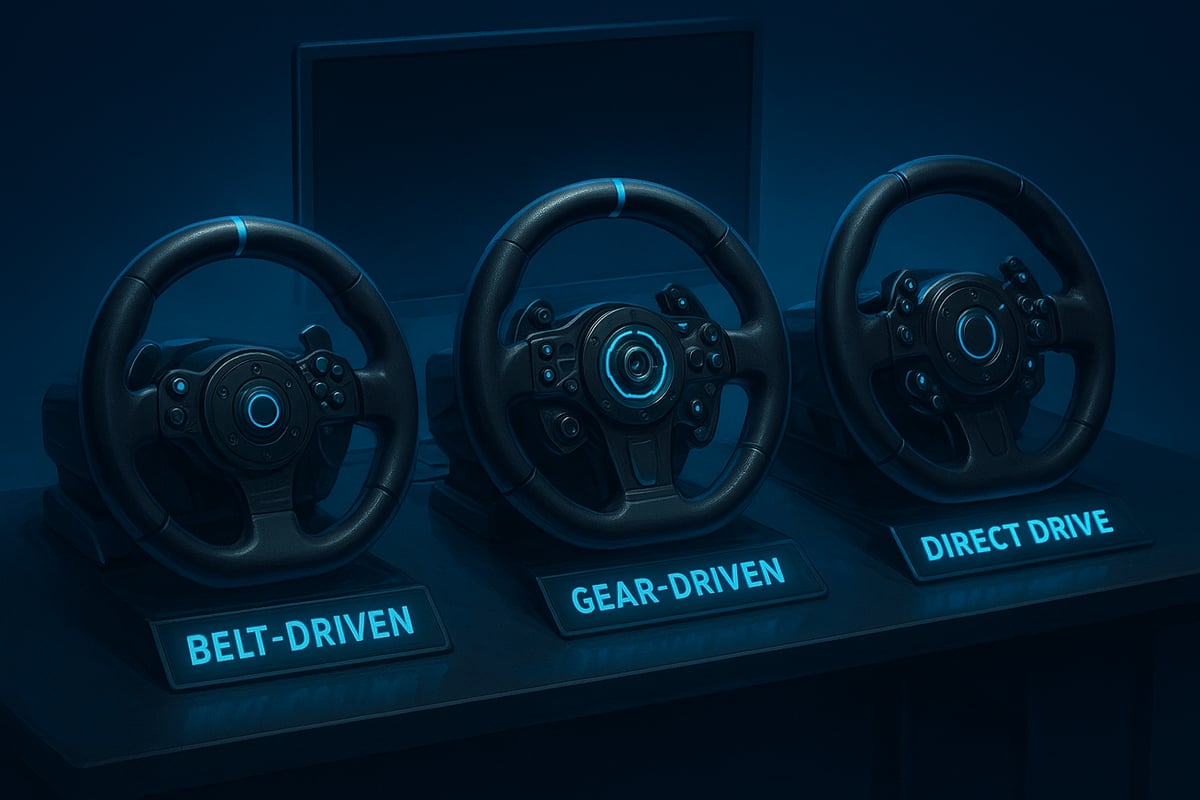
There are three main types of simulator wheel to consider: belt-driven, gear-driven, and direct drive. Each has its own pros, cons, and best-use cases.
Type |
Pros |
Cons |
Best For |
|---|---|---|---|
Belt-driven |
Quiet, smooth feedback |
Less powerful |
Casual, mid-tier setups |
Gear-driven |
Affordable, robust |
Noisier, less precise |
Entry-level, budget builds |
Direct drive |
Ultimate realism, strong feedback |
Expensive, heavier |
Serious sim racers |
If you’re seeking the most lifelike experience, direct drive models are the gold standard. For a closer look at what makes these wheels special, check out this simulator wheel collection. On the other hand, belt-driven wheels offer a quieter ride, ideal for home environments, while gear-driven options keep things budget-friendly for beginners.
When choosing a simulator wheel, focus on features that impact feel and compatibility. Force feedback strength and fidelity are crucial for a realistic road sensation, letting you “feel” the car and track. Make sure your simulator wheel works with your chosen platform, whether that’s PC, PlayStation, or Xbox.
Rotation range matters too—look for wheels with adjustable degrees of rotation to match different car types. Build quality should not be overlooked. Premium materials, sturdy construction, and ergonomic grips make long sessions comfortable. Many setups also feature adjustable pedal sets and removable rims, letting you tweak to your preference.
Haptic feedback and advanced vibration motors now deliver nuanced road textures and tyre slip cues. Wireless connectivity is standard, cutting down input lag and desk clutter.
Modularity has improved, so you can quickly swap out rims or upgrade components. Manufacturers are also using eco-friendly materials and designing for energy efficiency. A standout example is the new quick-release systems, allowing you to change wheel rims in seconds, perfect for switching between road and rally styles.
Setting up your simulator wheel can feel like unboxing a piece of high-tech racing kit. Don't worry, though. This step-by-step guide will walk you through every detail, so you'll be ready to hit the virtual track in no time.
Let's dive into each crucial stage, from assembly to calibration, and make sure your setup is as smooth as your fastest lap.
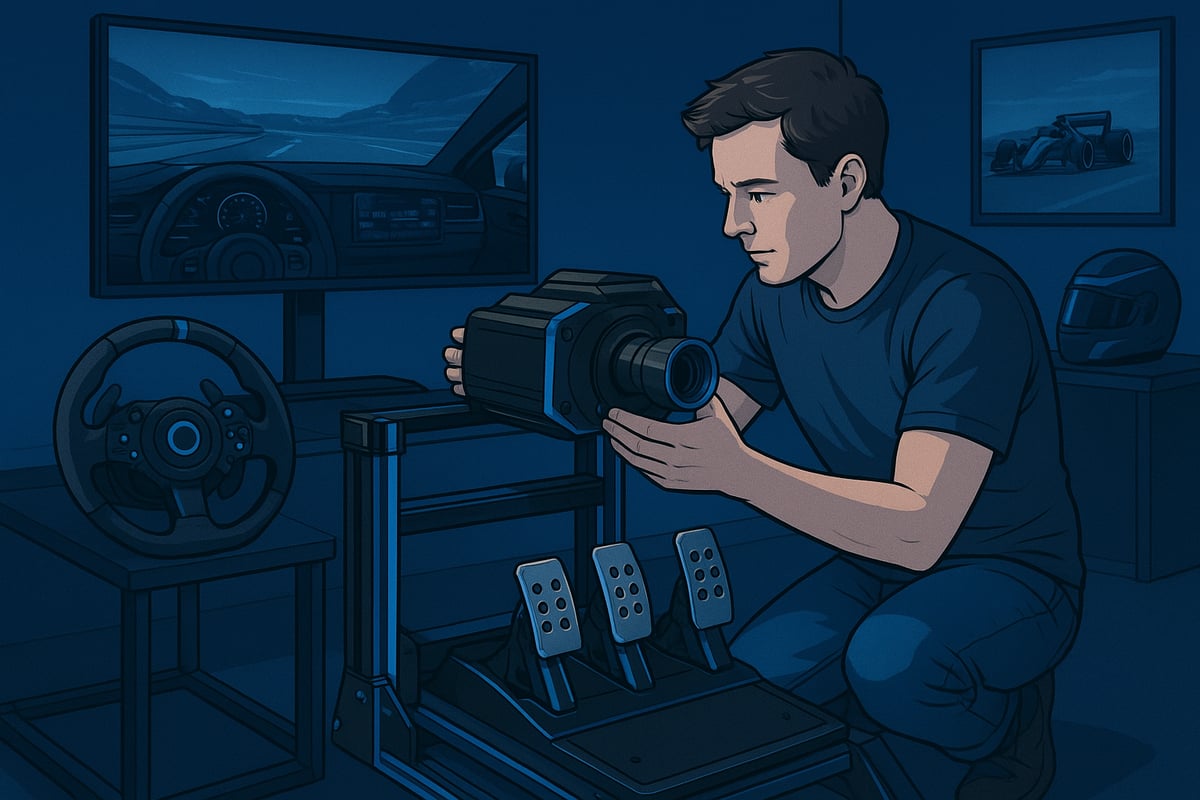
Unboxing your simulator wheel is like opening the door to a brand-new garage. Start by carefully checking the box for any damage, then lay out all components on a clean surface. Double-check that you have every part listed in the manual. If you’re unsure, consult a racing wheel buying guide for a visual checklist and extra tips.
Next, secure the wheelbase firmly to your desk or rig using the included mounts. Make sure it’s level and tight to prevent any wobble during intense races. Attach your pedals, shifter, and any extra accessories, paying close attention to ergonomic placement. For example, aligning your pedals so your feet rest naturally can make long sessions much more comfortable.
Keep all cables tidy as you go. This not only looks professional but also prevents accidental snags. Once everything is in place, you’re ready to connect your simulator wheel to your gaming platform.
Now, it’s time to get your simulator wheel talking to your system. Most wheels connect via USB, but some newer models offer wireless options for a cleaner look. Plug everything in, then check for any power indicators or connection lights.
Before you jump into a race, install the latest drivers and firmware updates from the manufacturer’s website. This step is crucial for compatibility with the newest operating systems and games. If your simulator wheel isn’t recognised, try switching USB ports, rebooting your system, or checking device manager settings.
Don’t forget about pedal and shifter connections—each should be plugged into the correct port on the wheelbase or directly into your PC or console.
Quick tip: Some users experience driver recognition issues, which are often resolved with a simple uninstall and reinstall of the drivers. By taking these steps, you’ll ensure a solid, responsive connection for your setup.
With your simulator wheel physically set up and connected, it’s time to fine-tune the experience. Launch the manufacturer’s software and start the calibration process. You’ll usually set the wheel’s centre position, rotation range, and adjust pedal sensitivity to match your driving style.
Explore the force feedback settings—find a balance between strong road feel and comfort to avoid fatigue. Adjust dead zones so the wheel and pedals respond accurately, and save custom profiles for different games or cars. For example, many racers create unique profiles for F1 and rally titles to match the distinct driving physics.
If you encounter calibration errors, check all connections and ensure you’re using the latest software version. Regularly updating and saving your configurations guarantees consistent performance. With these steps, your simulator wheel will feel dialled in and ready for any racing challenge.
Want your simulator wheel to truly feel like a race car’s steering system? Fine-tuning is where the magic happens. Let’s dive into the adjustments that transform your setup from good to elite.
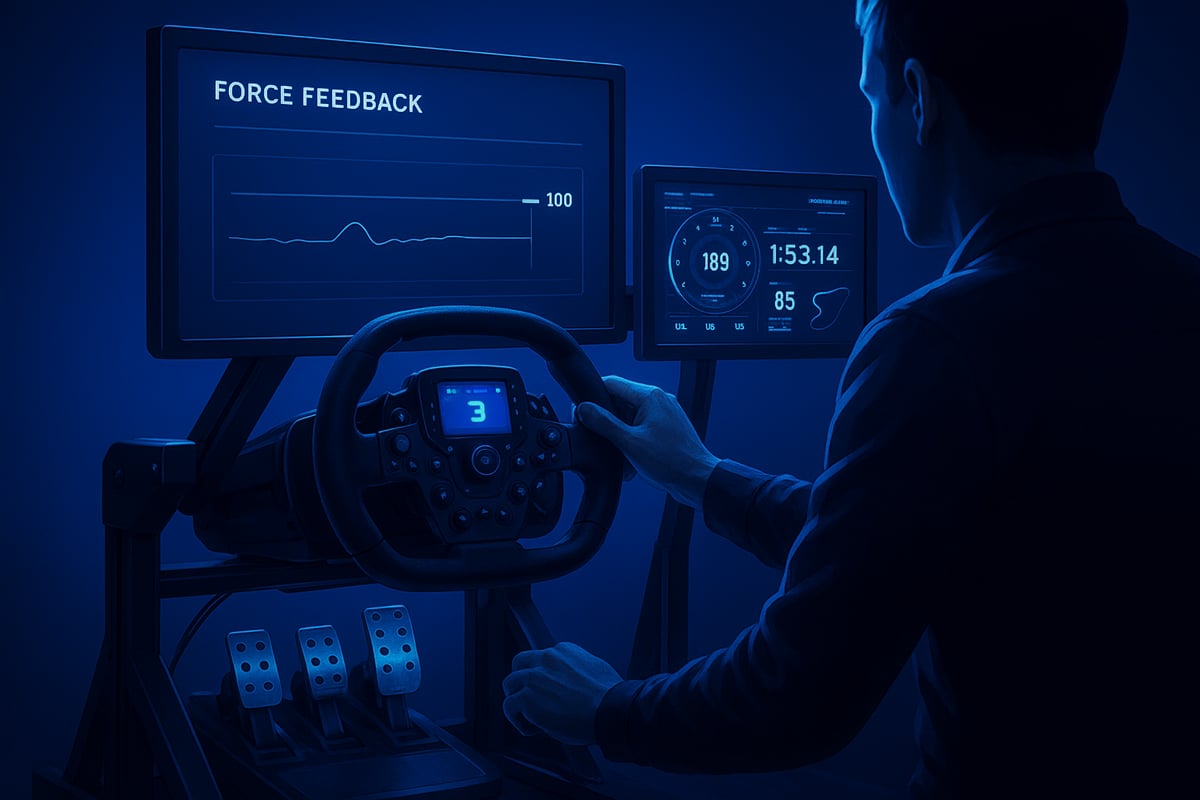
Getting the force feedback right on your simulator wheel is crucial for realism. If it’s too strong, you’ll tire quickly; too weak, and you lose vital road feel. Start by adjusting the force feedback strength to a level that offers resistance but won’t wear you out during long stints.
Fine-tune effects like road surface vibration, kerb bumps, and collision feedback. Many racers find that reducing vibration slightly improves comfort without losing immersion.
Set wheel rotation to match your favourite racing discipline.
Adjust dead zones to eliminate unwanted play.
Balance responsiveness vs. stability for smooth control.
Data from endurance sim races show that moderate force feedback settings help maintain focus and reduce fatigue, letting you drive longer and with more precision.
Dialling in your pedals and shifter can make or break your lap times. For your simulator wheel, set pedal travel and resistance so they mimic a real car as closely as possible.
Use your platform’s software to adjust brake sensitivity, especially if you’re keen on trail braking. Load cell pedals offer more realistic brake feel and better modulation, perfect for competitive racers. If you’re running a manual gearbox, calibrate your shifter for accurate gear changes, making sure there’s no missed shift when it counts.
Align pedals for natural foot placement.
Adjust clutch bite point for smoother launches.
Test brake pressure in different cars to find your sweet spot.
If you’re looking to upgrade, check out this range of racing simulator accessories designed to help you fine-tune every detail.
To get the most out of your simulator wheel, match your in-game wheel rotation with your hardware settings. This ensures what you see on screen matches your real-life movements, making the experience seamless.
Many modern sims allow you to use telemetry tools to analyse your driving in real time. With telemetry overlays, you can see data like steering input, brake pressure, and throttle application while you race. Use this data to tweak your setup and driving style for each circuit or car.
Synchronising force feedback curves with game physics gives a more authentic feel, helping you sense understeer or traction loss instantly. Save custom profiles for each game or car type, and update your software regularly to ensure compatibility with new releases.
Stay consistent with your updates and performance checks, and you’ll always be one step ahead on the virtual track.
Setting up your simulator wheel is only half the battle—your rig and ergonomics are just as crucial for comfort and performance. If you want to drive for hours without aches or shave seconds off your lap times, nailing the basics like seat choice, monitor positioning, and cable management will make all the difference.
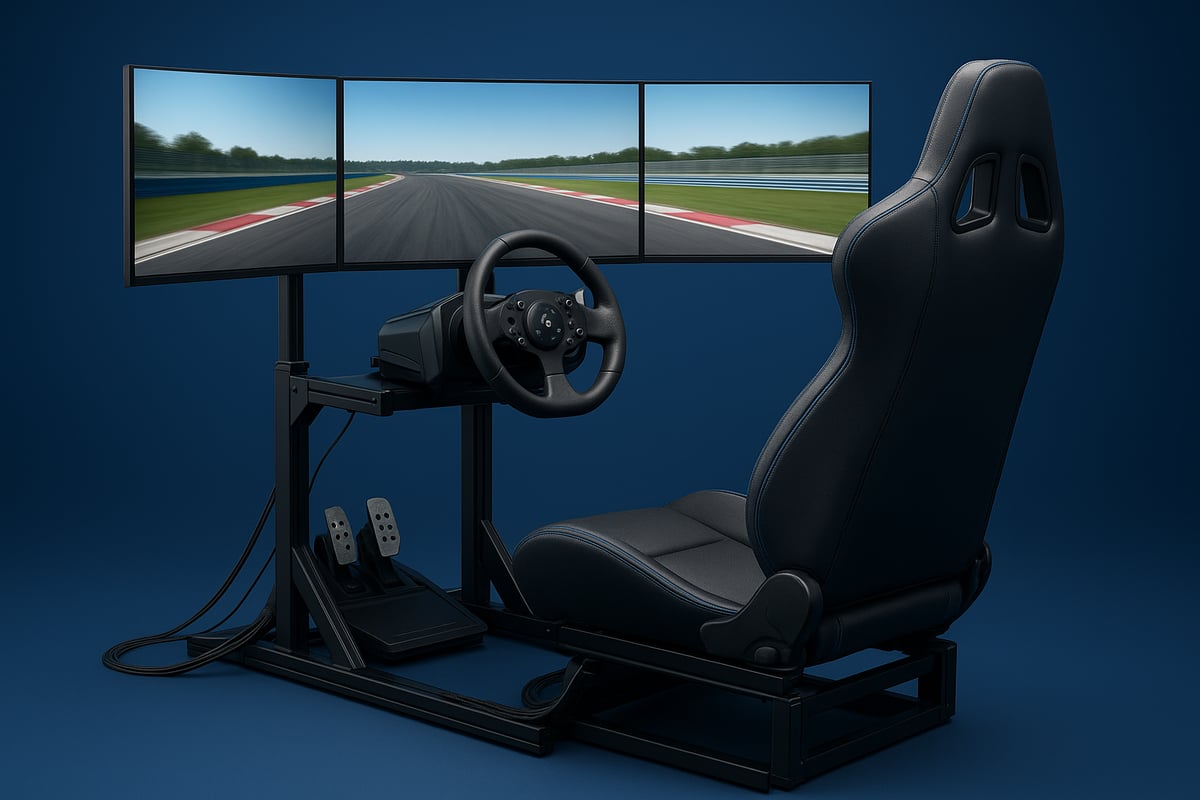
Picking the right base for your simulator wheel setup starts with the rig. Static rigs offer a sturdy, affordable option for most home users, while motion and hybrid rigs provide a more immersive, dynamic experience for those ready to invest.
When it comes to seats, comfort should be your top priority. A supportive racing seat reduces fatigue during long stints and helps you maintain proper posture. Adjust your seat so your legs are slightly bent when pressing the pedals and your arms rest naturally on the simulator wheel.
Studies have shown that ergonomic seating not only boosts comfort but also improves reaction times. Brands like Trak Racer, Sparco and OMP have introduced products designed for maximum adjustability, as seen in this Racing Seats Collection.
Your monitor setup can make or break the realism of your simulator wheel experience. Ideally, your main monitor should sit at eye level and be about an arm’s length away. This helps minimise neck strain and keeps you immersed in the action.
Triple monitor setups are fantastic for a wide field of view, wrapping you in the racing environment. If space is tight, an ultrawide monitor can deliver a similar effect with fewer cables and less fuss.
Be sure to configure your field of view (FOV) settings in-game to match your monitor and seating position. FOV calculators online can help you achieve the most lifelike perspective, making it easier to judge distances and apexes during races.
A clean rig isn’t just about looks—it’s also about safety and performance. Tangled cables can cause tripping hazards or interfere with your simulator wheel’s movement. Use cable sleeves, clips, or trays to keep everything tidy and out of the way.
Proper ventilation is equally important. The wheelbase and electronics in your simulator wheel setup can get hot during intense sessions, so make sure airflow isn’t blocked by cables or clutter.
Common mistakes include piling power boards under the seat or letting cables dangle near pedals. Take a few minutes to organise and secure everything, and you’ll protect your gear from overheating or accidental damage.
When your simulator wheel starts acting up, it can throw off your entire racing session. Staying on top of troubleshooting and routine care not only keeps your gear working smoothly, but also helps you get the most out of every lap.
Let’s dive into the essentials for diagnosing issues, extending hardware life, and keeping your setup up to date.
Ever had your simulator wheel suddenly stop responding or the force feedback feel off? These issues are surprisingly common and often have simple solutions.
Check all cable connections, especially USB ports and power supplies.
Ensure your wheelbase is recognised by your PC or console, and try switching USB ports if not.
Update or reinstall drivers and firmware if the device isn’t detected.
Calibrate pedals and shifters through software to resolve misalignments.
Inspect for loose connections or firmware mismatches.
Sometimes, hardware-specific quirks come into play. If you’re stuck, check forums for your exact model—chances are, someone else has solved the same issue.
Want your simulator wheel to last for years? A little regular care goes a long way.
Wipe down your wheel, pedals, and rig to keep dust from interfering with sensors.
Inspect moving parts like the shifter and pedal pivots for signs of wear.
Lubricate mechanical joints as recommended by the manufacturer.
Keep your play area clean to prevent debris from getting inside components.
Schedule a quick check every month so small issues don’t become major headaches.
By looking after your simulator wheel, you’ll enjoy smoother, more consistent performance and avoid unexpected breakdowns during those crucial races.
Regular updates are your secret weapon for a reliable simulator wheel experience. Manufacturers release updates to fix bugs, add features, and ensure compatibility with the latest racing games.
Always back up your custom profiles before updating.
Download firmware and drivers directly from the official website.
Follow update instructions step by step to avoid losing settings.
Double-check compatibility notes for new game releases or major operating system changes.
After updating, recalibrate your wheel and pedals to ensure everything works as expected.
Staying current with updates keeps your simulator wheel in peak condition and helps you avoid annoying compatibility surprises before race day.
Ready to take your simulator wheel setup to the next level? Once you have the basics sorted, there’s a world of advanced tweaks and strategies that can give you a real edge. Let’s break down how you can customise your gear, use data to improve every lap, and tap into the sim racing community for lasting progress.
If you want to compete at the highest level, customising your simulator wheel hardware is a must. Many racers start by upgrading to load cell pedals or even hydraulic systems for more precise brake modulation. Button boxes and handbrakes are popular add-ons, especially if you enjoy rally or drift events. Swapping out wheel rims can help you adapt your simulator wheel for different racing styles, whether it’s GT, F1, or touring cars.
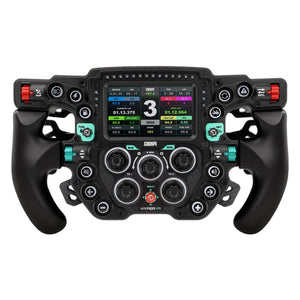
One standout innovation is the MOZA Porsche Mission R Wheel, which features a high-resolution OLED display and real-time data support. Pro drivers often use these advanced wheels to fine-tune their setups for specific racing series. With the right hardware, your simulator wheel can truly mirror the feel and function of a real race car. Here's MOZA's announcement of the Porsche Mission R.
Serious sim racers rely on data analysis to squeeze every tenth from their lap times. Telemetry software lets you track key metrics like braking points, throttle input, and steering angle, turning your simulator wheel sessions into actionable insights. Heat maps can show where you’re losing time, while lap comparison tools help you set realistic performance goals.
Cutting-edge research, such as Accelerating Real-World Overtaking in F1TENTH Racing, demonstrates how reinforcement learning and data can boost racing strategies. By integrating these tools with your simulator wheel, you can analyse every aspect of your driving, making targeted adjustments that lead to measurable improvement.
Don’t underestimate the power of the sim racing community. Joining online forums, leagues, and virtual events connects you with racers who share tips and setups for your simulator wheel. Many top drivers openly share their tuning guides, and community feedback can highlight tweaks you might never consider on your own.
Regular participation in competitions helps you apply what you’ve learned in real scenarios. Plus, ongoing learning through community resources ensures you keep up with the latest trends and software updates. With your simulator wheel tuned and your network growing, you’ll always be pushing for the top.


