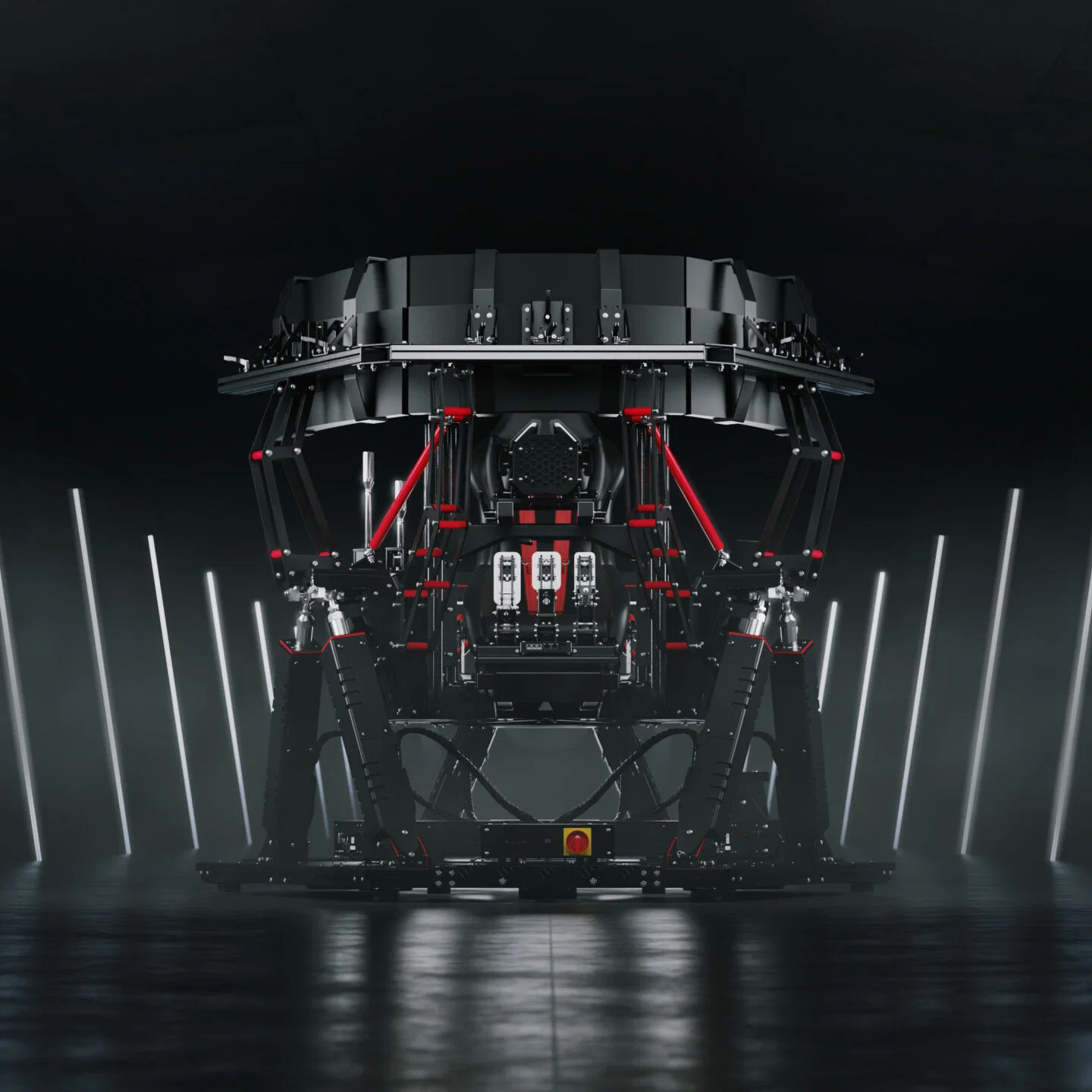
Motion Sim Racing: What We’ve Learned From Testing
|
|
Motion sim racing changes the way a racing simulator feels. A normal rig gives you steering force, pedal pressure and audio.
A motion sim setup adds physical feedback through the seat, cockpit or frame, so braking, kerbs, traction loss and road texture feel closer to what you see on screen.
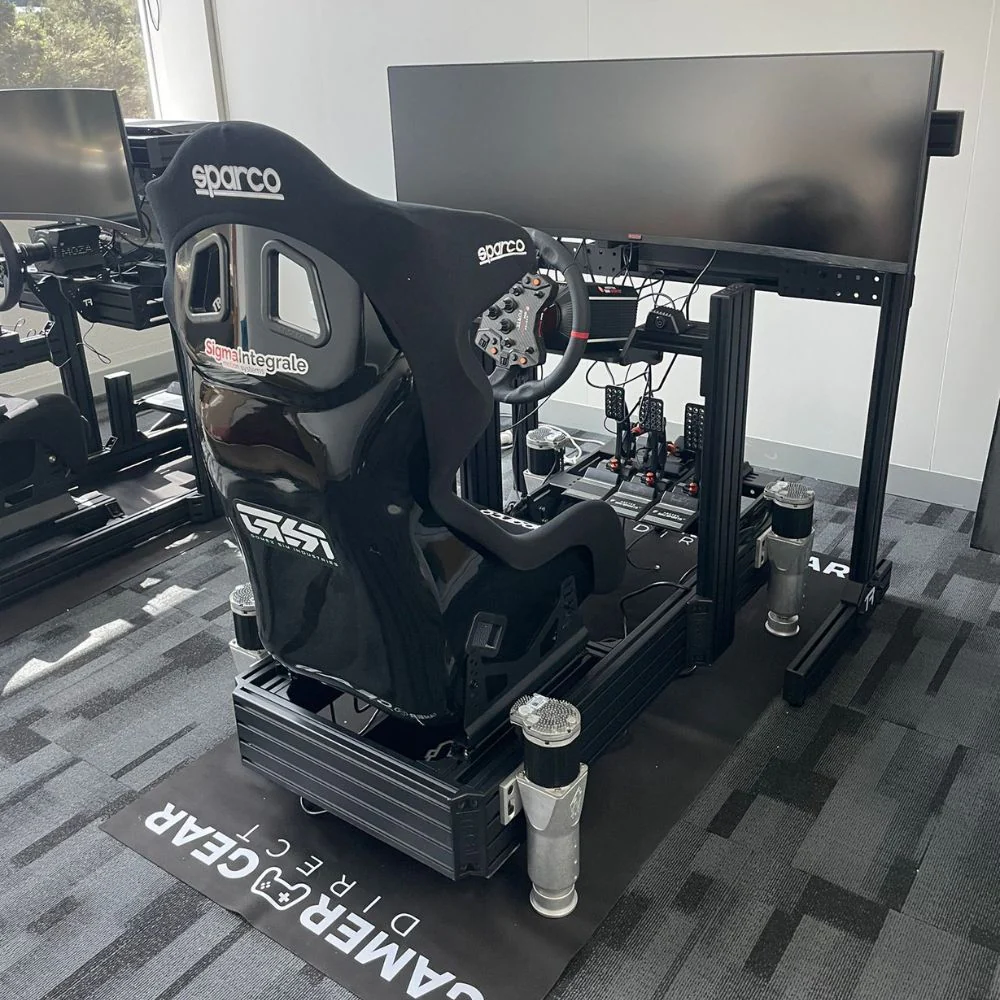
At Gamer Gear Direct, our team has tested motion sim products and haptic feedback setups in our Dandenong South showroom across dedicated racing cockpits, direct drive wheelbases, load cell pedals and multi-screen simulator builds. We’ve used these systems during product demos, customer setup discussions and internal testing, giving us a clear view of what actually improves the driving experience and what buyers should check before they invest.
In this guide, we’ll explain how motion sim works, what each type of system feels like, what to look for during setup and how to choose the right option for your racing simulator.
When we test a motion sim system, we’re not just checking if the platform moves. We’re looking at how natural the feedback feels during real driving inputs.
Our showroom testing focuses on:
Braking feedback under heavy pedal pressure
Kerb strikes through the seat and frame
Rear traction loss during corner exit
Road texture over rough surfaces
Gear shift vibration and engine feel
Comfort during longer sessions
Noise, cable routing and cockpit stability
Software control and profile adjustment
We also look at how each motion sim setup works with common racing hardware, including aluminium profile cockpits, direct drive wheelbases, load cell pedals, shifters, handbrakes and larger monitor setups. That’s important because motion can expose weaknesses in a cockpit. A flexible frame, loose pedal plate or poorly mounted seat can reduce the quality of the feedback.
For customers visiting our showroom, the most common question is simple: “Will I actually feel the difference?”
In our experience, the answer depends on the system. A bass shaker adds vibration.
A motion sim is a racing simulator setup that physically reacts to what’s happening in the game. Instead of relying only on the wheel, pedals, screen and audio, it adds movement or tactile feedback so your body feels more of the car’s behaviour.
In racing, a motion sim can simulate:
Pitch under braking and acceleration
Roll through corners
Kerb impacts
Road vibration
Engine rumble
Gear shifts
Wheel slip
Traction loss
Bumps, jumps and surface changes
A good motion sim gives clear cues at the right time. When you hit a kerb, you should feel a quick hit through the seat or chassis. When the rear starts to step out, you should feel a change in the platform before the car fully rotates. When you brake hard, the rig should give you enough forward pitch to support what your eyes and hands are already telling you.
That timing is what separates a useful racing motion setup from a system that just moves for effect.
A motion sim uses telemetry from the racing game and converts it into physical movement or vibration. The software reads what the car is doing, then sends commands to the motion hardware.
Most systems use one or more of these components:
Actuators that raise, lower or tilt the rig
Haptic transducers that create low-frequency vibration
Haptic pads with multiple feedback motors
Motion platforms mounted under the seat or frame
Software profiles that control intensity and response
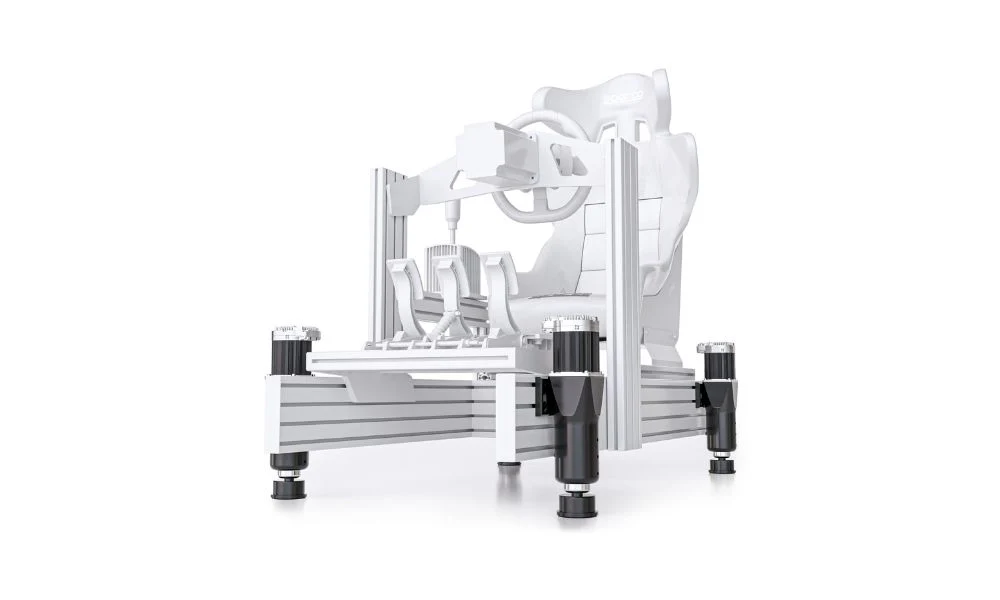
The number of movement directions is often described as degrees of freedom, or DOF. A 2DOF system can create pitch and roll. A 3DOF setup may add heave, which is vertical movement. A 4DOF system can add more detailed movement, depending on the hardware design and actuator placement.
Not every driver needs the same motion sim hardware. The right option depends on budget, space, cockpit type and the kind of racing you enjoy.
Haptic feedback is the easiest entry point into motion-style immersion. A bass shaker or haptic transducer mounts to the cockpit and sends low-frequency vibration through the frame or seat.
In racing, haptic feedback can make engine vibration, kerbs, gear shifts and road surface changes feel more connected. It won’t move the cockpit, but it can add a lot of feel for a smaller outlay. If you already have a stable rig, haptics can be a smart first step before moving into a full motion sim platform.
Good haptic feedback is especially useful for drivers who want more information from the car without adding a large moving platform. For more compatible add-ons, see our racing simulator accessories range.
A haptic seat pad uses multiple motors positioned across the back and base of the seat. Instead of shaking the full frame, it sends targeted feedback into different parts of your body.
During testing, haptic pads feel different from bass shakers. A shaker is stronger and more physical. A pad is more localised and easier to install. For drivers in apartments, shared homes or smaller rooms, a haptic pad can be easier to live with because it doesn’t need to transmit vibration through the entire cockpit.
A seat mover or compact platform moves the driver’s seating position rather than the full rig. This can create clear pitch and roll cues under braking and cornering without taking over the whole cockpit.
The biggest benefit is space efficiency. These systems are usually easier to fit into an existing cockpit. The trade-off is that the wheel and pedals may stay fixed while the seat moves, so the sensation is different from a full-frame motion sim.
For many home racers, this style of setup offers a good balance of movement, control and cost.
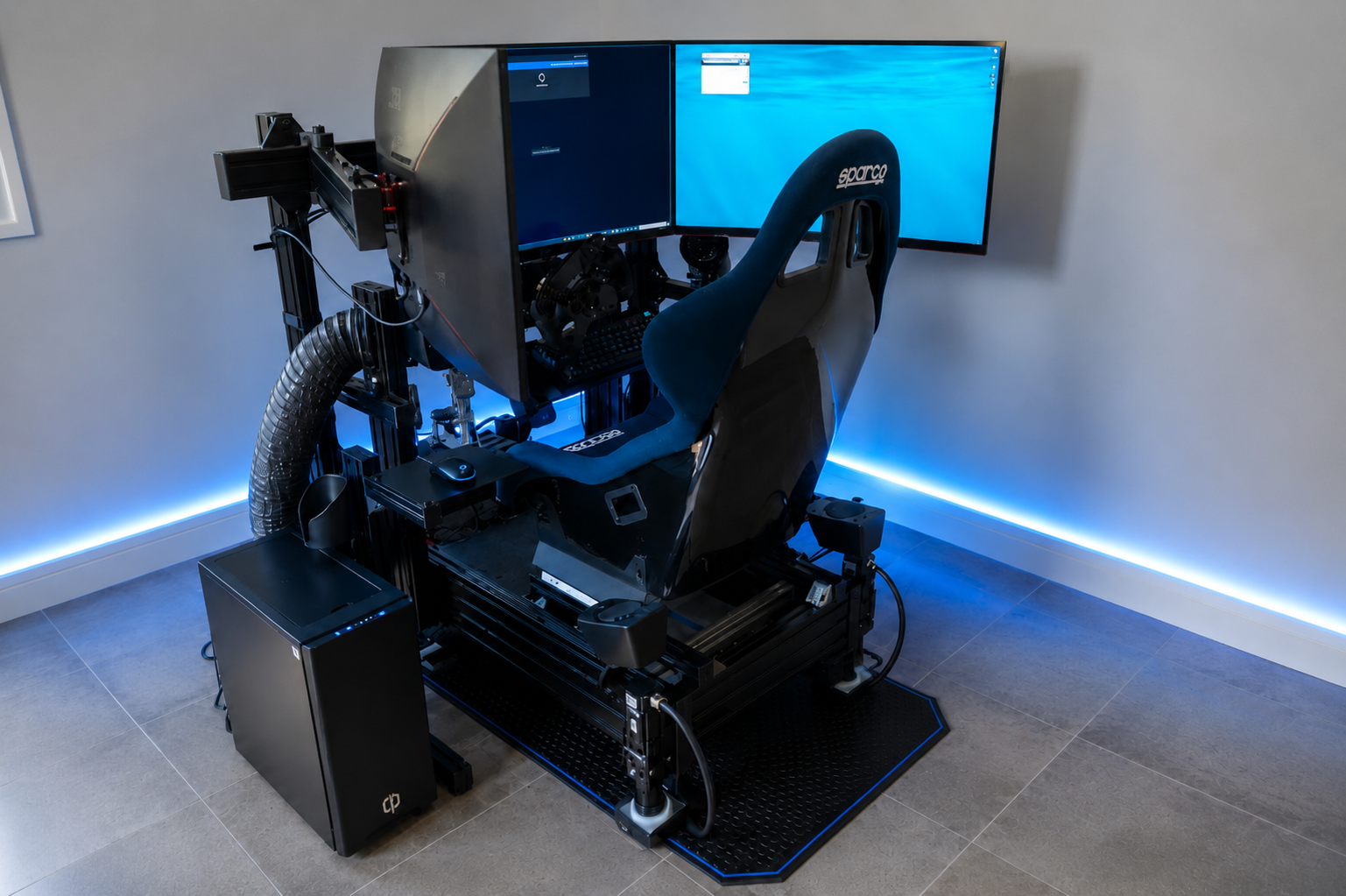
A full cockpit motion sim moves more of the simulator, often through actuators mounted near the corners or under the frame. This style can deliver stronger body cues because the seat, wheel, pedals and frame can move as one system.
Actuator-based setups suit drivers who want sharper feedback and have the space, budget and cockpit strength to support it. They’re also better suited to commercial racing simulators, training spaces and multi-user environments where the equipment needs to feel stable and repeatable.
If you’re planning a premium cockpit, start with a rigid base such as an aluminium profile rig. You can browse suitable options in our racing simulator cockpit collection.
The best way to understand motion sim is to break it down by driving moment.
Under braking, a motion sim can pitch forward slightly to make heavy braking feel more physical. This adds body feedback to what you’re already getting through a load cell brake pedal.
Through corners, roll feedback can make the car feel more loaded on one side. You can feel the difference between a smooth corner entry and a more aggressive turn-in.
Over kerbs, haptic feedback or actuators can send a fast hit through the seat and frame. Good kerb feedback should be sharp without feeling like random vibration.
During traction loss, a well-set motion sim can give subtle cues when the rear of the car starts to move. This is one of the most valuable effects for racing, especially in GT, rally and formula-style driving.
On rough surfaces, haptics can add texture to the track. You don’t need the rig to move dramatically for this to work. Small, controlled vibration can make the car feel more alive without making long sessions tiring.
When we talk to customers about motion sim gear, we always look beyond the product name. The full setup has to work together.
/////////
Motion adds load to the frame. A lightweight cockpit may flex, rattle or absorb feedback. A rigid cockpit gives the system a stronger base, especially with actuator hardware.
Driver weight and seating position
Different systems have different weight limits and mounting requirements. Seat position, pedal distance and centre of gravity can all change how the motion feels.
The best motion sim hardware still needs good software. Look for supported games, adjustable profiles and simple calibration. Software control is important because racing titles produce different telemetry.
Noise and room type
Haptics and actuators can create vibration through the floor. If your setup is in an apartment or upstairs room, you may need to manage mounting, flooring and intensity.
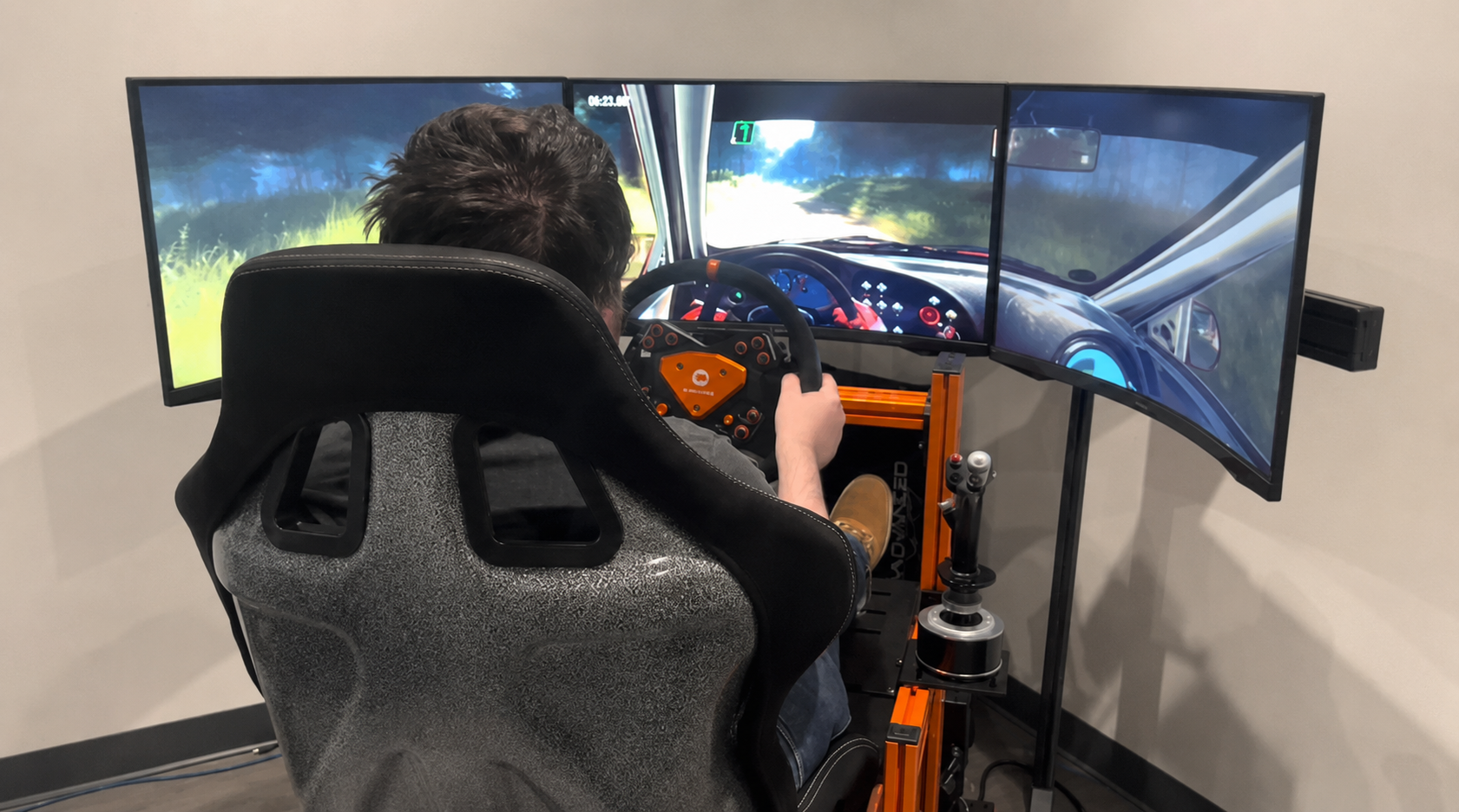
Motion can feel different on triples, ultrawide monitors and VR. With monitors, you need to check movement around the display stand. With VR, motion settings should feel comfortable and predictable.
Some drivers start with haptics, then move into a platform or actuator system later. If that’s your plan, choose a cockpit with enough rigidity and mounting flexibility from the start.
For more help planning the full rig, read our racing simulator setup guide.
The Australian motion sim market includes several options across haptics, platforms and actuator systems. At showroom level, we focus on how these products feel in real driving use and how they fit into a complete simulator.
D-BOX systems are known for actuator-based motion and haptic feedback. In a racing simulator, they’re suited to premium builds where cockpit strength, software setup and installation quality are all planned from the start.
Trak Racer motion platforms and compatible mounting hardware are useful for drivers using aluminium profile cockpits and modular simulator frames. The key advantage is being able to plan the cockpit, seat, controls and motion hardware as one complete system.
Buttkicker-style haptic systems are a common entry point for drivers who want more feel from their rig without moving the full cockpit. They’re especially effective for engine vibration, rumble strips and gear shift feedback.
Haptic seat systems can also work well for drivers who want targeted feedback with a simpler install. They’re not a replacement for full motion, but they can add useful sensation to a fixed cockpit.
If you’re still choosing the base of your build, start with the frame first. Our racing simulator cockpit range gives you a better foundation for wheels, pedals, monitors and motion hardware.
Motion sim setup is not just a plug-in-and-go job. The best results usually come from careful mounting, tidy cabling and restrained software settings.
Here are the setup lessons we keep coming back to:
Build the cockpit square and tight before adding motion
Check all seat bolts, pedal mounts and wheelbase mounts
Keep motion cables away from pinch points
Leave enough clearance around the rig
Start with lower motion intensity, then increase slowly
Test braking, kerbs and traction loss separately
Save different profiles for different games or cars
Recheck bolts after the first few driving sessions
It’s tempting to turn everything up on day one, but a balanced motion sim profile usually feels better over time. Too much pitch, roll or vibration can make the car harder to read. Cleaner cues give you more useful feedback.
Choose your motion sim based on how much feedback you want, how much space you have and how far you want to take the build.
Driver Type |
Best Fit |
Why |
|---|---|---|
First-time simulator owner |
Fixed cockpit with haptic feedback |
Adds feel without a major motion setup |
Space-limited home racer |
Haptic pad or compact platform |
Easier to install in smaller rooms |
GT or rally driver |
Haptics plus motion platform |
Gives stronger kerb, surface and traction cues |
Premium home simulator |
Full actuator-based motion sim |
Best suited to rigid cockpits and high-end hardware |
Commercial or multi-user setup |
Full cockpit motion with strong frame |
Better for durability, repeatable setup and demos |
If you’re upgrading from a desk-mounted wheel, don’t start with motion first. Build the foundation around a stable cockpit, direct drive wheelbase and quality pedals. Once the core driving position is right, motion sim hardware has a much better base to work from.
Do I need motion sim to enjoy sim racing?
No. You can have a great racing setup with a fixed cockpit, direct drive wheel and load cell pedals. Motion sim comes in once you want more physical feedback from the car and track.
Is haptic feedback the same as motion?
No. Haptic feedback creates vibration or tactile cues. Motion moves part of the simulator. Both can add immersion, but they feel different.
Can I add motion sim to my current cockpit?
It depends on the cockpit. Rigid aluminium profile cockpits are usually better suited to motion than lightweight folding frames. Mounting points, frame strength and available space all need to be checked.
Will motion sim make me faster?
Not automatically. A motion sim can give you more cues, but lap time still comes from braking control, steering input, throttle control and consistency. Some drivers use motion mainly for immersion. Others use it to read traction and surface detail more clearly.
Is motion sim good for long sessions?
It can be, as long as the settings are controlled. Overly aggressive movement can become tiring. A smoother profile with clear cues is usually better for longer races.
Should I choose haptics first or go straight to full motion?
For many drivers, haptics are the best starting point. They add useful feel without changing the whole cockpit. If you already have a strong rig and want a more complete physical driving experience, a full motion sim setup may be the better path.
Motion sim racing is best viewed as part of the whole simulator, not a standalone add-on. The cockpit, seat, wheelbase, pedals, monitor setup and software all affect how the motion feels.
From our showroom testing, haptic feedback is the easiest way to add more sensation to a fixed rig. A compact platform is a good step for drivers who want pitch and roll without a full actuator setup. A full actuator-based motion sim is best for high-end home simulators, commercial installs and drivers who want the most complete physical feedback.
Our advice is simple: get the base rig right first. Then choose the motion sim system that matches your space, driving style and upgrade plans. If the cockpit is rigid, the controls are mounted correctly and the software profile is dialled in properly, motion can add a much deeper connection between you, the car and the track.